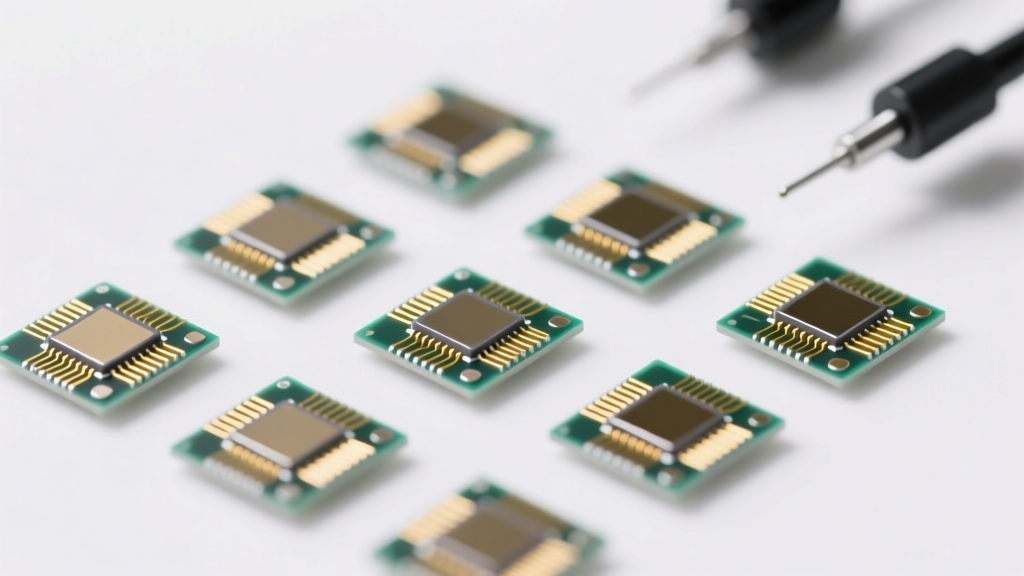
Types of NVMe SSD M.2 2230
An NVMe SSD in M.2 2230 format is a compact, high-performance storage solution engineered for speed, efficiency, and space-saving design. Measuring just 22 mm in width and 30 mm in length, this form factor is widely used in ultrabooks, mini PCs, tablets, and embedded systems where internal space is limited. Despite its small size, the M.2 2230 NVMe SSD delivers impressive data transfer speeds—often exceeding 2,000 MB/s—by leveraging the PCIe interface and NVMe protocol.
Available in various capacities and performance tiers, these SSDs cater to different user needs—from casual computing to enterprise-level workloads. Below is a detailed breakdown of the primary types of M.2 2230 NVMe SSDs based on capacity, use case, and performance characteristics.
High-Capacity NVMe SSDs (1TB–2TB)
Designed for power users who demand ample storage without sacrificing speed, high-capacity M.2 2230 NVMe SSDs offer between 1TB and 2TB of space. These drives are ideal for gamers, content creators, software developers, and professionals handling large files such as 4K video, CAD models, or virtual machines.
Advantages
- Ample space for OS, apps, and large media libraries
- High sequential read/write speeds (up to 3,500 MB/s)
- Suitable for multitasking and intensive workloads
- Future-proof storage solution
Limitations
- Higher cost per GB
- Limited availability in 2230 size
- Potential thermal throttling in compact devices
Best for: Power users, creative professionals, gaming laptops, and advanced productivity setups
Mid-Capacity NVMe SSDs (500GB–1TB)
Offering a balanced blend of performance and storage, mid-capacity NVMe SSDs are perfect for everyday computing. With 500GB to 1TB of space, these drives comfortably host operating systems, productivity software, web browsers, and a moderate collection of documents, photos, and applications.
Advantages
- Optimal balance of price and performance
- Faster boot and load times
- Sufficient space for most users
- Widely available and compatible
Limitations
- May fill up quickly with 4K media or games
- Less headroom for future expansion
Best for: General users, students, office workers, and light multimedia consumers
Low-Capacity NVMe SSDs (64GB–500GB)
These compact drives are designed for entry-level devices and users with minimal storage needs. Often found in budget tablets, older ultrabooks, or as boot drives, low-capacity NVMe SSDs (typically 64GB to 500GB) provide a significant performance boost over eMMC storage while keeping costs low.
Advantages
- Affordable entry point into NVMe performance
- Ideal for OS and essential applications
- Energy-efficient and cool-running
- Perfect for secondary storage or caching
Limitations
- Limited space for media and large apps
- May require frequent file management
- Lower endurance in budget models
Best for: Basic computing, older devices, secondary drives, and lightweight operating systems
Enterprise NVMe SSDs (2TB+)
Built for mission-critical environments, enterprise-grade M.2 2230 NVMe SSDs offer capacities exceeding 2TB and are engineered for sustained, high-throughput performance. These drives are optimized for reliability, endurance, and consistent IOPS (Input/Output Operations Per Second), making them suitable for data centers, industrial computers, and edge computing devices.
Advantages
- Exceptional endurance (high TBW – Terabytes Written)
- Advanced error correction and data integrity features
- Optimized for 24/7 operation
- Support for ECC memory and power-loss protection
Limitations
- Significantly higher cost
- Overkill for consumer use
- Limited consumer availability
Best for: Data centers, industrial systems, servers, and high-reliability embedded applications
| Type | Capacity Range | Performance Level | Endurance (TBW) | Best Use Case |
|---|---|---|---|---|
| High-Capacity | 1TB – 2TB | High (2,500–3,500 MB/s) | 600–1,200 TBW | Gaming, content creation, professional workloads |
| Mid-Capacity | 500GB – 1TB | Good (2,000–3,000 MB/s) | 300–600 TBW | General computing, office use, students |
| Low-Capacity | 64GB – 500GB | Basic (1,500–2,500 MB/s) | 100–300 TBW | Entry-level devices, OS drives, light use |
| Enterprise | 2TB+ | Very High (3,000+ MB/s, high IOPS) | 1,500–3,000+ TBW | Data centers, servers, industrial systems |
Expert Tip: When upgrading your device with an M.2 2230 NVMe SSD, verify BIOS and chipset compatibility—some older motherboards or laptops may not support booting from this form factor. Also, consider thermal management; compact devices may benefit from SSDs with built-in heat spreaders or thermal pads.
Durability and Material of NVMe SSD M.2 2230
Durability is a critical factor when selecting an NVMe SSD, particularly in compact form factors like the M.2 2230, which are commonly used in ultrabooks, mini PCs, embedded systems, and industrial applications. Due to their small footprint and high-performance demands, these drives must be engineered for resilience, thermal efficiency, and long-term reliability. This guide explores the materials, technologies, and metrics that contribute to the durability of M.2 2230 NVMe SSDs, helping users make informed decisions for both consumer and professional use.
Heat Dissipation Technology
Thermal Conductive Materials
NVMe SSDs generate significant heat during high-speed data transfers, especially in compact M.2 2230 modules where space for cooling is limited. To combat thermal throttling and maintain consistent performance, manufacturers integrate heat-conductive materials such as aluminum or copper into the drive’s casing or heatsink design. These metals efficiently draw heat away from the NAND flash and controller chips, preventing overheating and ensuring stable operation under sustained workloads.
Thermal Pads and Interface Design
High-quality thermal pads are placed between the SSD’s components and its outer shielding or heatsink to enhance heat transfer. These pads are designed to fill microscopic gaps and maintain consistent thermal conductivity over time, even under vibration or temperature fluctuations. Some premium drives also feature optimized PCB (Printed Circuit Board) layouts that separate heat-generating components to reduce hotspots and improve overall thermal management.
Effective heat dissipation not only preserves performance during intensive tasks like video editing or large file transfers but also extends the drive’s lifespan by minimizing thermal stress on sensitive electronics.
Shock Proof and Wear Resistance
Shock and Vibration Resistance
Unlike traditional hard drives, NVMe SSDs have no moving parts, making them inherently resistant to shocks, drops, and vibrations. This solid-state design is especially advantageous for portable devices such as laptops, tablets, and ruggedized industrial equipment. The M.2 2230 form factor, despite its small size, maintains this robustness, making it ideal for mobile and high-mobility applications where mechanical failure from physical impact is a concern.
Advanced NAND Flash Technologies
Wear resistance is achieved through modern NAND flash memory architectures like TLC (Triple-Level Cell) and QLC (Quad-Level Cell). While QLC offers higher storage density at lower cost, TLC generally provides better endurance and write performance. To further enhance longevity, SSDs employ wear-leveling algorithms that evenly distribute write and erase cycles across memory cells, preventing premature degradation of frequently used blocks. Additionally, over-provisioning—reserving a portion of memory for background management—helps maintain performance and endurance over time.
Robust Materials and Protective Features
High-Quality PCB and Connectors
The foundation of a durable M.2 2230 SSD is its Printed Circuit Board (PCB), which is constructed using high-tensile-strength materials to resist warping and cracking. Premium drives use multi-layer PCBs with reinforced traces to ensure signal integrity and mechanical stability. Gold-plated or copper-based connectors provide reliable electrical contact and resist oxidation, ensuring consistent data transfer even in demanding environments.
Environmental Protection Coatings
Many industrial-grade M.2 2230 SSDs feature protective conformal coatings that shield the circuitry from moisture, dust, and corrosive elements. These coatings are especially valuable in harsh environments such as outdoor kiosks, automotive systems, or manufacturing facilities. Some drives are also rated for extended temperature ranges (e.g., -40°C to 85°C), enabling reliable operation in extreme conditions.
TeraBytes Written (TBW) Ratings and Endurance Metrics
The durability of an NVMe SSD is quantitatively measured using TeraBytes Written (TBW), which indicates the total amount of data that can be written to the drive over its lifetime. For example, a drive rated at 150 TBW can handle 150 terabytes of cumulative writes before reaching its endurance limit. Higher TBW ratings are typically found in enterprise or industrial SSDs, reflecting their superior longevity.
| SSD Tier | Average TBW (for 512GB) | Use Case | Key Features |
|---|---|---|---|
| Consumer Grade | 100 – 200 TBW | Laptops, Ultrabooks | TLC NAND, basic wear leveling |
| Prosumer/Performance | 200 – 400 TBW | Gaming, Content Creation | Enhanced controllers, better thermal design |
| Industrial/Enterprise | 400 – 1000+ TBW | Embedded Systems, Servers | End-to-end data protection, ECC, wide temp range |
Modern NVMe SSDs also incorporate advanced features like Error Correction Code (ECC), Power Loss Protection (PLP), and Dynamic Wear Leveling to maximize reliability and data integrity. These technologies work in tandem to extend the functional life of the drive and protect against data corruption.
Important: Always consider your workload when selecting an M.2 2230 NVMe SSD. Light users may find consumer-grade drives sufficient, but professionals handling large datasets, continuous writes, or operating in harsh environments should invest in industrial or enterprise-grade models with higher TBW ratings and robust build quality. Proper ventilation and heat management in the host device are also crucial to maintaining SSD performance and longevity.
Commercial Use of NVMe SSD M.2 2230: Powering Modern Business Efficiency
The NVMe SSD M.2 2230 form factor has emerged as a game-changer in commercial computing, combining ultra-compact design with exceptional performance. Measuring just 22mm wide and 30mm long, these drives are ideal for space-constrained environments without compromising on speed or reliability. Leveraging the PCIe interface and NVMe protocol, they deliver significantly faster data transfer rates than traditional SATA SSDs—often exceeding 2,000 MB/s. This makes them a strategic choice across industries where rapid data access, system responsiveness, and compact hardware integration are critical to operational success.
Did You Know? The M.2 2230 size is increasingly adopted in modern thin-client devices, embedded systems, and IoT gateways due to its small footprint and high throughput—making it perfect for next-generation commercial deployments.
Improving Workstation Performance
Businesses in creative and technical fields—such as graphic design, video editing, software development, and engineering simulation—require workstations that can handle large files, multitask efficiently, and boot applications instantly. The NVMe M.2 2230 SSD dramatically enhances workstation performance by reducing load times for complex software like Adobe Creative Suite, AutoCAD, or Visual Studio.
- Enables near-instant boot-up and application launch, improving employee productivity
- Supports smooth editing of 4K video and large image files without lag or buffering
- Ideal for compact mini-PCs and portable workstations used by remote or field engineers
- Reduces downtime during file transfers and system updates
Key Benefit: Faster project turnaround and improved workflow efficiency in high-performance computing environments.
Retail Systems and Point-of-Sale (POS) Terminals
In fast-paced retail environments, every second counts. The NVMe M.2 2230 SSD is widely deployed in modern POS terminals, kiosks, and inventory management systems due to its reliability, speed, and durability in 24/7 operation.
- Accelerates transaction processing, reducing customer wait times at checkout
- Ensures real-time synchronization with cloud-based inventory and CRM systems
- Withstands frequent read/write cycles common in retail databases
- Supports silent, fanless designs due to low power consumption and minimal heat output
Impact: Enhanced customer satisfaction, fewer system crashes, and increased sales throughput during peak hours.
Digital Signage and Advertising Displays
Digital signage networks rely on uninterrupted playback of high-resolution videos, animations, and interactive content. The NVMe M.2 2230 SSD provides a robust storage solution for media players embedded in advertising displays, wayfinding kiosks, and public information systems.
- Ensures glitch-free playback of 1080p or 4K multimedia content
- Allows rapid content updates over the network without long downtime
- Supports multi-zone displays with synchronized media across multiple screens
- Operates reliably in temperature-variable environments like malls, airports, or outdoor enclosures
Pro Tip: Pair with industrial-grade SSDs for extended lifespan in always-on digital signage applications.
Healthcare Imaging and Data Management
In healthcare, timely access to patient data can be a matter of life and death. The NVMe M.2 2230 SSD is increasingly used in medical imaging devices such as MRI, CT scanners, ultrasound machines, and PACS (Picture Archiving and Communication Systems).
- Enables rapid retrieval and rendering of large DICOM image files for immediate diagnosis
- Supports real-time data capture during imaging procedures with minimal latency
- Facilitates quick transfer of patient records between departments or cloud storage
- Compact size fits seamlessly into space-limited medical consoles and portable diagnostic units
Critical Advantage: Faster diagnosis, reduced patient wait times, and improved workflow in radiology and emergency departments.
Fieldwork and Mobile Data Collection
Field service technicians, utility inspectors, and logistics personnel rely on rugged tablets, handheld scanners, and mobile computing devices to collect and transmit data in real time. The NVMe M.2 2230 SSD is ideal for these applications due to its shock resistance, low power draw, and fast response times.
- Enables rapid logging of sensor data, GPS coordinates, and inspection reports
- Supports offline operation with quick sync when connectivity is restored
- Extends battery life compared to larger, power-hungry drives
- Durable enough for use in harsh environments—dusty, humid, or vibrating conditions
Operational Gain: Improved data accuracy, faster reporting, and enhanced responsiveness in remote or mobile operations.
IoT and Edge Computing Devices
Beyond traditional applications, the M.2 2230 NVMe SSD is gaining traction in edge computing and industrial IoT systems where local data processing is essential. These include smart factory controllers, AI-powered surveillance systems, and autonomous retail carts.
- Provides local high-speed storage for AI inference models and real-time analytics
- Supports continuous data logging from sensors and cameras without bottlenecks
- Fits into compact edge gateways and micro-servers deployed in confined spaces
- Enables faster firmware updates and system reconfigurations in the field
Future-Ready: A foundational component for scalable, intelligent commercial infrastructure.
| Industry | Primary Use Case | Performance Benefit | Recommended SSD Features |
|---|---|---|---|
| Creative & Tech | Workstation acceleration | Sub-second app launch | High endurance, thermal throttling protection |
| Retail | POS and kiosk systems | Faster transaction processing | DWPD-rated, power-loss protection |
| Healthcare | Medical imaging devices | Instant image retrieval | High sequential read speeds, reliability |
| Field Services | Mobile data collection | Responsive offline apps | Shock-resistant, low power consumption |
| Smart Infrastructure | Edge computing & IoT | Real-time data processing | Wide temperature range, long lifespan |
Additional Considerations for Commercial Deployment
- Endurance & Lifespan: Look for SSDs with high TBW (Terabytes Written) ratings for applications involving constant data writes, such as surveillance or transaction logging.
- Thermal Management: In enclosed systems, ensure drives have thermal throttling controls or are paired with heat spreaders to maintain performance under load.
- Security Features: Opt for drives with hardware-based encryption (e.g., AES-256) for industries handling sensitive data like healthcare or finance.
- Compatibility: Verify BIOS/UEFI support for NVMe and M.2 2230 sockets, especially in older or custom-built systems.
- Vendor Support: Choose brands offering commercial warranties, firmware updates, and enterprise-grade technical support.
Professional Recommendation: When upgrading commercial systems, consider replacing legacy eMMC or SATA storage with NVMe M.2 2230 SSDs for a transformative performance boost—especially in aging but functional hardware. This cost-effective modernization extends device lifecycle and improves user experience across departments.
How To Choose the Best NVMe SSD M.2 2230 for Your Device
Selecting the right M.2 2230 NVMe SSD is crucial for maximizing your device’s performance, reliability, and storage efficiency. These compact drives are increasingly popular in ultrabooks, mini PCs, tablets, and lightweight laptops due to their small footprint and high-speed capabilities. However, choosing the ideal model requires careful evaluation of compatibility, speed, capacity, and durability. This comprehensive guide walks you through the essential factors to ensure you make an informed decision tailored to your computing needs.
Important Note: The M.2 2230 form factor (22mm wide x 30mm long) is significantly smaller than the more common M.2 2280. Always verify physical space and interface support in your device before purchasing to avoid compatibility issues.
1. Check Compatibility: Ensure Your Device Supports M.2 2230 NVMe
Before investing in any SSD, confirm that your device supports the M.2 2230 form factor and the NVMe (PCIe) interface. Many slim devices use proprietary mounting or limited space, so physical fit is just as important as technical compatibility.
- Form Factor: Verify that your motherboard or device has space for a 22mm x 30mm drive. Some systems may only support longer variants like 2242 or 2280.
- Interface Type: Ensure your system supports NVMe over PCIe (not just SATA-based M.2 drives), as NVMe offers significantly faster performance.
- PCIe Generation: Check whether your device supports PCIe Gen3 or Gen4. While Gen4 drives are backward compatible, they’ll run at reduced speeds on Gen3 systems.
- BIOS/UEFI Support: Older or budget devices may not recognize NVMe drives during boot—confirm NVMe boot support if you plan to install your operating system on the drive.
- Heatsink Requirements: Due to limited airflow in compact devices, some M.2 2230 SSDs may throttle under sustained load. Consider models with built-in thermal pads or check if your device includes a heatsink.
Pro Tip: Consult your device’s user manual or manufacturer’s website for exact SSD specifications. Community forums (e.g., Reddit, NotebookReview) can also provide real-world installation insights for specific models like the Framework Laptop, Microsoft Surface, or Lenovo ThinkPad X1 series.
2. Optimize for High Read/Write Speeds
NVMe SSDs excel in speed compared to traditional SATA drives, but performance varies widely between models. Prioritize drives with strong sequential and random read/write performance for a responsive user experience.
- Sequential Read Speed: Look for drives offering at least 3,000 MB/s (typical for PCIe Gen3 x4). High-end models can reach up to 7,000 MB/s on Gen4 systems.
- Sequential Write Speed: Aim for 1,500 MB/s or higher, especially if you frequently transfer large files such as videos, games, or datasets.
- Random IOPS (4K Performance): Important for OS responsiveness and multitasking. High IOPS values (e.g., 500K+ read IOPS) ensure snappy application launches and smooth system operation.
- Controller & NAND Type: Drives with modern controllers (e.g., Phison, Silicon Motion) and 3D TLC NAND flash typically deliver better sustained performance and longevity than budget QLC-based models.
| Performance Tier | Read Speed (MB/s) | Write Speed (MB/s) | Ideal For |
|---|---|---|---|
| Budget / Entry-Level | 2,000 – 3,000 | 800 – 1,200 | Web browsing, office work, light multitasking |
| Mainstream / Balanced | 3,000 – 5,000 | 1,500 – 2,500 | Gaming, photo editing, general productivity |
| High-Performance | 5,000 – 7,000+ | 3,000 – 5,000+ | 4K video editing, content creation, heavy workloads |
3. Select the Right Storage Capacity
M.2 2230 NVMe SSDs are available in capacities ranging from 256GB to 2TB, though availability depends on the manufacturer and device constraints. Choose a capacity that balances your storage needs with budget and physical limitations.
- 256GB: Suitable for basic operating systems and essential applications. Best for secondary drives or older devices with limited upgrade options.
- 512GB: Ideal for most users—enough space for Windows/macOS, productivity software, a moderate photo/video library, and several games.
- 1TB: Recommended for power users, gamers, and creatives who work with large media files or virtual machines.
- 2TB: Premium option for professionals needing maximum onboard storage without external drives. Note: 2TB 2230 drives are less common and typically more expensive.
Consider future-proofing: It’s often more cost-effective to buy a higher-capacity drive now than to replace it in 1–2 years as your storage needs grow.
4. Assess Durability, Endurance, and Reliability Features
Since M.2 2230 SSDs are often used in portable devices, durability and long-term reliability are critical. Evaluate endurance ratings and built-in technologies that enhance performance and lifespan.
- Terabytes Written (TBW): Indicates total data that can be written over the drive’s lifetime. For example:
- 512GB drive with 300 TBW = suitable for moderate daily use
- 1TB drive with 600 TBW = better for heavy workloads
- MTBF (Mean Time Between Failures): Look for drives with MTBF ratings of 1.5 million hours or higher for enhanced reliability.
- DRAM Cache: Models with onboard DRAM provide faster access to the NAND mapping table, improving sustained performance and reducing latency.
- HMB (Host Memory Buffer): Budget drives without DRAM use system RAM via HMB—still effective but slightly slower under heavy loads.
- Thermal Throttling Protection: Built-in thermal management helps maintain performance during prolonged use, especially important in fanless devices.
- Warranty: Reputable brands offer 3–5 year warranties, reflecting confidence in product longevity.
Expert Tip: After installation, monitor SSD health using tools like CrystalDiskInfo (Windows), smartmontools (Linux), or DriveDx (macOS). Keep firmware updated when available to ensure optimal performance and security.
Top NVMe M.2 2230 SSD Recommendations (2024)
- Samsung MZVLQ256HBLA (256GB) – Reliable, efficient, excellent for older ultrabooks
- Western Digital Black SN740 500GB/1TB – High performance with low power consumption
- Crucial P3 500GB/1TB – Cost-effective with solid Gen3 speeds
- Kingston NV2 500GB – Great value for everyday use
- Adata LEGEND 970 1TB – Strong Gen4 performance in compact form
Always purchase from authorized retailers to avoid counterfeit products and ensure full warranty coverage.
Warning: Improper handling or installation can damage the SSD or motherboard. Avoid touching gold contacts, use gentle force when inserting the drive, and secure it with the correct screw size (usually M2x3 or M2x4). Losing the tiny retention screw is common—keep spares if possible.
Final Checklist Before Buying
- ✅ Confirmed M.2 2230 physical compatibility
- ✅ Verified NVMe (PCIe) support in BIOS/device specs
- ✅ Selected appropriate capacity for current and future needs
- ✅ Compared read/write speeds and endurance (TBW)
- ✅ Chosen a reputable brand with firmware support and warranty
- ✅ Purchased from a trusted source to avoid fake SSDs
By carefully evaluating compatibility, performance, capacity, and durability, you can confidently select an M.2 2230 NVMe SSD that enhances your device’s speed and responsiveness for years to come. Whether upgrading an aging system or building a compact powerhouse, the right SSD makes a significant difference in real-world usability.
Frequently Asked Questions About M.2 2230 NVMe SSDs
Q. What devices can benefit from installing an M.2 2230 NVMe SSD?A. The M.2 2230 NVMe SSD, named for its compact 22mm width and 30mm length, is ideal for space-constrained devices where performance and size are critical. These drives are especially beneficial for:
- Ultrabooks and Thin Laptops: Devices like the MacBook Air, Dell XPS, and Lenovo Yoga benefit from the small footprint and high-speed storage, enabling faster boot times and improved multitasking.
- High-End Tablets: Models such as the Microsoft Surface Pro and certain Android tablets use M.2 2230 SSDs to deliver desktop-like performance in a portable form.
- Gaming Consoles and Handheld PCs: Devices like the Steam Deck and ASUS ROG Ally utilize these SSDs for quick game loading and seamless system responsiveness.
- Mini PCs and Embedded Systems: Compact desktops and industrial computers often rely on M.2 2230 drives to maximize storage efficiency without sacrificing speed.
Before upgrading, always verify that your device supports the M.2 2230 form factor and NVMe protocol, as some systems may only support SATA-based M.2 drives or larger M.2 sizes (e.g., 2280).
Q. How does an M.2 2230 NVMe SSD compare to a SATA SSD?A. The performance difference between M.2 NVMe and SATA SSDs is significant, primarily due to their underlying technologies and data transfer interfaces:
| Feature | SATA SSD | M.2 2230 NVMe SSD |
|---|---|---|
| Interface | SATA III (6 Gbps max) | PCIe Gen3 x4 or Gen4 x4 (up to 32 Gbps) |
| Max Speed | ~550 MB/s read/write | Up to 3,500 MB/s (Gen3) or 7,000 MB/s (Gen4) |
| Latency | Higher due to AHCI protocol | Lower thanks to NVMe optimized for flash storage |
| Form Factor | 2.5-inch or M.2 2280 | Compact M.2 2230 – ideal for small devices |
| Use Case | General computing, older systems | High-performance laptops, gaming, content creation |
NVMe (Non-Volatile Memory Express) is designed specifically for PCIe-connected SSDs, allowing parallel data processing and reduced latency. This makes M.2 2230 NVMe SSDs far superior for demanding applications like video editing, 3D rendering, and modern gaming, where rapid data access is crucial.
Q. How much storage can an M.2 2230 NVMe SSD have?A. While the M.2 2230 form factor is physically small, it supports a surprisingly wide range of storage capacities:
- Entry-Level: 256GB – Suitable for operating systems, essential apps, and light document storage.
- Mid-Range: 512GB to 1TB – Ideal for users who need space for games, media files, and productivity software without compromising speed.
- High-Capacity: Up to 2TB – Available from select manufacturers like Western Digital, Samsung, and Sabrent, these drives cater to professionals and enthusiasts who require maximum storage in compact devices.
Despite their size, 2TB M.2 2230 NVMe SSDs use advanced 3D NAND technology and high-density chips to maximize capacity. However, availability and pricing can vary, and not all devices support drives larger than 1TB due to firmware or physical space limitations.
Q. Are M.2 2230 NVMe SSDs suitable for gaming?A. Absolutely. M.2 2230 NVMe SSDs are excellent for gaming, particularly in portable gaming devices and compact rigs. Here’s how they enhance the gaming experience:
- Faster Load Times: Games like Call of Duty or Red Dead Redemption 2 load significantly quicker compared to HDDs or SATA SSDs, reducing wait times between levels.
- Reduced Stuttering: Fast read speeds minimize texture pop-in and asset loading delays in open-world games.
- Improved System Responsiveness: Quick access to game files and background processes ensures smooth multitasking (e.g., streaming while gaming).
- Support for Modern Game Tech: Next-gen titles on platforms like Steam and Xbox Series X|S leverage SSD speed for features like quick resume and instant fast travel.
While desktop gamers may prefer longer M.2 2280 drives for better thermal performance and capacity, the 2230 variant is perfect for handheld consoles and slim gaming laptops where space is limited but speed is still essential.
Q. What factors should be considered when choosing an M.2 2230 NVMe SSD?A. Selecting the right M.2 2230 NVMe SSD involves more than just picking the fastest or cheapest option. Key considerations include:
- Compatibility: Confirm your device supports the 2230 length and NVMe protocol. Some systems use B+M keying or M-key only—ensure the SSD matches your motherboard’s slot configuration.
- Storage Capacity: Choose based on your usage—256GB–512GB for OS and apps, 1TB+ for games and media. Remember, larger capacity often correlates with better endurance and performance.
- Speed (Read/Write): Look for sequential read speeds of at least 3,000 MB/s (PCIe Gen3) or 5,000+ MB/s (Gen4) for optimal performance. Check both read and write specs for balanced performance.
- Endurance (TBW – Terabytes Written): Higher TBW ratings (e.g., 300TBW or more) indicate longer lifespan, crucial for heavy workloads like video editing or constant gaming.
- Thermal Performance: Compact devices may lack cooling; consider SSDs with built-in heat spreaders or thermal throttling protection.
- Brand & Warranty: Reputable brands like Samsung, WD, Crucial, and Sabrent offer reliable performance and 3–5 year warranties, providing peace of mind.
Taking these factors into account ensures you get a drive that not only fits physically but also delivers sustained performance and longevity tailored to your computing needs.