For casual gamers who want to play on the go without diving into complex setups or technical tweaks, choosing the right handheld console can make all the difference. Two major players dominate this space: the Nintendo Switch OLED and the Steam Deck. While both offer portable gaming, they cater to very different audiences. The Switch OLED is built for accessibility, polished experiences, and family-friendly fun. The Steam Deck opens up an entire PC library but demands more from users in terms of setup and maintenance. For someone who just wants to pick up and play—without dealing with drivers, storage management, or performance settings—the decision isn’t as simple as specs on paper.
This comparison dives deep into real-world usability, game selection, comfort, battery life, and long-term enjoyment—not just raw power. If your goal is relaxed gaming during commutes, downtime at home, or sharing games with kids or friends, one device clearly edges ahead. Let’s explore why.
Design and Portability: Comfort Meets Simplicity
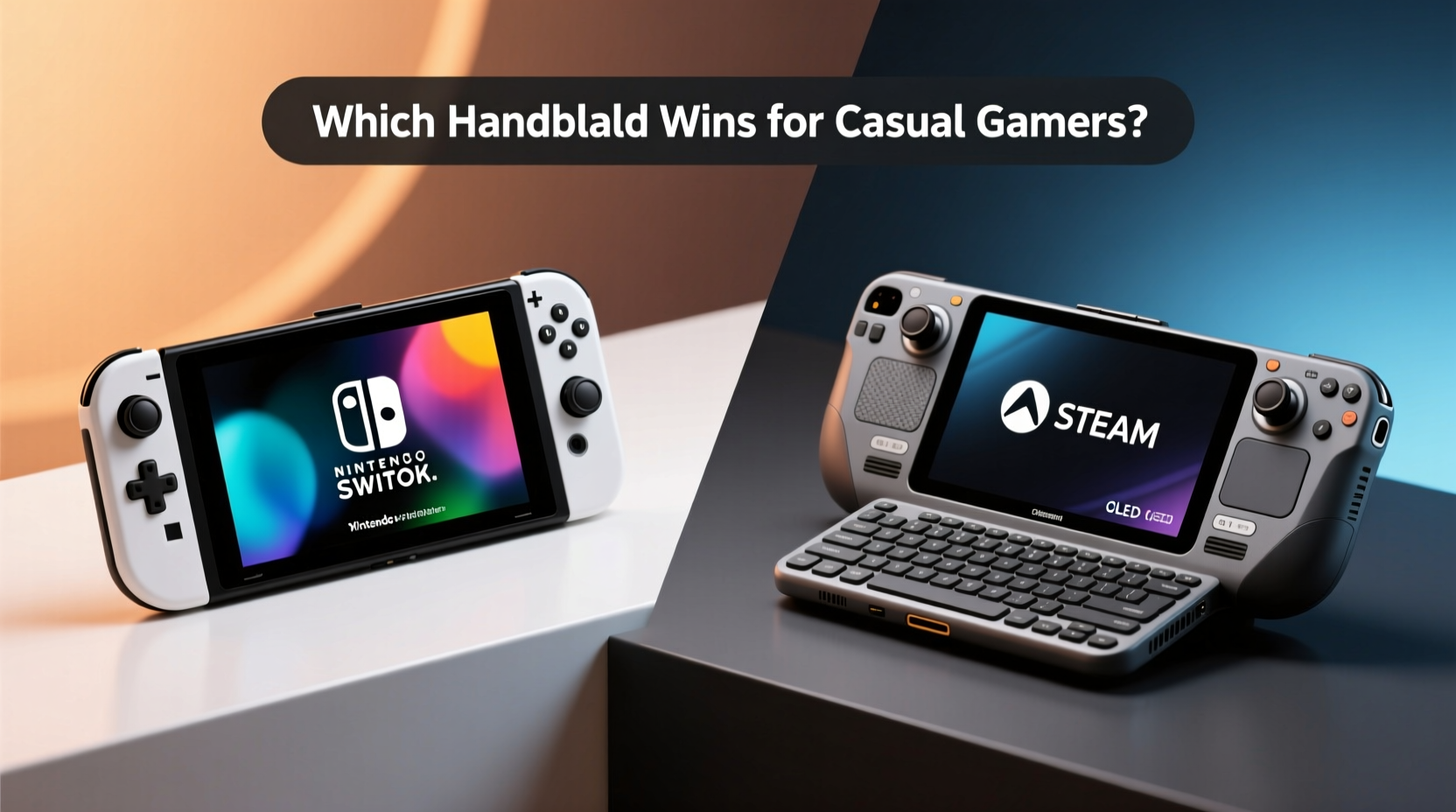
The physical design of a handheld matters most when you’re using it daily. The Nintendo Switch OLED feels tailor-made for casual use. Its lightweight build (approx. 420g), rounded corners, and intuitive button layout make it easy to hold for extended periods. The 7-inch OLED screen delivers vibrant colors and sharp visuals, especially noticeable in first-party titles like Super Mario Odyssey or The Legend of Zelda: Breath of the Wild. It folds neatly into a backpack, docks seamlessly to TV mode, and requires no additional accessories to start playing.
In contrast, the Steam Deck (LCD model weighs around 665g) is significantly heavier and bulkier. While Valve improved ergonomics over time, its larger footprint and stiffer shoulder buttons aren’t ideal for younger players or those with smaller hands. The 7.4-inch LCD screen offers solid clarity, particularly for older PC ports, but lacks automatic brightness adjustment and can struggle in direct sunlight. Casual users may find holding it for more than 30–40 minutes tiring compared to the Switch.
Tip: If you plan to play mostly in bed or on the couch, the Switch OLED's lighter weight and kickstand flexibility give it a clear edge.Game Library: What Can You Actually Play?
Game availability defines how enjoyable a handheld truly is. Here, philosophy separates the two devices. The Switch OLED runs exclusively on Nintendo-approved software—curated, polished, and designed for broad appeal. Its library shines with iconic franchises: Animal Crossing: New Horizons, Super Smash Bros. Ultimate, Pikmin 4, and Mario Kart 8 Deluxe are instant classics that require zero setup and deliver hours of stress-free entertainment.
The Steam Deck accesses Steam’s vast catalog—over 50,000 titles—but not all are suitable for handheld play. Many games weren’t designed for controllers or small screens. While Valve certifies “Deck Verified” titles, filtering through non-compatible or poorly optimized ports takes effort. For a casual player, stumbling upon a game that crashes, lacks controls, or drains the battery in 30 minutes undermines the experience.
Nintendo’s eShop also emphasizes single-player adventures, party games, and puzzle titles perfect for short sessions. Meanwhile, Steam leans toward strategy, simulation, and indie experiments—great for enthusiasts, less so for someone seeking immediate fun without research.
“Casual gamers don’t need every game ever made—they need a few great ones they can jump into anytime.” — James Reed, Gaming Lifestyle Analyst
Battery Life and Daily Use
No one wants their gaming session cut short by a dying battery. The Switch OLED averages 4.5 to 9 hours depending on the game. Lighter titles like Stardew Valley or Snipperclips push closer to nine hours, while graphically intense games like The Witcher 3 reduce runtime to about five. Charging via USB-C is standard, and most users report consistent longevity across months of regular use.
The Steam Deck’s battery ranges from 2 to 8 hours—highly variable based on settings. To run modern AAA titles smoothly, you often have to lower resolution, frame rate, and disable background processes. Even then, games like Elden Ring or Disco Elysium typically last 2–3 hours per charge. This makes unplugged gameplay less reliable for spontaneous use unless you carry a power bank.
For casuals who value predictability, the Switch wins again. You can leave it charging overnight, grab it in the morning, and expect a full day’s worth of light gaming without monitoring performance sliders or thermal throttling.
Setup and Maintenance: Zero Effort vs. Tech Involvement
This is where the gap widens dramatically. The Switch OLED operates out of the box. Turn it on, connect to Wi-Fi, download a game, and play. System updates are automatic and unobtrusive. Parental controls, user profiles, and cloud saves integrate smoothly. There’s almost nothing to configure.
The Steam Deck, however, runs Linux-based SteamOS and behaves like a mini-PC. First-time users must navigate BIOS settings, microSD card formatting, Proton compatibility layers, and optional desktop mode. Updates can take longer and occasionally cause instability. Some games require manual controller mapping or firmware adjustments. While Valve has streamlined the process since launch, it still assumes a baseline level of tech comfort.
Consider a parent buying a device for their child or a retiree looking for digital pastimes. With the Switch, they’ll be playing within minutes. On the Steam Deck, they might spend an hour troubleshooting before launching a single title.
Tip: If you dislike tinkering with software or reading forums for fixes, avoid the Steam Deck—it rewards patience and curiosity, not convenience.Comparison Table: Key Features Side-by-Side
| Feature | Nintendo Switch OLED | Steam Deck (LCD) |
|---|---|---|
| Weight | 420g | 665g |
| Screen Size & Type | 7\" OLED | 7.4\" LCD |
| Battery Life | 4.5–9 hrs | 2–8 hrs |
| Operating System | Proprietary (user-friendly) | SteamOS (Linux-based) |
| Primary Game Source | Nintendo eShop | Steam Store |
| Storage Options | 64GB internal + microSD | 64/256/512GB + microSD |
| Docking Support | Yes (TV output) | Limited (via third-party docks) |
| Best For | Casual, family, on-the-go play | PC gamers, modders, tinkerers |
Real-World Example: A Week with Both Devices
Sarah, a 38-year-old teacher and occasional gamer, borrowed both systems for a week to decide which to buy. She played during her lunch breaks, on the train home, and after dinner. Her routine was straightforward: quick sessions under 30 minutes, mostly puzzle games and lighthearted adventures.
With the Switch OLED, she launched Dr. Kawashima’s Brain Training every morning and finished a round in under ten minutes. During her commute, she played Tetris 99 online with friends. At night, she docked it to play Luigi’s Mansion 3 on her living room TV. Setup took less than 15 minutes total.
On the Steam Deck, she spent nearly an hour configuring her account and downloading Hades. The game ran well but drained half the battery in 90 minutes. She tried Untitled Goose Game, only to discover it wasn’t fully optimized—controls felt sluggish. By day three, she stopped using it altogether, frustrated by inconsistent performance and the need to manage storage manually.
She returned the Steam Deck and purchased the Switch OLED. “It just worked,” she said. “I didn’t have to think about it. That’s what I wanted.”
When the Steam Deck Makes Sense for Casuals
While the Switch is clearly better suited for most casual users, there are niche cases where the Steam Deck fits. If you already own dozens of Steam games—especially indie hits like Stardew Valley, Dead Cells, or Into the Breach—and want to play them away from your desk, the Deck adds real value. Its touchscreen, gyro aiming, and customizable interface shine in certain genres.
Additionally, if you enjoy retro emulation, the Steam Deck supports tools like EmuDeck, allowing access to classic PlayStation, SNES, or Game Boy titles. However, installing these requires extra steps outside official channels—a hurdle for true beginners.
Still, even in these scenarios, the trade-offs in battery life, weight, and complexity remain. Unless you’re deeply invested in PC gaming culture, the Switch remains the smarter default choice.
Frequently Asked Questions
Can the Steam Deck run Nintendo-style games?
Not natively. You cannot legally play Nintendo-exclusive titles like Super Mario or Pokémon on the Steam Deck unless they’re officially released on PC (e.g., Pokémon Brilliant Diamond isn’t available). Emulation is possible but involves technical setup and legal gray areas.
Is the Switch OLED worth upgrading to from the original model?
Yes, especially for casuals. The brighter OLED screen, improved speakers, larger internal storage (64GB vs. 32GB), and enhanced kickstand make a noticeable difference in everyday use, even if performance is identical.
Do I need internet to play on either device?
No. Both support offline play. The Switch allows downloaded games to be played without connection. The Steam Deck lets you enable “Offline Mode” after logging in once. However, initial downloads and updates require Wi-Fi.
Final Verdict: Which Handheld Wins for Casual Gamers?
The Nintendo Switch OLED is the definitive winner for casual players. It excels in simplicity, reliability, and curated entertainment. From effortless setup to a steady stream of high-quality, accessible games, it removes friction at every step. Its portability, battery consistency, and seamless transition between handheld and TV modes make it adaptable to any lifestyle.
The Steam Deck is a powerful machine, but its strengths lie in customization, backward compatibility, and access to mature or complex PC titles. These benefits come at the cost of usability—something casual gamers shouldn’t have to compromise.
If you prioritize fun over functionality, ease over options, and joy over jargon, the Switch OLED isn’t just better—it’s the only logical choice.
🚀 Ready to simplify your gaming life? Pick up a Nintendo Switch OLED today and rediscover how easy—and delightful—portable play can be.