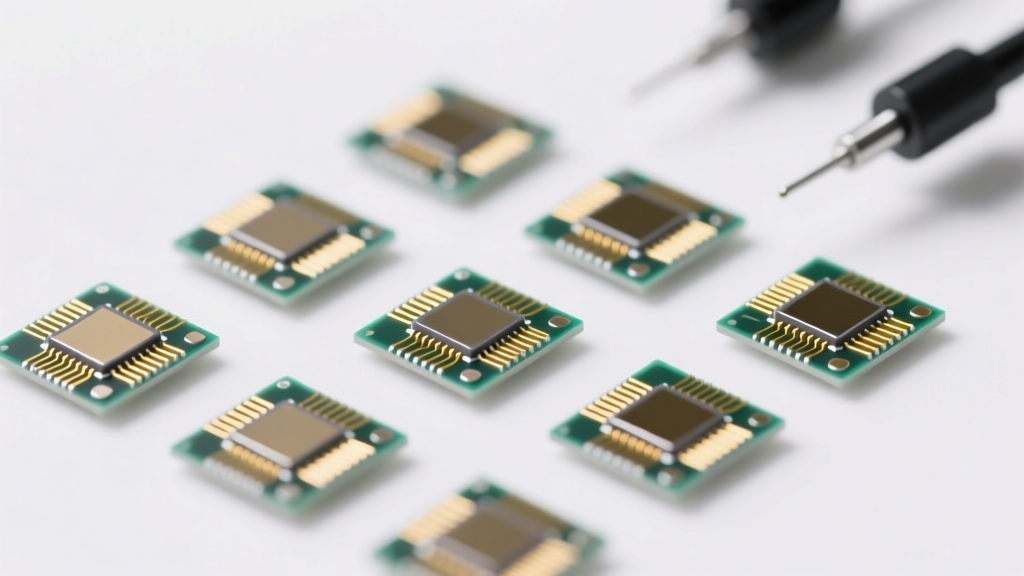
Types of Minieye Cameras
A Minieye camera is a compact, intelligent surveillance device designed for versatile monitoring applications, particularly in automotive and remote environments. These cameras combine advanced imaging technology with smart connectivity features to deliver real-time insights, enhanced safety, and reliable performance across diverse conditions. Minieye specializes in AI-powered vision systems that support driver assistance, fleet management, and environmental monitoring.
Dashboard Cameras (Dash Cams)
Mounted on a vehicle’s dashboard or windshield, Minieye dash cameras continuously record road activity to provide evidence in case of accidents and enhance driving safety.
Advantages
- Equipped with G-sensors that auto-save footage during sudden impacts
- Compact and portable design for easy installation
- Simple plug-and-play setup without complex wiring
- Transferable between vehicles for flexible use
- Supports loop recording and night vision capabilities
Limitations
- Limited field of view compared to multi-camera systems
- Dependent on vehicle power unless equipped with battery backup
- May require microSD card for storage (not always included)
Best for: Personal vehicles, ride-sharing drivers, fleet operators seeking incident documentation
Environmental Monitoring Cameras
The Minieye 4G solar-powered camera is engineered for remote outdoor surveillance, ideal for areas lacking consistent power or network infrastructure.
Advantages
- Solar-powered operation ensures continuous uptime without manual recharging
- 4G LTE connectivity enables real-time data transmission from remote locations
- AI-powered motion detection with human recognition to reduce false alerts
- Weather-resistant housing suitable for harsh outdoor environments
- Sends instant notifications when activity is detected
Limitations
- Performance depends on sunlight availability for charging
- Requires stable 4G signal for optimal functionality
- Higher initial investment due to integrated solar and cellular tech
Best for: Construction sites, agricultural monitoring, border surveillance, and off-grid property security
Live Streaming Cameras
Minieye live streaming cameras enable real-time video monitoring through mobile apps, allowing users to observe events as they happen from anywhere using smartphones or tablets.
Advantages
- Real-time HD video streaming over Wi-Fi or 4G/5G networks
- Wide-angle lens (up to 170°) provides expansive coverage
- Two-way audio support for remote communication
- Cloud and local storage options for recorded footage
- Ideal for monitoring elderly family members, workers, or delivery personnel
Limitations
- Streaming quality may degrade with poor internet connection
- Ongoing data usage can increase mobile plan costs
- Potential privacy concerns if not properly secured
Best for: Home care, remote workforce supervision, logistics tracking, and personal safety monitoring
| Camera Type | Power Source | Connectivity | Key Features | Primary Use Case |
|---|---|---|---|---|
| Dashboard Camera | Vehicle electrical system | Local storage (microSD) | G-sensor, loop recording, impact detection | Driving safety, accident documentation |
| Environmental Camera | Solar-powered with battery backup | 4G LTE, remote access | AI motion detection, weatherproof, real-time alerts | Remote site monitoring, outdoor security |
| Live Streaming Camera | AC power or battery | Wi-Fi, 4G/5G | Real-time streaming, wide-angle lens, mobile app control | Remote supervision, home monitoring, fleet management |
Expert Tip: For optimal performance, pair your Minieye camera with a high-speed microSD card (Class 10 or higher) and ensure firmware is regularly updated to benefit from the latest AI detection algorithms and security patches.
Did You Know? Some Minieye models integrate ADAS (Advanced Driver Assistance Systems), offering lane departure warnings, forward collision alerts, and driver fatigue detection—making them not just recording devices, but proactive safety tools.
Commercial Applications of Minieye Camera Systems
Minieye intelligent camera systems are revolutionizing commercial operations across multiple industries by combining real-time video monitoring, AI-powered analytics, and cloud connectivity. These advanced vision solutions enhance operational efficiency, improve safety compliance, and provide valuable data insights for decision-making. Below is a comprehensive overview of key commercial applications where Minieye cameras deliver measurable benefits.
Fleet Management
Minieye cameras play a pivotal role in modern fleet management by enabling continuous monitoring of driver behavior and vehicle performance. When installed in food transport trucks or long-haul freight vehicles, these systems record critical data such as lane departure, forward collision warnings, and driver fatigue indicators.
Managers can use the recorded footage and real-time alerts to ensure compliance with both government regulations and internal company policies. The system supports performance evaluations, targeted training programs, and incident reviews, helping companies reduce accidents, lower insurance costs, and maintain consistent service quality.
Additionally, video evidence from Minieye cameras can be used during audits or disputes, providing an objective account of events and protecting both drivers and employers from false claims.
Delivery and Logistics
In the fast-evolving world of e-commerce and last-mile delivery, transparency and accountability are essential. Minieye’s video streaming capabilities allow logistics companies to monitor cargo conditions throughout transit, ensuring temperature-sensitive goods (like pharmaceuticals or perishables) remain secure and undamaged.
Leading platforms like Amazon and other virtual logistics providers leverage Minieye technology to offer customers real-time updates and visual confirmation of package handling. This level of visibility not only builds consumer trust but also streamlines communication between dispatchers, drivers, and clients.
The integration of GPS tracking with video feeds enables precise route verification and proof of delivery, reducing disputes over missing packages and improving overall delivery accuracy and efficiency.
Insurance Applications
Insurance providers are increasingly adopting Minieye camera systems as a tool for risk assessment and claims processing. In the event of an accident, high-resolution video footage provides indisputable evidence of fault, significantly reducing claim investigation time and preventing fraudulent claims.
Telematics data combined with video analytics allows insurers to assess driving patterns—such as harsh braking, rapid acceleration, or distracted driving—and offer usage-based insurance (UBI) models. Drivers who consistently demonstrate safe behavior can receive premium discounts, incentivizing responsible driving and reducing overall claim frequency.
This data-driven approach transforms traditional insurance models into dynamic, personalized plans that benefit both insurers and policyholders.
Road Safety Monitoring
Government agencies and municipal contractors utilize Minieye cameras for intelligent traffic management and road safety enforcement. Strategically mounted on highways, intersections, and urban corridors, these cameras monitor vehicle speeds, detect traffic violations (e.g., red-light running), and identify congestion patterns.
The collected data informs infrastructure planning, helps optimize traffic signal timing, and supports public safety campaigns. During emergencies or accidents, live video feeds enable rapid response coordination and situational awareness for traffic control centers.
Over time, the aggregated insights contribute to smarter urban planning, reduced accident rates, and improved compliance with traffic laws—ultimately creating safer transportation networks for all road users.
Construction Site Surveillance
On large-scale construction sites, Minieye cameras serve as powerful remote monitoring tools that enhance site oversight and safety compliance. Project managers can observe ongoing operations in real time from off-site offices, ensuring that work progresses according to schedule and safety protocols are strictly followed.
The cameras help monitor the use of personal protective equipment (PPE), detect unauthorized access to restricted zones, and verify adherence to equipment operation guidelines. This constant surveillance reduces the risk of workplace accidents and ensures regulatory compliance with OSHA or local safety standards.
In cases of disputes over work completion, material usage, or timeline delays, video archives provide accurate, timestamped records that support fair resolution. Additionally, the presence of visible cameras acts as a deterrent against theft, vandalism, and procedural violations.
| Application | Key Benefits | Industries Served |
|---|---|---|
| Fleet Management | Improved driver accountability, reduced accidents, lower insurance premiums | Transportation, Food Delivery, Freight |
| Delivery & Logistics | Real-time cargo monitoring, proof of delivery, enhanced customer trust | E-commerce, Last-Mile Delivery, Cold Chain |
| Insurance | Faster claims processing, fraud prevention, usage-based pricing | Auto Insurance, Commercial Vehicle Insurance |
| Road Safety | Traffic law enforcement, congestion analysis, accident response | Government, Municipalities, Traffic Authorities |
| Construction | Remote site monitoring, safety compliance, dispute resolution | Infrastructure, Building, Engineering |
Important: While Minieye cameras offer significant operational advantages, organizations must ensure compliance with local privacy laws and inform employees about monitoring practices. Proper implementation includes clear policies, staff training, and secure data handling procedures to maintain trust and legal compliance.
MiniEYE Camera: Product Specifications, Installation & Maintenance Guide
The MiniEYE camera is a smart, reliable surveillance solution designed for both indoor and outdoor environments. Engineered for high performance, durability, and seamless connectivity, it provides users with real-time monitoring, advanced detection features, and flexible storage options. Whether used for home security, business premises, or remote monitoring, understanding its specifications and proper setup ensures optimal performance and longevity.
Optical Performance
- Wide-Angle Lens: Equipped with a high-quality wide-angle lens, the MiniEYE camera captures a broad field of view—ideal for monitoring large rooms, driveways, or garden areas without blind spots.
- HD Resolution: Most models offer HD (720p or 1080p) resolution, ensuring crisp, detailed video footage in both daylight and low-light conditions. Advanced image sensors enhance clarity and reduce noise during nighttime recording.
- Infrared Night Vision: Integrated IR LEDs provide clear visibility up to several meters in complete darkness, making it suitable for 24/7 surveillance.
Pro Tip: Position the camera to avoid direct exposure to bright lights at night to prevent glare and overexposure.
Connectivity & Power
- Wi-Fi & 4G Connectivity: Supports dual connectivity via Wi-Fi (2.4GHz) and optional 4G LTE, enabling uninterrupted live streaming and remote access even in areas without stable internet.
- Battery & Solar Options: Battery-powered models offer hours of continuous operation, while select outdoor variants support solar panel integration for sustainable, long-term deployment.
- Real-Time Alerts: Instant push notifications are sent to your smartphone when motion or sound is detected, ensuring timely awareness of potential security events.
Key Benefit: 4G-enabled models are perfect for remote locations like cabins, construction sites, or farms.
Storage & Security Features
- Flexible Storage: Choose between local storage using microSD cards (up to 128GB) or secure cloud storage with encrypted backup—ideal for protecting sensitive footage.
- Advanced Motion Detection: Utilizes intelligent algorithms to distinguish between people, vehicles, and general movement, reducing false alarms from pets or foliage.
- Two-Way Audio: Some models include built-in microphones and speakers, allowing users to communicate remotely through the app.
Privacy Note: Enable end-to-end encryption and strong passwords to protect your video data from unauthorized access.
Durability & Environmental Resistance
- Weatherproof Design: Outdoor models feature IP65 or higher weather resistance, protecting against rain, dust, snow, and extreme temperatures (-20°C to 50°C).
- Robust Housing: Constructed with UV-resistant and impact-resistant materials to withstand prolonged sun exposure and minor physical impacts.
- Vandal-Resistant Mounts: Secure mounting brackets deter tampering and allow for adjustable viewing angles.
Installation Insight: Use silicone sealant around cable entries to further enhance waterproofing.
Step-by-Step Installation Guide
Setting up your MiniEYE camera is simple and can be completed in minutes with basic tools. Follow these steps for a successful installation:
- Select the Optimal Location: Choose a vantage point with a clear view of entry points, driveways, or interior spaces. Avoid obstructions like trees or reflective surfaces.
- Mount the Camera: Attach the included mounting bracket to a wall or ceiling using screws and anchors. Secure the camera onto the bracket and adjust the angle for maximum coverage.
- Power the Device: Connect indoor models to a power outlet using the provided adapter. For battery-powered units, ensure the battery is fully charged before installation.
- Connect to Network: Open the MiniEYE app, follow the setup wizard, and connect the camera to your Wi-Fi or insert a SIM card for 4G models.
- Install the MiniEYE App: Download the official MiniEYE app from the Apple App Store or Google Play. Create an account or log in if you already have one.
- Complete Configuration: Scan the QR code on the camera or enter the device ID, then follow in-app prompts to finalize setup, name your camera, and enable notifications.
Expert Tip: For 4G models, test signal strength at the installation site before final mounting. Poor signal can lead to buffering or disconnections.
Maintenance & Troubleshooting
Regular maintenance ensures your MiniEYE camera continues to operate efficiently and delivers reliable surveillance over time.
- Lens Cleaning: Wipe the lens gently with a microfiber cloth every 2–3 months to remove dust, fingerprints, or spider webs that can degrade image quality.
- Firmware Updates: Check for firmware updates monthly through the app. Updates often include performance improvements, bug fixes, and new features.
- Review Recordings: Periodically check stored footage to verify recording functionality and ensure no gaps in coverage due to storage errors or connectivity issues.
- Inspect Outdoor Units: Examine the camera housing every 3–6 months for cracks, loose mounts, or corrosion—especially after severe weather events.
- Replace Damaged Parts: If the camera is damaged, contact MiniEYE support for replacement components. Avoid DIY repairs that may void the warranty.
| Feature | Specification | Benefit |
|---|---|---|
| Lens Type | Wide-Angle (110°–130° FOV) | Covers large areas with minimal blind spots |
| Video Resolution | HD 720p / Full HD 1080p | Clear, detailed day and night footage |
| Connectivity | Wi-Fi 2.4GHz / 4G LTE (select models) | Flexible deployment in any environment |
| Power Options | AC adapter / Rechargeable battery / Solar panel | Suitable for permanent or off-grid use |
| Storage | MicroSD (up to 128GB) / Cloud storage | Secure, scalable data retention |
| Motion Detection | AI-powered human/vehicle detection | Reduces false alerts and improves accuracy |
| Weather Resistance | IP65 or higher (outdoor models) | Durable in rain, snow, and dust |
Additional Tips for Optimal Performance
- Positioning: Mount cameras at a height of 8–10 feet for best coverage and tamper resistance.
- Network Security: Change default passwords and enable two-factor authentication in the app for added security.
- Storage Management: Set up automatic overwrite on microSD cards or subscribe to cloud plans for extended retention.
- Signal Optimization: Use Wi-Fi extenders or external antennas for 4G models in low-signal areas.
- Customer Support: Register your product and keep warranty information handy for quick service if needed.
Professional Recommendation: For homes or businesses with mixed indoor/outdoor needs, consider a combination of wired indoor cameras and solar-powered 4G outdoor units. This hybrid setup offers full coverage without relying on a single network or power source. Always test the camera’s field of view and night vision before finalizing installation.
How to Choose the Right Minieye Camera: A Complete Buyer’s Guide
Selecting the right Minieye camera is essential for achieving optimal surveillance performance, whether for personal safety, commercial monitoring, or fleet management. With a variety of models offering different features and capabilities, making an informed decision requires understanding your specific needs and evaluating key technical specifications. This comprehensive guide walks you through the most important factors to consider when choosing a Minieye camera, from resolution and lens type to weather resistance and storage options.
Important Note: Always verify compatibility with your vehicle or home network before purchasing. Some Minieye models are designed specifically for commercial or heavy-duty vehicles and may not support residential Wi-Fi setups.
Understand Your Needs and Requirements
The first step in selecting the right Minieye camera is identifying its primary use case. Different environments demand different features:
- Outdoor Surveillance: For monitoring traffic conditions, fleet vehicles, or outdoor property, the Minieye 4G camera is ideal. It features a rugged, weatherproof design and built-in 4G LTE connectivity, allowing real-time video transmission even in remote areas without Wi-Fi.
- Indoor Monitoring: For home security or indoor fleet dashboards, choose a model with Wi-Fi connectivity to enable seamless live streaming to your smartphone or tablet. These models are typically easier to set up and integrate with home networks.
- Hybrid Use: If you need both indoor and outdoor functionality, consider dual-mode cameras that support both 4G and Wi-Fi, offering flexibility across environments.
Clearly defining your surveillance goals will help narrow down the most suitable model and prevent overspending on unnecessary features.
Resolution Matters: Clarity for Reliable Monitoring
Video resolution directly impacts the quality and usability of recorded footage. The Minieye HD camera delivers high-definition video, ensuring sharp and detailed images even in low-light conditions.
- 1080p Full HD: Standard for most Minieye models—ideal for capturing license plates, facial features, and small movements.
- 2K or 4K Ultra HD: Available in premium models—provides exceptional detail for forensic-level analysis and long-distance identification.
Higher resolution improves clarity but may require more storage and bandwidth. Balance image quality with your network and storage capabilities for optimal performance.
Lens Type and Viewing Angle
The lens determines how much of the surrounding area the camera can capture. Choosing the right lens depends on your environment:
- Wide-Angle Lenses (120°–170°): Perfect for indoor spaces, tight cabins, or parking lots where broad coverage is needed. These lenses minimize blind spots in confined areas.
- Narrow-Angle with Zoom (30°–90°): Better suited for long-range outdoor monitoring, such as highways or perimeter fences. These lenses offer greater detail at a distance.
- Motorized Zoom & PTZ (Pan-Tilt-Zoom): Advanced models allow remote control of the camera’s view, enabling dynamic monitoring of large areas.
Consider the installation location and field of view requirements when selecting the lens type.
Weatherproof and Durability: Built for Tough Conditions
If the camera will be exposed to rain, dust, or extreme temperatures, durability is crucial. Look for models with a high IP (Ingress Protection) rating:
- IP66: Dust-tight and protected against powerful water jets—ideal for most outdoor applications.
- IP67/IP68: Fully dustproof and waterproof, capable of withstanding temporary submersion—best for harsh environments.
The Minieye Environmental Camera series is specifically engineered for outdoor use, featuring reinforced housings, UV resistance, and thermal regulation to perform reliably in extreme weather.
Battery Backup and Power Options
Continuous operation is critical for security. While most Minieye cameras are hardwired, battery backup ensures functionality during power outages or tampering:
- Internal Rechargeable Battery: Provides temporary power (typically 2–6 hours) during outages.
- Solar-Powered Models: Equipped with solar panels for sustainable, continuous operation in remote or off-grid locations.
- Power-over-Ethernet (PoE): Some models support PoE, simplifying installation by delivering power and data through a single cable.
For maximum reliability, choose a model with both battery backup and solar charging capability if permanent power is not guaranteed.
Storage Options: Local vs. Cloud
Storage determines how long footage is retained and how easily it can be accessed:
| Storage Type | Pros | Cons | Best For |
|---|---|---|---|
| MicroSD Card (Local) | No subscription fees, easy access, offline viewing | Limited capacity, risk of theft or damage | Short-term recording, budget setups |
| Cloud Storage | Remote access, automatic backup, tamper-proof | Monthly/annual fees, requires stable internet | Long-term monitoring, fleet management |
| Hybrid (SD + Cloud) | Best of both worlds, redundancy | Higher cost, complex setup | Critical security applications |
Many Minieye models support both microSD cards (up to 256GB) and cloud storage. Evaluate your data retention needs and budget when choosing a storage configuration.
User Reviews: Real-World Insights
Before finalizing your purchase, consult customer reviews and ratings on trusted platforms. Real-world feedback can reveal:
- Reliability of 4G/Wi-Fi connectivity in various locations
- Battery life under actual usage conditions
- App performance and ease of setup
- Durability after prolonged outdoor exposure
- Customer support responsiveness
Pay attention to recurring issues or praises—these often highlight strengths or weaknesses not evident in product specifications.
Expert Tip: Consider future scalability. Choose a Minieye model that supports integration with smart home systems or fleet management software, allowing you to expand your surveillance network as your needs grow.
Final Recommendations
- Match the camera to your primary environment—indoor, outdoor, or hybrid.
- Prioritize resolution and lens type based on viewing distance and coverage needs.
- Ensure weather resistance with a minimum IP66 rating for outdoor use.
- Opt for models with battery backup and/or solar charging for uninterrupted operation.
- Select hybrid storage (local + cloud) for maximum data security and accessibility.
- Always verify firmware updates and app support before purchasing.
By carefully evaluating these factors, you can confidently choose the right Minieye camera that meets your security, durability, and performance expectations. Whether for personal safety, business monitoring, or vehicle surveillance, the right camera will provide peace of mind and reliable protection.
Frequently Asked Questions About Minieye Cameras
Q1: What are Minieye cameras?Minieye cameras are compact, high-performance security and monitoring devices designed and manufactured by Minieye, a company specializing in intelligent vision systems for automotive and fleet applications. These cameras are primarily used for vehicular surveillance and driver assistance, offering advanced features tailored for real-time monitoring and safety enhancement.
Key features commonly found in Minieye camera models include:
- HD Video Recording: Captures clear, high-resolution footage (typically 1080p or higher) for detailed monitoring of road conditions and vehicle surroundings.
- Wi-Fi Connectivity: Enables seamless wireless data transfer, remote viewing via mobile apps, and easy configuration without physical access to the device.
- G-Sensor Technology: Automatically locks and protects video files during sudden movements such as collisions or hard braking, ensuring critical footage is preserved.
- Night Vision: Equipped with infrared (IR) LEDs or enhanced low-light sensors to maintain visibility in dark or low-illumination environments.
- Wide-Angle Lens: Provides a broad field of view, reducing blind spots and improving overall situational awareness.
These capabilities make Minieye cameras ideal for dash cam setups, commercial fleet monitoring, and private vehicle security.
Q2: How does the Minieye camera help in fleet management?Minieye cameras play a vital role in modern fleet management by providing real-time insights into driver behavior, vehicle performance, and operational efficiency. By integrating video analytics and event-triggered recording, they enable fleet operators to maintain higher safety standards and optimize logistics.
Key benefits for fleet management include:
- Driver Behavior Monitoring: Detects risky actions such as sudden braking, sharp turns, distracted driving, or fatigue, allowing managers to provide targeted training and improve road safety.
- Incident Documentation: Automatically records accidents or near-misses, providing objective evidence for insurance claims, dispute resolution, and liability assessment.
- Vehicle Condition Oversight: Helps identify maintenance issues through visual monitoring (e.g., damaged parts, cargo shifts) and alerts triggered by impact sensors.
- Operational Efficiency: Supports route optimization, delivery verification, and time tracking through timestamped video logs and GPS integration (on select models).
- Compliance & Accountability: Ensures adherence to company policies and regulatory requirements, reducing unauthorized use and deterring misconduct.
With centralized cloud access and mobile app support, fleet managers can remotely monitor multiple vehicles, conduct audits, and generate performance reports—leading to smarter decisions and reduced operational costs.
Q3: Are Minieye cameras weatherproof?Yes, Minieye outdoor and commercial-grade cameras are specifically engineered to be weatherproof and durable, ensuring reliable performance in diverse environmental conditions.
These cameras typically feature:
- IP66 or Higher Rating: Protects against dust ingress and powerful water jets from any direction, making them suitable for rain, snow, and high-humidity environments.
- Wide Operating Temperature Range: Designed to function effectively in extreme temperatures (e.g., -20°C to +60°C), ideal for both arctic winters and tropical summers.
- UV-Resistant Housing: Prevents degradation from prolonged sun exposure, maintaining structural integrity and appearance over time.
- Corrosion-Resistant Materials: Constructed with rugged, industrial-grade plastics or metals to withstand salt spray, vibrations, and mechanical stress.
This robust build quality makes Minieye cameras well-suited for long-term outdoor installation on trucks, buses, construction equipment, and trailers, even in harsh climates.
Q4: How to power the Minieye 4G environmental camera?The Minieye 4G environmental camera is designed for deployment in remote or off-grid locations, where traditional power sources may not be available. To ensure uninterrupted operation, it is powered by an integrated solar energy system.
Key aspects of its power solution include:
- Solar Panel Integration: The camera is equipped with or paired with a high-efficiency solar panel that converts sunlight into electrical energy, charging an internal or external battery during daylight hours.
- Battery Backup: Stores solar energy to support 24/7 operation, even during nighttime or periods of limited sunlight.
- Energy Management System: Smart power regulation optimizes energy usage, extending battery life and preventing overcharging or deep discharge.
- Low Power Consumption Design: Utilizes energy-efficient components and sleep modes when activity is low, maximizing runtime between charges.
This solar-powered configuration makes the Minieye 4G environmental camera ideal for monitoring construction sites, rural roads, agricultural areas, and other remote infrastructure without requiring access to electrical wiring.
Q5: Do Minieye cameras offer cloud storage?Yes, Minieye cameras support both cloud storage and local storage options, giving users flexible and secure ways to manage their recorded video data.
| Storage Type | Features | Benefits |
|---|---|---|
| Cloud Storage | Encrypted video upload via Wi-Fi or 4G; accessible from smartphones or web portals; supports event-based or continuous recording. | Remote access from anywhere; protection against physical damage or theft of the device; automatic backup; easy sharing and collaboration. |
| Local Storage | Records directly to a microSD card (typically up to 128GB or 256GB); supports loop recording and manual saving. | No subscription fees; immediate access without internet; ideal for high-resolution video with large file sizes; enhanced privacy. |
Users can choose the storage method that best fits their needs—whether prioritizing convenience and accessibility (cloud) or cost-efficiency and data control (local). Some models also allow dual storage, where footage is saved to both the microSD card and the cloud simultaneously for maximum redundancy and security.
For more detailed product specifications, pricing, and purchasing options, users are encouraged to visit the official Minieye product listings on Alibaba.com, where a wide range of models and configurations are available for various commercial and personal use cases.