
Smart home technology often feels intimidating—filled with complex setups, confusing apps, and technical jargon. But not all smart devices require a degree in engineering. The smart plug is one of the simplest, most accessible entry points into home automation, especially for people who aren’t tech-savvy. It’s small, affordable, and doesn’t ask you to rewire anything or learn coding. So, is it actually worth it? For everyday users looking to save time, reduce energy bills, or gain peace of mind, the answer is increasingly yes.
Unlike full-scale smart home systems, a smart plug works exactly like a regular power outlet adapter—except you can turn it on or off remotely using your phone or voice commands. Whether you’re forgetting to unplug the coffee maker or want to make your home look lived-in while on vacation, this tiny device offers surprisingly powerful benefits without any steep learning curve.
How a Smart Plug Works (Without the Tech Talk)
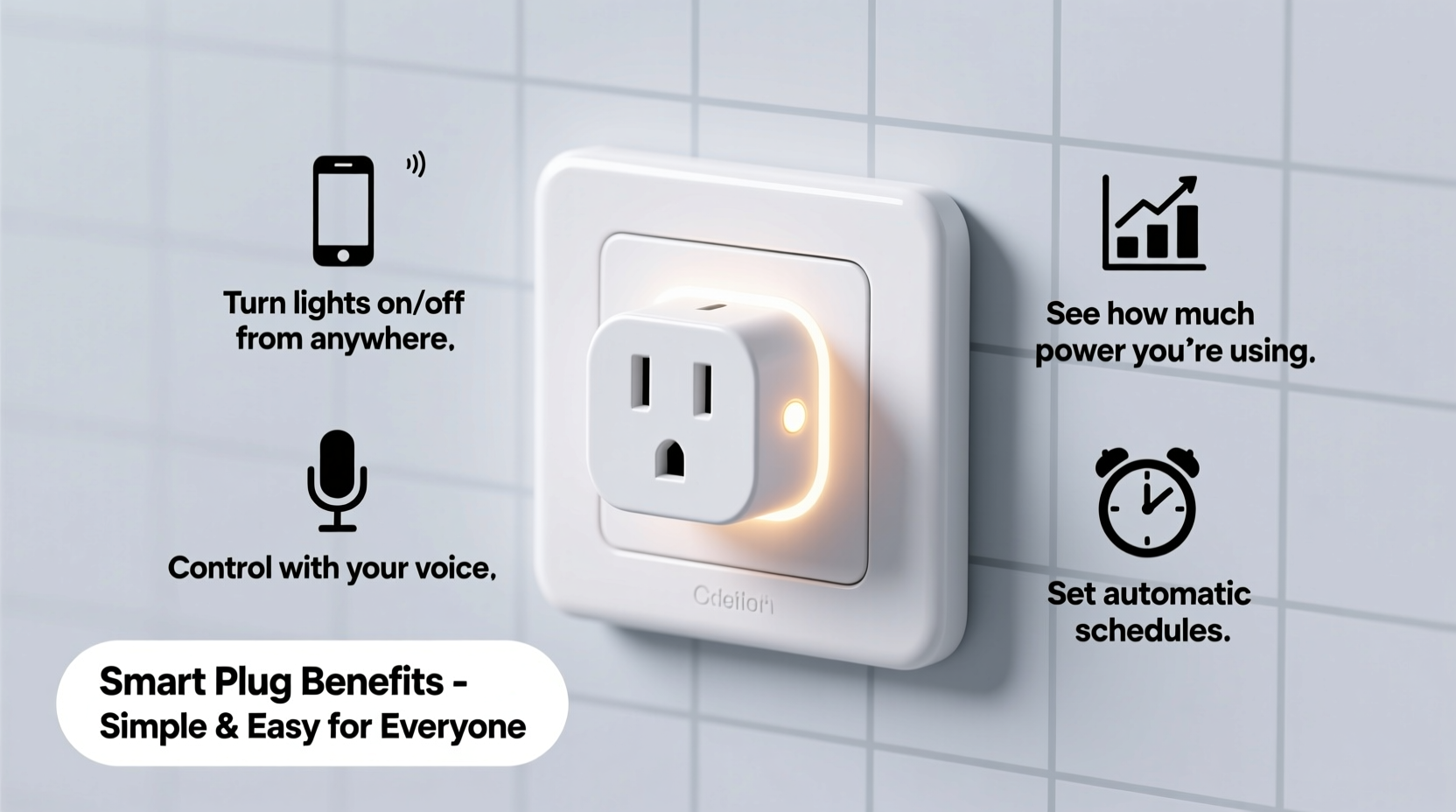
A smart plug fits between your appliance and the wall outlet. Once plugged in, it connects to your home Wi-Fi network through a simple app on your smartphone. From there, you can control whatever is plugged into it—lamps, fans, heaters, coffee makers, holiday lights—with a tap on your phone, a scheduled timer, or even a voice command if you own a smart speaker like Amazon Alexa or Google Assistant.
The setup process typically takes less than 10 minutes. Most brands guide you step-by-step through their app: plug in the device, open the app, select your Wi-Fi network, and confirm the connection. No wiring, no tools, no programming. If you’ve ever connected a new device to Wi-Fi—like a printer or streaming stick—you already have the skills needed.
Tip: Start with a lamp or fan you use regularly. This makes testing and getting used to the smart plug easier and more intuitive.Real-Life Benefits Anyone Can Use
You don’t need to be a gadget enthusiast to benefit from automation. Here are practical, everyday advantages that make a smart plug genuinely useful—even essential—for non-tech users.
1. Never Forget to Turn Off Appliances Again
It’s easy to leave a space heater running, forget the iron is on, or exit the house with the living room lamp still lit. A smart plug lets you check and switch off devices remotely. Forgot if you turned off the curling iron this morning? Open your phone, see the status, and shut it off instantly—no need to drive back home or worry all day.
2. Save Energy and Lower Bills
Many household appliances continue drawing power even when “off”—a phenomenon known as phantom load. Devices like TVs, chargers, and gaming consoles can silently consume electricity 24/7. By plugging these into a smart plug and scheduling them to cut power at night or during work hours, you eliminate wasted energy. Over time, this adds up to noticeable savings on your electric bill.
3. Create a Cozy Home Atmosphere Automatically
Imagine walking into a warm, softly lit home every evening after work. With a smart plug, you can schedule lamps or electric blankets to turn on before you arrive. You set it once, and it runs automatically every day. No effort required—just comfort and convenience.
4. Enhance Safety While Traveling
When you're away, a dark, silent house signals vacancy. Criminals often watch for patterns. Using a smart plug, you can program indoor lights to turn on and off at random times, simulating activity. Some apps even offer “away mode” features that randomize schedules, making it appear someone is home. This simple trick can deter break-ins without requiring extra security systems.
5. Help Family Members Stay Independent
For older adults or individuals with limited mobility, remembering to turn off appliances or manage lighting can be challenging. A family member can remotely operate essential devices via a smart plug—turning on a nightlight at bedtime or shutting down a forgotten stove element. It’s a low-cost way to support independence while providing peace of mind.
“Smart plugs represent the most user-friendly form of home automation. They deliver real value with minimal complexity.” — Dr. Linda Chen, Human-Technology Interaction Researcher, MIT AgeLab
What to Look for When Buying a Smart Plug
Not all smart plugs are created equal. To avoid frustration, consider these key factors before purchasing:
| Feature | Why It Matters | Recommended Option |
|---|---|---|
| Wi-Fi Compatibility | Must work with your home network (2.4 GHz only; most don’t support 5 GHz). | Look for \"dual-band compatible\" or explicitly states 2.4 GHz support. |
| Voice Assistant Support | Allows hands-free control via Alexa, Google Assistant, or Siri. | Choose based on what you already own. |
| App Simplicity | Ease of use determines long-term satisfaction. | Brands like TP-Link Kasa and Wemo are known for intuitive interfaces. |
| Energy Monitoring | Shows how much power your device uses—helpful for saving money. | Available in mid-range models; great for cost-conscious users. |
| Outlet Blockage | Some plugs are bulky and block adjacent outlets. | Opt for right-angle or compact designs if space is tight. |
Step-by-Step: Setting Up Your First Smart Plug
You don’t need technical knowledge—just patience and your phone. Follow this simple timeline to get started:
- Unbox and Plug In (2 minutes): Insert the smart plug into a wall outlet. Make sure it’s near your Wi-Fi router for strong signal during setup.
- Download the App (3 minutes): Search your app store for the brand name (e.g., “Kasa Smart” for TP-Link). Install and open it.
- Create an Account (2 minutes): Enter your email and create a password. This links your plug to your home network securely.
- Add Device (3 minutes): Tap “Add Device,” select your plug model, and follow prompts. The app will tell you when the plug is blinking—this means it’s ready to connect.
- Connect to Wi-Fi (1 minute): Choose your 2.4 GHz network and enter the password. Wait for confirmation (usually a chime or green light in the app).
- Test It (1 minute): Plug in a lamp and use the app to turn it on and off. Success!
- Set a Schedule (Optional, 3 minutes): Go to the device settings and create a daily routine—e.g., “Turn on at 6 PM, off at 11 PM.”
That’s it. Within 15 minutes, you’ve automated part of your home. No cables, no tools, no confusion.
Mini Case Study: Sarah’s Morning Routine Made Easier
Sarah, a 58-year-old teacher from Portland, wasn’t interested in smart home gadgets. She considered them complicated and unnecessary—until she left her ceramic heater on during a summer trip. A neighbor noticed smoke and called her. Embarrassed and shaken, she decided to try a smart plug.
She bought a single unit and plugged in her bedroom heater. Using the app, she set it to turn off automatically at 8:00 AM each day. Later, she added her bedside lamp to simulate presence during vacations. Now, she checks her devices weekly through the app and says, “I feel more in control. I don’t have to worry about little mistakes turning into big problems.”
Best of all, she didn’t need help setting it up. Her daughter showed her once, and now she manages everything herself.
Common Myths About Smart Plugs—Debunked
Several misconceptions keep people from trying smart plugs. Let’s clear them up:
- Myth: It’s too complicated for non-tech users.
Reality: Setup is simpler than pairing wireless earbuds. If you use online banking, you can handle a smart plug. - Myth: It’s a privacy risk.
Reality: Reputable brands use encrypted connections. Avoid obscure brands, update firmware, and use strong passwords to stay safe. - Myth: Only useful for high-tech homes.
Reality: A single smart plug on a lamp delivers real convenience. You don’t need a full system. - Myth: It won’t work with large appliances.
Reality: Most smart plugs support standard household loads (up to 15A). Just avoid heavy-duty devices like air conditioners or refrigerators unless specified.
FAQ: Quick Answers for Beginners
Can I use a smart plug with any lamp or appliance?
Yes, as long as the device uses a standard plug and doesn’t exceed the smart plug’s wattage limit (typically 1800W). Avoid high-draw appliances like microwaves or space heaters unless the product specifically allows it.
Do I need a smart speaker to use a smart plug?
No. You can control it entirely through your phone app. Voice assistants are optional but add convenience if you already own Alexa, Google Home, or Apple HomeKit.
What happens if my Wi-Fi goes out?
The smart plug will stop responding remotely until the connection returns. Locally, it remains powered—so if something was on, it stays on. Once Wi-Fi is restored, control resumes automatically.
Simple Checklist Before You Buy
Use this quick checklist to ensure you choose the right smart plug and use it effectively:
- ✅ Confirm your home has a 2.4 GHz Wi-Fi network (most do).
- ✅ Decide which device you want to automate first (lamp, fan, coffee maker).
- ✅ Check that the plug isn’t too large to block nearby outlets.
- ✅ Choose a trusted brand with good app reviews (TP-Link, Wemo, Meross, or Eve).
- ✅ Test the setup yourself—don’t rely on others long-term.
- ✅ Set one automatic schedule within the first week to build the habit.
Conclusion: Small Device, Big Impact
A smart plug may seem like a minor upgrade, but its impact on daily life can be significant. For non-tech users, it offers a rare combination: simplicity, usefulness, and peace of mind—all without complexity. Whether you’re reducing energy waste, improving home safety, or just enjoying the convenience of remote control, this small device adapts to your lifestyle—not the other way around.
You don’t need to become a tech expert to benefit from modern tools. Sometimes, the best innovations are the ones that disappear into the background, quietly making life easier. The smart plug is one of them. Try one today, and discover how a five-dollar investment in electricity can lead to hours of saved worry, lower bills, and a smarter, more responsive home.
💬 Have you tried a smart plug? What’s the first thing you automated? Share your experience in the comments—your story might inspire someone else to take the first step!