Digital artists face a growing dilemma when choosing their ideal tablet: should they invest in the premium iPad Pro or settle for the more affordable iPad Air? At the heart of this decision lies one key feature—Apple’s 120Hz ProMotion display. Marketed as a game-changer for creatives, it promises smoother strokes, reduced lag, and a more natural drawing experience. But does it truly make or break the artistic workflow? For professionals and hobbyists alike, understanding how refresh rate impacts actual creative output is essential before making a purchase.
The iPad Pro has long been Apple’s flagship tablet, designed with high-end creators in mind. The iPad Air, while powerful, targets a broader audience seeking performance at a lower price. Both support the Apple Pencil, run iPadOS, and offer excellent screens. Yet, only the iPad Pro includes ProMotion technology, dynamically adjusting its refresh rate up to 120Hz. This difference raises an important question: for artists, is that extra fluidity worth the several hundred-dollar premium?
Understanding Refresh Rate: Why 120Hz Matters (and When It Doesn’t)
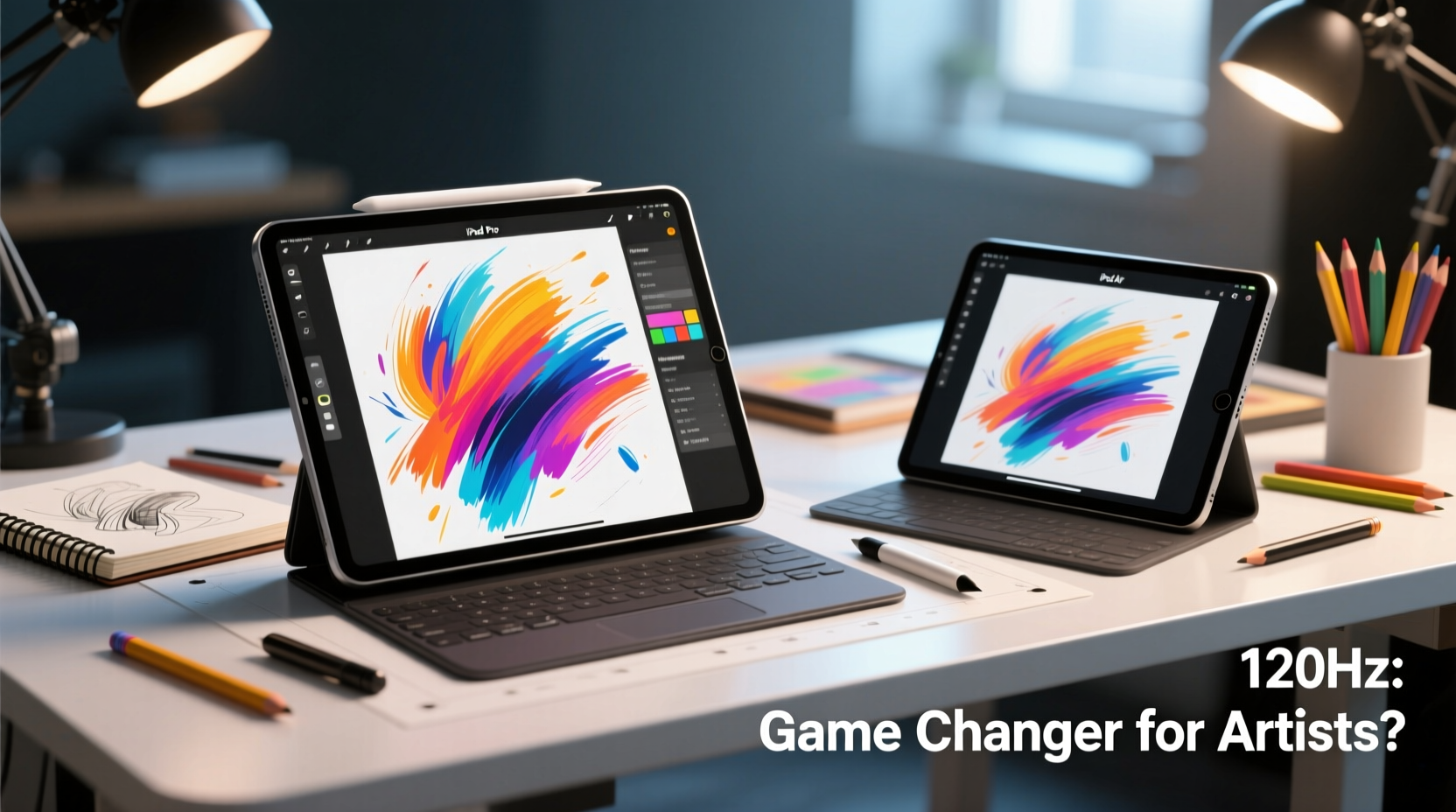
Refresh rate refers to how many times per second your screen updates the image it displays. Standard displays operate at 60Hz, meaning they refresh 60 times per second. The iPad Pro’s 120Hz ProMotion display doubles that, refreshing twice as often. This results in smoother motion, especially during fast gestures like swiping or panning—and critically, during rapid pen movements.
For artists, the benefit appears most evident in drawing applications such as Procreate, Adobe Fresco, and Affinity Designer. When sketching quickly, a higher refresh rate reduces perceived input lag—the delay between stylus movement and line appearance. On paper, this sounds transformative. In practice, the improvement is subtle but measurable.
“With ProMotion, there’s less cognitive dissonance between hand movement and visual feedback. It feels closer to drawing on paper.” — Lena Tran, Digital Illustrator and Art Educator
However, not all users perceive the difference equally. Some artists report adapting quickly to 60Hz after initial use, especially if they’re transitioning from traditional media where there’s no real-time visual feedback loop. Others, particularly those working on detailed animations or gesture-heavy illustrations, notice a tangible advantage in precision and comfort over long sessions.
Tip: If possible, test both devices in-store by drawing quick lines and circles. Pay attention to the \"floatiness\" or lag—your muscle memory will often detect differences your eyes might miss.Performance Comparison: Beyond the Screen
While the display is central to the debate, other hardware differences influence artistic performance. The iPad Pro typically features Apple’s latest chip—M1, M2, or beyond—while the iPad Air uses a slightly older generation (e.g., M1 at time of writing, though future models may vary). This affects multitasking, app launch speed, and handling of large canvas files.
Consider a complex Procreate file with dozens of layers, filters, and high-resolution exports. The iPad Pro handles these with noticeably less stutter, faster rendering, and quicker undo/redo responses. For artists working professionally—especially illustrators, concept designers, or animators—this can translate into meaningful time savings and fewer crashes during critical workflows.
Additionally, the iPad Pro supports more external accessories via Thunderbolt/USB-C ports (on newer models), enabling direct connection to external SSDs, high-speed monitors, or professional audio interfaces. This makes it more viable as a standalone creative workstation. The iPad Air, limited to standard USB-C, lacks this expandability.
| Feature | iPad Pro | iPad Air |
|---|---|---|
| Display Refresh Rate | 120Hz ProMotion | 60Hz |
| Processor | M2 (or newer) | M1 |
| RAM | 8GB–16GB (depending on model) | 8GB |
| Storage Options | 128GB–2TB | 64GB–512GB |
| Connectivity | Thunderbolt / USB 4 | USB-C (slower data transfer) |
| Face ID | Yes (landscape support) | No (uses top button) |
| Pencil Hover (M2 Pro models) | Yes (preview stroke before contact) | No |
The table above highlights that while both tablets are capable, the iPad Pro offers incremental upgrades across the board—many of which compound under heavy creative loads.
Real-World Impact: A Mini Case Study
Maya Rodriguez, a freelance character designer based in Portland, used an iPad Air with Apple Pencil 2 for two years before upgrading to an iPad Pro M2 with 12.9-inch display. Her work involves tight deadlines, layered illustrations, and frequent client revisions.
Initially skeptical about the 120Hz hype, she noticed the difference within her first hour of use. “I was sketching a dynamic pose, doing quick gesture lines,” she recalls. “On the Air, the lines felt slightly behind my hand. On the Pro, it was like the pencil responded instantly. Not dramatically different—but after eight hours of drawing, that tiny lag adds up.”
More impactful was the system responsiveness. “Opening a 30-layer Procreate file used to take 10 seconds on the Air. Now it’s instant. Undoing five steps doesn’t freeze. I don’t realize how much time I’ve saved until I look up and realize I’ve completed a full illustration without frustration.”
She also began using the hover feature to preview brush placement—a small but useful tool for precision work. “It’s like seeing the pencil tip just above the page. I catch alignment errors before I even touch the screen.”
For Maya, the upgrade wasn’t about one single feature. It was the sum of micro-improvements: smoother scrolling, faster saves, better multitasking with reference images. “If you’re doing art casually, the Air is fantastic. But if you’re earning income from your drawings, the Pro pays for itself in efficiency.”
When the 120Hz Screen Isn’t a Dealbreaker
Despite the advantages, the 120Hz screen isn't universally essential. Many artists thrive on the iPad Air, especially those who prioritize cost-effectiveness or have lighter usage patterns.
Hobbyists, students, and beginners often find the iPad Air more than sufficient. Learning fundamentals, experimenting with brushes, and completing occasional projects don’t require peak performance. Apps like Procreate scale well to 60Hz, and Apple Pencil latency remains impressively low—even on the Air, reported at around 20ms.
Moreover, battery life is nearly identical between models, and both offer excellent color accuracy (P3 wide color gamut) and brightness. Artists working primarily with static compositions—such as comic panels, storyboards, or watercolor-style pieces—may not benefit significantly from higher refresh rates, as their strokes are slower and more deliberate.
- Students: Budget-friendly entry into digital art with access to same core tools.
- Travel artists: Lighter weight and lower cost reduce risk if lost or damaged.
- Hybrid users: Those who split time between note-taking, reading, and light drawing.
Step-by-Step: Choosing the Right iPad for Your Artistic Needs
Follow this decision framework to determine whether the iPad Pro’s 120Hz screen is necessary for your workflow:
- Assess your usage frequency: Do you draw daily for hours, or occasionally for fun? Heavy users benefit more from ProMotion.
- Evaluate your software demands: Use animation tools, 3D modeling apps, or multi-layered design suites? Higher RAM and processing power matter.
- Test drawing responsiveness: Visit an Apple Store and draw quick zigzags on both devices. Notice any lag or jitter?
- Consider future-proofing: Will you rely on this device for 4+ years? The Pro’s longer support cycle and durability justify investment.
- Budget check: Can you afford the Pro’s premium, including Pencil and accessories? If not, the Air delivers 90% of functionality at 70% of the cost.
Frequently Asked Questions
Can I feel the 120Hz difference immediately?
Some users notice it right away, especially when panning or zooming rapidly. Others adapt so well to 60Hz that the jump isn’t dramatic. Try side-by-side testing before deciding.
Does the Apple Pencil behave differently on 120Hz?
Yes. While the Pencil works on both, its reported latency drops to ~9ms on ProMotion displays versus ~20ms on 60Hz screens. This enhances real-time responsiveness, crucial for fast sketching.
Is the iPad Air still good for professional art?
Absolutely. Many successful artists use the iPad Air professionally. It supports all major creative apps, has excellent build quality, and performs reliably under pressure. The limitation is scalability—not capability.
Final Verdict: Is 120Hz a Dealbreaker?
For most casual and intermediate artists, the answer is no. The iPad Air delivers exceptional value, supporting the full range of digital art tools with minimal compromise. Its 60Hz screen is sharp, responsive, and more than adequate for learning, personal projects, and even client work.
But for professionals—those who draw for income, demand peak efficiency, or work under tight deadlines—the iPad Pro’s 120Hz ProMotion display, combined with superior processing, expandability, and advanced Pencil features, becomes a legitimate productivity enhancer. It’s not just about smoother lines; it’s about reducing friction across the entire creative pipeline.
In essence, the 120Hz screen isn’t a dealbreaker in isolation. It’s part of a larger ecosystem of performance advantages that collectively define a premium creative tool. If your art is your livelihood, investing in that edge makes sense. If it’s a passion, the iPad Air remains one of the best creative bargains available.
“The best tool is the one you use consistently. Don’t let specs paralyze you—start creating. But if you’re scaling up, the Pro removes invisible barriers you didn’t know were there.” — James Lin, Creative Director & iPad Workshop Instructor
Checklist: iPad Pro vs iPad Air Decision Guide
- ☐ I draw for more than 10 hours per week → lean toward Pro
- ☐ I use Procreate with 20+ layers or animate frames → Pro recommended
- ☐ I need external storage or monitor support → choose Pro
- ☐ My budget is under $800 (with Pencil and case) → Air is practical
- ☐ I want the most natural pencil-to-screen response → test ProMotion first
- ☐ I travel frequently and worry about damage → consider Air’s lower replacement cost
Take Action Today
Your next creative breakthrough shouldn’t wait on gear analysis paralysis. If you're ready to elevate your digital art, start by defining your goals: Are you building a portfolio, selling commissions, or simply exploring creativity? Match your device choice to your ambition.
Visit a retailer, try both iPads with the Apple Pencil, and draw something simple yet fast—a spiral, a series of crosshatches, a flowing curve. Let your hand decide. Then, pair your choice with disciplined practice. Because while technology can refine the experience, it’s consistency and vision that define great art.
💬 Have you switched from iPad Air to Pro—or stayed loyal to the Air? Share your experience and help fellow artists make informed choices. Your insight could be the nudge someone needs.