When shopping for a budget-friendly tablet, two names often come up: the Apple iPad Air 2 and the Samsung Galaxy Tab A 10.1 (2019). Both are positioned as mid-range devices, but they differ significantly in price, ecosystem, and long-term usability. The iPad Air 2, though discontinued, still holds a strong presence in the secondhand market. Meanwhile, the Galaxy Tab A 10.1 (2019) is a newer release with modern hardware. So, is the iPad worth the premium—often $100–$150 more on the used market—or does the Galaxy offer better value? Let’s break it down.
Performance and Hardware Comparison
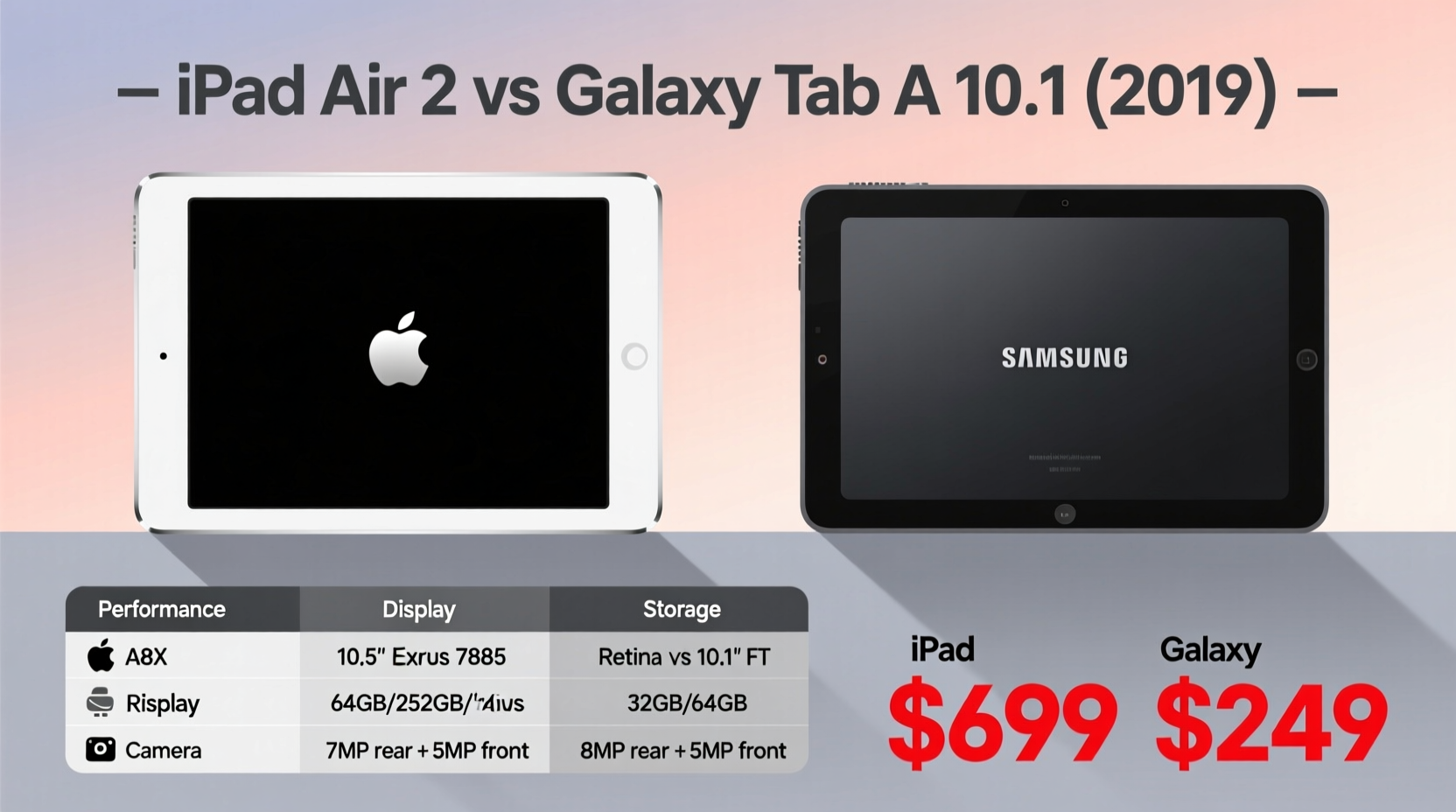
The iPad Air 2 runs on Apple’s A8X chip with 2GB of RAM, released in 2014. While impressive for its time, this hardware is now nearly a decade old. In contrast, the Galaxy Tab A 10.1 (2019) uses the Qualcomm Snapdragon 429 processor with 2GB or 3GB of RAM, depending on the model. On paper, neither device is built for heavy multitasking or gaming, but real-world performance tells a different story.
iOS is highly optimized for Apple’s hardware, meaning even older iPads can run smoothly with current apps. The iPad Air 2 supports up to iOS 15, allowing access to many modern features and security updates. The Galaxy Tab A, despite newer hardware, runs on Android 9 (upgradable to Android 11), which is less efficiently managed on lower-end chips. Users report lag when switching between apps or loading media-heavy websites.
| Feature | iPad Air 2 | Galaxy Tab A 10.1 (2019) |
|---|---|---|
| Processor | Apple A8X | Qualcomm Snapdragon 429 |
| RAM | 2GB | 2GB / 3GB |
| Operating System | iOS 8–15 | Android 9–11 |
| Storage Options | 16GB, 32GB, 64GB, 128GB | 32GB (expandable via microSD) |
| Battery Life | ~10 hours | ~13 hours |
| Rear Camera | 8MP | 8MP |
| Front Camera | 1.2MP | 5MP |
The Galaxy Tab offers longer battery life and a better front-facing camera—important for video calls—but its software optimization lags behind iOS. The iPad’s consistent frame rates and app responsiveness give it an edge in daily use, despite older specs.
Tip: When buying a used iPad Air 2, verify iOS version and available storage—older units with only 16GB may struggle with modern app sizes.Software Support and Longevity
This is where the iPad pulls far ahead. The iPad Air 2 received software updates for six years, supporting iOS 15—the last version it can run. That means users had access to security patches, app compatibility, and features like Focus Mode and improved Safari until 2022. Even today, most major apps like Chrome, Zoom, and Microsoft Office continue to support iOS 12+, making the iPad Air 2 surprisingly functional.
In contrast, the Galaxy Tab A 10.1 (2019) launched with Android 9 and received one major OS upgrade to Android 10, then a second to Android 11. Samsung typically provides two OS updates for budget devices. No further upgrades are expected, leaving it vulnerable to future app deprecation and security risks.
“Longevity isn’t just about hardware—it’s about software commitment. Apple’s update policy gives older devices a second life.” — David Lin, Mobile Tech Analyst at GadgetInsight
For users who keep devices for three or more years, this difference is critical. An iPad from 2014 can still handle email, browsing, and streaming in 2024. A 2019 Galaxy Tab may soon lose access to essential services as developers drop support for older Android versions.
App Ecosystem and User Experience
iPadOS continues to lead in app quality, especially for productivity and creative tools. Apps like Procreate, Notability, and LumaFusion are either exclusive to iPad or offer vastly superior functionality compared to their Android counterparts. Even basic apps like Apple Notes, Files, and Mail are deeply integrated and polished.
Android offers flexibility—especially with file management and third-party launchers—but the tablet experience remains fragmented. Many Android apps are simply stretched phone versions, lacking true tablet optimization. Samsung’s One UI adds some improvements, but it doesn’t bridge the gap entirely.
If your use case includes note-taking, digital art, or document editing, the iPad’s mature ecosystem delivers a smoother, more reliable experience—even on aging hardware.
Real-World Example: Remote Learning Setup
Sarah, a middle school teacher in Oregon, needed an affordable tablet for virtual classes and grading. She considered both the iPad Air 2 ($120 used) and the Galaxy Tab A 10.1 (2019) ($180 new). She chose the iPad.
“The Galaxy had newer specs, but my school uses Google Classroom and Zoom,” she said. “The iPad handled both without freezing, and I could annotate PDFs with a $15 stylus. My students shared documents that formatted perfectly. After eight months, it still feels fast.”
The Galaxy would have offered expandable storage and longer battery, but Sarah prioritized reliability during live lessons. The iPad’s consistent performance won out.
Value Over Time: Cost vs. Long-Term Use
The upfront cost favors the Galaxy Tab A—new units start around $180, while a used iPad Air 2 with 64GB sells for $130–$160. But value isn’t just about sticker price; it’s about how long the device remains useful.
- iPad Air 2: High resale value, longer software support, better app compatibility.
- Galaxy Tab A: Lower initial cost if bought on sale, but limited upgrade path and shorter lifespan.
Consider total ownership cost over three years. If the Galaxy becomes unusable by 2025 due to outdated software, you’ll need to replace it sooner. The iPad, even if slightly slower, may last through 2026 for light tasks—effectively reducing annual cost.
Checklist: Choosing the Right Tablet for You
- Define your primary use: browsing, media, work, education?
- Determine your budget—include accessories like cases and styluses.
- Check software version: Does the device run the latest compatible OS?
- Evaluate app needs: Do you rely on iOS-exclusive tools?
- Inspect used devices carefully: Look for battery health, screen damage, and iCloud lock status.
- Consider future-proofing: How long do you plan to keep the device?
Frequently Asked Questions
Can the iPad Air 2 still be used in 2024?
Yes. While it no longer receives iOS updates, it runs iOS 15, which supports most modern apps. Performance remains adequate for web browsing, video streaming, email, and light productivity work. However, newer games and AR apps may not be compatible.
Is the Galaxy Tab A good for kids?
Absolutely. Its durable build, long battery life, and parental controls via Samsung Kids Mode make it ideal for children. The microSD slot allows storage expansion for games and videos. However, monitor app availability, as some educational apps perform better on iOS.
Which tablet has better accessories?
The iPad wins here. Even the Air 2 supports Bluetooth keyboards and basic styluses. Used Smart Keyboards can be found for under $50. The Galaxy Tab A has limited accessory support—few third-party keyboards or precision pens are designed specifically for it.
Final Verdict: Is the iPad Worth the Extra Money?
For most users seeking long-term reliability, the answer is yes. The iPad Air 2’s superior software support, robust app ecosystem, and enduring performance justify the higher price—especially when purchased used. It’s not about raw power; it’s about consistency, polish, and longevity.
The Galaxy Tab A 10.1 (2019) is a decent budget option with longer battery and a sharper front camera, ideal for media consumption or casual use. But its limitations in software updates and app optimization become apparent over time.
If you plan to use the tablet for more than two years, prioritize the iPad. If you need a short-term solution and prefer Android integration, the Galaxy is acceptable—but expect to replace it sooner.
💬 Have experience with either tablet? Share your thoughts below—your insights could help someone make a smarter choice.