Knowing your phone’s exact type and model is essential for troubleshooting, buying accessories, selling your device, or updating software. Whether you’ve inherited an old phone, forgotten the model name, or simply need precise details for technical support, identifying your device doesn’t have to be confusing. This comprehensive guide walks you through reliable methods across Android, iOS, and physical inspection—no guesswork required.
Why Knowing Your Phone Model Matters
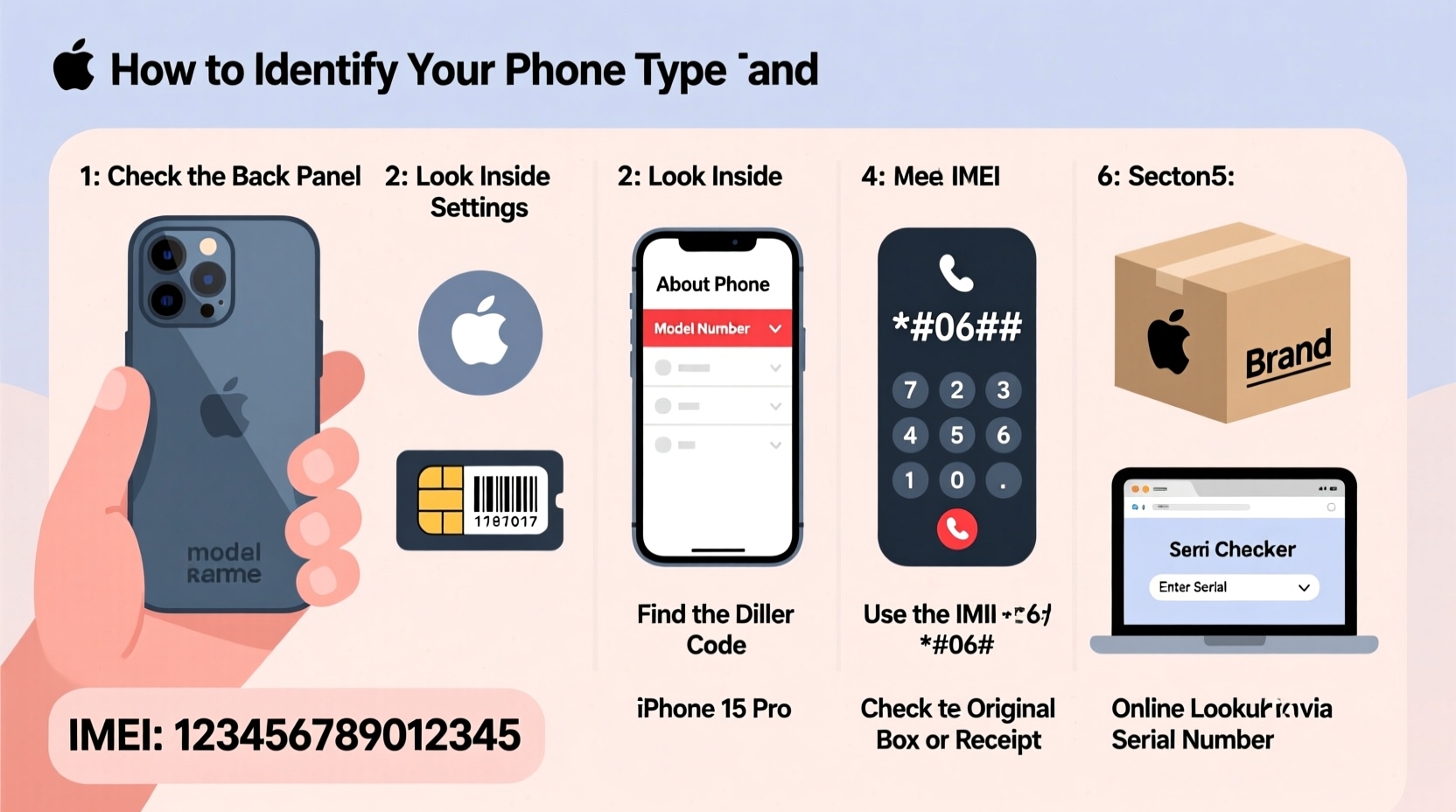
Your smartphone isn’t just “an iPhone” or “a Samsung.” Within each brand, dozens of models exist with different capabilities, dimensions, and compatibility. For example, an iPhone 13 Pro Max has different camera specs, battery life, and case sizes than an iPhone SE. Similarly, the Samsung Galaxy S23 and S23 Ultra differ significantly in screen size and stylus support.
Accurate identification helps when:
- Purchasing a protective case or screen protector
- Downloading firmware updates or drivers
- Selling or trading in your device
- Contacting customer support
- Checking network compatibility (e.g., 5G bands)
“Many repair issues stem from users ordering incorrect parts because they misidentified their model.” — Carlos Mendez, Mobile Repair Technician with 12 years of experience
Step-by-Step: How to Find Your Phone Model Using Software Settings
The most accurate and accessible way to identify your phone is through its built-in settings. This method works whether your device is new or secondhand, as long as it powers on.
For Android Devices
- Open the Settings app.
- Scroll down and tap on About Phone (sometimes under “System” > “About” on newer devices).
- Look for entries labeled:
- Model number (e.g., SM-S918U)
- Device name (e.g., Galaxy S23 Ultra)
- Android version
- Note the model number—it’s the key identifier used by manufacturers and carriers.
For iPhones (iOS)
- Go to Settings.
- Tap General, then select About.
- Scroll to find:
- Name – usually reflects your personal label (e.g., \"John's iPhone\")
- Model Name – may show generically as “iPhone 14”
- Model Number – starts with a letter 'A' followed by four digits (e.g., A2649)
- To decode the model number into a real-world name, search “Apple model number AXXXX” online or refer to Apple’s official list.
Alternative Methods When Settings Aren’t Accessible
If your phone won’t turn on, is locked, or has a broken screen, you can still identify it using external clues.
Check Physical Markings on the Device
Flip your phone over. Most devices have small text printed on the back or inside the SIM tray area.
- iPhones: Starting from iPhone 7, Apple moved all labels to the back. Look for the model number starting with “A” (e.g., A1905).
- Android phones: Manufacturers like Samsung, Google, and OnePlus typically include both the marketing name (e.g., Pixel 7) and model number (e.g., GQJ6L) near the regulatory text.
- Under the battery: Older removable-battery phones often list model info beneath the battery.
Use the Original Packaging or Receipt
If you still have the box, check the barcode label on the side. It will clearly state the full model name and number. Even a receipt from a carrier or retailer often includes the device model under item description.
Identify via IMEI Number
The IMEI (International Mobile Equipment Identity) is a unique 15-digit code tied to every mobile device. You can use it to look up your model.
- Dial
*#06#on your phone’s keypad to display the IMEI. - Visit a free IMEI lookup site like imei.info or swappa.com/imei.
- Enter the number to retrieve make, model, storage size, and sometimes even warranty status.
Common Confusions: Model Numbers vs. Marketing Names
Manufacturers assign internal model numbers that vary by region and carrier. One phone might have five different model numbers globally. Understanding this distinction prevents confusion.
| Marketing Name | Common Model Number(s) | Region/Carrier Notes |
|---|---|---|
| iPhone 15 Pro | A3104, A3105, A3106 | Variants differ by cellular bands (US vs. EU) |
| Samsung Galaxy S24 | SM-S921U, SM-S921UL, SM-S921B | U = US carrier, UL = unlocked, B = international |
| Google Pixel 8 | G9BLX, GVPOW | Minor hardware revisions across batches |
This variation explains why two seemingly identical phones might not share the same model number. Always verify compatibility based on the exact model number, especially when importing devices or replacing parts.
Mini Case Study: Resolving a Repair Mix-Up
Lena bought a used Samsung Galaxy S22 online. She ordered a replacement screen labeled “for S22,” but it didn’t fit. After checking her phone’s Settings > About Phone, she discovered her model was SM-S901U1—a slightly different frame design than the standard U model. The seller had listed it incorrectly. By providing the correct model number to the parts supplier, Lena received the right component and completed the repair successfully.
This real-world example shows how relying on the marketing name alone can lead to costly mistakes. The model number is the definitive identifier.
Quick Checklist: Identify Your Phone in 5 Minutes
Follow this checklist for fast and accurate identification:
- ✅ Power on the phone and go to Settings > About Phone
- ✅ Write down the full model number (e.g., A2649 or SM-S918U)
- ✅ If the screen is broken, inspect the back or SIM tray for printed text
- ✅ Check the original box or receipt if available
- ✅ Dial *#06# to get the IMEI and run a lookup online
- ✅ Search the model number online to confirm features and variants
Frequently Asked Questions
Can two different phones have the same model number?
No. Each model number is unique to a specific configuration, including region, carrier, and hardware specs. However, one phone model may have multiple variant numbers depending on where it was sold.
My phone says “Unknown” in Settings. What should I do?
This rare issue usually occurs after a failed software update or root modification. Try restarting the device. If the problem persists, connect it to a computer and use manufacturer tools like Samsung Smart Switch or iTunes (for iPhone) to detect the device automatically.
Is the serial number the same as the model number?
No. The serial number identifies your individual unit (like a fingerprint), while the model number identifies the product line (like a blueprint). Both are useful, but only the model number tells you what kind of phone it is.
Final Thoughts: Take Control of Your Device Knowledge
You don’t need technical expertise to know exactly what phone you own. With a few taps or a close look at the hardware, you can confidently identify your device’s type and model. This knowledge empowers smarter decisions—from buying accessories to diagnosing problems. Don’t assume; verify. Keep your model number handy in case you ever need support, repairs, or want to upgrade.
💬 Found your model number? Share your phone type and model in the comments to help others recognize it faster!