When it comes to action cameras, two names dominate the conversation: GoPro and Insta360. The GoPro Hero 11 Black remains a benchmark for traditional linear video with rugged reliability and exceptional stabilization. Meanwhile, the Insta360 X3 redefines perspective with full 360° capture, enabling creative freedom that standard cameras can't match. But does immersive footage justify the extra steps in post-production? For creators balancing quality, convenience, and creativity, this question isn’t just technical—it’s practical.
This comparison dives beyond specs into real-world use. We’ll analyze image quality, stabilization, workflow efficiency, creative potential, and long-term value to help you decide whether the Insta360 X3’s 360 capabilities are worth the editing investment—or if the GoPro Hero 11 still reigns supreme for straightforward, high-performance shooting.
Image Quality and Sensor Performance
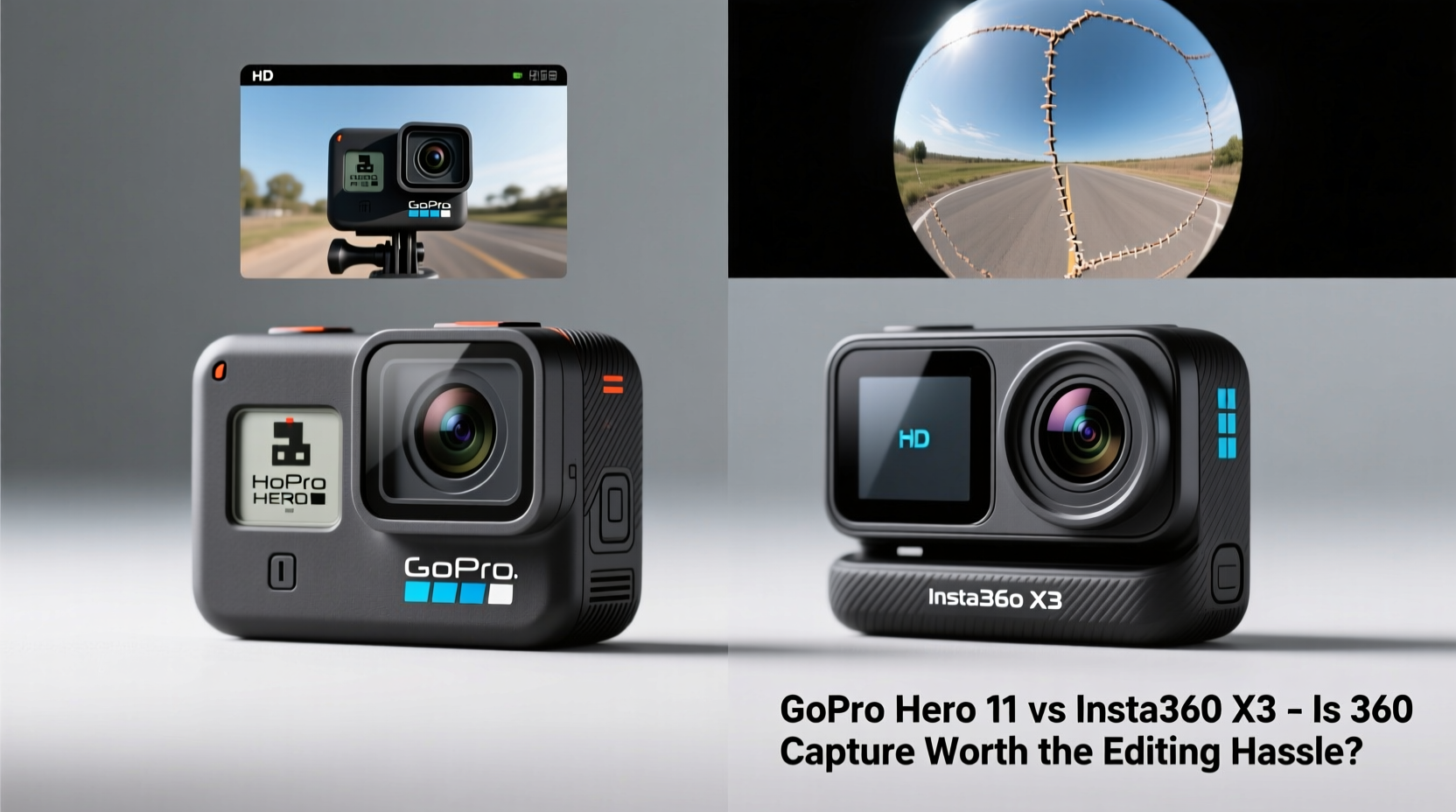
The core of any camera decision lies in how well it captures light and detail. The GoPro Hero 11 uses a 27-megapixel sensor capable of recording 5.3K video at up to 60fps and 4K at 120fps. Its HyperSmooth 5.0 stabilization delivers buttery-smooth motion even in extreme conditions—ideal for mountain biking, skiing, or drone-mounted shots where every frame must hold up under scrutiny.
In contrast, the Insta360 X3 employs dual 1/2” sensors (one on each side) to achieve 5.7K 30fps or 4K 60fps spherical video. While peak resolution favors the X3 slightly, the difference is marginal on most playback devices. However, low-light performance tilts toward the Hero 11. Its larger per-pixel size and more mature image processing pipeline produce cleaner shadows and less noise in dusk or indoor scenarios.
That said, the X3 compensates with dynamic range and color science improvements over previous models. With HDR support in 360 mode and intelligent tone mapping, highlights are preserved better than before—critical when filming backlit scenes like sunsets or snow-covered peaks.
Tip: If your primary use case involves fast-paced outdoor activities with minimal post-processing, the Hero 11's superior low-light handling may outweigh the X3’s resolution edge.Stabilization and Motion Handling
Both cameras feature advanced digital stabilization, but they approach motion correction differently due to their form factors and capture methods.
GoPro’s HyperSmooth 5.0 uses AI-driven horizon leveling that maintains a stable frame even during aggressive rolls or drops. It offers three levels—On, Boost, and Horizon Lock—with the latter keeping the horizon level across ±45° of tilt. This makes it ideal for vloggers who want cinematic movement without gimbal rigging.
The Insta360 X3 relies on FlowState Stabilization enhanced by its 360 data field. Because the camera captures everything around it, stabilization algorithms have more spatial information to work with, allowing for near-perfect smoothing—even when the camera rotates fully. Plus, horizon lock works across a full 360°, meaning no matter how the camera tumbles, the final clip stays upright.
However, there’s a caveat: stabilization on the X3 requires rendering in post. You can preview stabilized output in the app, but exporting a reframed shot locks in both crop and stabilization settings. This adds time compared to the Hero 11, which applies stabilization instantly upon export with minimal user input.
“With 360 footage, stabilization isn’t just about smoothness—it’s about flexibility. You gain creative control but trade off immediacy.” — Lena Torres, Adventure Filmmaker & Content Creator
Creative Flexibility vs. Workflow Complexity
This is where the fundamental divide emerges. The GoPro Hero 11 excels at doing one thing exceptionally well: capturing a single, high-quality perspective. Framing matters upfront—you need to point the lens where the action will be. Miss a moment outside the field of view? It’s gone.
The Insta360 X3 flips that model. Since it records all directions simultaneously, framing happens *after* shooting. Using the mobile or desktop app, you can digitally reframe your shot, add invisible selfie stick effects, extract multiple angles from one take, or animate transitions between points of interest. Need a follow cam effect while riding a bike? Set a subject lock in post. Want to show behind-the-scenes reactions during a jump? Simply shift the virtual viewpoint.
But this power comes at a cost: editing time. To get usable clips from the X3, you must:
- Transfer large 360 video files (often 1–2GB per minute).
- Sync and stabilize in the Insta360 Studio software.
- Manually set keyframes, apply reframing, adjust speed, and render.
- Export at optimal resolution and bitrate.
A five-minute highlight reel could take 1–2 hours to edit, depending on complexity. In contrast, a Hero 11 file is ready to trim, color-correct, and upload within minutes using GoPro’s Quik app or direct editing in Premiere Pro or DaVinci Resolve.
Real Example: Mountain Biking Vlog
Consider a weekend vlogger documenting a downhill trail ride. With the Hero 11 mounted on the helmet, they record continuously. Back home, they review footage, cut out dull sections, enhance colors, and publish—all within an hour.
Now imagine the same rider using the X3. During the ride, they don’t worry about framing—they know they can pull tight shots of handlebars, rear wheel kicks, or scenic overlooks later. They even do a mid-trail interview holding the camera, relying on the invisible stick effect. But when editing, they spend 90 minutes selecting angles, syncing audio, stabilizing multiple clips, and rendering exports. The final video looks more dynamic and professional—but required triple the effort.
Comparison Table: Key Features at a Glance
| Feature | GoPro Hero 11 | Insta360 X3 |
|---|---|---|
| Max Video Resolution | 5.3K @ 60fps | 5.7K @ 30fps (360) |
| Standard Video Mode | Linear (fixed FOV) | 360° Spherical |
| Low-Light Performance | Excellent (larger effective pixels) | Good (improved over X2) |
| Stabilization | HyperSmooth 5.0 (real-time export) | FlowState + AI Reframing (requires render) |
| Battery Life | ~80 mins (5.3K/30fps) | ~80 mins (5.7K/30fps) |
| Water Resistance | 10m (no housing) | 5m (no housing); 33m with case |
| Audio Quality | Dual mics + Wind Smoothing | Four mics + AI noise reduction |
| Editing Workflow | Fast (direct-to-edit apps) | Slower (reframe + render required) |
| Unique Features | Endless Horizon, Live streaming, TimeWarp 5.0 | Invisible Stick, Bullet Time, Multi-View Export |
When 360 Capture Makes Sense—and When It Doesn’t
The decision hinges on your goals, audience, and tolerance for post-production.
If you're producing social media content where novelty and visual flair drive engagement—like travel reels, sports montages, or immersive storytelling—the X3 pays dividends. Platforms like Instagram Reels, YouTube Shorts, and TikTok reward unique perspectives. A well-edited 360 clip reframed into a dynamic sequence stands out in crowded feeds.
Conversely, if you prioritize speed and consistency—such as daily vlogging, event documentation, or coaching feedback—the Hero 11 reduces friction. There’s no learning curve for reframing, no waiting for renders, and fewer compatibility issues when sharing files across devices.
Another consideration: collaboration. If you work with editors or clients who aren’t familiar with 360 workflows, delivering X3 footage may require additional explanation or pre-rendered proxies. The Hero 11 integrates seamlessly into existing pipelines.
Checklist: Choosing Between Hero 11 and X3
- ✅ Do you want maximum creative control after shooting? → Lean toward Insta360 X3
- ✅ Are you frequently filming unpredictable or multi-directional action? → X3 has the advantage
- ✅ Do you edit on mobile and need quick turnaround? → Hero 11 wins for simplicity
- ✅ Is low-light performance critical (e.g., cave exploration, night rides)? → Hero 11 performs better
- ✅ Do you value innovative features like invisible selfie sticks or bullet time spins? → X3 offers unmatched gimmicks with real impact
- ✅ Will others access your raw footage without 360 editing tools? → Hero 11 ensures universal compatibility
Frequently Asked Questions
Can I use Insta360 X3 footage without editing?
Yes, but not optimally. You can play back 360 videos in compatible viewers or share them natively on platforms like YouTube, where users can drag to change视角. However, to create polished, framed videos for Instagram or TikTok, reframing and rendering are essential.
Is the GoPro Hero 11 obsolete next to 360 tech?
No. While 360 cameras offer new possibilities, the Hero 11 remains superior for traditional filmmaking needs. Its color science, low-light capability, and seamless integration with editing ecosystems keep it relevant—especially for professionals who value predictability and speed.
Does the X3 require a powerful computer for editing?
For best results, yes. Editing 5.7K 360 footage demands significant GPU power, especially when applying stabilization, AI tracking, and HDR grading. Older laptops may struggle with real-time playback or long render times. The Hero 11’s smaller file sizes and simpler processing are far less taxing.
Final Verdict: Balancing Innovation and Efficiency
The Insta360 X3 is not merely a camera—it’s a creative toolkit. Its ability to capture every angle liberates filmmakers from rigid setups and enables storytelling techniques previously reserved for multi-camera rigs. For influencers, educators, and innovators willing to invest time in mastering post-production, the X3 unlocks a new dimension of expression.
Yet, the GoPro Hero 11 remains the gold standard for reliability, ease of use, and consistent output. It doesn’t demand complex software knowledge or hours of rendering. It just works—rain, mud, saltwater, or freezing temperatures.
So, is 360 capture worth the editing hassle? Only if your content thrives on surprise, immersion, and visual innovation. If your priority is capturing life as it happens—with minimal fuss and maximum durability—the Hero 11 continues to deliver unmatched value.
Ultimately, many creators now carry both. Use the X3 for signature moments that deserve cinematic treatment. Keep the Hero 11 rolling for everything else.
💬 Have you switched from GoPro to Insta360—or vice versa? Share your experience with 360 editing challenges and wins in the comments below.