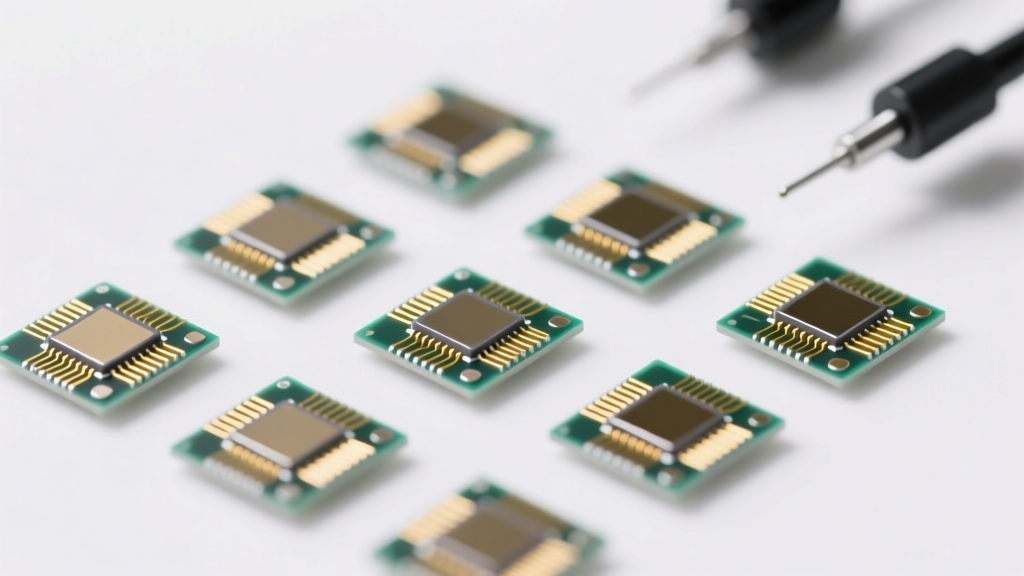
Types of Driving USB Modems
A driving USB modem (also known as a mobile broadband dongle or cellular data stick) is a portable device that enables internet connectivity for laptops, tablets, and other devices via a cellular network. These modems are essential for drivers, remote workers, and travelers who require reliable internet access on the go. With advancements in mobile technology, various types of USB modems have emerged, each offering unique benefits in terms of speed, compatibility, and connectivity.
3G USB Modems
One of the earliest generations of mobile broadband devices, 3G USB modems provide basic internet access suitable for essential online tasks.
Advantages
- Affordable and widely available
- Sufficient for email and light browsing
- Compatible with older devices
- Reliable in remote areas with limited coverage
Limitations
- Limited data speeds (typically 1–7 Mbps)
- Not suitable for HD streaming or large downloads
- Being phased out in many countries
- Poor performance with modern web applications
Best for: Basic connectivity in rural areas, backup internet, legacy systems
4G USB Modems
Leveraging LTE technology, 4G USB modems deliver significantly faster and more stable internet than their 3G predecessors.
Advantages
- High-speed data (10–100 Mbps)
- Ideal for HD video streaming and online gaming
- Low latency for real-time applications
- Widely supported by carriers globally
Limitations
- Requires strong 4G signal for optimal performance
- Higher power consumption
- May be more expensive than 3G options
- Coverage gaps in remote regions
Best for: Frequent travelers, mobile professionals, high-bandwidth applications
MiFi USB Modems
Also known as mobile hotspots, MiFi modems combine USB connectivity with built-in Wi-Fi to serve multiple devices simultaneously.
Advantages
- Supports multiple device connections (5–10+ devices)
- Flexible use via USB or wireless hotspot
- Built-in battery for standalone operation
- Great for team travel or business meetings on the go
Limitations
- More expensive than standard USB modems
- Battery life limits continuous use
- Can become a bottleneck with too many connected devices
- Larger and less portable than simple dongles
Best for: Business travelers, families on road trips, multi-device users
USB-C Modems
Designed for modern devices, USB-C modems offer seamless compatibility with the latest smartphones, tablets, and laptops.
Advantages
- Direct compatibility with USB-C ports
- Faster data transfer and charging capabilities
- Reversible plug design for ease of use
- Future-proof for newer device models
Limitations
- Incompatible with older USB-A ports without an adapter
- Fewer model options currently available
- Slightly higher cost due to newer technology
- Limited availability in some regions
Best for: Users with modern gadgets, tech-savvy drivers, future-ready setups
Unlocked USB Modems
These modems are not tied to a specific carrier, allowing users to insert any compatible SIM card for maximum flexibility.
Advantages
- Works with any carrier’s SIM card
- Ideal for international travel and roaming
- Ability to switch providers for better deals or coverage
- No long-term contracts required
Limitations
- Typically higher upfront cost
- Requires technical knowledge to configure
- Potential compatibility issues with certain networks
- Firmware updates may be less frequent
Best for: International travelers, digital nomads, users seeking carrier flexibility
| Type | Max Speed | Connectivity | Portability | Best Use Case |
|---|---|---|---|---|
| 3G USB Modem | 7 Mbps | Single device (USB) | High | Basic tasks, rural areas |
| 4G USB Modem | 100 Mbps | Single device (USB) | High | Streaming, gaming, fast browsing |
| MiFi USB Modem | 150 Mbps | Multi-device (Wi-Fi + USB) | Medium | Teams, families, business travel |
| USB-C Modem | 100 Mbps | Single device (USB-C) | High | Modern devices, future compatibility |
| Unlocked USB Modem | Varies (3G/4G) | Single or multi-device | High | Travelers, multi-carrier users |
Expert Tip: For optimal performance, always ensure your USB modem firmware is up to date. When using a 4G or MiFi modem, position the device near a window or use an external antenna for better signal reception, especially while driving in rural or obstructed areas.
Specifications and Features of Driving USB Modems
Driving USB modems—also known as mobile broadband dongles or cellular data sticks—are essential tools for maintaining internet connectivity while on the move. Designed specifically for use in vehicles, these compact devices offer reliable access to high-speed data networks, enabling seamless communication, navigation, and entertainment during travel. Their performance, usability, and versatility are determined by a range of technical specifications and built-in features tailored to meet the demands of mobile professionals, frequent travelers, and remote workers.
Key Features and Technical Specifications
Data Speed
Data speed is one of the most critical performance indicators for any USB modem. Modern 4G LTE driving USB modems can achieve download speeds of up to 300 Mbps under optimal network conditions, making them suitable for bandwidth-intensive tasks such as HD video streaming, real-time GPS navigation, video conferencing, and large file downloads.
In contrast, 3G-based modems typically offer speeds ranging from 3 to 21 Mbps, which may suffice for basic browsing and email but are less ideal for modern multimedia applications. While 4G provides superior performance, 3G compatibility remains valuable in remote or rural areas where 4G coverage is limited or unavailable. Always check the modem’s specifications for both maximum theoretical speeds and real-world performance expectations based on network congestion and signal strength.
Dual Connectivity (4G + 3G Support)
Many contemporary driving USB modems support dual-mode connectivity, allowing seamless switching between 4G LTE and 3G networks. This feature ensures uninterrupted internet access as you travel across regions with varying network coverage—such as transitioning from urban centers with robust 4G infrastructure to rural zones that rely on older 3G networks.
The automatic network handover enhances user experience by minimizing connection drops and maintaining stable signal quality. Advanced models may also include carrier aggregation and MIMO (Multiple Input, Multiple Output) technologies to boost signal reception and throughput, especially in moving vehicles where signal strength fluctuates frequently.
Plug-and-Play Design
Most driving USB modems come with a plug-and-play interface, meaning they require little to no manual setup. Once inserted into a USB port on a laptop, tablet, or compatible device, the modem is automatically recognized by the operating system and begins establishing a connection without the need for additional driver installations in many cases.
This user-friendly design is particularly advantageous for drivers and mobile users who prioritize convenience and efficiency. It eliminates technical barriers, reduces setup time, and allows immediate access to the internet—ideal for professionals needing instant connectivity for work or emergency communications on the go.
Compatibility with Multiple Devices and Operating Systems
Driving USB modems are engineered for broad compatibility across various platforms, including Windows, macOS, Linux, and select Android devices. This cross-platform support makes them a flexible choice for users operating different types of hardware, whether for business, education, or personal use.
For enterprise environments, this compatibility enables standardized deployment across company devices, simplifying IT management and reducing training requirements. Additionally, some modems include companion software that enhances functionality, such as data usage monitoring, signal strength indicators, and SMS management, further improving usability across diverse ecosystems.
Integrated SIM Card Slot
A defining feature of many driving USB modems is the built-in SIM card slot, which allows users to insert their own cellular data SIM card. This transforms the device into a personal mobile hotspot, enabling multiple devices to share a single data plan via USB tethering or Wi-Fi routing (on models with wireless capabilities).
This functionality is especially beneficial for travelers, families, or small teams sharing a vehicle, as it eliminates the need for multiple data subscriptions. Users can choose cost-effective data plans from their preferred carrier and avoid roaming charges by using local SIM cards when traveling internationally. Some advanced models even support dual SIM functionality for redundancy or multi-carrier optimization.
Portability and Rugged Design
Designed for mobility, driving USB modems are compact, lightweight, and durable. Many feature reinforced casings to withstand vibrations, temperature fluctuations, and minor impacts commonly encountered during long drives or off-road travel.
Some premium models include external antenna ports for connecting high-gain antennas, significantly improving signal reception in weak coverage areas. Additional features like LED indicators for network status, battery charging capability, and low-power consumption modes further enhance their suitability for extended use in vehicles.
| Feature | Importance | Practical Benefits |
|---|---|---|
| Data Speed (4G LTE) | High | Supports HD video calls, live streaming, and fast downloads; essential for productivity on the move |
| Dual Network Support (4G/3G) | High | Ensures continuous connectivity when transitioning between urban and rural areas |
| Plug-and-Play Functionality | High | Reduces setup time; ideal for non-technical users and urgent connectivity needs |
| Multi-OS Compatibility | Medium | Enables use across laptops, tablets, and enterprise systems without compatibility issues |
| SIM Card Flexibility | High | Allows use of preferred carriers, local SIMs, and shared data plans; reduces costs |
Additional Considerations for Optimal Use
Important: Always verify carrier compatibility before purchasing a USB modem. Some devices are locked to specific networks, while others are unlocked for use with any SIM card. Additionally, be mindful of data caps and roaming policies to avoid unexpected charges. Using a high-quality USB extension cable can also help position the modem for better signal reception inside the vehicle, away from electromagnetic interference.
How to Choose the Right Driving USB Modem
Selecting the best driving USB modem is essential for staying connected on the go, whether you're commuting, traveling across regions, or running a mobile business. A reliable internet connection while driving can enhance navigation, enable remote work, support fleet management, and keep passengers entertained. However, not all USB modems are created equal—your choice should be guided by specific use cases such as urban vs. rural driving, international travel, business needs, or personal use.
This guide breaks down the most important factors to consider when choosing a driving USB modem, helping you make an informed decision that balances performance, reliability, and value.
Network Compatibility
One of the most critical considerations is ensuring your USB modem supports the cellular networks available in your region—and those you plan to travel through. Network coverage varies significantly between carriers and geographic areas, so compatibility directly impacts connectivity and signal strength.
- Multi-band Support: Look for 4G LTE or 5G USB modems that support multiple frequency bands (e.g., Bands 2, 4, 5, 12, 13, 17, 25, 66) to maximize compatibility with major U.S. carriers like Verizon, AT&T, and T-Mobile.
- Rural Connectivity: In remote or rural areas, some networks may dominate. Choose a modem compatible with the carrier offering the strongest signal in those regions.
- International Travel: For cross-border use, opt for global-ready modems supporting GSM, HSPA+, and LTE across North America, Europe, and Asia. Ensure the device isn’t carrier-locked.
- Future-Proofing: Consider modems with 5G capability if you anticipate upgrading your service or want longer device longevity.
Key consideration: Always verify network compatibility with your preferred carrier’s coverage map before purchasing.
Speed & Performance Needs
Your intended usage determines the required data speed. While basic web browsing requires minimal bandwidth, modern applications like video conferencing, HD streaming, or cloud-based tools demand high-speed, low-latency connections.
- 4G LTE Advantage: Offers download speeds from 10–100 Mbps, ideal for real-time navigation, video calls, and streaming platforms like Zoom or Netflix.
- 5G Ready: Next-generation modems provide peak speeds up to 1 Gbps in supported areas, perfect for professionals working remotely from their vehicles.
- Latency Sensitivity: Gamers, traders, or VoIP users should prioritize modems with low latency and stable ping times.
- Basic Use Cases: For checking emails or light browsing, even entry-level 4G modems suffice and offer cost savings.
Pro tip: Check real-world speed tests in your target areas to gauge actual performance, not just theoretical maximums.
Budget vs. Value
Driving USB modems range from budget-friendly options under $50 to premium models exceeding $200. While price often reflects performance, it's important to assess total value over time.
- Entry-Level Models: Affordable but may lack advanced features like external antenna ports or carrier aggregation, leading to inconsistent performance in weak signal zones.
- Mid-Range Options: Typically offer balanced speed, reliability, and additional features like Wi-Fi hotspot sharing or SIM card flexibility.
- Premium Devices: Include enhanced processors, MIMO technology, dual antennas, and better heat dissipation—ideal for constant use in vehicles.
- Total Cost of Ownership: Factor in data plans, potential replacement costs, and warranty coverage when evaluating value.
Smart choice: Invest in a mid-tier branded modem (e.g., Netgear, Huawei, Alcatel) for reliable performance without overspending.
Additional Features & Usability
Modern driving USB modems come with features that enhance convenience, connectivity, and durability—especially important in mobile environments.
- Dual-Mode Connectivity: Devices supporting both 4G LTE and 3G ensure fallback connectivity in areas with limited coverage.
- Plug-and-Play Design: Most USB modems are recognized automatically by Windows, macOS, and Linux systems—no drivers needed.
- Multi-Device Sharing: Some models act as mobile hotspots, allowing smartphones, tablets, and laptops to connect simultaneously via Wi-Fi or USB tethering.
- External Antenna Support: Critical for weak-signal areas; modems with SMA connectors allow attachment of high-gain antennas mounted on the vehicle.
- Built-in Battery vs. Bus-Powered: Bus-powered modems draw energy from the USB port (ideal for constant use), while battery-powered ones offer portability but require recharging.
Time-saving tip: Choose a model with a detachable cable or swivel design to reduce wear and improve positioning inside the vehicle.
Professional Recommendation: For most drivers, a mid-range 4G LTE USB modem with multi-carrier compatibility, external antenna support, and plug-and-play functionality offers the best balance of performance, reliability, and affordability. If you frequently travel to remote locations, pair the modem with a rooftop-mounted directional antenna for improved signal reception. Always test the device with your primary carrier before committing long-term.
| User Profile | Recommended Modem Tier | Key Features | Ideal For |
|---|---|---|---|
| City Commuter (daily driving) | Entry-Level 4G | Plug-and-play, compact design | Email, GPS navigation, music streaming |
| Remote Worker / Digital Nomad | Mid-Range 4G+/5G | Wi-Fi hotspot, external antenna port | Video calls, cloud access, HD content |
| Fleet Manager / Commercial Driver | Durable 4G Industrial-Grade | Rugged casing, wide temperature tolerance | Telematics, dispatch systems, ELD compliance |
| International Traveler | Global 5G Multi-Band | Unlocked SIM, multi-region support | Cross-border connectivity, roaming flexibility |
Additional Considerations
- Data Plans: Ensure your chosen modem works with flexible data plans—unlimited, rollover, or pay-as-you-go—depending on your usage.
- Carrier Locking: Avoid carrier-locked devices unless you're committed to a single provider; unlocked modems offer greater flexibility.
- Signal Indicators: Models with LED signal strength indicators help optimize placement for best reception.
- Heat & Vibration Resistance: In-vehicle modems should withstand engine heat, vibrations, and temperature fluctuations.
- Security: Look for modems with WPA2 encryption, firewall protection, and secure SIM management for business use.
- Software Updates: Regular firmware updates improve performance and fix vulnerabilities—check manufacturer support longevity.
Top Real-World Scenarios for Using a Driving USB Modem
A driving USB modem—also known as a mobile broadband dongle or cellular modem—enables seamless internet connectivity while on the move. Unlike relying on smartphone hotspots or public Wi-Fi networks, a dedicated USB modem offers improved speed, security, and reliability. These devices are particularly valuable in professional, logistical, and emergency environments where uninterrupted connectivity is essential. Below are key scenarios where a driving USB modem delivers significant advantages.
Pro Tip: For optimal performance, choose a USB modem with 4G LTE or 5G support and ensure compatibility with major carriers in your region. External antennas can further enhance signal strength in rural or low-coverage areas.
1. Traveling Professionals
Salespeople, field engineers, consultants, and remote business teams frequently operate outside traditional office settings. A driving USB modem allows them to maintain consistent access to critical business tools while traveling.
- Securely connect to corporate email, CRM systems, and cloud platforms like Google Workspace or Microsoft 365
- Conduct high-quality video conferences via Zoom, Teams, or WebEx without latency or disconnections
- Access internal databases and shared drives for real-time updates and reporting
- Maintain a professional, encrypted connection instead of using unsecured public Wi-Fi networks at airports, hotels, or cafes
This level of connectivity ensures productivity during commutes or inter-city travel, turning downtime into productive work time.
2. Delivery and Logistics Services
Modern logistics, courier, and fleet management companies rely on real-time data to optimize operations. A driving USB modem embedded in delivery vehicles enables continuous communication between drivers and central dispatch systems.
- Enable GPS-based real-time vehicle tracking for route monitoring and customer ETAs
- Support dynamic route optimization using traffic data and delivery prioritization algorithms
- Allow drivers to instantly update delivery statuses, upload proof of delivery, and receive new assignments on the go
- Integrate with fleet management software for fuel monitoring, driver behavior analysis, and maintenance alerts
With a stable internet connection, logistics teams reduce delays, improve customer satisfaction, and increase overall operational efficiency.
3. Remote Work and Mobile Offices
For remote workers, digital nomads, and professionals in rural or underserved areas, fixed broadband may be unreliable or unavailable. A driving USB modem transforms any vehicle into a mobile office.
- Provide reliable internet access for attending virtual meetings, submitting reports, and collaborating on documents
- Support cloud-based applications such as Slack, Trello, Dropbox, and Asana for seamless project management
- Deliver faster and more stable speeds than smartphone tethering, especially with 4G LTE or 5G modems
- Enable location-independent work, allowing professionals to stay productive while traveling between sites or during long drives
This flexibility is ideal for freelancers, telehealth providers, educators, and researchers who require constant connectivity regardless of location.
4. Emergency Services and First Responders
Police, fire departments, ambulance services, and disaster response units depend on immediate access to information during emergencies. A driving USB modem ensures that emergency vehicles remain connected to command centers and critical systems.
- Access real-time criminal databases, medical records, and emergency protocols directly from the vehicle
- Transmit live updates, photos, or video footage from the scene to headquarters
- Receive dispatch instructions, GPS navigation, and situational awareness alerts without delay
- File electronic incident reports and documentation on-site, reducing post-mission administrative burden
In high-pressure situations, uninterrupted connectivity can significantly improve response times and decision-making accuracy.
5. Transportation and Ride-Sharing Services
Taxi, Uber, Lyft, and private chauffeur drivers benefit from a driving USB modem by enhancing both operational efficiency and passenger experience.
- Ensure uninterrupted access to ride-hailing apps and navigation tools like Google Maps or Waze
- Provide in-car Wi-Fi for passengers, improving service quality and customer satisfaction
- Maintain connectivity in areas with weak cellular signals by leveraging external antennas or signal boosters
- Support digital payment systems, electronic receipts, and trip logging for accurate record-keeping
A dedicated modem avoids draining the driver’s personal phone battery or data plan, while delivering a more stable and professional-grade connection.
| Use Case | Key Benefits | Recommended Features | Connectivity Needs |
|---|---|---|---|
| Traveling Professionals | Secure email, video calls, cloud access | WPA2 encryption, high-speed LTE, low latency | Stable, secure, medium-to-high bandwidth |
| Logistics & Delivery | Real-time tracking, dispatch integration | GPS sync, rugged design, auto-reconnect | Persistent connection, moderate bandwidth |
| Remote Workers | Work-from-anywhere flexibility | 4G/5G support, external antenna option | High bandwidth, low jitter for video |
| Emergency Services | Instant data access, live reporting | Dual SIM, failover capability, secure tunneling | Ultra-reliable, low-latency, mission-critical |
| Ride-Sharing & Taxis | Passenger Wi-Fi, navigation reliability | Wi-Fi hotspot, multi-device support | Consistent signal, moderate-to-high usage |
Expert Insight: Consider pairing your USB modem with a portable router or hotspot device to create a robust in-vehicle network. This setup supports multiple devices simultaneously and provides better signal distribution than direct USB tethering.
Additional Considerations
- Choose a data plan with generous or unlimited usage, especially for high-demand applications like video conferencing or real-time tracking
- Regularly update modem firmware to ensure security patches and performance improvements
- Use surge protectors or powered USB hubs to prevent damage from voltage fluctuations in vehicles
- Monitor data usage and signal strength through the modem’s management dashboard for proactive troubleshooting
- Keep backup connectivity options (e.g., smartphone hotspot) in case of modem failure
Whether you're managing a fleet, working remotely, or responding to emergencies, a driving USB modem is a powerful tool for staying connected. Its versatility, reliability, and ease of integration make it an essential component of modern mobile operations. By selecting the right device and service plan, users can ensure seamless internet access wherever the road leads.
Frequently Asked Questions About Driving USB Modems
Q1: Are driving USB modems good to use outdoors?Yes, driving USB modems are specifically engineered for outdoor and in-vehicle use, making them ideal for drivers who need reliable internet access while on the move. These devices are built to withstand typical automotive environments, including temperature fluctuations, vibrations, and varying weather conditions.
- Rugged Design: Most models feature durable casings that protect internal components from shock and moisture.
- Strong Signal Reception: Equipped with advanced antennas, many driving USB modems offer enhanced signal strength, ensuring stable connectivity even at high speeds or in remote areas.
- Optimized for Mobility: Designed to maintain consistent network handoffs between cell towers, reducing dropouts during long drives.
Whether you're commuting, road-tripping, or working remotely from your vehicle, a driving USB modem provides dependable internet access tailored to dynamic outdoor environments.
Q2: Do driving USB modems have fast internet speeds?Yes, modern driving USB modems—especially those supporting 4G LTE and increasingly 5G networks—deliver fast and responsive internet speeds suitable for a wide range of online activities.
- 4G LTE Performance: Offers download speeds typically ranging from 10 Mbps to 100 Mbps, enabling smooth web browsing, video conferencing, streaming HD content, and cloud-based productivity.
- 5G Capable Models: High-end modems support 5G connectivity, delivering peak speeds up to 1 Gbps in areas with strong coverage.
- Real-World Factors: Actual speed depends on several variables, including network congestion, distance from cell towers, terrain, and the service provider’s infrastructure in your current location.
For optimal performance, choose a modem compatible with your carrier’s network bands and consider using an external antenna for improved signal reception in low-coverage zones.
Q3: Can driving USB modems support multiple devices at the same time?Many driving USB modems support multi-device connectivity, especially models that function as mobile hotspots. This capability allows you to share the internet connection across various devices simultaneously.
- Wi-Fi Hotspot Feature: Some USB modems can create a personal Wi-Fi network, enabling smartphones, tablets, laptops, and smart devices to connect wirelessly—typically supporting 5–10 connected devices depending on the model.
- USB Tethering: Even without Wi-Fi, the modem can provide internet to a single device via direct USB connection, often with lower latency and better stability.
- SIM Card Flexibility: Devices with SIM slots allow users to activate data plans from carriers offering unlimited or high-data packages ideal for shared usage.
This makes driving USB modems a versatile solution for families on road trips, remote workers needing backup connectivity, or fleet vehicles requiring constant data access.
Q4: Are driving USB modems easy to install and use?Absolutely. Most driving USB modems are designed with simplicity in mind, featuring plug-and-play functionality that requires no technical expertise.
- Simple Setup: Just insert a SIM card (if required), plug the modem into a USB port on your laptop or car adapter, and it automatically installs necessary drivers in most cases.
- Driver-Free Operation: Modern operating systems like Windows 10/11, macOS, and Linux recognize these devices instantly, minimizing setup time.
- User-Friendly Software: Many modems come with intuitive management apps for monitoring data usage, signal strength, and network settings.
- Portability: Compact and lightweight, they’re easy to carry and switch between vehicles or devices as needed.
Their ease of use makes driving USB modems an excellent choice for travelers, digital nomads, and professionals who need reliable internet without the hassle of complex configurations.
Q5: Can driving USB modems be used internationally?Yes, but only if the modem is unlocked and supports the LTE frequency bands used in the destination country.
- Unlocked Devices: Locked modems are tied to a specific carrier and won’t accept foreign SIM cards. An unlocked model allows you to insert a local SIM for affordable data rates abroad.
- Global Band Compatibility: Look for modems that support key international bands such as LTE Bands 1, 3, 7, 8, 20 (common in Europe), and Bands 2, 4, 13 (used in North America).
- Data Roaming vs. Local SIM: While roaming is possible, it can be expensive. Using a local SIM card in an unlocked modem is usually the most cost-effective option for extended stays.
- Check Regulations: Ensure compliance with local telecom laws, as some countries restrict or regulate the use of external modems.
For frequent international travelers, investing in a globally compatible, unlocked driving USB modem ensures seamless connectivity across borders without relying on public Wi-Fi networks.