The battle between Microsoft’s Surface Pro 7 and Samsung’s Galaxy Tab S8 has become one of the most debated topics among mobile professionals, students, and digital artists. Both devices sit at the intersection of tablet convenience and laptop-level productivity. But with evolving hardware, software ecosystems, and user expectations, the question arises: is Samsung finally outpacing Microsoft in this hybrid device race? Based on real-world usage, long-term reliability, and performance under pressure, the answer isn’t as straightforward as specs might suggest.
Design and Build: Premium Feel Meets Practicality
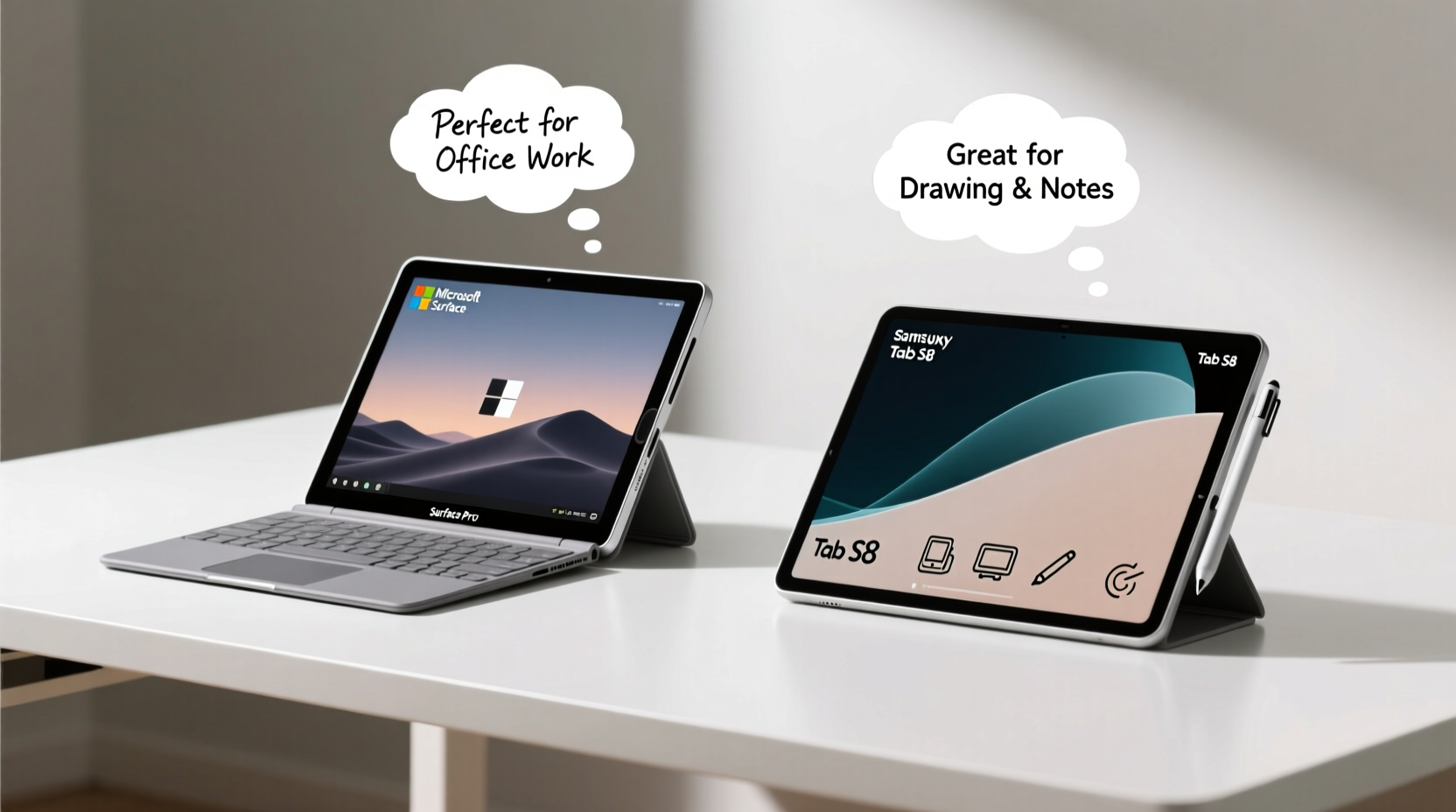
The Surface Pro 7 continues Microsoft’s legacy of minimalist, professional design. Its magnesium alloy body feels solid in hand, and the built-in kickstand offers flexible positioning on desks or laps. The detachable Type Cover (sold separately) transforms it into a laptop replacement, though typing comfort depends heavily on posture and external support.
In contrast, the Tab S8 opts for an aluminum unibody that’s both sleek and lightweight. It lacks a built-in stand but compensates with the Book Cover keyboard, which integrates seamlessly and includes a touchpad. Many users report that the Tab S8 feels more modern and portable, especially when commuting or using it in bed or on a couch.
Tip: If you frequently work on-the-go, consider how often you’ll need a stand—Surface’s integrated option saves setup time; Samsung’s requires accessories.Performance and Multitasking: Windows vs Android Evolution
Under the hood, the Surface Pro 7 runs 10th Gen Intel Core processors (i3, i5, or i7), delivering full Windows 10/11 compatibility. This means seamless use of desktop applications like Adobe Photoshop, Visual Studio, or Excel with complex macros. However, fans can spin loudly under load, and battery life tends to dip below 7 hours during intensive tasks.
The Tab S8, powered by Qualcomm’s Snapdragon 8 Gen 1, runs Android 12L—a version optimized for larger screens. With 8GB or 12GB RAM options, it handles multitasking impressively well. Samsung DeX mode bridges the gap between tablet and desktop experience, allowing resizable windows and taskbar navigation. While not equivalent to native Windows, DeX has matured enough for email, web apps, video editing via CapCut, and even light coding in Termux.
“Android is no longer just for phones. With DeX and improved app scaling, the Tab S8 performs like a true productivity machine—if your workflow lives in the cloud.” — Lin Zhao, Mobile Tech Analyst at GadgetPulse
Display and Pen Experience: Where Creativity Lives
This is where the Tab S8 pulls ahead decisively for many users. Its 11-inch LTPS LCD (or 12.4-inch Super AMOLED on the S8+) delivers vibrant colors, deep blacks, and exceptional brightness. At 120Hz refresh rate, scrolling and drawing feel fluid and responsive. The included S Pen connects magnetically, charges wirelessly, and boasts near-zero latency—ideal for illustrators and note-takers.
The Surface Pro 7 features a 12.3-inch PixelSense display with good color accuracy and sharpness, but it’s capped at 60Hz. The Surface Pen (sold separately) is precise and pressure-sensitive, but users consistently report higher fatigue over long annotation sessions compared to the S Pen’s lighter tip and ergonomic grip.
| Feature | Surface Pro 7 | Tab S8 |
|---|---|---|
| Display Size | 12.3” PixelSense | 11” LTPS / 12.4” AMOLED |
| Refresh Rate | 60Hz | 120Hz |
| Stylus Included? | No (sold separately) | Yes |
| Pen Latency | ~20ms | ~2.8ms |
| Battery Life (Video) | Up to 10.5 hrs | Up to 14 hrs |
| OS Flexibility | Full Windows 11 | Android 12L + DeX |
Real User Scenarios: Who Actually Prefers What?
Consider Maria, a freelance UX designer based in Barcelona. She used the Surface Pro 7 for two years but switched to the Tab S8 after testing it for client presentations. “I was skeptical about Android,” she admits. “But with OneNote, Figma on browser, and DeX organizing my tools side-by-side, I don’t miss Windows. And the screen? Night and day difference. My clients notice how smooth my demos look.”
On the other hand, James, a financial analyst in Chicago, relies on the Surface Pro 7 daily. “I run Power BI, Outlook with hundreds of emails, and multiple Excel sheets with live data links. There’s no Android alternative that handles this. Yes, the fan gets loud, and the battery dies fast, but I’m always near an outlet. For me, Windows is non-negotiable.”
These examples highlight a growing divide: if your work depends on legacy desktop software, the Surface remains essential. But if your toolkit is cloud-based, creative, or communication-focused, the Tab S8 offers a smoother, more enjoyable experience.
Software Ecosystem and Long-Term Viability
Microsoft promises Windows 11 support for the Surface Pro 7 until at least 2025, but driver updates have slowed. Some users report Bluetooth pairing issues and inconsistent touchscreen responsiveness after major OS updates. The lack of USB-C charging (only USB-A and proprietary port) also limits future-proofing.
Samsung, meanwhile, has committed to four generations of Android OS upgrades and five years of security patches for the Tab S8—unprecedented in the Android tablet space. Coupled with regular improvements to DeX and Samsung Notes, this makes the Tab S8 a safer long-term investment for those who plan to keep their device beyond three years.
Tip: Check software dependencies before switching platforms. Cloud-first workflows favor Samsung; legacy enterprise tools favor Microsoft.Step-by-Step: Choosing the Right Device for Your Needs
- Assess your core applications: List the top five programs you use daily. Are they available and fully functional on Android?
- Evaluate input preferences: Do you type extensively? Test both keyboards. Prefer stylus work? Try both pens in-store or through return policies.
- Simulate your environment: Use each device for a full day in your typical setting—desk, café, couch—to gauge ergonomics.
- Check accessory costs: Factor in the price of Surface Pen, Type Cover, or Samsung Book Cover. These can add $150–$250 to total cost.
- Project longevity: Will you keep the device for 3+ years? Prioritize brands offering extended software support.
Common Pitfalls Users Report
- Overestimating Android’s desktop parity: While DeX is powerful, drag-and-drop between apps can be glitchy, and file management still lags behind Windows Explorer.
- Ignoring peripheral needs: The Surface Pro 7 requires adapters for HDMI or SD cards. The Tab S8 supports USB-C peripherals directly but may lack drivers.
- Underestimating cloud reliance: If your internet drops, the Tab S8’s functionality shrinks dramatically compared to offline-capable Windows apps.
Frequently Asked Questions
Can the Tab S8 replace a laptop completely?
For many users, yes—but with caveats. If your work revolves around Google Workspace, Zoom, Canva, or social media tools, the Tab S8 with DeX is sufficient. However, heavy Excel modeling, local database access, or specialized engineering software will require Windows or macOS.
Is the Surface Pro 7 still worth buying in 2024?
Only if you already own compatible accessories or are locked into a Windows-only workflow. New buyers should consider the Surface Pro 9, which adds USB-C, faster chips, and improved efficiency. As a standalone purchase today, the Pro 7 feels outdated next to newer competition.
Does the S Pen work on non-Samsung apps?
Yes. The S Pen functions as a general input tool across all Android apps. Pressure sensitivity and palm rejection are supported in most major creative and note-taking apps, including Autodesk Sketchbook, Noteshelf, and Microsoft OneNote.
Final Verdict: Samsung Isn’t Just Catching Up—It’s Redefining the Game
The Surface Pro 7 represented the peak of early 2-in-1 innovation. But nearly five years later, its limitations—aging hardware, dated display tech, and fragmented accessory ecosystem—are hard to ignore. Meanwhile, the Tab S8 reflects a new generation of tablets built not as phone companions, but as primary computing devices.
Samsung hasn’t just closed the gap; in key areas like display quality, stylus integration, battery life, and long-term software support, it has surpassed Microsoft’s offering. That said, “better” depends entirely on context. For enterprise environments, developers, and power users tied to Windows, the Surface still holds relevance. But for students, creatives, remote workers, and minimalists, the Tab S8 delivers a more polished, enjoyable, and future-ready experience.
💬 Have you made the switch from Surface to Tab—or vice versa? Share your real-world experience, pain points, and surprises in the comments. Your insights could help someone make their next big tech decision.