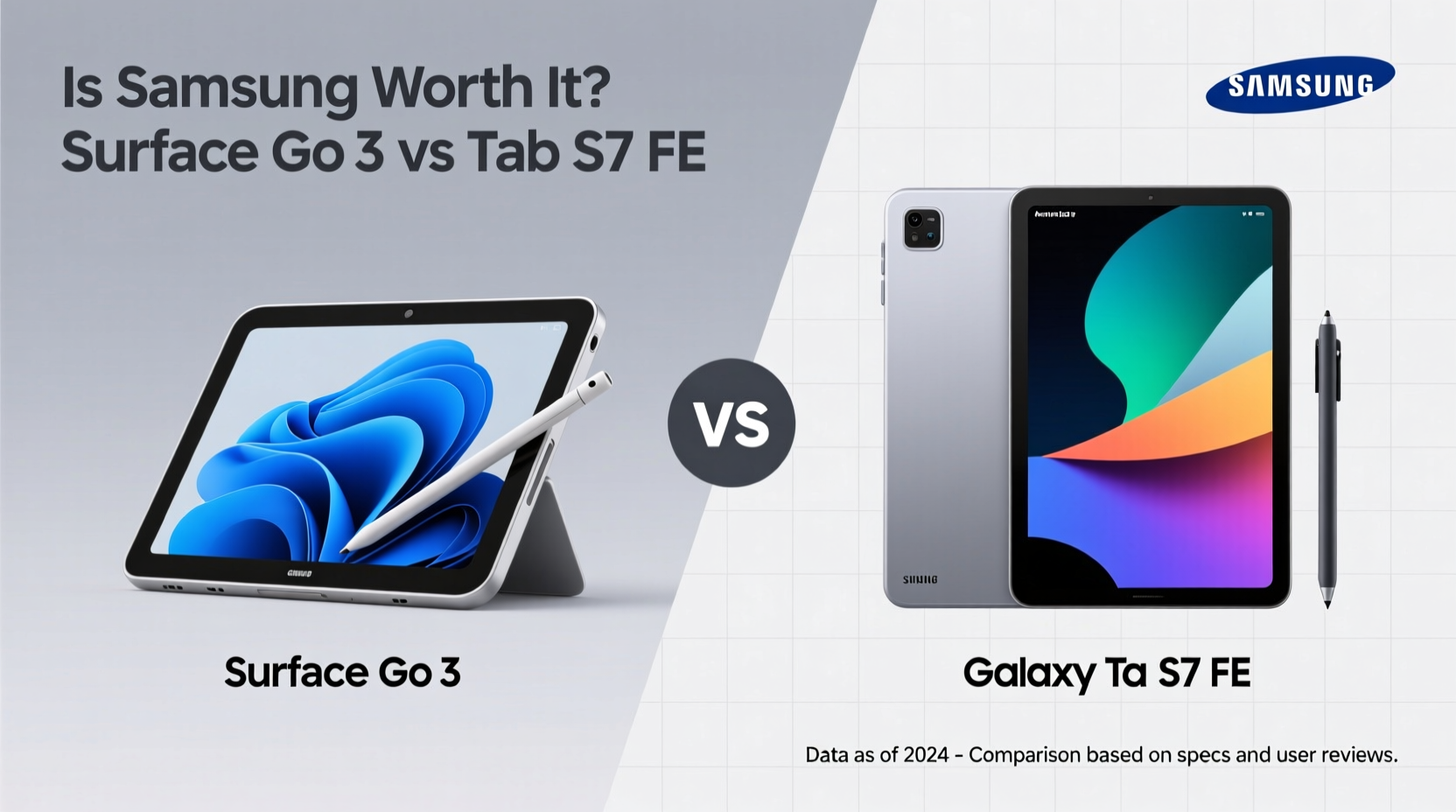
When choosing between a Microsoft Surface Go 3 and a Samsung Galaxy Tab S7 FE, consumers face a critical decision: pay more for Samsung’s premium features or save with Microsoft’s compact Windows-powered device? While both devices sit in the budget-to-midrange tablet category, their underlying philosophies differ significantly. The Surface Go 3 delivers full Windows functionality in a portable form, while the Tab S7 FE offers Android flexibility with high-end extras like an AMOLED display and S Pen support. But does the higher price tag of the Samsung justify the upgrade?
Design and Build: Portability vs Presence
The Surface Go 3 is built around portability. At just 544 grams (Wi-Fi model) and measuring 9.3 mm thick, it's designed to slip into backpacks and be used on the go. Its magnesium alloy chassis feels sturdy despite its lightweight nature, and the 10.5-inch PixelSense touchscreen is optimized for touch and pen input when paired with the optional Type Cover. However, bezels are noticeable by modern standards, and the overall footprint is smaller than most media-focused tablets.
In contrast, the Tab S7 FE stretches across a much larger 12.4-inch LCD screen, tipping the scales at 608 grams. It's not light, but the weight distribution makes it comfortable for lap use. The aluminum unibody gives it a more premium feel, and the slim bezels enhance immersion during video playback or note-taking. While less convenient for tight spaces, the Tab S7 FE clearly prioritizes screen real estate and multimedia experience over pocketability.
Tip: If you frequently work in cafes or small desks, prioritize the Surface Go 3. For home use, digital art, or long reading sessions, the Tab S7 FE’s size becomes an asset.Display and Input: Clarity vs Creativity
The Tab S7 FE’s 12.4-inch TFT LCD panel runs at 2560x1600 resolution with a 60Hz refresh rate. While not OLED, it delivers vibrant colors, excellent brightness (up to 500 nits), and solid viewing angles—ideal for streaming or sketching. What sets it apart is the included S Pen, which attaches magnetically and supports 4,096 levels of pressure sensitivity. This makes it one of the few mid-range tablets that come with a capable stylus out of the box.
The Surface Go 3 uses a 10.5-inch PixelSense display at 1920x1280 resolution. Colors are accurate, and brightness reaches about 400 nits—adequate indoors but struggles in direct sunlight. Touch response is good, but the standout feature is compatibility with the Surface Pen (sold separately). When paired with Windows Ink and apps like OneNote or Adobe Fresco, it becomes a competent digital notebook. However, the lack of a bundled pen increases total cost.
“Stylus integration is where Samsung shines. The Tab S7 FE includes a best-in-class S Pen at no extra cost—something Microsoft still treats as a luxury add-on.” — David Lin, Mobile Tech Analyst at TechPulse Weekly
Performance and Software: Full OS vs App Ecosystem
This is where the fundamental divide lies. The Surface Go 3 runs full Windows 11 Home (or Pro, depending on configuration), powered by either an Intel Pentium Gold 8505 or Core i3-10100Y processor. Even the faster i3 variant is modest by desktop standards, but it allows true multitasking, desktop applications like Chrome, Photoshop Express, and even Lightroom Classic. You can plug in USB drives, run local scripts, and connect to corporate networks—capabilities essential for students and professionals needing real PC functionality.
The Tab S7 FE, on the other hand, runs Android 11 (upgradable to newer versions) with Samsung’s One UI. Performance comes from the octa-core Exynos 9611 or Snapdragon 750G (varies by region), paired with 4GB or 6GB RAM. It handles everyday tasks smoothly—web browsing, YouTube, Zoom calls—but cannot run traditional desktop software. Instead, it excels in mobile-first workflows: Samsung Notes, DeX mode for desktop-like interface, and deep integration with Galaxy smartphones.
For users who need Word documents edited in .docx format without conversion issues, or must use specialized software like AutoCAD LT or QuickBooks, the Surface Go 3 remains the only viable option. But if your workflow revolves around Google Workspace, streaming, and creative apps like ibis Paint X or Clip Studio Paint, Android on the Tab S7 FE performs admirably.
Value Comparison: Price Versus Total Cost of Ownership
At launch, the base Surface Go 3 started at $399 (without keyboard or pen). Add the $99 Type Cover and $100 Surface Pen, and you're already looking at $598—before taxes. Meanwhile, the Tab S7 FE launched at $629, including the S Pen and offering optional keyboard covers starting around $70–$100. So while the Samsung starts slightly higher, its core productivity tools are included.
| Feature | Surface Go 3 | Tab S7 FE |
|---|---|---|
| Base Price | $399 | $629 |
| Stylus Included? | No ($100 extra) | Yes |
| Keyboard Included? | No ($99 extra) | No ($70+ extra) |
| OS Type | Full Windows 11 | Android 11 + One UI |
| Storage Options | 64GB eMMC / 128GB SSD | 64GB / 128GB (expandable via microSD) |
| Battery Life | Up to 11 hours | Up to 14 hours |
| Charging | USB-C (slower charging) | 45W fast charging supported |
Note the storage difference: the base Surface Go 3 uses slow eMMC storage, which impacts app load times and system responsiveness. Upgrading to the 128GB SSD model adds another $150. The Tab S7 FE uses standard UFS storage and supports microSD cards up to 1TB, making expansion far more affordable.
Real-World Use Case: Student Workflow Showdown
Consider Maya, a university student majoring in communications. She takes handwritten lecture notes, writes research papers, edits short videos, and attends online classes daily.
With the Surface Go 3, she installs Microsoft Office, connects her USB microphone for recordings, uses OneNote with her Surface Pen for annotations, and exports final essays in perfect .docx formatting. During group projects, she plugs into classroom projectors via USB-C without compatibility hiccups. However, she finds herself constantly managing limited storage and occasionally waiting for apps to load.
With the Tab S7 FE, Maya enjoys smooth note-taking using Samsung Notes and auto-syncs everything to her phone. She uses Google Docs for writing and CapCut for video editing—all functional, but formatting sometimes breaks when sharing with classmates using Word. Connecting to external displays requires DeX setup, which isn’t always reliable. On the plus side, she never worries about battery life and loves watching Netflix after class on the large, bright screen.
In this scenario, the Surface Go 3 wins on professional compatibility, while the Tab S7 FE offers better media and personal use balance.
Final Verdict: Who Should Pay More for Samsung?
The answer depends entirely on your primary use case.
- Choose the Surface Go 3 if: You need full Windows apps, rely on legacy software, work in academic or enterprise environments, or want a mini-laptop replacement.
- Choose the Tab S7 FE if: You value screen quality, long battery life, included S Pen, fast charging, and seamless mobile ecosystem integration.
Samsung’s premium pricing reflects tangible benefits: superior display, faster charging, better speakers, and included accessories. But Microsoft counters with unmatched software versatility. If “worth” means raw functionality and compatibility, the Surface Go 3 may actually offer better value—even at a lower price point.
Frequently Asked Questions
Can the Surface Go 3 replace my laptop?
Yes, for light productivity tasks—document editing, web browsing, email, and remote desktop access. However, intensive tasks like video rendering or programming with multiple VMs will expose its hardware limits.
Is the Tab S7 FE good for drawing?
Absolutely. With its large screen, included S Pen, low latency, and support for apps like Concepts and Autodesk Sketchbook, it’s one of the best budget-friendly options for digital artists.
Which has better battery life?
The Tab S7 FE leads with up to 14 hours of mixed usage compared to the Surface Go 3’s rated 11 hours. Real-world tests confirm Samsung maintains a 1.5–2 hour advantage, especially during video playback.
💡 Ready to make your choice? Assess your daily tasks: Do you live in Windows apps or mobile ecosystems? Your answer determines whether Samsung’s extras are luxuries—or necessities.