For decades, the printed book reigned supreme as the gold standard for learning, focus, and deep reading. But with the rise of e-readers—especially Amazon’s Kindle line featuring E Ink technology—the debate over digital versus physical reading has intensified. One central question persists: Does reading on a Kindle with E Ink actually improve or hinder information retention compared to traditional paper books?
This isn’t just about convenience or portability. It’s about cognitive performance, comprehension, and long-term memory. As students, professionals, and lifelong learners increasingly turn to digital formats, understanding how E Ink affects the brain during reading is essential.
The Science Behind Reading and Memory
Information retention during reading depends on multiple cognitive processes: attention, working memory, spatial mapping, and metacognition (awareness of one’s own understanding). When we read, our brains don’t just absorb words—they build mental models, track narrative progression, and anchor details in context.
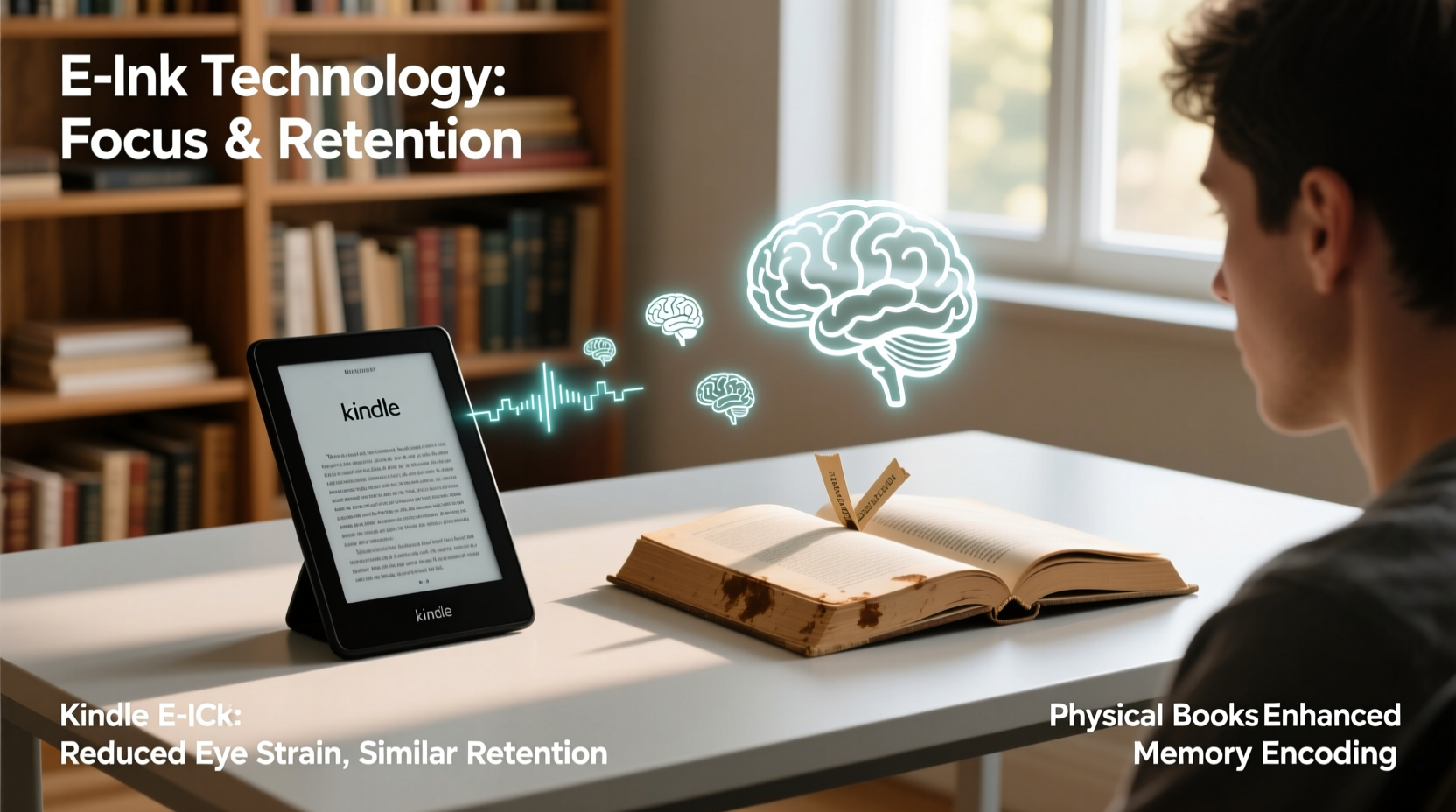
Physical books offer tactile cues that aid memory. The weight of the book, the texture of the pages, and even the visual location of a paragraph on a left or right page can become subconscious anchors. These sensory inputs contribute to what researchers call “spatial memory,” helping readers recall where they encountered specific information.
Digital reading, by contrast, often lacks these physical markers. Scrolling replaces page-turning, and screens—especially backlit ones—can cause eye strain and reduce sustained focus. However, E Ink displays are designed to mimic paper, offering a compromise between analog feel and digital flexibility.
“Reading is not just decoding text—it’s an embodied experience. Physical books engage more sensory pathways, which can enhance memory encoding.” — Dr. Maryanne Wolf, Cognitive Neuroscientist and Author of *Proust and the Squid*
E Ink Technology: How It Mimics Paper
E Ink, short for electronic ink, is a display technology used in Kindles and other e-readers. Unlike LCD or OLED screens, E Ink doesn’t emit light. Instead, it reflects ambient light like paper, reducing glare and minimizing blue light exposure. This makes prolonged reading easier on the eyes and less disruptive to circadian rhythms.
The screen updates only when you turn a page, eliminating motion blur and flicker. Text appears sharp and static, closely resembling printed ink. These features are critical for creating a reading environment that supports concentration and reduces cognitive fatigue.
But while E Ink excels at visual comfort, does it replicate the deeper cognitive benefits of physical books? Research suggests mixed results.
Tip: Use Kindle’s “Bold” or “Increased Line Spacing” settings to improve readability and reduce visual crowding, especially for dense academic texts.Comparative Study: Comprehension Across Formats
A 2018 meta-analysis published in Computers & Education reviewed 54 studies comparing print and digital reading comprehension. The findings showed a small but consistent advantage for print, particularly with longer, complex texts. Readers using print materials scored higher on inference-based questions and demonstrated better recall of plot structure and detail placement.
However, when E Ink devices were used instead of tablets or computers, the gap narrowed significantly. In fact, some studies found no statistically significant difference in retention between E Ink e-readers and physical books—especially when distractions were minimized.
One key factor: multitasking. Readers using tablets or phones often switch between apps, emails, or notifications, fragmenting attention. Kindles, with their limited functionality, create a focused reading environment similar to that of a physical book.
Advantages of Kindle with E Ink for Retention
- Reduced Eye Strain: E Ink’s paper-like display lowers visual fatigue, allowing for longer, uninterrupted reading sessions.
- Fewer Distractions: Unlike smartphones or tablets, Kindles lack social media, games, or email, promoting deeper engagement.
- Customizable Text: Font size, margins, and spacing can be adjusted to match individual reading preferences, improving accessibility and comfort.
- Integrated Dictionary and Notes: Instant word lookup and highlighting support active reading, which enhances comprehension and retention.
- Portability: Carrying dozens of books encourages consistent reading habits, increasing overall exposure and cumulative knowledge.
These features make Kindles particularly effective for learners who struggle with physical books due to visual impairments or mobility issues. Adjustable fonts and built-in lighting allow reading in low-light conditions without disturbing others—a benefit not easily matched by print.
Limitations of Digital Reading for Memory
Despite technological advances, digital reading still faces cognitive hurdles. A study from the University of Stavanger found that participants who read a short story on a Kindle had poorer recall of chronological order and spatial context than those who read the same story in print.
Researchers attributed this to the lack of “perceptual tangibility.” Without physical landmarks—like the thickness of unread pages or the position of a passage within a chapter—readers may struggle to mentally reconstruct the text’s layout.
Additionally, the act of highlighting on a Kindle, while convenient, may encourage passive engagement. Tapping a sentence doesn’t require the same motor memory as underlining with a pen, potentially weakening neural encoding.
“When you write something down, you’re not just recording it—you’re processing it. The physical act of marking a book reinforces memory.” — Dr. Robert Duke, Professor of Music and Human Learning, UT Austin
Real-World Case: Medical Student Using Kindle vs. Print
Consider Sarah, a third-year medical student preparing for her USMLE Step 1 exam. She initially relied on print textbooks, but the sheer volume made transport and organization difficult. After switching to Kindle for digital versions of review guides, she noticed several changes:
- She could highlight and annotate faster, and all notes synced across devices.
- Search functionality allowed her to quickly revisit concepts like “Krebs cycle regulation” without flipping through hundreds of pages.
- However, she occasionally forgot where certain diagrams appeared in the text, making it harder to visualize relationships between systems.
To compensate, Sarah began creating hand-drawn concept maps after each reading session. This hybrid approach—digital input, analog output—improved her retention. Her final exam score placed her in the 92nd percentile, suggesting that E Ink can support high-level learning when paired with active recall strategies.
Sarah’s experience illustrates a growing trend: the most effective readers aren’t choosing one format over the other—they’re leveraging the strengths of both.
Do’s and Don’ts: Maximizing Retention on Kindle
| Do | Don’t |
|---|---|
| Use consistent highlighting and note-taking to reinforce key ideas | Rely solely on highlights without reviewing them later |
| Enable “Word Wise” for unfamiliar terminology in technical texts | Read in distracting environments (e.g., with TV on or phone nearby) |
| Pair Kindle reading with spaced repetition tools like Anki | Assume digital means faster—rushing reduces comprehension |
| Take short breaks every 20–30 minutes to reflect on content | Ignore eye comfort—adjust font and lighting based on surroundings |
Actionable Tips for Better Information Retention
Tip: After finishing a Kindle chapter, close the device and write a 3-sentence summary from memory. This strengthens recall and identifies knowledge gaps.- Create a post-reading ritual: Spend 5 minutes summarizing the main points without looking at the text. This forces retrieval practice, a proven method for strengthening memory.
- Organize highlights into notebooks: Use Kindle’s notebook feature to export highlights and group them by theme (e.g., “Cardiology,” “Pharmacology”). Review weekly.
- Use voice typing for deeper processing: Dictate your understanding of a concept aloud and save it as a note. Speaking engages different cognitive pathways than silent reading.
- Pair digital with physical: Print key diagrams or write summaries by hand after reading on Kindle. The dual coding theory suggests combining visual and verbal information boosts retention.
- Leverage spaced repetition: Transfer important facts from Kindle notes into flashcards using apps like Anki or Quizlet for long-term memorization.
FAQ: Common Questions About Kindle and Retention
Does blue light from screens affect memory?
Yes—blue light suppresses melatonin, disrupting sleep. Poor sleep impairs memory consolidation. E Ink avoids this issue entirely since it doesn’t emit light. Reading on a backlit tablet before bed can harm retention indirectly by reducing sleep quality.
Are audiobooks worse for retention than Kindle or print?
Not necessarily—but differently. Audiobooks rely on auditory processing, which may suit some learners better. However, studies show lower retention for complex material when listening versus reading, likely due to reduced control over pacing and fewer opportunities for annotation.
Can I retain as much from a Kindle as from a hardcover?
Yes—provided you adopt active reading strategies. Passive scrolling leads to shallow processing regardless of format. With intentional note-taking, reflection, and review, E Ink users can achieve comparable or even superior retention, especially when managing large volumes of information.
Conclusion: Format Matters Less Than Method
The debate over Kindle versus physical books isn’t settled by technology alone. While E Ink offers a reading experience closer to paper than any other screen, it doesn’t automatically guarantee better information retention. What truly matters is how you read—not what you read on.
Physical books provide natural spatial and tactile cues that support memory. E Ink devices reduce eye strain and distractions, enabling longer, focused sessions. But neither format wins by default. The most effective readers are those who actively engage with the material: questioning, summarizing, and revisiting key ideas.
If you’re using a Kindle, treat it not as a shortcut, but as a tool. Supplement digital reading with handwriting, discussion, and self-testing. If you prefer print, don’t assume passive reading is enough—annotate, reflect, and teach others what you’ve learned.
🚀 Ready to boost your reading retention? Pick one strategy from this article—whether it’s daily summarizing, spaced repetition, or dual-format learning—and apply it consistently for two weeks. Track your comprehension and share your results in the comments.