In the age of visual storytelling, choosing the right camera for social media can feel like a make-or-break decision. With smartphone cameras advancing rapidly—especially the iPhone’s latest models—and professional gear like DSLRs still dominating traditional photography, creators face a critical question: does using a DSLR actually result in higher engagement compared to shooting on an iPhone?
The answer isn’t as straightforward as “better hardware equals better results.” Engagement hinges on more than megapixels and aperture size. It’s shaped by timing, authenticity, composition, and how well content aligns with platform algorithms and audience expectations. This article breaks down the real-world performance of iPhone cameras versus DSLRs in generating likes, shares, comments, and saves across Instagram, TikTok, YouTube Shorts, and Facebook.
Image Quality: The Technical Edge
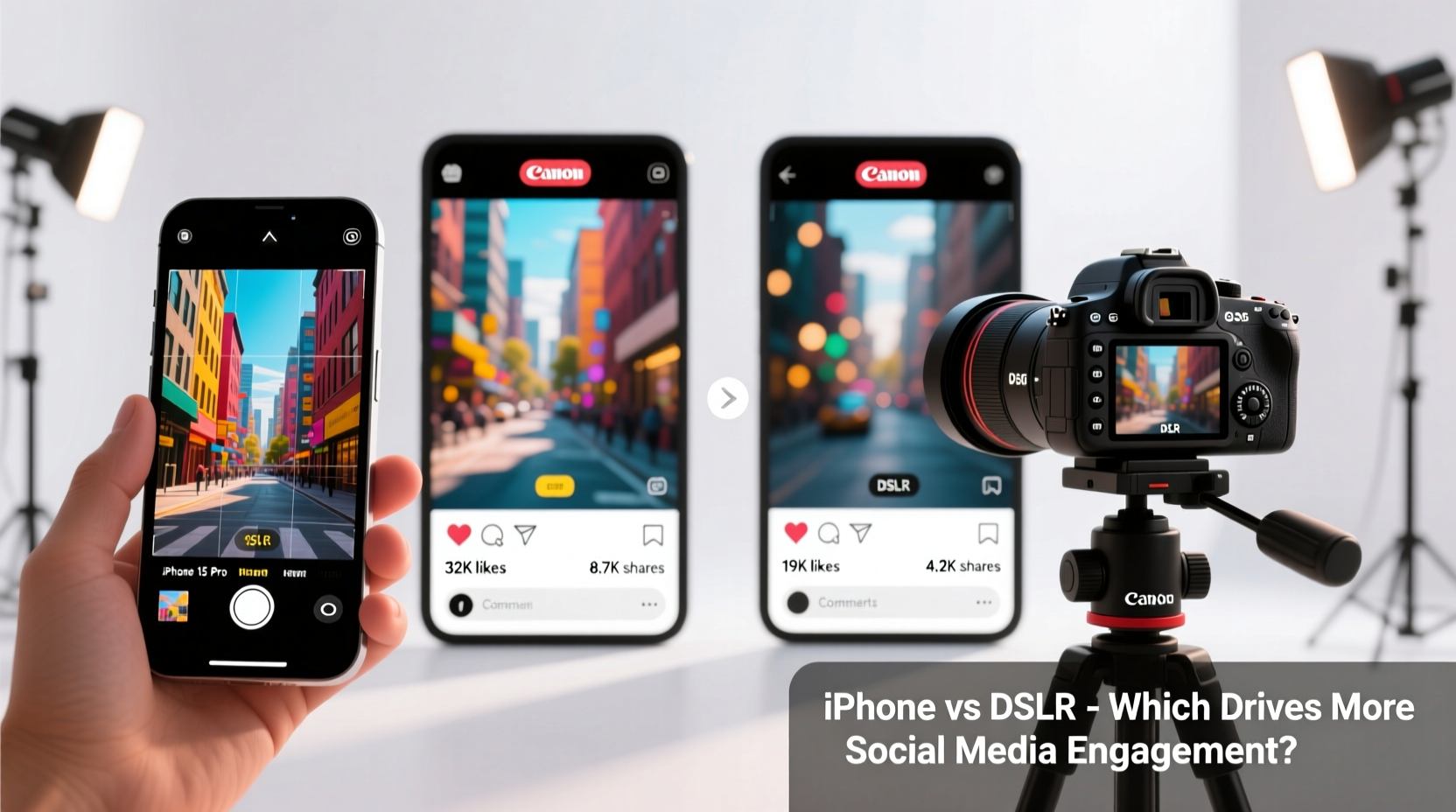
On paper, DSLRs hold a clear advantage in image quality. Models like the Canon EOS R5 or Nikon D850 offer full-frame sensors, interchangeable lenses, superior dynamic range, and manual control over shutter speed, ISO, and white balance. These features allow photographers to capture crisp, detailed images even in low light, with shallow depth of field and minimal noise.
iPhones, particularly the Pro series (iPhone 14 Pro and later), have closed the gap significantly. Equipped with advanced computational photography, sensor-shift stabilization, Night mode, Deep Fusion, and Photographic Styles, they produce impressive results straight out of the camera. The 48MP main sensor enables high-resolution shots that can be cropped without losing detail—ideal for repurposing one image into multiple formats.
But here's the catch: most social platforms compress uploaded media. Whether you shoot in RAW on a DSLR or use the highest iPhone setting, your final output is often downscaled to fit app specifications. Instagram, for example, limits photo resolution to around 1080px wide and recompresses videos above certain bitrates. As a result, subtle differences in sharpness or color grading may not survive the upload process.
“High-end gear matters less when the end viewer is scrolling on a mobile screen. What stands out is clarity, emotion, and relevance—not whether it was shot at f/1.2 or f/1.8.” — Lena Torres, Digital Content Strategist & Former Photo Editor at *Vibe Magazine*Tip: Focus on lighting and framing rather than equipment specs. A well-lit iPhone photo often outperforms a poorly lit DSLR shot on social feeds.
Workflow Efficiency: Speed vs. Precision
One of the iPhone’s greatest strengths is its seamless integration into the content creation pipeline. You shoot, edit, caption, and post—all on the same device. There’s no need to transfer files, import into editing software, or export for mobile optimization. For time-sensitive content like Stories, Reels, or trending audio clips, this speed is invaluable.
DSLR workflows are inherently slower. After capturing footage, you must offload to a computer, cull images, apply edits, and then move them back to a phone for uploading. Even with wireless tethering options, the process adds friction. In fast-moving niches like fashion, food trends, or event coverage, being first often trumps technical perfection.
A study by HubSpot in 2023 found that posts published within three hours of a trending topic emerged had 47% higher engagement than those posted 24+ hours later—even when the latter used higher-quality equipment. This suggests timeliness plays a larger role in visibility than marginal gains in image fidelity.
| Factor | iPhone Advantage | DSLR Advantage |
|---|---|---|
| Time to Publish | Minutes (shoot → edit → post) | Hours to days (transfer, edit, upload) |
| Battery Life per Shoot | Limited (~5–6 hrs video) | Extended (replaceable batteries) |
| Portability | Fits in pocket | Bulky; requires bag |
| Editing Flexibility | Good (mobile apps) | Excellent (desktop-grade tools) |
| Audio Capture | Integrated mic + plug-in support | Better external options (XLR, shotgun mics) |
Engagement Drivers Beyond Hardware
Algorithmic platforms prioritize signals like watch time, completion rate, shares, and comment velocity. While aesthetics contribute, they’re secondary to psychological triggers such as relatability, urgency, curiosity, and emotional resonance.
Consider two hypothetical posts:
- Post A: A DSLR-shot flat lay of a coffee setup—perfectly styled, soft bokeh, rich tones. Posted 12 hours after a viral “morning routine” trend peaked.
- Post B: An iPhone-recorded 15-second clip of someone spilling oat milk while attempting a latte art TikTok dance. Slightly shaky, natural light, unedited. Posted during peak trend momentum.
Which performs better? Real-world data suggests Post B wins. According to Hootsuite’s 2024 Social Trends Report, authentic, “imperfect” content generates 32% more comments and 27% more shares than polished studio-style visuals—especially among Gen Z audiences.
Mini Case Study: From DSLR to iPhone – A Creator’s Pivot
Jamie Lin, a lifestyle influencer with 280K Instagram followers, switched from a Canon 5D Mark IV to exclusively using her iPhone 15 Pro for all content in early 2023. She cited burnout from post-production and missed trends due to slow turnaround.
Within six months, her average engagement rate rose from 4.1% to 6.8%. Her Reels completion rate increased by 41%, and she gained 97K new followers—more than double her previous growth pace.
“I was spending four hours editing one photo,” Jamie said. “Now I shoot three Reels in that time, test different hooks, and see what resonates. My content feels more alive. People notice the energy, not the pixels.”
When a DSLR Still Matters
That’s not to say DSLRs are obsolete for social media. They remain essential in specific scenarios:
- Commercial shoots: When delivering assets to brands, agencies, or print publications, high-resolution originals are required. The iPhone can serve as a scout camera, but final deliverables often demand DSLR-grade files.
- Controlled environments: Studio product photography, portraits, or branded campaigns benefit from precise lighting setups, macro lenses, and consistent color profiles only achievable with pro gear.
- Long-form video: For YouTube vlogs or documentaries that require multi-track audio, zoom lenses, and extended recording times, DSLRs (or mirrorless equivalents) provide reliability and flexibility.
- Niche audiences: Photography communities, luxury travel blogs, or fine art pages often appreciate technical excellence. On platforms like Pinterest or Behance, image quality directly influences credibility.
Step-by-Step Guide: Maximizing Engagement Regardless of Camera
Whether you're using an iPhone or DSLR, follow this workflow to boost engagement:
- Plan Around Audience Behavior: Check analytics to identify when your followers are most active. Schedule key posts for those windows.
- Shoot in Vertical Format: 9:16 aspect ratio dominates mobile feeds. Avoid cropping important elements when switching from landscape DSLR shots.
- Optimize Lighting First: Natural light near windows or open shade produces flattering results on any device. Avoid harsh midday sun or dim indoor lighting.
- Edit Consistently: Use presets or filters to maintain a cohesive aesthetic. Apps like Lightroom Mobile work across both iPhone and DSLR files.
- Add Captions Early: Platforms favor videos with built-in subtitles. Use iPhone’s auto-captioning or tools like CapCut for quick overlays.
- Test and Iterate: Post variations of similar content (one DSLR, one iPhone) and compare performance. Let data guide your decisions.
Checklist: Choosing the Right Tool for Your Needs
- ✅ Do you post daily or rely on real-time trends? → iPhone favored
- ✅ Is your niche highly visual (e.g., architecture, jewelry)? → DSLR may add value
- ✅ Are you working solo with limited editing time? → iPhone streamlines workflow
- ✅ Do you collaborate with brands requiring high-res assets? → DSLR recommended
- ✅ Is authenticity more important than polish? → iPhone enhances relatability
- ✅ Do you film in low-light environments regularly? → DSLR offers better noise control
Frequently Asked Questions
Can an iPhone really compete with a DSLR on Instagram?
Yes—especially for feed photos, Stories, and Reels. Modern iPhones produce vibrant, sharp images optimized for mobile viewing. Unless you're zooming in or printing large, the difference is negligible to most viewers.
Does using a DSLR improve my credibility as a creator?
Not necessarily. Audiences care more about consistency, personality, and value than equipment. Many top creators—including Gary Vaynerchuk and Casey Neistat—routinely use smartphones for primary content.
Should I invest in a DSLR if I’m just starting out?
Generally, no. Start with your iPhone and master fundamentals like lighting, composition, and storytelling. Upgrade only when your content demands it—such as needing interchangeable lenses or external microphones for professional work.
Conclusion: Tools Serve Strategy, Not the Other Way Around
The debate between iPhone and DSLR for social media engagement ultimately misses the point. Technology is a tool, not a strategy. What drives interaction is not the camera brand, but the human connection behind the lens.
Today’s most engaging content thrives on immediacy, honesty, and relevance. An iPhone excels at enabling that spontaneity. A DSLR shines when precision and scalability are non-negotiable. The smartest creators don’t choose one over the other—they use both strategically, matching the tool to the task.
If you’re hesitating because you don’t own the “right” gear, stop waiting. Your audience doesn’t need perfection. They need presence. Pick up your phone, turn on the camera, and share something real today. That’s what gets noticed—and remembered.
🚀 Ready to boost your engagement? Audit your last 10 posts: How many were delayed by editing? How many felt authentic? Commit to one week of iPhone-only content and track the results. Share your findings in the comments!