Digital note taking has evolved from a niche productivity habit into a mainstream necessity—especially for students, professionals, and creatives. As paperless workflows gain traction, the choice between devices becomes critical. Two popular options in the mid-range tablet market are the Apple iPad Air and the Microsoft Surface Go 4. Both promise portability and functionality, but when it comes to handwriting, sketching, and organizing ideas, they take very different approaches. This in-depth comparison examines how each device performs specifically for digital note taking, covering hardware, software, stylus experience, battery life, and real-world usability.
Design and Build: Portability Meets Purpose
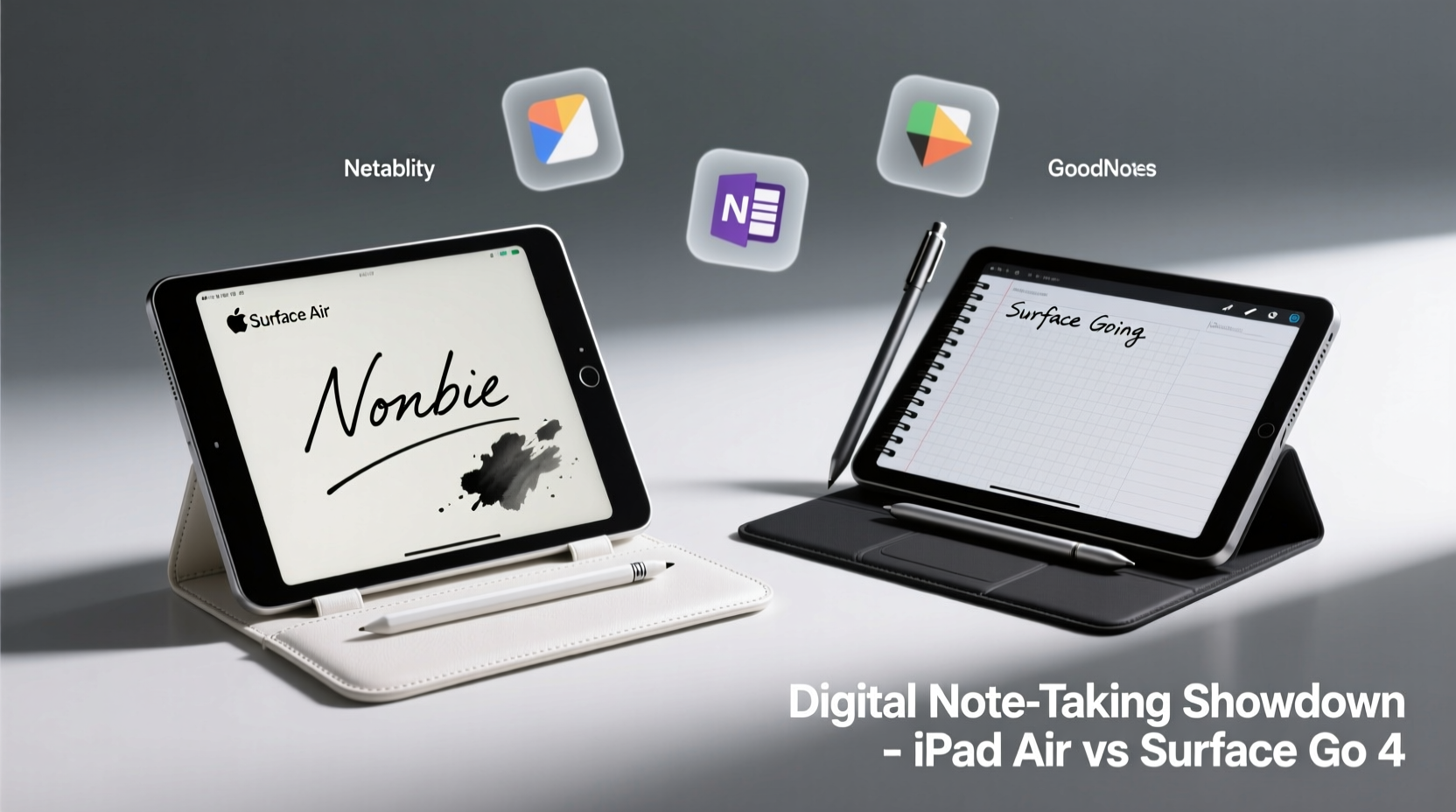
The iPad Air and Surface Go 4 share a similar weight class, but their design philosophies diverge significantly. The iPad Air weighs approximately 460 grams (1.0 pound) and features a sleek, minimalist aluminum unibody with slim bezels and a 10.9-inch Liquid Retina display. Its edge-to-edge screen offers more writing space while maintaining one-handed usability, especially when used with a case or folio.
In contrast, the Surface Go 4 is slightly heavier at around 544 grams (1.2 pounds), but includes a built-in adjustable kickstand and optional Type Cover. This transforms it into a mini-laptop form factor, which can be advantageous when typing notes during lectures or meetings. However, the smaller 10.5-inch PixelSense display has thicker bezels, reducing screen-to-body ratio and limiting writing area.
From a pure note-taking perspective, the iPad Air feels more natural as a handheld device. The Surface Go 4 shines when you need a hybrid setup—tablet mode for sketching, laptop mode for typed notes. But if your primary goal is fluid handwriting input, the iPad’s lighter frame and balanced design give it an ergonomic edge.
Tip: For extended note-taking sessions, use a stand or case that allows multiple viewing angles to reduce wrist strain.Stylus Experience: Apple Pencil vs Surface Pen
The stylus is the heart of any digital note-taking system. Here, both devices offer high-quality accessories, but with notable differences in integration and responsiveness.
The **Apple Pencil (2nd generation)** pairs magnetically with the iPad Air, charges wirelessly via the side, and supports palm rejection through deep iOS integration. It delivers near-zero latency, pressure sensitivity, and tilt detection—ideal for sketching diagrams or writing in cursive. Apps like GoodNotes and Notability leverage these features fully, making handwriting feel remarkably close to pen-on-paper.
The **Surface Pen** for the Surface Go 4 uses AAAA batteries and connects via Bluetooth. While it also offers 4,096 levels of pressure sensitivity and low latency, the overall experience is less seamless. Palm rejection works adequately in Windows Ink-enabled apps, but occasional interference occurs, especially when resting your hand on the screen. Additionally, the lack of magnetic attachment means the pen must be stored separately—a minor but frequent inconvenience.
Latency tests conducted by independent reviewers show the Apple Pencil averaging 20ms response time on the iPad Air, whereas the Surface Pen on the Go 4 hovers closer to 35–40ms under typical conditions. Though not drastic, this delay becomes noticeable during fast note capture or rapid sketching.
“Low latency and accurate palm rejection are non-negotiables for serious note takers. The iPad Air with Apple Pencil remains the gold standard.” — Dr. Lena Torres, EdTech Researcher at Northwestern University
Software Ecosystem: Note-Taking Apps Compared
A powerful stylus means little without capable software. This is where the divide between iOS and Windows becomes most apparent.
iPadOS hosts a mature ecosystem of dedicated note-taking apps optimized for handwriting. **GoodNotes**, **Notability**, and **Apple Notes** provide intuitive interfaces with features like search within handwritten text, LaTeX support, audio syncing, and PDF annotation. These apps are designed from the ground up for touch and pencil input, offering templates, rulers, shape recognition, and smooth page-turning animations.
On the Surface Go 4, Windows 11 in S Mode limits app installation to the Microsoft Store, though users can switch to full Windows for broader access. Core apps include **OneNote**, **Microsoft Whiteboard**, and third-party tools like **Nebo** or **Xodo**. OneNote is robust and cloud-integrated, supporting freeform canvas layouts and excellent cross-device sync. However, its interface feels cluttered compared to the streamlined design of GoodNotes. Nebo excels in converting handwriting to text in real time and supports advanced math notation, making it ideal for STEM students.
One major advantage of the Surface Go 4 is file system access. You can save notes directly to folders, integrate them with desktop workflows, and use full versions of Office apps. This flexibility benefits users who manage large volumes of documents or require granular organization beyond what iOS allows.
| Feature | iPad Air + Apple Pencil | Surface Go 4 + Surface Pen |
|---|---|---|
| Native App Optimization | Excellent (e.g., GoodNotes, Notability) | Fair to Good (OneNote, Nebo) |
| Handwriting Search Accuracy | High (iOS 17+ supports search across apps) | Moderate (limited to specific apps) |
| PDF Annotation Tools | Advanced (highlight, shapes, voice memos) | Basic to Moderate |
| File Management | Restricted (sandboxed apps) | Full access (desktop file system) |
| Audio Note Syncing | Yes (Notability, GoodNotes) | No native support |
Battery Life and Real-World Usability
For students and professionals attending back-to-back classes or meetings, battery endurance is crucial.
The iPad Air consistently delivers 10–12 hours of mixed usage, including continuous note taking with the Apple Pencil active. Charging via USB-C is fast, and the device can last multiple days on a single charge under light loads.
The Surface Go 4 claims up to 11 hours of typical use, but real-world testing shows 6–8 hours under active note-taking scenarios—especially when running background Windows processes, antivirus scans, or updates. The ARM-based processor prioritizes efficiency, but Windows’ higher system overhead reduces actual stamina. Additionally, using the Type Cover and Bluetooth peripherals drains power faster.
In classroom environments, the iPad Air’s instant-on capability and silent operation make it more discreet. There’s no fan noise, no boot time, and minimal distractions. The Surface Go 4, while quiet, occasionally exhibits slight lag when waking from sleep or switching apps—small delays that add up over a long day.
Tip: Disable unnecessary background apps and notifications on both devices to maximize focus and battery life during lectures.Real-World Example: A Student’s Workflow
Consider Maria, a third-year architecture student at RISD. Her daily routine involves attending three lectures, sketching design concepts, annotating PDFs of building codes, and recording voice memos during site visits.
She initially used a Surface Go 4 because she was familiar with Windows and needed to run AutoCAD Mobile. However, she found the stylus lag frustrating during quick sketch sessions, and OneNote’s canvas felt disorganized when managing dozens of project pages. Switching to the iPad Air with GoodNotes transformed her workflow. She now uses the Apple Pencil to draw precise lines, convert handwritten equations into typed text, and tag notes by course code. Voice recordings sync perfectly with her written lecture notes, allowing her to replay key moments later. Though she misses direct file access, iCloud Drive and Dropbox bridge most gaps.
Maria’s experience reflects a common trend: users who prioritize handwriting fidelity and app polish lean toward the iPad, while those needing full desktop compatibility often accept trade-offs in stylus performance.
Checklist: Choosing the Right Device for Your Note-Taking Needs
- ✅ Prioritize low-latency stylus input? → Choose iPad Air
- ✅ Need full Windows apps and file system control? → Consider Surface Go 4
- ✅ Take lots of handwritten or illustrated notes? → iPad Air + Apple Pencil wins
- ✅ Frequently type long-form notes or reports? → Surface Go 4 with Type Cover may suit better
- ✅ Want seamless cloud sync across Apple devices? → iPad integrates flawlessly
- ✅ Work in STEM fields requiring equation conversion? → Test Nebo on Surface or MyScript on iPad
- ✅ Value long battery life with minimal maintenance? → iPad Air requires less upkeep
Frequently Asked Questions
Can I use the Surface Pen with the iPad Air?
No. The Surface Pen uses Microsoft’s N-trig technology, which is incompatible with Apple’s Pencil protocol. Only the Apple Pencil (2nd gen) is supported on the iPad Air.
Is the Surface Go 4 powerful enough for heavy note-taking apps?
Yes, but with caveats. The Intel Processor N200 handles OneNote and basic PDF work smoothly, but multitasking between large notebooks and browser tabs may cause slowdowns. It’s sufficient for moderate use but not ideal for intensive workflows.
Does the iPad Air support external keyboards for typing notes?
Absolutely. The Magic Keyboard Folio or third-party Bluetooth keyboards work well. However, unlike the Surface Go 4, there’s no built-in kickstand, so you’ll need a case that provides stable support.
Final Verdict: Which Is Better for Digital Note Taking?
If your primary objective is capturing ideas quickly and naturally through handwriting, drawing, or diagramming, the **iPad Air with Apple Pencil** is the superior choice. Its refined hardware-software synergy, best-in-class stylus, and rich app ecosystem create a frictionless note-taking environment unmatched in its class.
The **Surface Go 4** appeals to users who straddle the line between tablet and laptop usage. If you regularly switch between typing essays, running legacy Windows software, or managing complex folder structures, the Go 4 offers greater versatility. However, its stylus experience, while functional, lacks the refinement and immediacy of the iPad’s solution.
Ultimately, the decision hinges on workflow emphasis: creativity and handwriting fluency favor the iPad Air; productivity hybrids and desktop compatibility lean toward the Surface Go 4.
💬 Have you switched between these devices for note taking? Share your experience in the comments below—your insights could help others make the right choice!