When Google launched the Pixel Slate in 2018, expectations were high. As a premium Chrome OS-powered tablet designed to compete with productivity-focused devices like the iPad Pro and Microsoft Surface, it was supposed to be Google’s answer to a mature mobile computing future. Meanwhile, Samsung had already established its dominance in the Android tablet space with the Galaxy Tab S4 — a device built not just for media consumption, but for serious work. So how did these two titans stack up at launch, and in hindsight, did Google fail to deliver while Samsung retained its crown?
This isn’t just about specs or screen resolution. It’s about ecosystem maturity, software stability, user experience, and long-term value. Let’s break down where each device succeeded, where they stumbled, and what their fates reveal about the state of tablets in 2025.
Hardware Showdown: Design and Build Quality
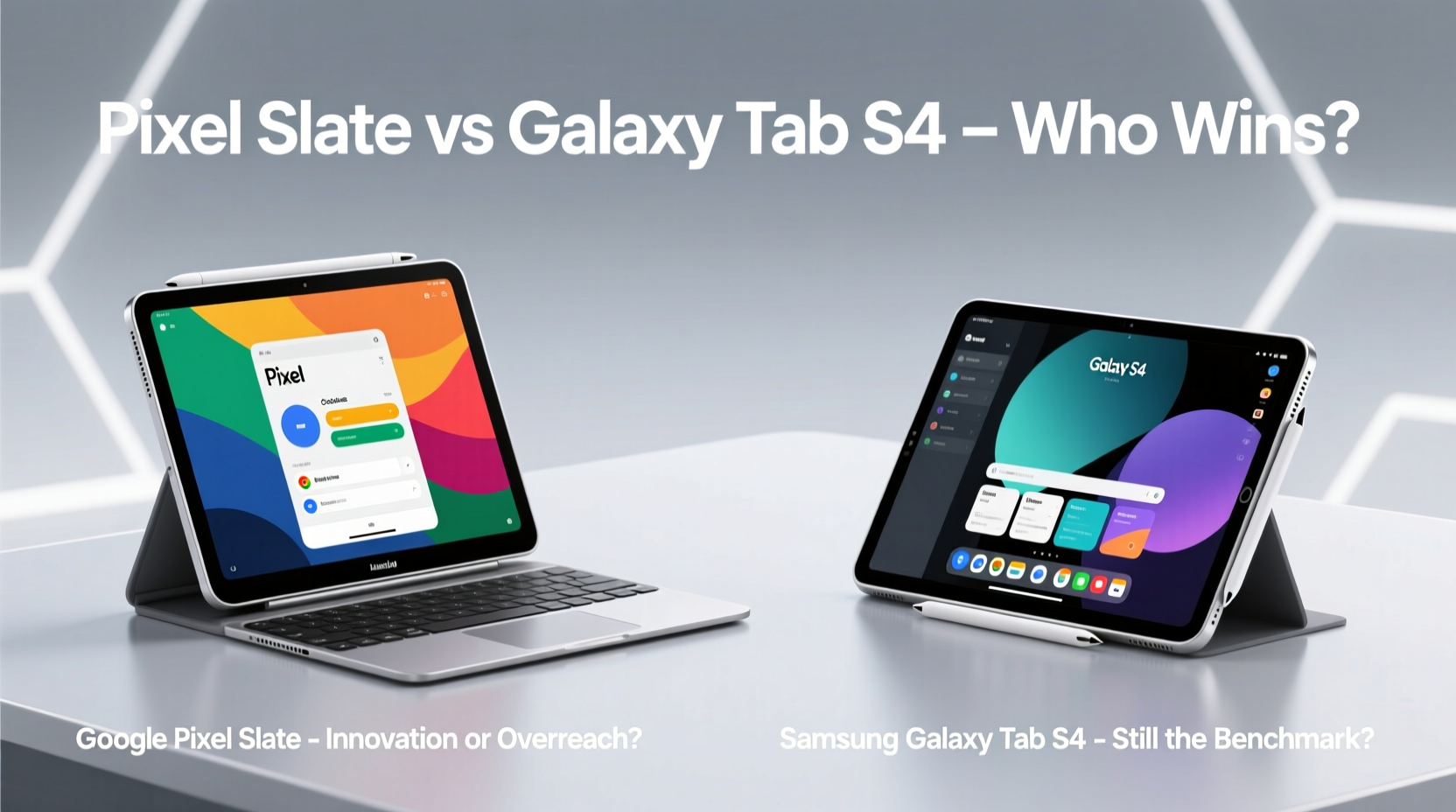
On paper, both the Pixel Slate and Galaxy Tab S4 were premium devices. The Pixel Slate featured an aluminum unibody design, weighing 1.3 lbs with a sleek 7mm profile. Its 12.3-inch Quantum Dot IPS display offered vibrant colors and deep blacks, with a sharp 3000x2000 resolution. The front-facing stereo speakers were well-tuned, and the optional keyboard accessory promised laptop-like functionality.
The Galaxy Tab S4 wasn’t far behind. It sported a slightly larger 10.5-inch Super AMOLED display (2560x1600), which delivered richer contrast and true blacks thanks to the AMOLED technology. At 482 grams, it was lighter than the Slate and came with an integrated kickstand — a small but meaningful advantage for desk use. Samsung also included the S Pen stylus in the box, adding immediate creative and productivity value.
Tip: When evaluating tablets, prioritize build quality and included accessories — things like a free stylus or keyboard can significantly impact real-world usability.Software Experience: Chrome OS vs Android — A Tale of Two Ecosystems
The core difference between these devices lies in their operating systems — and this is where the Pixel Slate began to falter. Chrome OS on the Slate was optimized for laptops and desktops, not touch-first tablets. While Google promised a “tablet mode,” early versions were clunky. App scaling was inconsistent, gestures felt unnatural, and many web apps weren’t designed for touch navigation.
In contrast, the Galaxy Tab S4 ran Android 8.1 Oreo with Samsung’s DeX interface — a desktop-like environment that transformed the tablet into a mini-laptop when connected to a monitor or used in split-screen mode. DeX allowed resizable windows, drag-and-drop file management, and mouse support, making multitasking intuitive and efficient.
“Samsung didn’t just adapt Android for productivity — they reimagined it. DeX gave the Tab S4 a flexibility that Chrome OS on the Slate simply couldn’t match.” — Rajiv Mehta, Mobile UX Analyst at TechInsight Group
Even as Google improved Chrome OS over time, the Pixel Slate never received timely updates. By 2021, it was effectively abandoned, with no path to newer features or security patches. The Tab S4, meanwhile, received three major Android updates and ongoing firmware improvements until 2023.
Performance and Real-World Use: Who Actually Gets Work Done?
The Pixel Slate launched with a range of Intel processors — from low-end Celeron to high-end Core i7 variants. This created confusion among buyers. The cheaper models struggled with basic tasks under Chrome OS’s memory-heavy architecture, while the i7 version, though powerful, was priced near $1,600 — putting it in direct competition with MacBook Airs and Surface Go devices.
The Galaxy Tab S4 used Qualcomm’s Snapdragon 835 — a chip from 2017, admittedly — but paired with 4GB or 6GB of RAM and highly optimized Android software, it handled day-to-day tasks smoothly. Email, document editing, video calls, and even light photo editing were responsive. With the S Pen, users could take notes directly on PDFs or annotate screenshots instantly.
For professionals needing a portable workstation, the Tab S4 offered a more coherent experience. The lack of native desktop-grade apps was mitigated by cloud services, progressive web apps, and Samsung’s own Office suite integration.
Comparison Table: Key Specs and Features
| Feature | Google Pixel Slate | Samsung Galaxy Tab S4 |
|---|---|---|
| Display | 12.3\" QHD+ (3000x2000) IPS | 10.5\" QHD+ (2560x1600) Super AMOLED |
| OS | Chrome OS (tablet mode limited) | Android 8.1 + One UI, DeX support |
| Processor | Intel Celeron/Pentium/Core m3/i5/i7 | Qualcomm Snapdragon 835 |
| RAM | 4GB – 16GB | 4GB / 6GB |
| Stylus | Sold separately ($99) | S Pen included |
| Keyboard | Optional ($199–$299) | Optional ($159) |
| DeX/Desktop Mode | Limited Chrome OS tablet UI | Full DeX mode with windowed apps |
| Update Support | End-of-life reached in 2021 | Supported through 2023 |
Market Reception and Long-Term Viability
The Pixel Slate was met with lukewarm reviews. Critics praised its hardware but panned its software immaturity. The Verge called it “a great device trapped inside a broken OS.” Wired noted that “Google forgot who the audience was.” Even the keyboard — essential for productivity — was criticized for shallow keys and poor trackpad responsiveness.
Samsung, on the other hand, doubled down on the Tab S series. The success of the Tab S4 laid the foundation for the S5E, S6, S7, and eventually the Ultra line — now widely regarded as the best Android tablets ever made. Samsung learned from enterprise feedback, improved DeX, added multi-user support, enhanced security with Knox, and ensured compatibility with Dex on PC and wireless docking.
Meanwhile, Google quietly discontinued the Pixel Slate in 2019 and hasn’t released a successor. Rumors of a new Android-based Pixel tablet persist, but the message is clear: Chrome OS failed to deliver a compelling tablet experience at the time.
Mini Case Study: A Freelancer’s Dilemma
Julia, a freelance graphic designer based in Portland, bought a Pixel Slate in late 2018 hoping it would replace her aging MacBook. She needed something lightweight for client meetings, capable of running design tools and handling video calls. But she quickly hit roadblocks: Adobe Creative Cloud wasn’t available, Figma worked only in-browser with laggy touch input, and the keyboard attachment made the total cost exceed $1,400.
After six months, she switched to a Galaxy Tab S4. Paired with DeX and a Bluetooth mouse, she could run multiple apps side-by-side. Using the S Pen, she sketched mockups directly on layouts. For cloud-based work, she accessed her full desktop via remote access tools. “The Tab S4 didn’t do everything a laptop does,” she said, “but it did enough — and it actually worked out of the box.”
Did Google Drop the Ball?
In short: yes. Not because the hardware was flawed, but because Google misjudged the readiness of Chrome OS for touch-first productivity. They assumed developers and users would adapt to a new paradigm, but ignored the reality that most people need seamless, intuitive workflows — not compromises.
Google also fragmented its own ecosystem. Why release a high-end tablet running Chrome OS when Android, with millions of tablet-optimized apps, already existed? The decision seemed strategic — pushing Chrome OS as a universal platform — but it backfired due to poor execution and lack of developer engagement.
Samsung, meanwhile, played the long game. Instead of reinventing the wheel, they enhanced Android with practical productivity layers. DeX wasn’t revolutionary overnight, but it evolved steadily. Today, it supports app continuity, multi-window workflows, and even Linux environments via Termux.
Checklist: Choosing a Productivity Tablet in 2025
- ✅ Does the OS offer a proven desktop-mode alternative (e.g., DeX, desktop Linux, Continuity)?
- ✅ Is there built-in stylus support — and is it included?
- ✅ Are critical productivity apps natively supported or reliably accessible?
- ✅ What is the manufacturer’s track record on software updates?
- ✅ Can it integrate seamlessly with your existing devices (phone, laptop, cloud)?
- ✅ Is the keyboard accessory functional and reasonably priced?
Frequently Asked Questions
Is the Google Pixel Slate still usable today?
Technically, yes — if you’re using basic web apps and don’t need security updates. However, many modern websites may not render well, and performance will degrade over time. It’s best suited as a secondary media device or digital photo frame.
Can the Galaxy Tab S4 run Microsoft Office effectively?
Absolutely. Samsung includes optimized versions of Word, Excel, and PowerPoint through its partnership with Microsoft. These apps support S Pen input, cloud sync, and full formatting — making them suitable for professional use.
Will Google ever release another tablet?
Rumors suggest a new Android-based Pixel tablet is in development, potentially launching alongside a foldable phone. If Google leverages Android 15’s improved large-screen optimizations and commits to long-term updates, it could re-enter the market competitively.
Conclusion: Samsung Reigns — For Now
The Galaxy Tab S4 wasn’t perfect, but it represented a mature understanding of what users want: reliability, consistency, and real-world utility. Samsung didn’t chase specs — they focused on experience. The inclusion of the S Pen, DeX, and strong update support made it a legitimate productivity tool.
Google, despite its engineering prowess, dropped the ball by prioritizing vision over viability. The Pixel Slate was a bold experiment, but one that failed to deliver on its promise. Its legacy serves as a cautionary tale: hardware excellence means little without software harmony.
Samsung remains the king — not by accident, but by iteration. And until Google returns with a truly cohesive, user-first tablet strategy, the throne stays occupied.
🚀 What’s your take? Have you used either device for work? Share your experience below and help shape the next generation of mobile productivity tools.