For marathon runners, a smartwatch is more than a fitness tracker—it’s a critical tool for pacing, navigation, hydration alerts, and real-time performance feedback. But when you're logging 20-mile training runs or preparing for a full 26.2-mile race, one feature becomes non-negotiable: battery life. Between Garmin and Apple Watch, two of the most popular wearable brands, the difference in endurance can mean the difference between finishing strong with data intact—or losing tracking mid-race. This guide breaks down how each brand performs under long-distance conditions, what factors affect their longevity, and which is truly better suited for marathoners.
Battery Performance Under Real Marathon Conditions
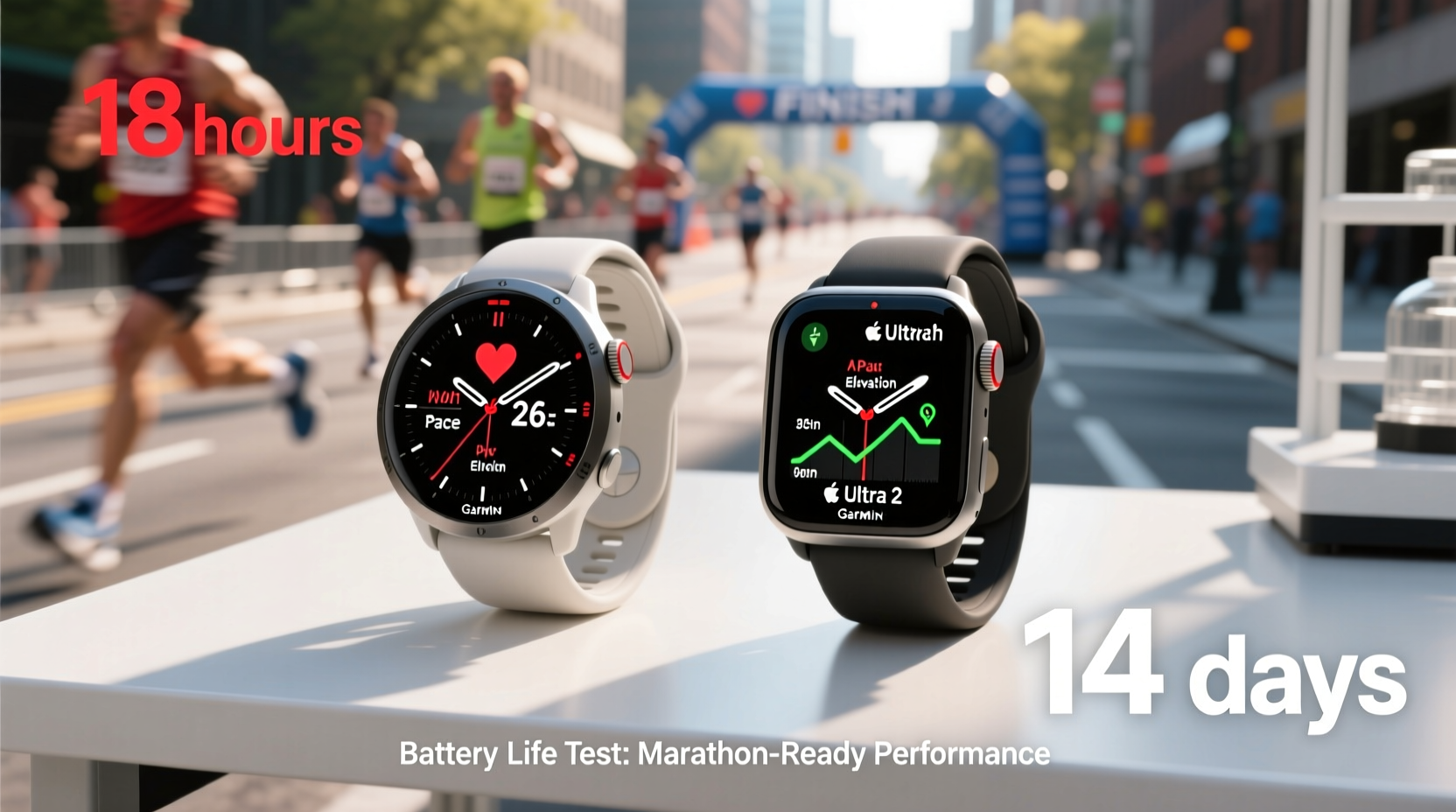
Marathon runners don’t just need a watch that lasts eight hours—they need one that can go beyond. Training runs often exceed four hours, and races can stretch past five, especially for recreational athletes. Add GPS tracking, heart rate monitoring, music storage, and live elevation data, and power demands skyrocket.
Garmin devices are engineered with endurance in mind. Models like the Garmin Forerunner 955 and Enduro 3 offer up to 38 and 46 hours respectively in GPS mode—enough to cover multiple marathons back-to-back. Even mid-tier models like the Forerunner 255 deliver around 30 hours of GPS use, well above what most runners will ever require.
In contrast, the Apple Watch Series 9 officially supports only 18 hours of general use and about 6–7 hours in GPS-only workout mode. That means during a typical marathon (4–5 hours), the Apple Watch may survive—but barely. Any longer ultra-distance training session, such as a 20-mile run or trail event, risks running out of juice before completion.
Tip: Always start your long run with at least 90% battery on an Apple Watch; consider carrying a portable charger if exceeding 3.5 hours.Key Factors Affecting Battery Drain During Runs
Battery life isn't just about manufacturer claims—it's influenced by usage patterns. Here are the top variables impacting both Garmin and Apple Watch during marathon-length activities:
- GPS accuracy settings: High-sensitivity GPS uses more power but improves route tracking in urban or forested areas.
- Heart rate monitoring frequency: Continuous optical HR sensing increases drain significantly.
- Music playback: Storing and playing songs directly from the watch reduces battery faster, especially on Apple Watch.
- Notifications and haptics: Receiving messages or alerts triggers screen wake-ups and vibrations, consuming extra energy.
- Temperature extremes: Cold weather, common during early morning long runs, reduces lithium-ion battery efficiency.
Garmin watches allow granular control over these settings. You can disable wrist-based heart rate, reduce GPS sampling frequency, or turn off notifications—all while maintaining core run metrics. The Apple Watch offers fewer customization options, defaulting to higher-performance modes unless manually adjusted.
“Battery anxiety shouldn’t be part of any runner’s race-day checklist. If you’re logging miles over four hours regularly, device endurance must be a primary selection criterion.” — Dr. Lena Torres, Sports Technology Researcher, Stanford Biomechanics Lab
Detailed Comparison: Garmin vs Apple Watch Models
| Model | GPS Mode Battery Life | Smartwatch Mode | Music Storage | Charging Time |
|---|---|---|---|---|
| Garmin Forerunner 255 | Up to 30 hours | 14 days | Yes (up to 500 songs) | ~2 hours |
| Garmin Forerunner 955 | Up to 38 hours (46 w/solar) | 20 days | Yes (up to 1,000 songs) | ~2 hours |
| Garmin Enduro 3 | Up to 46 hours (110 w/solar) | 34 days | Yes (extensive) | ~2.5 hours |
| Apple Watch Series 9 (GPS) | Up to 7 hours | 18 hours | Yes (limited by storage) | ~1.5 hours |
| Apple Watch Ultra 2 | Up to 36 hours (GPS), 72 hrs in Expedition mode | 36 hours | Yes (larger capacity) | ~2 hours |
Note: While the Apple Watch Ultra 2 closes the gap with up to 36 hours in GPS mode—and even extends to 72 in low-power Expedition mode—it still lags behind flagship Garmins in total headroom and charging flexibility. Additionally, Ultra 2 requires aggressive power-saving settings to reach those numbers, limiting access to real-time coaching or messaging features.
Practical Tips for Maximizing Battery on Race Day
No matter which device you choose, smart habits can extend usable time and prevent mid-run shutdowns. These strategies apply across both platforms but are especially crucial for Apple Watch users pushing limits.
Tip: Enable Airplane Mode and activate GPS manually to cut background connectivity drain during long runs.Step-by-Step: Preparing Your Watch for a Marathon
- Charge fully the night before: Ensure 100% charge using original charger.
- Disable unnecessary apps: Turn off email, social media, and call alerts via Settings.
- Turn on Airplane Mode: Prevents Bluetooth/WiFi scanning and cellular pings (re-enable GPS separately).
- Select efficient GPS profile: On Garmin, use “Battery Saver” GPS; on Apple Watch, avoid “High Accuracy” unless needed.
- Pause music streaming: Download tracks locally and avoid cloud syncing mid-run.
- Reduce screen brightness: Set auto-brightness to low or manual dim setting.
- Test in advance: Simulate a 3-hour run in training to verify actual battery drop rate.
This routine can add 1.5–2 extra hours of runtime on Apple Watch and preserve up to 25% more on Garmin units—critical margins when every mile counts.
Real Runner Case Study: Boston Qualifier Attempt
Meet Sarah Kim, a 32-year-old recreational runner training for her first Boston Marathon qualifier. Her goal was sub-3:30, requiring consistent 7:55/mile pace over 26.2 miles—approximately 4 hours and 45 minutes of continuous movement.
Sarah initially used her Apple Watch Series 8 for all training. During her longest prep run (22 miles), the watch died at mile 19. She lost split times, elevation data, and post-run recovery analysis. Frustrated, she switched to a Garmin Forerunner 255 for her final long runs and race day.
On race day, her Garmin lasted the entire event with 42% battery remaining. She accessed real-time pace guidance, hydration prompts, and post-race performance breakdown without interruption. “Knowing my watch wouldn’t die gave me mental confidence,” she said. “I didn’t have to worry about conserving battery—I could focus on running.”
Sarah finished in 3:28:17, qualifying by 90 seconds. She credits proper gear preparation—including reliable battery life—as a key factor in her success.
Expert Recommendations for Long-Distance Runners
While Apple Watch excels in integration with iPhone ecosystems, health insights, and daily wearability, its battery limitations make it a risky choice for serious distance runners.
Dr. Marcus Bell, exercise physiologist and triathlon coach, advises: “If you're training for anything beyond half-marathon distances, prioritize function over form. A dead watch at mile 20 doesn’t help your training. Garmin’s focus on athletic durability and extended battery gives runners peace of mind that Apple simply hasn’t matched yet.”
That said, the Apple Watch Ultra 2 represents a significant leap forward. With optimized settings, it can handle most marathons. However, runners who frequently do back-to-back long runs, ultramarathons, or remote trail events will still find Garmin superior in reliability and operational range.
Frequently Asked Questions
Can I charge my Apple Watch during a marathon?
No practical method exists to charge an Apple Watch mid-race. Portable chargers are too bulky to carry comfortably, and no running-specific solutions support on-the-go charging. Prevention through pre-run optimization is essential.
Do Garmin watches lose accuracy when battery is low?
No. Garmin maintains full sensor and GPS functionality until complete shutdown. Unlike some consumer devices that throttle performance near depletion, Garmin keeps tracking precision consistent throughout battery life.
Is solar charging worth it on Garmin watches?
For runners who train outdoors daily, yes. Solar-enhanced models like the Forerunner 955 Solar or Enduro 3 gain meaningful minutes per hour in direct sunlight. Over a 4-hour run, this can translate into 30–60 additional minutes of reserve—especially valuable in emergencies or unplanned extensions.
Final Verdict: Which Watch Wins for Marathon Runners?
The answer depends on your priorities. If you value seamless iPhone integration, advanced health monitoring (like ECG and blood oxygen), and sleek design for everyday wear, the Apple Watch—especially the Ultra 2—is a compelling option. It can survive most marathons with careful setup.
But if uninterrupted performance, multi-day battery life, rugged durability, and sport-specific analytics are paramount, Garmin remains the gold standard. Its dedicated focus on endurance athletics ensures that whether you're running Boston, Comrades, or a solo 20-miler in rural terrain, your data stays safe and your pace stays tracked.
For amateur and elite marathon runners alike, battery life isn’t a luxury—it’s a necessity. And when measured purely on endurance capability, Garmin outpaces the competition, including Apple, by a wide margin.
🚀 Ready to upgrade your running tech? Evaluate your next long run based on battery needs—not brand loyalty. Choose the watch that won’t quit before you do.