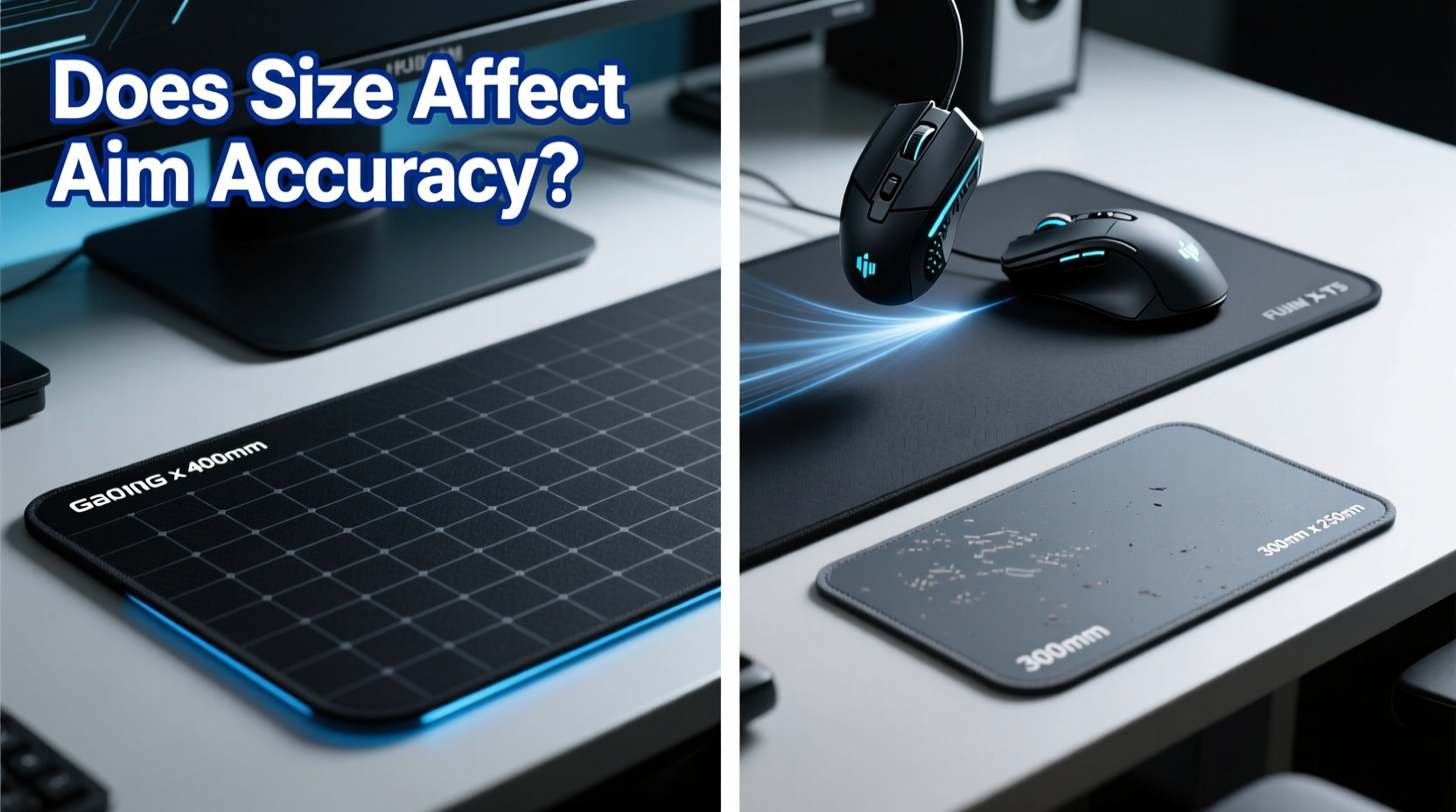
In the world of competitive gaming, every millimeter counts. While high-end mice and monitors often dominate discussions, one subtle yet critical component is frequently overlooked: the mouse pad. Many gamers assume that any flat surface will do—after all, a regular desk mat or even a piece of cardboard might seem sufficient. But is there a real difference between a gaming mouse pad and a standard mat? More importantly, does the size of the pad genuinely influence aim accuracy?
The answer isn’t as simple as “yes” or “no.” It involves understanding surface texture, tracking consistency, wrist mechanics, and how movement scales with DPI settings. This article dives deep into the technical and practical differences between gaming and regular mats, evaluates how size affects aiming precision, and provides actionable guidance for optimizing your setup based on your play style.
Surface Science: Why Not All Mouse Pads Are Created Equal
At first glance, a mouse pad is just a flat surface to glide your mouse over. But under the microscope, surface texture plays a pivotal role in optical sensor performance. Gaming mouse pads are engineered with specific weave densities, coatings, and backing materials designed to enhance sensor tracking. In contrast, regular mats—such as fabric desk pads, cork sheets, or plastic coasters—are not optimized for consistent cursor movement.
Optical and laser sensors rely on rapid image capture of the surface beneath them. A smooth, uniform texture allows the sensor to detect micro-movements accurately. Inconsistent textures, like those found on burlap desk pads or uneven wood grain, can cause jitter, acceleration errors, or momentary tracking loss—especially at high DPI settings used by FPS players.
“Sensor performance is only as good as the surface it’s reading from. Even the best mouse can underperform on a poor pad.��� — David Lin, Peripheral Engineer at a Leading Gaming Hardware Firm
Gaming pads typically use tightly woven polyester or hybrid rubber-textile composites. These materials offer a balance of speed (low friction) and control (tactile feedback), allowing for both quick flicks and precise micro-adjustments. Regular mats often lack this balance—either too slick, causing overshoot, or too rough, inducing drag.
Tip: If you're using a high-DPI mouse (1600+), avoid glossy or reflective surfaces—they scatter light and degrade sensor accuracy.The Role of Size: Small, Medium, or Large—Does It Matter?
Size is more than just comfort; it directly impacts your range of motion and muscle memory. A small pad restricts movement, forcing frequent repositioning of the mouse. This interruption breaks flow and increases cognitive load during intense gameplay. Conversely, larger pads allow full arm movements, which are essential for low-sensitivity aiming in games like CS:GO, Valorant, or Overwatch.
Consider this: a player using 400 DPI with a medium sensitivity expects predictable response across their entire sweep. On a cramped pad, they may run out of space mid-flick, requiring a lift-and-reset. That reset introduces variability—slight changes in hand angle or pressure—which disrupts aim consistency. Over time, these micro-errors accumulate, especially in high-pressure scenarios.
Studies conducted by ergonomic labs show that users on large-format pads (≥450mm x 400mm) exhibit up to 18% more consistent tracking paths compared to those on compact pads (<300mm x 250mm). The key factor isn't just physical space but psychological confidence—knowing you have room to move enables smoother, more controlled motions.
How Size Influences Movement Style
There are two primary aiming styles in gaming:
- Finger aiming: Controlled primarily by finger and wrist movement. Common among high-DPI users (800–1600 DPI).
- Arm aiming: Uses elbow and shoulder for broad strokes. Favored by low-DPI players (400–800 DPI).
Finger aimers can function on smaller pads, but even they benefit from extra buffer space. Arm aimers, however, require significantly more real estate. A full-size or extended gaming pad (up to 900mm wide) supports natural arm arcs without interference from desk edges or keyboard trays.
Comparative Analysis: Gaming Pad vs Regular Mat
| Feature | Gaming Mouse Pad | Regular Desk Mat |
|---|---|---|
| Surface Consistency | Uniform weave, optimized for sensor tracking | Variable texture (e.g., fabric, cork, plastic) |
| Edge Stitching | Prevents fraying and curling | Rarely present; prone to wear |
| Backing Material | Non-slip rubber base | Thin foam or adhesive layer |
| Available Sizes | Small to XXL (including extended desktop coverage) | Limited to standard desk accessory dimensions |
| Tracking Accuracy | High—minimizes jitter and acceleration artifacts | Unpredictable—depends on material quality |
| Durability | Designed for daily intensive use | Not built for prolonged friction |
The data shows a clear advantage for gaming-specific pads in nearly every category relevant to performance. While some premium non-gaming mats (like leather desk covers) offer decent glide, they rarely match the consistency and durability of purpose-built options.
Real-World Example: The Pro Player’s Setup Evolution
Tyler “Raze” Nguyen began his esports journey using a repurposed laptop sleeve as a mouse pad. He played at 1600 DPI, relying on wrist flicks due to limited desk space. While he performed well in local tournaments, he struggled with consistency in longer matches. During a boot camp with a professional team, a coach observed his constant mouse resets and recommended switching to a large-format gaming pad.
After transitioning to a 450mm x 400mm cloth pad and lowering his DPI to 800, Tyler reported immediate improvements. His crosshair control became smoother, and his spray patterns in CS:GO were tighter. Within three months, his K/D ratio improved by 27%. Post-analysis revealed fewer micro-stutters in tracking data, attributed to uninterrupted movement and better surface response.
This case illustrates that while skill is paramount, equipment—particularly the mouse pad—can be a limiting or enabling factor.
Choosing the Right Size for Your Play Style
Selecting the ideal pad size should align with your DPI, grip style, and desk dimensions. Here’s a step-by-step guide to help you decide:
- Measure your typical swipe distance. Open a paint program, place your mouse at one edge, and make your largest in-game flick. Mark the end point and measure the distance.
- Assess your grip type. Palm grippers need more space than claw or fingertip users.
- Check your desk clearance. Ensure the pad fits comfortably without crowding your keyboard or monitor.
- Match size to DPI. Below 800 DPI? Consider a large or extended pad. Above 1200 DPI? Medium may suffice.
- Test before committing. Borrow different sizes or use paper templates to simulate space.
Recommended Sizes by Use Case
- Compact (250–300mm): Best for travel, high-DPI MOBA/RPG players.
- Medium (350–400mm): Balanced option for mixed-genre gamers with average desk space.
- Large (450mm+): Essential for FPS players using arm aiming.
- Extended (desk-length): Maximizes space, reduces clutter, ideal for streamers.
Action Plan: Optimizing Your Setup in 5 Steps
If you’re unsure whether your current mat is holding you back, follow this checklist to evaluate and upgrade your setup:
- ✅ Test tracking stability: Move your mouse slowly in circles. If the cursor skips or lags, the surface may be flawed.
- ✅ Observe reset frequency: Count how many times per minute you lift your mouse. More than twice suggests insufficient space.
- ✅ Compare surfaces: Try your mouse on glass, wood, and a gaming pad. Note differences in control and fatigue.
- ✅ Adjust DPI to pad size: Lower DPI on larger pads enhances precision; higher DPI on small pads compensates for limited range.
- ✅ Invest in a quality pad: Choose one with anti-fray stitching, non-slip base, and a texture matching your preference (speed vs control).
Frequently Asked Questions
Can a regular mouse pad damage my gaming mouse?
No, a regular pad won’t physically damage your mouse. However, rough or inconsistent surfaces increase wear on the mouse feet (PTFE sliders) and may degrade sensor performance over time due to excessive noise in tracking data.
Do I need a large pad if I use high DPI?
Not necessarily. High-DPI users rely on smaller movements, so a medium pad (350mm x 250mm) is often sufficient. However, even high-DPI players benefit from extra space to reduce repositioning and maintain fluid motion.
Are expensive gaming pads worth it?
For casual gamers, mid-range pads ($15–$25) offer excellent value. For competitive players, premium pads with consistent surfaces and durable construction justify the cost through improved performance and longevity. Avoid ultra-cheap pads (<$10), as they often degrade quickly and introduce tracking issues.
Final Thoughts: Precision Starts from the Bottom Up
Your mouse is only as accurate as the foundation it moves upon. While a gaming mouse pad may seem like a minor accessory, its impact on tracking consistency, movement freedom, and long-term comfort is undeniable. The difference between a regular mat and a gaming-grade surface isn’t just marketing—it’s measurable in response accuracy and muscle memory reliability.
Size plays a crucial role, particularly for low-DPI, arm-based aiming styles common in competitive shooters. A pad that accommodates your natural motion eliminates disruptive resets and supports smoother, more confident aiming. Whether you're climbing the ranks in ranked matchmaking or simply want a more responsive experience, upgrading to the right gaming pad is one of the most cost-effective performance boosts available.
🚀 Ready to refine your aim? Measure your swipe range, test a larger gaming pad, and fine-tune your DPI. Small changes can lead to big gains in precision and consistency. Share your setup tips or questions in the discussion below!