Sitting for hours on end—whether for work, streaming, or gaming—puts significant strain on the spine, neck, and lower back. As remote work and digital entertainment become more prevalent, the demand for chairs that support prolonged sitting has surged. Two dominant options dominate the market: gaming chairs and office chairs. While both promise comfort and ergonomics, their design philosophies, target audiences, and actual postural support differ in meaningful ways. Understanding these differences is essential for anyone spending marathon hours at a desk.
Ergonomic Foundations: What Makes a Chair Posture-Friendly?
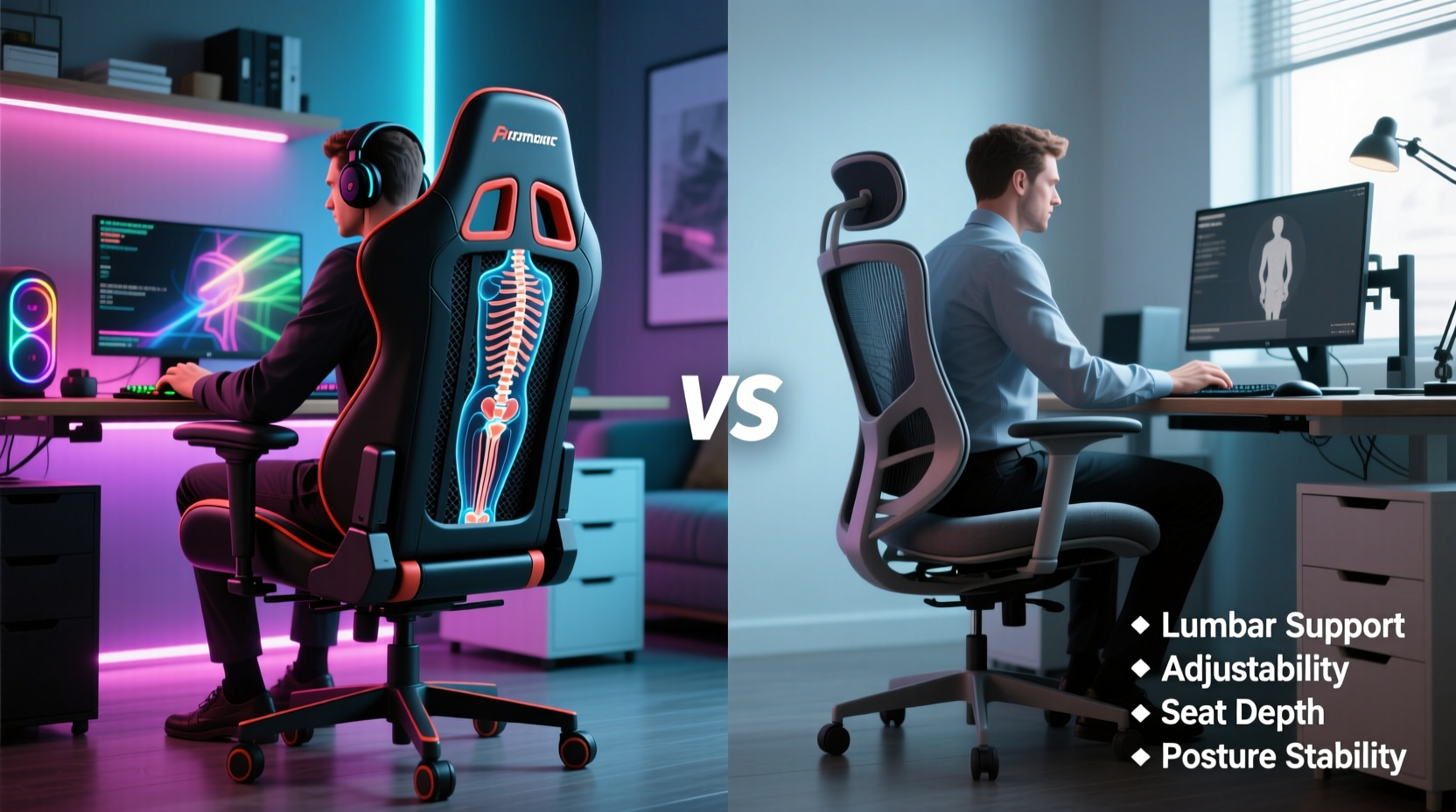
Before comparing gaming and office chairs, it's important to define what constitutes proper postural support. The human spine has three natural curves: cervical (neck), thoracic (upper back), and lumbar (lower back). A supportive chair maintains these curves without encouraging slouching, forward head posture, or hip compression.
Key ergonomic features include:
- Lumbar support: Contoured padding or adjustable mechanisms that align with the lower back’s inward curve.
- Seat depth and width: Should allow thighs to rest fully while leaving 2–4 inches between the edge of the seat and the back of the knees.
- Adjustable armrests: Prevent shoulder tension by supporting forearms at elbow height.
- Recline functionality: Enables micro-movements and reduces disc pressure when leaning back slightly.
- Material breathability: Helps regulate body temperature during extended use.
The presence and quality of these elements determine how well a chair protects spinal health over time. Poorly designed seating can contribute to chronic back pain, reduced circulation, and even long-term musculoskeletal disorders.
“Prolonged sitting in poorly supported positions leads to muscle fatigue, disc degeneration, and postural imbalance. The chair must actively support neutral spine alignment.” — Dr. Lena Patel, Physical Therapist & Ergonomics Consultant
Gaming Chairs: Style Meets Functionality?
Gaming chairs emerged from the esports and enthusiast communities, emphasizing bold aesthetics, brand identity, and perceived performance. Most follow a bucket-seat design inspired by racing car seats, featuring high backs, pronounced contours, and aggressive color schemes.
Common features include:
- Pronounced lumbar and neck pillows (often detachable)
- High backrests with winged sides
- Full recline (up to 180°) and rocking modes
- PU leather or synthetic fabric upholstery
- Fixed or limited seat depth adjustment
While many gaming chairs advertise “ergonomic design,” the reality is mixed. High-back support benefits users with taller frames, but the rigid foam and narrow seat pans often restrict movement and compress the tailbone. The included lumbar pillows are frequently too firm or incorrectly positioned, offering minimal biomechanical benefit.
Moreover, most gaming chairs prioritize recline over dynamic sitting. Leaning back excessively without proper thigh support shifts pressure onto the sacrum, increasing discomfort over time. Breathability is also a concern; PU leather traps heat and moisture, leading to sweating and skin irritation during multi-hour sessions.
Tip: If using a gaming chair, adjust the lumbar pillow so it fits snugly into the natural curve of your lower back—not higher or lower.Office Chairs: Engineered for Endurance
Traditional office chairs are built with productivity and workplace safety in mind. Designed for 8+ hour days, they emphasize adjustability, material durability, and anatomical alignment. Unlike gaming chairs, their designs are often understated, focusing on function over flair.
High-end office chairs typically offer:
- Syncro-tilt or multi-link recline mechanisms that maintain contact between the back and backrest
- Live lumbar support that moves with the user
- Depth-adjustable seats to accommodate different leg lengths
- Mesh or fabric upholstery for airflow
- Class 4 gas lifts and reinforced bases for long-term reliability
Models like the Herman Miller Aeron, Steelcase Leap, and Humanscale Freedom have been studied in occupational health settings and shown to reduce reports of lower back pain by up to 54% over six months of regular use.
Their mesh backs flex with spinal movement, promoting micro-adjustments that prevent stiffness. Seat edges are often waterfall-shaped to reduce pressure on the underside of the thighs, improving circulation. Armrests are typically 4D adjustable—height, width, depth, and pivot—allowing precise alignment with the user’s shoulders and keyboard height.
In contrast to gaming chairs, office chairs encourage active sitting: small shifts in posture throughout the day that engage core stabilizers and reduce static load on spinal discs.
Direct Comparison: Gaming Chair vs Office Chair
| Feature | Gaming Chair | Office Chair |
|---|---|---|
| Lumbar Support | Detachable pillow; often poorly positioned | Integrated, height- and depth-adjustable; conforms dynamically |
| Seat Comfort (Long-Term) | Firm foam; may cause tailbone pressure after 2+ hours | Contoured cushion with pressure relief; breathable materials |
| Breathability | Poor (PU leather traps heat) | Excellent (mesh promotes airflow) |
| Adjustability | Limited (armrests, recline, height) | Extensive (seat depth, tilt tension, armrests, lumbar, back height) |
| Durability | Moderate (foam degrades, stitching weakens) | High (industrial-grade components, 10+ year lifespan) |
| Postural Alignment | Risk of over-reclining and poor pelvic support | Promotes neutral spine via dynamic support systems |
| Average Price (Premium Tier) | $300–$500 | $800–$1,500 |
This comparison reveals a critical insight: while premium gaming chairs may look impressive and offer short-term comfort, they lack the nuanced engineering of top-tier office chairs when it comes to sustained postural integrity.
Real-World Scenario: A Developer’s Experience
James, a full-stack developer based in Austin, spent nearly two years using a popular mid-range gaming chair for both work and evening coding projects. At first, he appreciated the aggressive styling and deep recline. But after consistently logging 10–12 hour days, he began experiencing persistent lower back pain and numbness in his left leg.
He consulted an ergonomic specialist who observed that James’ pelvis was tilting posteriorly due to the chair’s fixed seat depth and lack of dynamic lumbar support. His shoulders were hunched forward despite correct monitor height, and the non-breathable material caused excessive sweating during summer months.
After switching to a used Herman Miller Mirra 2 with adjustable lumbar, seat depth, and mesh back, James reported noticeable improvement within two weeks. “I didn’t realize how much I was compensating until I sat in a chair that actually moved with me,” he said. “My focus improved, and I stopped dreading long debugging sessions.”
This case illustrates a broader trend: aesthetic appeal often overshadows functional necessity until physical symptoms arise.
Action Plan: Choosing the Right Chair for Marathon Sessions
Selecting a chair isn’t just about preference—it’s an investment in long-term health. Follow this step-by-step guide to make an informed decision:
- Assess your daily sitting duration. If you sit more than 6 hours continuously, prioritize chairs with dynamic support and breathability.
- Measure your body dimensions. Note your height, weight, and thigh length to ensure proper seat depth and backrest coverage.
- Test adjustability features. Look for independent control over lumbar height, armrest position, and recline tension.
- Check material quality. Avoid PU leather if you tend to overheat. Opt for mesh, wool blends, or ventilated fabrics.
- Read clinical or occupational studies. Reputable brands often publish white papers on ergonomic efficacy.
- Try before you buy—or return-friendly policies. Many manufacturers offer 30-day trials.
When a Gaming Chair Might Suffice
It’s not all negative for gaming chairs. For certain users, they can be a reasonable choice:
- Younger individuals with strong core muscles who change positions frequently
- Those using the chair less than 4–5 hours per day
- Users who pair the chair with standing breaks and posture exercises
- People on a tight budget seeking maximum features under $200
Newer hybrid models, such as the Secretlab Titan Evo or Noblechairs Epic Series, incorporate improved lumbar systems and cooler fabric options. These represent a convergence between gaming aesthetics and office-grade ergonomics—but still fall short of top-tier task chairs in terms of biomechanical precision.
Frequently Asked Questions
Can a gaming chair cause back pain?
Yes. Many gaming chairs promote a seated posture where the pelvis rolls backward (posterior tilt), flattening the lumbar curve. Over time, this misalignment stresses spinal discs and surrounding muscles, potentially leading to chronic lower back pain.
Are expensive office chairs worth it?
For users spending 6+ hours daily at a desk, yes. High-end office chairs distribute weight evenly, adapt to movement, and are built to last a decade or more. The long-term reduction in discomfort and healthcare costs often justifies the initial price.
Is mesh better than leather for long sessions?
In most cases, yes. Mesh allows air circulation, reducing heat buildup and sweat. Leather (especially synthetic) insulates heat, increasing discomfort during extended use. However, some high-end leathers with perforations offer moderate breathability.
Final Recommendation: Prioritize Function Over Form
When it comes to supporting posture during marathon sessions, office chairs—particularly premium ergonomic models—outperform gaming chairs in nearly every measurable category. Their superior adjustability, breathable materials, and dynamic support systems are engineered specifically for sustained sitting.
Gaming chairs may win on visual appeal and marketing, but they often compromise long-term spinal health for style. That doesn’t mean they’re unusable—many can be modified with cushions, proper setup, and disciplined break schedules. However, if your priority is maintaining healthy posture across 8-, 10-, or 12-hour stretches, an investment in a certified ergonomic office chair delivers tangible, lasting benefits.
Remember: no chair eliminates the need for movement. Pair your seating choice with regular stretching, walking breaks, and posture checks to truly protect your body over time.
🚀 Your spine spends more time in your chair than in any other position—choose one that respects its structure. Try a premium office chair risk-free, track your comfort over a week, and share your experience with others making the same decision.