Elden Ring, FromSoftware’s sprawling open-world action RPG, demands split-second decisions in combat. Whether you’re parrying a colossal boss or dodging through a flurry of enemy attacks, the tools you use—keyboard and mouse or controller—can significantly influence your performance. While personal preference plays a role, combat precision is less about comfort and more about mechanical advantage. Understanding how each input method affects response time, accuracy, and fluidity can help players make an informed decision on what best suits their playstyle.
The Mechanics of Combat Precision in Elden Ring
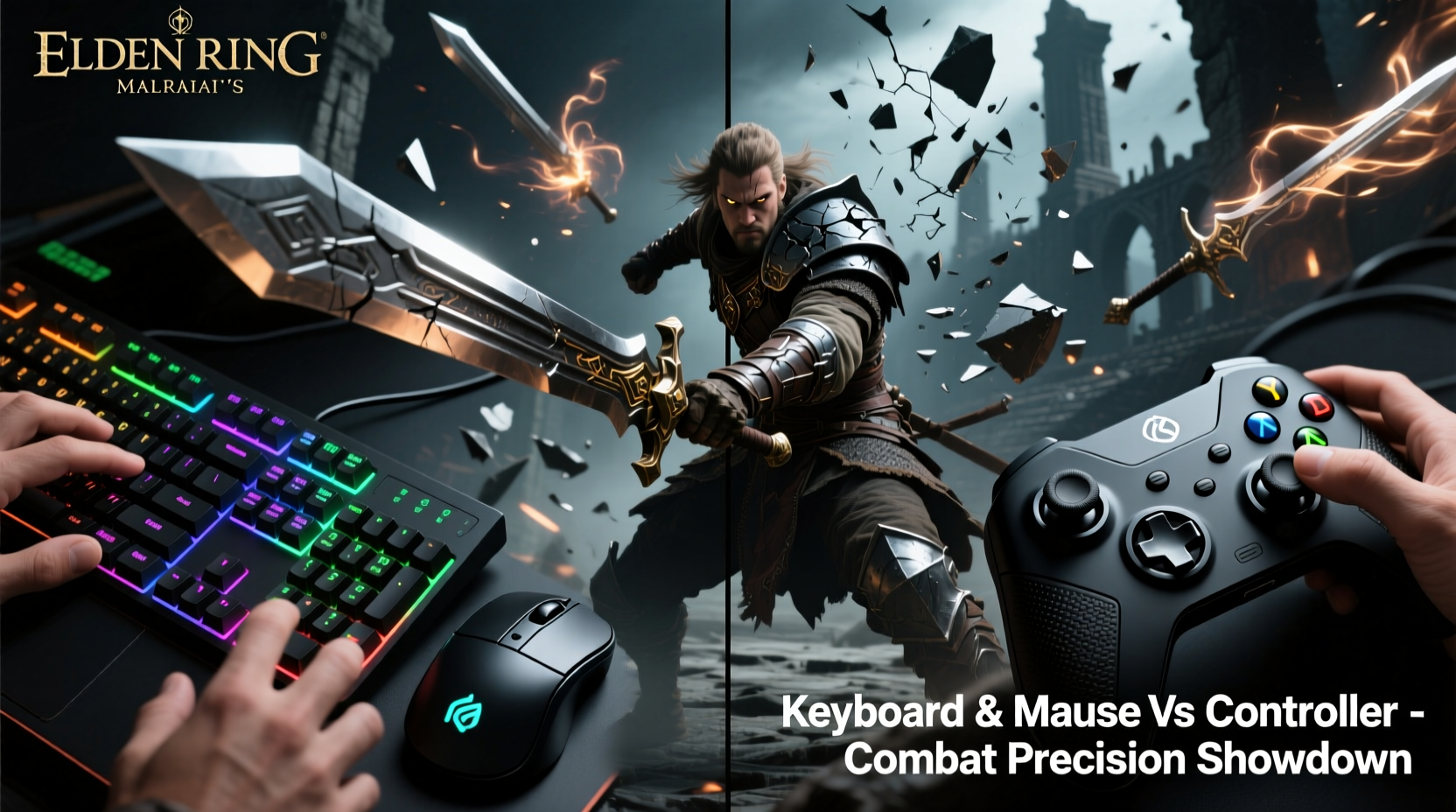
Combat precision in Elden Ring isn’t just about hitting enemies—it’s about controlling timing, positioning, and camera movement with consistency. Key actions like blocking, dodging, locking onto targets, aiming spells, and executing critical strikes all require coordination between input devices and in-game responses.
The game features complex mechanics such as frame-perfect parries, directional rolls, and stamina management, all of which are influenced by how quickly and accurately inputs are registered. For example, a well-timed dodge that avoids a boss’s sweeping attack relies on both player anticipation and device responsiveness. The difference between surviving and being one-shot often comes down to milliseconds.
Camera control is another crucial factor. In tight corridors or chaotic multi-enemy encounters, maintaining situational awareness depends heavily on how smoothly and precisely you can adjust your view. This is where input methods diverge most dramatically.
Tip: Enable \"Mouse Acceleration\" off and set sensitivity to medium-low for finer camera control when using keyboard and mouse.Keyboard and Mouse: Advantages in Precision and Speed
For many PC gamers, especially those coming from competitive titles like first-person shooters, the keyboard and mouse setup feels inherently superior for precision tasks. In Elden Ring, this advantage manifests primarily in two areas: camera control and targeting accuracy.
With a mouse, camera movement is analog but infinitely adjustable. You can flick the cursor rapidly across the screen for quick target acquisition or make minute adjustments to track fast-moving enemies. This level of granularity gives players greater spatial awareness during intense fights, reducing blind spots and improving reaction times.
Additionally, binding frequently used actions—such as healing, weapon switching, or spell casting—to easily accessible keys allows for faster execution than navigating radial menus on a controller. Players who rely on build-specific combos (like staff users spamming incantations) often find that keyboard macros or quick-access hotkeys streamline their gameplay.
However, there are trade-offs. Movement with WASD keys lacks the tactile feedback of an analog stick, making fine positional adjustments—such as sidestepping while maintaining distance—less intuitive. Some players report feeling “stiff” in motion compared to the smooth momentum offered by thumbstick control.
“High-level Soulsborne gameplay has always rewarded muscle memory and precise timing. On PC, mouse users gain a tangible edge in visual tracking and lock-on management.” — Marcus Tran, Competitive Action RPG Analyst
Controller: Fluidity, Comfort, and Built-in Optimization
Despite the technical advantages of keyboard and mouse, it's important to remember that Elden Ring was designed with controllers in mind. The entire UI layout, menu navigation, and even default button prompts assume a gamepad-first approach. This design philosophy extends into core mechanics like rolling, attacking, and blocking, which feel more naturally mapped to triggers and bumpers.
Analog sticks offer continuous input rather than binary directional presses, allowing for nuanced movement. Light pressure results in cautious walking; full deflection enables rapid repositioning. This dynamic range enhances immersion and provides smoother combat flow, particularly in melee engagements where footwork matters.
Vibration feedback further deepens engagement. Feeling every hit, parry, or environmental tremor through haptic response helps players internalize timing without relying solely on visual cues. This sensory layer contributes to subconscious rhythm development—an essential trait for mastering high-difficulty encounters.
Moreover, modern controllers like the DualSense or Xbox Wireless Controller feature adaptive triggers and customizable profiles, enabling advanced techniques such as half-pulling L2 to block without fully committing stamina. These subtle controls aren't easily replicated with standard keyboards.
Real Example: Beating Malenia with Both Input Methods
Consider the infamous duel against Malenia, Blade of Miquella—one of the most technically demanding boss fights in gaming history. A player using a controller may develop a rhythmic pattern of dodge-blocking based on tactile feedback and practiced stick flicks. Their success hinges on repetition, feel, and endurance.
In contrast, a keyboard-and-mouse user might focus on pixel-perfect camera panning to anticipate Waterfowl Dance phases, combined with rapid keybind access to heal between bursts. They could exploit micro-adjustments in aim to maintain lock-on during spin attacks, minimizing disorientation.
Both approaches work—but they reward different skill sets. The controller excels in embodied reflexes; the mouse shines in analytical control.
Comparative Analysis: Performance Factors Side-by-Side
| Factor | Keyboard & Mouse | Controller |
|---|---|---|
| Camera Control | Superior precision, instant reorientation | Limited by stick sensitivity, slower turns |
| Movement Nuance | Binary direction input, less finesse | Analog input allows partial speed control |
| Action Accessibility | Full customization via keybinds | Menu-dependent; limited direct access |
| Haptic Feedback | Minimal (unless using specialized peripherals) | Strong vibration and adaptive triggers |
| Learning Curve | Steeper due to dual-hand coordination | Gentler; consistent with console standards |
| Boss Parrying Efficiency | Depends on timing perception | Tactile cues enhance rhythm recognition |
Optimizing Your Setup: A Step-by-Step Guide
Regardless of your chosen input method, optimization is key. Follow these steps to maximize combat precision:
- Adjust Sensitivity Settings: Navigate to Options > Controls and fine-tune camera speed. Too high causes overshooting; too low delays reactions.
- Customize Button Layout: Remap frequently used items (Talisman slots, healing flasks) to easily reachable keys or bumper combinations.
- Test Responsiveness: Enter any arena-like space and practice dodging patterns. Note any input lag or unresponsiveness.
- Enable Frame Pacing: If playing on PC, cap FPS to match refresh rate (e.g., 60 FPS for 60Hz monitors) to reduce jitter.
- Use Quality Hardware: Low-polling-rate mice or worn-out thumbsticks degrade performance. Invest in reliable gear.
- Practice Without Pressure: Spend time in safe zones mastering roll cancels, jump attacks, and spell aiming before entering tough fights.
Hybrid Approaches and Emerging Trends
A growing number of players adopt hybrid configurations—using a mouse for camera control and a controller for movement and actions. Devices like the Steam Controller (now discontinued) and third-party adapters have made this feasible, though not officially supported by Elden Ring.
Some PC players also utilize emulators like DS4Windows to treat their DualShock or DualSense as a native mouse-keyboard combo, blending the strengths of both systems. While this can lead to overpowered setups in multiplayer, in single-player it opens new avenues for personalized ergonomics.
Still, purists argue that true mastery comes from working within intended limitations. Just as elite fighters train under constraints to sharpen instincts, so too do many Souls veterans believe that relying solely on a controller fosters deeper understanding of the game’s rhythm and pacing.
Frequently Asked Questions
Is keyboard and mouse allowed in Elden Ring multiplayer?
Yes, keyboard and mouse are permitted in online play. However, matchmaking typically separates input methods—mouse and keyboard users usually face other PC players, while controller users remain grouped together. There is no built-in anti-cheat restriction against KB+M.
Does using a controller give me an advantage in stamina management?
Not directly, but the analog nature of thumbsticks allows for partial movement inputs, helping conserve stamina during cautious advances. Keyboard users must toggle walk mode manually, which can be less efficient in prolonged engagements.
Can I improve my precision with a controller over time?
Absolutely. While mouse users start with higher initial precision, controller players often develop superior muscle memory and timing intuition through repetition. Many top-tier runners complete 100% speedruns using only a DualShock.
Final Recommendations and Checklist
Ultimately, the choice between keyboard and mouse versus controller should align with your goals:
- If you prioritize maximum camera control, fast spellcasting, and analytical combat analysis, go with keyboard and mouse.
- If you value immersive gameplay, natural movement flow, and haptic feedback, stick with a high-quality controller.
- For best results, experiment with both over several hours and assess which feels more instinctive during high-pressure fights.
- ✅ Test both setups in early-game areas like Limgrave or Stormveil Castle
- ✅ Adjust sensitivity and keybinds for comfort and speed
- ✅ Evaluate performance during boss fights (e.g., Margit or Erdtree Avatar)
- ✅ Consider long-term ergonomics—avoid strain during extended sessions
- ✅ Choose based on consistency, not momentary wins
Conclusion: Precision Meets Playstyle
There is no universally superior input method in Elden Ring—only what works best for you. Keyboard and mouse offer measurable gains in targeting and responsiveness, giving technically inclined players an edge in information processing and action execution. Controllers deliver unmatched fluidity, tactile feedback, and design synergy, fostering a more organic connection to the world.
Combat precision isn’t just about hardware—it’s about harmony between player and system. Whether you're dancing around Radahn with pixel-perfect mouse flicks or enduring Mohg’s onslaught through practiced stick maneuvers, mastery lies in consistency, adaptation, and deliberate practice.
💬 What’s your preferred setup? Share your experiences with Elden Ring combat precision—did switching devices change your gameplay? Let fellow Tarnished know in the discussion below.