For many users still clinging to an iPhone 5 in 2024, the question isn’t just about nostalgia—it’s practicality. The device once represented cutting-edge design and iOS excellence, but nearly a decade later, its limitations are undeniable. Meanwhile, the iPhone 5s, released just one year after, introduced features that redefined Apple’s mobile experience. So, is upgrading from the iPhone 5 to the 5s actually worthwhile today? Or should you simply keep using your aging device until it gives out?
The answer depends on how you use your phone, what apps matter most to you, and whether modern security and app compatibility still hold value. While both phones are long past their prime, understanding the tangible differences between them can help determine if the 5s offers enough improvement to justify even a minimal effort to upgrade.
Design and Build: Subtle Changes, Same Form Factor
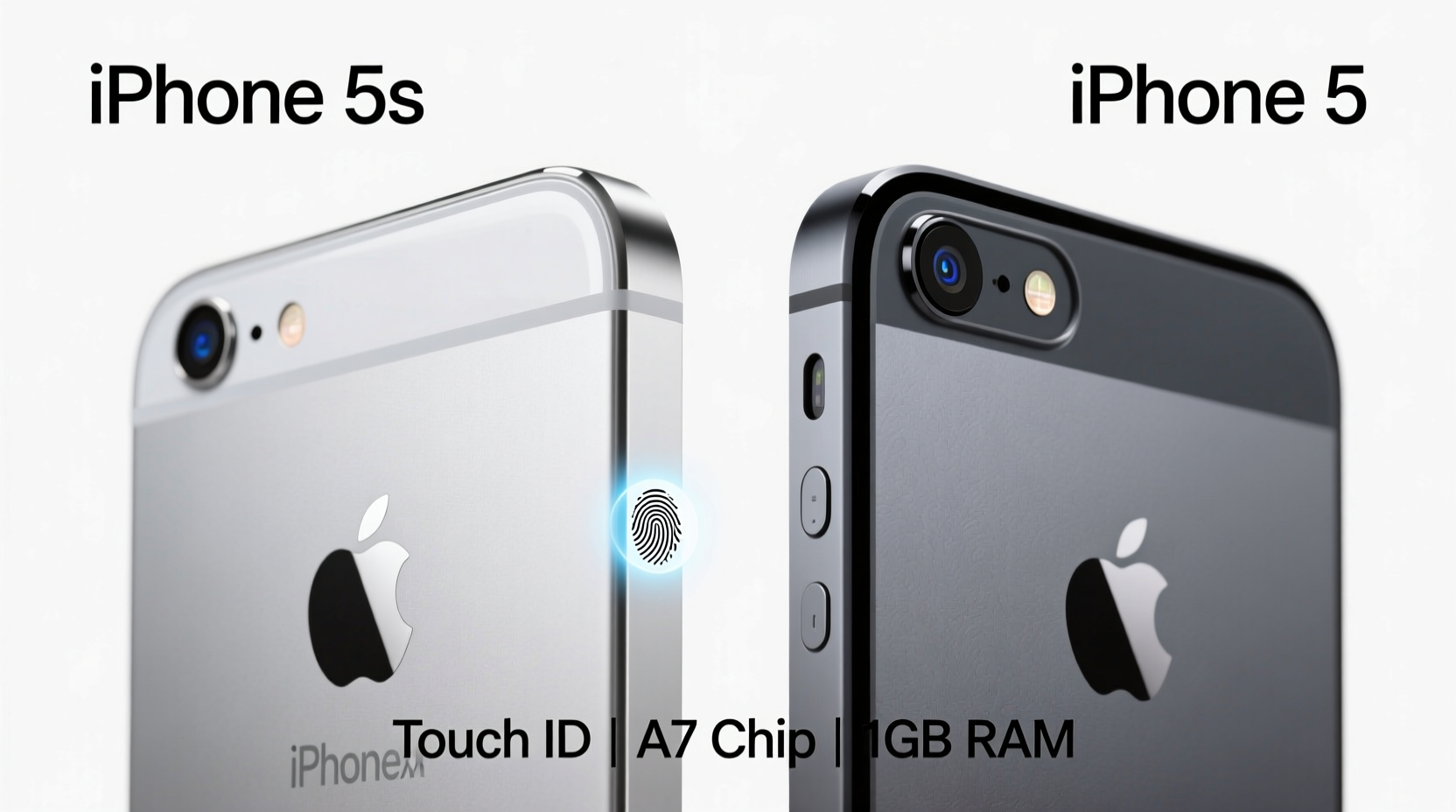
At first glance, the iPhone 5 and 5s appear identical. Both feature the same 4-inch Retina display, aluminum unibody construction, and compact footprint that made them favorites among users who preferred smaller devices. They measure 123.8 x 58.6 x 7.6 mm and weigh just 112 grams, making either model easy to operate with one hand.
The primary visual difference lies in the availability of finishes. The iPhone 5 launched with black/slate and white/silver options. The 5s added a third choice: gold—an aesthetic shift that sparked widespread attention at the time. Beyond color, the most notable hardware change was the addition of the Touch ID fingerprint sensor embedded in the home button of the 5s.
Tip: If you're holding onto an iPhone 5 for its size and feel, the 5s delivers the exact same ergonomics—just with better internals and security.Performance: A Clear Leap Forward
Under the hood, the difference between these two models is stark. The iPhone 5 runs on the Apple A6 chip, a capable processor in its day but now severely limited by modern standards. The iPhone 5s, however, was the first iPhone to feature the 64-bit Apple A7 chip—a significant architectural leap that doubled processing power and improved graphics performance by up to 2x.
This upgrade translated directly into real-world usage. Apps launched faster, multitasking was smoother, and games like Infinity Blade III ran with noticeably higher frame rates. Even basic tasks like scrolling through messages or switching between Safari tabs felt more responsive on the 5s.
Apple also introduced the M7 motion coprocessor in the 5s, which continuously gathered data from the accelerometer, gyroscope, and compass without draining the main CPU. This allowed fitness apps to track steps and movement more efficiently—a feature absent in the iPhone 5.
“The A7 chip wasn’t just faster—it set the foundation for future iOS capabilities, including augmented reality and advanced photography.” — David Ng, Mobile Hardware Analyst, TechPulse Weekly
Camera Improvements: More Than Just Megapixels
On paper, both phones sport 8-megapixel rear cameras, but the 5s includes several key enhancements that significantly improve photo quality:
- Larger f/2.2 aperture (vs f/2.4 on the 5) for better low-light performance
- True Tone flash with dual LED colors to balance skin tones
- Improved sensor and image signal processor
- Burst mode and auto HDR for dynamic shots
- Slo-mo video recording at 120fps
In everyday conditions, the 5s captures brighter, sharper images with more accurate colors. The True Tone flash reduces the harshness common in iPhone 5 night photos, where subjects often appeared washed out or overly yellow. Burst mode allows users to capture rapid sequences and select the best shot—ideal for action or candid moments.
Front-facing cameras remain unchanged at 1.2MP, suitable only for basic FaceTime calls and selfies under good lighting.
Security and Software Support: Where the 5s Pulls Ahead
One of the most impactful upgrades in the iPhone 5s was the introduction of Touch ID. For the first time, users could unlock their phones and authorize App Store purchases with a fingerprint. This wasn’t just convenient—it was a major step forward in mobile security.
The secure enclave within the A7 chip isolated biometric data, ensuring fingerprints were never stored in the cloud or accessible to apps. Over time, Touch ID became integral to Apple Pay (though not supported on the 5s due to lack of NFC), password autofill, and third-party app logins.
Software support also diverges sharply. The iPhone 5 received updates up to iOS 10.3.4, released in 2019. After that, no further security patches or feature updates were issued. The iPhone 5s, meanwhile, was supported through iOS 12.5.7 (released in January 2023), meaning it received over three additional years of critical security fixes.
Tip: Running outdated iOS versions exposes your device to known vulnerabilities. If you still rely on your phone for email or browsing, staying on iOS 6 (iPhone 5's final version) is a security risk.Detailed Comparison Table
| Feature | iPhone 5 | iPhone 5s |
|---|---|---|
| Release Year | 2012 | 2013 |
| Processor | A6 | A7 + M7 Coprocessor |
| Rear Camera | 8MP, f/2.4, single LED flash | 8MP, f/2.2, True Tone flash |
| Video Recording | 1080p@30fps | 1080p@30/60fps, 720p@120fps (slo-mo) |
| Fingerprint Sensor | No | Yes (Touch ID) |
| Final iOS Version | iOS 10.3.4 | iOS 12.5.7 |
| Last Security Update | 2019 | 2023 |
| Storage Options | 16GB, 32GB, 64GB | 16GB, 32GB, 64GB |
| Battery Life (Usage) | Up to 8 hrs talk time | Up to 10 hrs talk time |
Real-World Example: Sarah’s Upgrade Decision
Sarah had been using her iPhone 5 since 2013. By 2020, she noticed apps like Gmail and Chrome would crash frequently, and she could no longer update WhatsApp. Her phone struggled to load web pages, and she missed important notifications because background refresh didn’t work reliably.
She found a used iPhone 5s online for $35. After transferring her data, she immediately noticed improvements: apps opened quickly, her bank’s app finally supported fingerprint login, and her photos looked better in dim lighting. Most importantly, she regained access to updated versions of essential apps.
“It wasn’t a flashy upgrade,” she said, “but suddenly my phone felt usable again for another year.”
Step-by-Step Guide: How to Decide Whether to Upgrade
- Evaluate current performance: Does your iPhone 5 freeze, crash, or take more than 10 seconds to open common apps?
- Check app compatibility: Try downloading or updating key apps (e.g., banking, messaging). If they’re unavailable, you’re already behind.
- Assess security needs: Are you using the phone for email, shopping, or social media? Outdated iOS increases risk of data exposure.
- Consider cost: Refurbished 5s units can be found under $50. Weigh this against potential risks of continuing with unsupported hardware.
- Test the 5s: If possible, borrow or trial a 5s to experience Touch ID and smoother performance firsthand.
FAQ
Can the iPhone 5 still be used in 2024?
Technically, yes—but with major limitations. It cannot run any app requiring iOS 11 or later, which includes most modern banking, social media, and productivity tools. Browsing may expose you to unpatched security flaws.
Is the iPhone 5s secure enough for daily use?
While it no longer receives updates, iOS 12.5.7 included fixes for critical vulnerabilities. For light use (calls, texts, offline tasks), it’s reasonably secure. Avoid entering passwords or financial details if possible.
Will either phone work with modern accessories?
Both use Lightning connectors, so charging cables and wired headphones remain compatible. However, neither supports wireless charging, NFC, or AirDrop beyond basic file sharing.
Conclusion: Upgrade Only If You Need Functionality, Not Future-Proofing
The iPhone 5s isn’t a modern smartphone by any stretch, but compared to the iPhone 5, it offers meaningful improvements: faster performance, better camera quality, Touch ID, and extended software support. If you're still relying on an iPhone 5 for emergency calls or as a backup device, upgrading to a 5s—even secondhand—is a smart move.
However, don’t expect miracles. Neither phone supports apps like TikTok, Instagram Reels, or Google Maps with live traffic. Streaming services may buffer or fail to load. The real benefit of moving to the 5s is regaining basic usability and slightly improved peace of mind when handling personal data.
🚀 If your iPhone 5 is slowing you down, spend $30–$50 on a 5s for a noticeably smoother, safer experience. It won’t last forever—but it might buy you one more year of reliable service.