
Leaving your home for vacation shouldn’t mean compromising your pet’s routine. With the right automatic feeder and a thoughtful setup, you can ensure your cat or dog eats on time, every time—no matter where you are. But simply purchasing a smart feeder isn’t enough. To truly have peace of mind, you need to test, configure, and integrate it into your pet’s life well before departure. This guide walks through every critical step to make sure your pet stays fed, safe, and happy while you’re away.
Choose the Right Feeder for Your Pet and Lifestyle
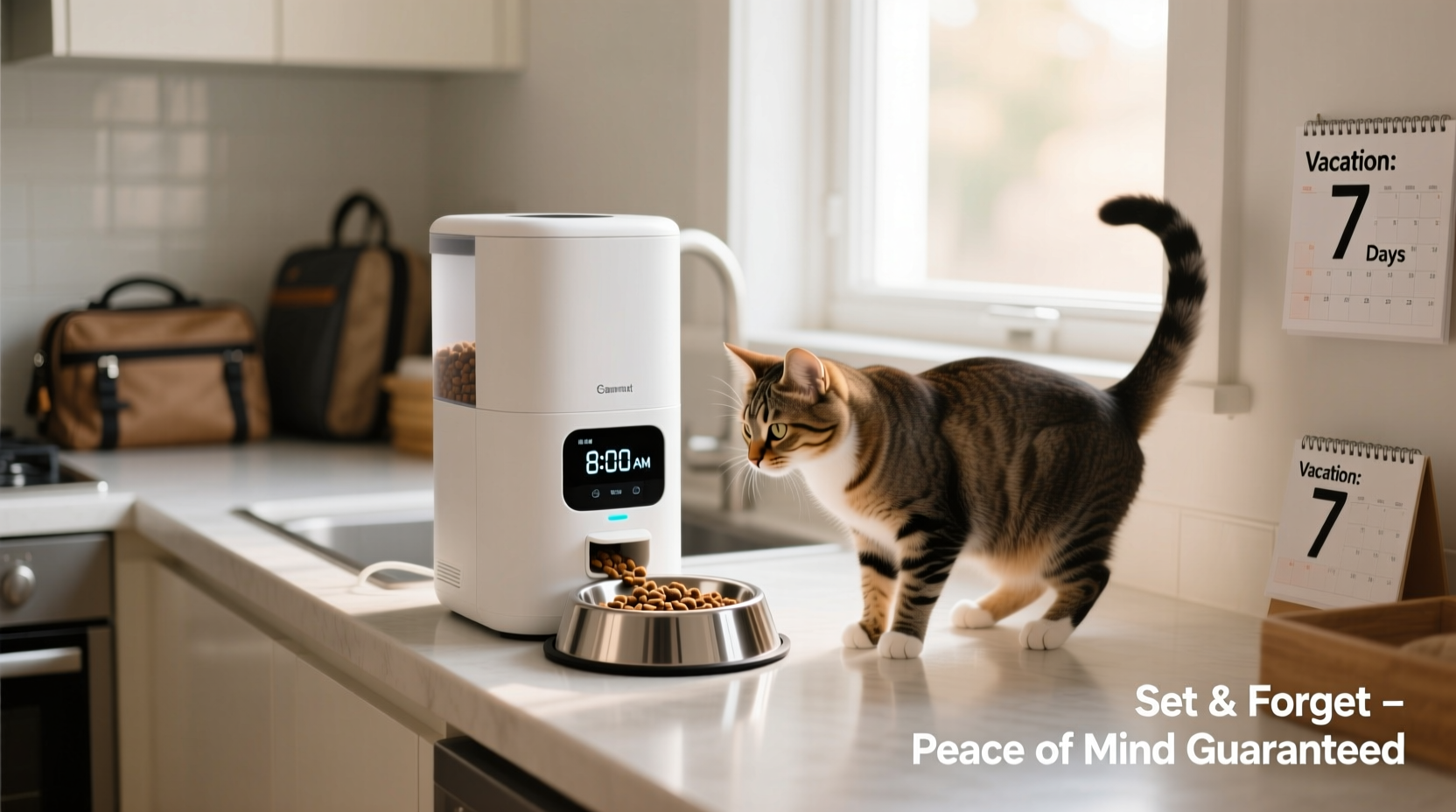
Not all automatic feeders are created equal. The best model for your vacation depends on your pet’s eating habits, portion needs, and temperament. Some pets are food-motivated and may try to manipulate the machine; others are hesitant around new devices. Consider these key features when selecting a feeder:
- Portion control: Look for models that allow precise dispensing in grams or cups.
- Scheduling flexibility: Multiple daily meals? Choose a feeder with at least four programmable times per day.
- Power backup: Battery or UPS support ensures operation during power outages.
- Wi-Fi connectivity: Remote monitoring and manual feeding via smartphone apps add convenience.
- Chamber capacity: Ensure it holds enough food for your trip duration without overfilling, which risks clumping or spoilage.
- Security features: Locking lids or app-based access prevent tampering by pets or visitors.
Top Feeder Types Compared
| Type | Best For | Limits | Travel Suitability |
|---|---|---|---|
| Basic Timer Feeder | Short trips, single pets | No remote access, limited schedules | Low – only for 2–3 days max |
| Wi-Fi Smart Feeder | Frequent travelers, multiple pets | Requires stable internet | High – full remote control |
| Camera-Integrated Feeder | Pets needing reassurance | Higher cost, privacy concerns | Very High – includes video check-ins |
| Dual-Bowl Rotating Feeder | Homes with two pets | Bulkier, harder to clean | Moderate – good for medium trips |
Test Run: Simulate Your Vacation Before You Leave
The most overlooked step in setting up an automatic feeder is testing it under real conditions. Just because the device dispenses food doesn’t mean your pet will eat it—or that the system won’t fail when needed most.
Begin testing at least one week before your trip. Program the feeder to match your intended vacation schedule. Observe whether your pet approaches the device, eats promptly, and leaves no uneaten food behind. Some pets are startled by motorized sounds or rotating trays. Others may ignore dry food if they’re used to hand-fed warmth or variety.
“We had a client whose cat refused to eat from a new feeder after three days alone. The machine worked perfectly—but the cat associated the noise with stress. A trial period would have revealed this.” — Dr. Lena Torres, DVM, Pet Behavior Consultant
If your pet hesitates, place the feeder next to their usual bowl and gradually transition meals to the machine. Use treats or kibble they love to create positive associations. Never introduce a new feeder the day before you leave.
Step-by-Step Setup Timeline (7 Days Before Departure)
- Day 1: Unbox, charge (if applicable), and install batteries. Connect to Wi-Fi using the manufacturer’s app.
- Day 2: Program first feeding time. Watch the cycle complete. Confirm food dispenses correctly.
- Day 3: Add your pet’s regular food. Let them observe and eat. Clean any spilled kibble.
- Day 4: Set two meals. Monitor appetite and behavior. Adjust portion size if needed.
- Day 5: Test remote feed command via app. Have a neighbor trigger a manual feed remotely.
- Day 6: Simulate power loss. Unplug the unit; verify battery backup engages and resumes schedule.
- Day 7: Final check. Confirm all settings, refill food chamber, and lock the lid.
Create a Backup Plan That Actually Works
No technology is foolproof. Motors jam. Power fails. Pets knock over machines. Your peace of mind hinges not just on the feeder—but on what happens when it doesn’t work.
Design a layered backup strategy that includes both technical safeguards and human intervention. Start with redundancy in power: plug the feeder into a surge protector connected to an uninterruptible power supply (UPS). Even a $50 UPS can keep the device running for several hours during an outage, giving you time to respond.
Next, designate a trusted contact—a neighbor, pet sitter, or family member—with clear instructions. Provide them with physical access to your home or permission to enter the pet area. Share login details for the feeder app, but also leave printed feeding instructions near the device.
Tip: Label emergency contacts directly on the feeder with a waterproof tag: “If stuck, call Maria: (555) 123-4567.”For longer trips, schedule mid-week check-ins. Ask your helper to verify food levels, clean the bowl, and confirm the pet is eating normally. Bonus: They can top off water, remove waste, and provide companionship—something no machine can replace.
Real Example: The Weekend Glitch That Could’ve Gone Wrong
Sarah, a Boston-based software engineer, planned a five-day trip to visit her sister. She relied on a popular Wi-Fi-enabled feeder for her senior dog, Max. On day two, the local internet went down due to construction damage. The feeder continued operating on schedule thanks to its internal clock—but Sarah couldn’t trigger a manual feed when Max seemed less active on camera.
Luckily, she had pre-arranged for her neighbor, Tom, to stop by on day three. Tom noticed Max was eating slowly and found a small jam in the dispenser mechanism. He cleared it, refilled the hopper, and sent Sarah a video update. Because of the backup plan, a potential crisis became a minor hiccup.
Sarah now keeps a secondary feeder as a spare and shares app access with two contacts. “I learned,” she says, “that trust isn’t just in the gadget—it’s in the people and plans around it.”
Optimize Placement and Environment
Where you place the feeder affects both functionality and pet comfort. Avoid corners with poor lighting or high foot traffic. Place it on a non-slip mat in a quiet, temperature-controlled room—ideally where your pet already eats.
Elevated surfaces reduce spill risk but may be inaccessible for older pets. Ground-level placement should avoid damp basements or areas prone to flooding. Keep the feeder away from windows where direct sunlight can heat the food chamber and promote bacterial growth or clumping.
If your pet is anxious or aggressive around food, consider a model with a timed lockout between meals. This prevents obsessive checking and reduces stress. For multi-pet homes, separate feeding zones are essential—even if each has its own machine. Competition can lead to missed meals or overeating.
Do’s and Don’ts of Feeder Placement
| Do | Don’t |
|---|---|
| Place on a flat, stable surface | Put it on carpet where wheels might sink |
| Ensure 12 inches of clearance around the unit | Shove it into a tight cabinet |
| Keep within Wi-Fi range (test signal strength) | Install in a basement with poor connectivity |
| Use a dedicated outlet (not an extension cord) | Share power strips with high-draw appliances |
| Position near a security camera for monitoring | Hide it in a closet or laundry room |
Feeding During Extended Absences: What to Watch For
Vacations longer than five days require extra precautions. Dry food can absorb moisture over time, especially in humid climates, leading to mold or rancidity. Avoid filling the hopper more than 80% full. If traveling for 10+ days, split food storage across two feeders or schedule a mid-trip refill.
Never use perishable foods like wet canned food unless the feeder is specifically designed for refrigeration and sealed dispensing—most aren’t. Stick to shelf-stable kibble or freeze-dried options. If your pet requires medication with meals, consult your vet about compounding pills into palatable chews that can be dispensed safely.
Monitor remotely using app alerts. Many smart feeders notify you when a meal is skipped or the tray is blocked. Set up push notifications and check in at least twice daily. Pair the feeder with a pet camera that offers two-way audio so you can call out encouragement or alert helpers if something seems off.
Essential Pre-Vacation Checklist
- ✅ Select a feeder matching your pet’s dietary and behavioral needs
- ✅ Test the device for at least 5 consecutive days
- ✅ Confirm Wi-Fi connection and app functionality
- ✅ Program all meal times and portion sizes accurately
- ✅ Install battery backup or connect to a UPS
- ✅ Designate and brief a reliable backup contact
- ✅ Provide written feeding instructions and emergency numbers
- ✅ Place the feeder in an optimal, accessible location
- ✅ Perform a final food fill 24 hours before leaving (reduces static/clumping)
- ✅ Share app access or temporary login credentials securely
Frequently Asked Questions
Can I use an automatic feeder for multiple pets?
Yes, but carefully. If pets eat different diets or portions, use separate feeders placed in distinct zones. Supervise initial use to prevent food guarding. For pets that eat together, consider timed access doors or feeders with proximity sensors that open only for microchipped collars.
What if the feeder jams or skips a meal?
Most jams occur due to oddly shaped kibble or humidity-induced clumping. Use consistently sized, low-moisture food. If a jam occurs, your backup contact should know how to open and clear the mechanism. Always choose a model with a manual override button or emergency release.
How do I know my pet is actually eating?
Pair the feeder with a pet camera that records activity around mealtimes. Check for empty bowls and normal post-meal behavior. Sudden disinterest, pacing, or vocalizing near the feeder may indicate discomfort or malfunction. Mid-trip check-ins by a helper are the best verification method.
Final Thoughts: Confidence Comes From Preparation
An automatic pet feeder isn’t a substitute for care—it’s a tool that extends it. True peace of mind comes not from buying the most expensive model, but from testing thoroughly, planning for failure, and involving trusted humans in your pet’s routine. When done right, automation lets you enjoy your vacation knowing your pet is fed reliably and safely.
Start preparing at least a week in advance. Treat the setup like a rehearsal. Involve your pet, validate every feature, and empower someone nearby to step in if needed. Technology gives you options, but responsibility ensures outcomes.
💬 Ready to travel with confidence? Review your feeder setup today, run a test cycle, and share this guide with a fellow pet owner who could use some peace of mind.