Stickers are a common sight on electronics—whether they're branding labels, warranty seals, or decorative decals. When it comes time to remove them, the adhesive often leaves behind a stubborn, sticky residue. On delicate devices like smartphones, laptops, tablets, and gaming consoles, aggressive cleaning can lead to scratches, coating damage, or even internal moisture issues. Removing this residue requires a careful balance of effectiveness and safety. The right approach depends on the surface material, the type of adhesive, and the sensitivity of the device. This guide provides tested, professional-grade techniques to eliminate sticky residue without risking harm to your valuable electronics.
Understanding the Risks: Why Electronics Need Special Care
Unlike household items such as glass jars or plastic containers, electronics feature specialized coatings, micro-textures, and sensitive components. Many modern devices use oleophobic (oil-repelling) coatings on screens to resist fingerprints. These coatings degrade over time, and harsh solvents like acetone can strip them away in seconds. Similarly, porous materials like anodized aluminum or matte plastic can absorb chemicals, leading to discoloration or etching.
Moisture is another hidden danger. Applying liquids directly near seams, buttons, or ports risks seepage into internal circuits. Even small amounts of liquid can corrode connectors or trigger malfunctioning sensors. Additionally, abrasive tools—such as metal scrapers or rough cloths—can scratch glossy finishes or disrupt touch responsiveness.
“Consumer electronics are engineered with precision. A single misstep during cleaning can compromise both aesthetics and functionality.” — Dr. Lena Tran, Materials Scientist at TechSurface Labs
The goal isn’t just to remove residue—it’s to do so while preserving the integrity of the device. This means choosing gentle yet effective agents, applying them correctly, and using proper tools.
Safe and Effective Cleaning Methods
Not all adhesives respond the same way to cleaning agents. Some are rubber-based, others acrylic, and each reacts differently to heat, oil, or solvents. Below are five proven methods that prioritize safety and results.
1. Heat and Peel Technique
Gently warming the sticker softens the adhesive, making it easier to lift without leaving residue. This method works best for large labels or vinyl decals.
- Use a hairdryer on low heat, holding it 6–8 inches from the surface.
- Warm the sticker for 30–60 seconds until it feels pliable.
- Lift one corner with a plastic card (like an old credit card).
- Slowly peel back at a shallow angle while continuing to apply heat.
- If residue remains, proceed to a mild solvent method.
2. Isopropyl Alcohol (70% or Higher)
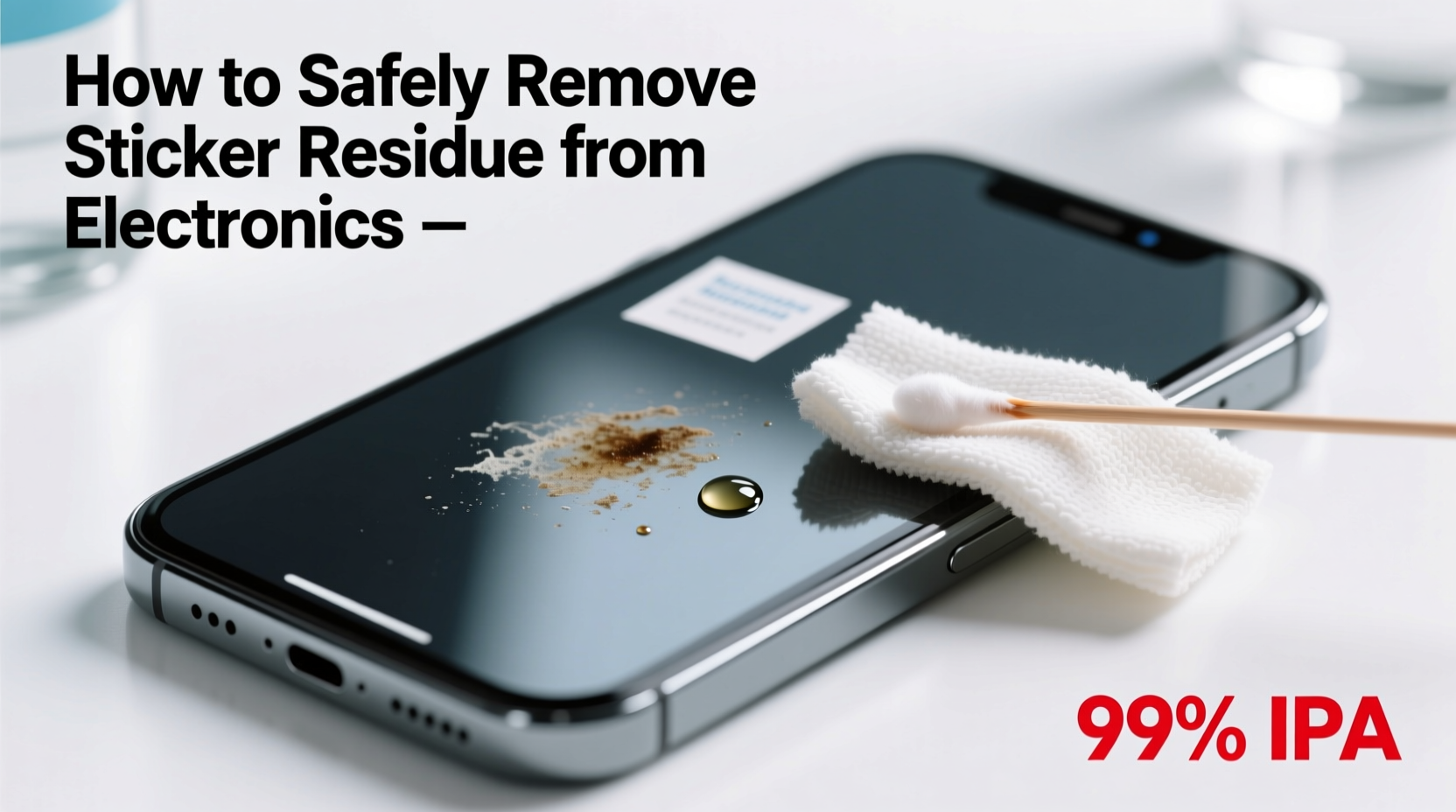
Isopropyl alcohol (IPA) is widely recommended by manufacturers and repair technicians because it evaporates quickly and doesn’t leave a film. It breaks down many types of adhesives without harming most electronic surfaces when used properly.
Dampen a lint-free microfiber cloth lightly with IPA. Do not spray directly onto the device. Gently rub the sticky area in small circular motions. For tight spaces, wrap the cloth around a wooden toothpick or cotton swab. Avoid saturating seams or openings.
3. Adhesive Remover Wipes (Designed for Electronics)
Commercial wipes like Zep Industrial Strength Adhesive Remover or 3M General Purpose Adhesive Cleaner are formulated to dissolve glue without damaging plastics or metals. Choose products labeled as “safe for electronics” or “non-conductive.”
Test on a small, inconspicuous area first. Use one wipe per application, gently rubbing until the residue lifts. Follow up with a dry microfiber cloth to remove any leftover moisture or film.
4. Oil-Based Solutions (Cooking Oil, Rubbing Alcohol + Olive Oil Mix)
Natural oils like olive, coconut, or baby oil can loosen adhesive by breaking down its molecular structure. While effective, oils must be used sparingly and cleaned off thoroughly.
Apply a tiny drop to the residue and let it sit for 2–3 minutes. Wipe gently with a microfiber cloth. Immediately follow with a small amount of isopropyl alcohol to remove the oily film. Failure to do so may attract dust or interfere with touchscreens.
5. Baking Soda Paste (For Non-Porous Surfaces Only)
A paste made from baking soda and water (2:1 ratio) offers mild abrasion useful for stubborn spots on metal casings or thick plastic. It should never be used on screens or coated surfaces.
Apply a pea-sized amount to a damp microfiber cloth and rub in gentle circular motions. Rinse the area with a clean, damp section of the cloth and dry immediately. This method removes residue through mechanical action, not chemical breakdown.
Do’s and Don’ts: What to Use and What to Avoid
| Do’s | Don’ts |
|---|---|
| Use a microfiber cloth for wiping | Use paper towels or tissues (they scratch) |
| Apply solvents to cloth, not directly to device | Spray liquids near ports or seams |
| Test cleaners on a hidden area first | Assume all plastics react the same way |
| Work in a well-ventilated space | Use acetone, nail polish remover, or bleach |
| Allow surfaces to dry completely before use | Rush the process—patience prevents damage |
Step-by-Step Guide: Complete Residue Removal Process
Follow this sequence to maximize effectiveness while minimizing risk:
- Power Off and Disconnect: Turn off the device and unplug it. Remove batteries if possible (e.g., remote controls).
- Initial Dry Removal: Try peeling the sticker with fingers or a plastic tool. If it lifts cleanly, skip to step 5.
- Apply Heat: Warm the area with a hairdryer for 30–60 seconds, then attempt to peel again.
- Target Remaining Residue: Dampen a microfiber cloth with isopropyl alcohol and gently rub the sticky spot. Reapply as needed.
- Clean Oily Residue: If using oil, apply minimally and follow with alcohol to remove greasy film.
- Dry Thoroughly: Wipe with a dry section of the cloth. Let air-dry for 2–3 minutes before powering on.
- Inspect Results: Check for leftover stickiness or surface changes. Repeat only if necessary.
Real-World Example: Removing a Laptop Warranty Sticker
Julie purchased a refurbished laptop online. Upon arrival, she noticed a large warranty sticker on the bottom panel with significant adhesive left behind after removal. She didn’t want to damage the brushed aluminum finish.
She started with a hairdryer, heating the area for 45 seconds. Using a plastic spudger, she lifted the edge and peeled slowly. Most of the sticker came off, but a hazy, sticky patch remained.
She applied 90% isopropyl alcohol to a microfiber cloth and rubbed gently in circular motions. After two minutes, the residue dissolved completely. She wiped the area dry and inspected under light—the finish was intact, with no streaks or dullness.
This approach preserved the laptop’s appearance and avoided voiding any remaining warranty concerns related to surface damage.
Checklist: Safe Residue Removal in 7 Steps
- ✅ Power down and disconnect the device
- ✅ Try peeling the sticker first (no tools)
- ✅ Use heat to soften stubborn adhesives
- ✅ Select a safe solvent (IPA recommended)
- ✅ Apply cleaner to cloth—not directly to device
- ✅ Use non-abrasive tools (plastic, wood, microfiber)
- ✅ Dry completely before reassembling or turning on
Frequently Asked Questions
Can I use WD-40 on electronics to remove sticker residue?
No. WD-40 is not designed for electronics and contains oils and solvents that can damage plastic, leave conductive residues, or attract dust. It may also compromise protective coatings. Stick to isopropyl alcohol or electronics-safe adhesive removers.
Will vinegar harm my phone screen?
Yes. Vinegar is acidic and can degrade anti-reflective and oleophobic coatings on smartphone and tablet screens. While it has some degreasing properties, it poses too high a risk for minimal benefit. Avoid vinegar entirely on sensitive displays.
How do I clean residue from keyboard keys or speaker grilles?
For tight areas, wrap a microfiber cloth around a wooden toothpick or use a cotton swab lightly dampened with isopropyl alcohol. Work carefully to avoid pushing debris deeper. Do not insert tools beneath keys unless disassembled.
Final Thoughts and Recommendations
Removing sticker residue from electronics doesn’t have to be risky. With the right knowledge and tools, you can restore a clean, professional look without compromising performance or longevity. The key principles are simplicity, caution, and using materials compatible with sensitive surfaces. Isopropyl alcohol remains the gold standard for most situations due to its fast evaporation, effectiveness, and wide availability.
Always prioritize prevention: if a sticker isn’t necessary, remove it early—before the adhesive cures and becomes harder to manage. Store removed stickers or warranty labels separately if needed for documentation.
“The safest cleaning method is the one that achieves results with the least aggressive intervention.” — Mark Rivera, Senior Technician at iFix Electronics Repair💬 Have a tricky residue situation? Share your experience or ask for advice in the comments below. Your story could help someone else avoid a costly mistake.