Removing an old phone case can sometimes leave behind a stubborn, gummy film that clings to the back of your device. This sticky residue is more than just unsightly—it can attract dust, interfere with wireless charging, and even degrade over time into a yellowed mess. Whether you've used silicone, TPU, or adhesive-backed cases, this guide provides practical, tested solutions to restore your phone’s surface to a clean, smooth finish—without damaging the finish or voiding warranties.
Understanding Why Residue Forms
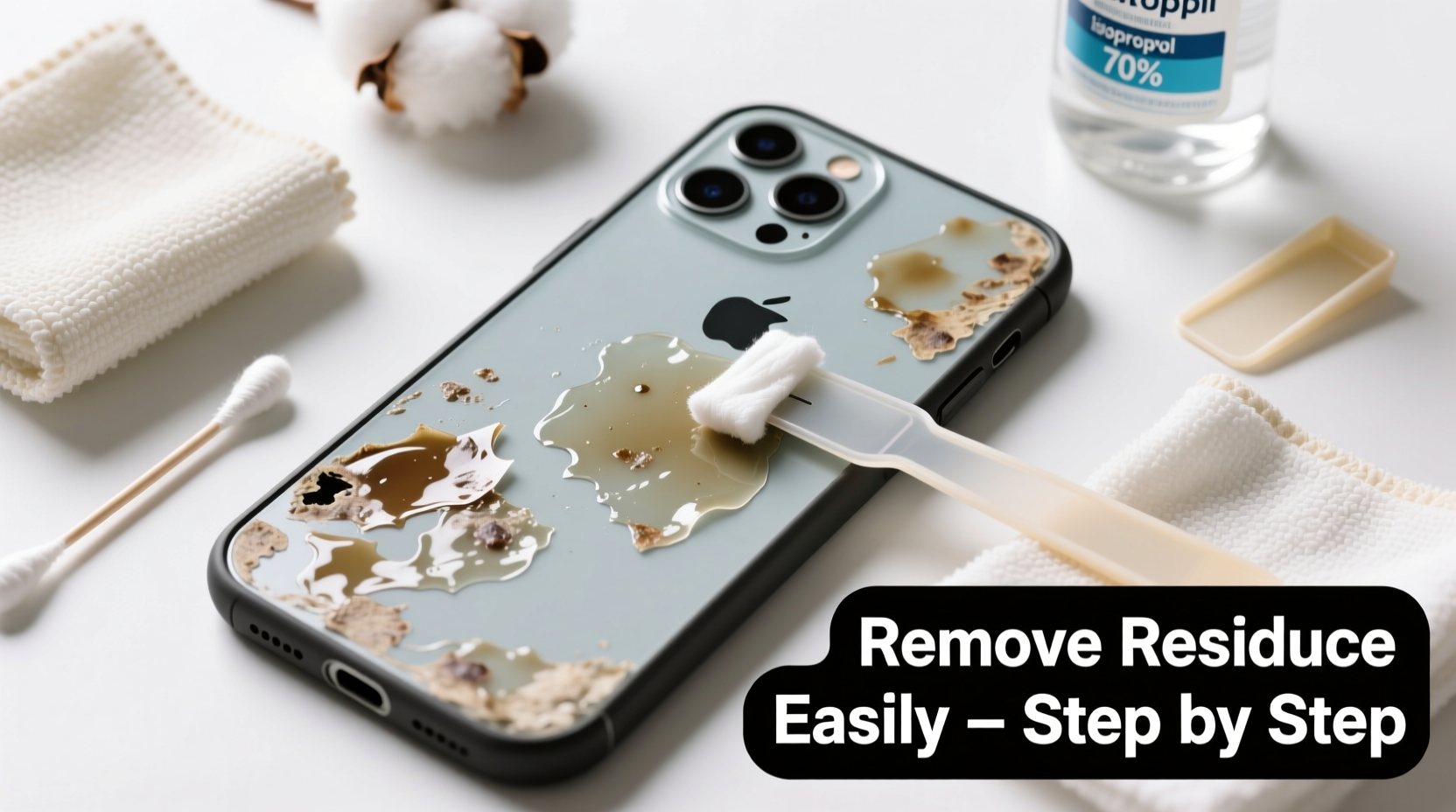
Many modern phone cases, especially those made from soft silicone or thermoplastic polyurethane (TPU), are prone to developing a tacky surface over time. This stickiness isn't just on the case itself—it often transfers to the phone when removed. The root causes include:
- Material Degradation: Silicone and TPU break down when exposed to UV light, heat, and oxygen, causing oils and plasticizers to migrate to the surface.
- Adhesive Buildup: Some cases use micro-suction or rubberized coatings that leave behind a faint but persistent film.
- Dirt Accumulation: Dust, skin oils, and pocket lint mix with degraded materials, creating a compound harder to wipe away.
This residue may appear slightly greasy, feel tacky to the touch, or look like a cloudy haze on glass or metal backs. While not harmful in small amounts, it’s best removed promptly to maintain hygiene and device performance.
“Sticky case residue is one of the most common complaints we see in mobile repair clinics. Most people try water or paper towels first, which only spread the gunk around.” — David Lin, Mobile Device Technician, TechCare Solutions
Step-by-Step Guide to Removing Sticky Residue
Cleaning your phone safely requires precision and the right tools. Follow this detailed process to eliminate residue without scratching or damaging sensitive surfaces.
- Power Off and Remove Accessories: Turn off your phone and detach any screen protectors, pop sockets, or magnetic mounts. This ensures full access and prevents trapped moisture.
- Dust and Dry Wipe First: Use a dry microfiber cloth to gently wipe away loose debris. Avoid abrasive fabrics like paper towels—they can scratch glossy finishes.
- Apply a Small Amount of Cleaning Agent: Choose one of the safe solvents listed below. Dab a minimal amount onto a corner of a clean microfiber cloth—never directly onto the phone.
- Gently Rub in Circular Motions: Focus on affected areas using light pressure. Work in small sections until the residue lifts.
- Wipe Clean with a Dry Section: Immediately follow with a dry part of the cloth to remove any remaining moisture or solvent.
- Inspect and Repeat if Necessary: Check under bright light. If streaks or stickiness remain, repeat once more—but avoid over-wetting seams or ports.
- Final Buffing: Use a fresh microfiber cloth to polish the surface to a clear shine.
Best Cleaning Agents for Different Phone Materials
Not all cleaning solutions work equally well across materials. Glass, matte plastic, and aluminum backs react differently to solvents. The table below compares effectiveness, safety, and drying times.
| Cleaning Agent | Glass Back | Matte Plastic | Metal/Aluminum | Drying Time |
|---|---|---|---|---|
| Isopropyl Alcohol (70%) | Excellent – dissolves oils fast | Good – may dull matte coating if overused | Safe – evaporates cleanly | 30–60 seconds |
| Distilled White Vinegar (diluted 1:1) | Fair – less effective on thick residue | Poor – acidic; risks etching | Caution – can corrode over time | 2–3 minutes |
| Adhesive Remover (e.g., Goo Gone Original) | Very Good – powerful lift | Risky – may leave oily film | Safe with immediate wipe | 1–2 minutes |
| Nail Polish Remover (acetone-free) | Good – fast acting | Avoid – damages soft coatings | Safe in moderation | 45 seconds |
| Hand Sanitizer (alcohol-based) | Fair – convenient but watery | Limited – spreads residue | Safe – mild formula | 1–2 minutes |
For most users, 70% isopropyl alcohol offers the best balance of safety and effectiveness. It evaporates quickly, kills germs, and breaks down organic adhesives without harming glass or metal. Acetone-based removers should be avoided entirely—they can strip anti-reflective and oleophobic coatings critical to screen protection.
Real-World Example: Clearing Residue from a Three-Year-Old iPhone
Sophia had used a popular third-party silicone case on her iPhone 12 for nearly three years. When she finally replaced it, she noticed a dark, sticky film covering the entire back panel. Initial attempts with a damp cloth only smeared the grime. She tried rubbing alcohol on a cotton swab, which lifted some residue but left streaks near the camera module.
Following a technician’s advice, Sophia switched to a folded microfiber cloth with a few drops of 70% isopropyl alcohol. She applied gentle circular motions for 20 seconds per section, then dried immediately. After two passes, the phone looked factory-fresh. She now stores her spare cases in a drawer away from sunlight to prevent future degradation.
This example highlights the importance of technique over brute force. Aggressive scrubbing or harsh chemicals could have damaged the ceramic shield back, but patience and proper tools delivered flawless results.
Do’s and Don’ts of Phone Surface Cleaning
To prevent damage while removing residue, follow these essential guidelines:
| Do’s | Don’ts |
|---|---|
| Use a lint-free microfiber cloth | Use paper towels or tissues |
| Test cleaner on a small hidden area first | Apply solvents directly to the phone |
| Work in a well-lit space to spot residue | Soak the phone or expose ports to liquid |
| Clean in short bursts with light pressure | Scrub aggressively with fingernails or brushes |
| Store cleaned phones in a dry, cool place | Leave phones in direct sunlight after cleaning |
Alternative Methods for Sensitive or Coated Surfaces
If your phone has a textured matte finish—common on Samsung Galaxy S series or Google Pixel devices—standard alcohol wipes might dull the coating. In such cases, consider gentler alternatives:
- Art Gum Eraser: A soft drafting eraser can lift residue through friction without liquids. Rub lightly in one direction, then brush away crumbs with a dry cloth.
- Baking Soda Paste (Rare Use): Mix a tiny amount of baking soda with water to form a paste. Apply with a cotton swab, rub gently, and wipe immediately. Only use as a last resort and rinse thoroughly.
- Commercial Screen-Safe Wipes: Brands like Whoosh or Zagg offer pre-moistened wipes formulated for electronics. They’re residue-free and safe for all coated surfaces.
These methods are slower but preserve delicate textures and anti-fingerprint layers that alcohol can degrade over time.
Preventing Future Residue Buildup
Once your phone is clean, keep it that way with proactive care:
- Replace silicone or rubber cases every 12–18 months, before they begin to degrade.
- Store phones and cases in cool, dry places—avoid hot cars or sunny windowsills.
- Wipe your phone weekly with a dry microfiber cloth to prevent oil accumulation.
- Choose hard polycarbonate or transparent acrylic cases if longevity is a priority.
“Phones today cost hundreds, sometimes over a thousand dollars. Protecting their physical condition is as important as software updates.” — Maria Tran, Consumer Electronics Advisor
FAQ
Can I use baby wipes to clean sticky phone residue?
No. Most baby wipes contain lotions, fragrances, and mild surfactants that can leave behind a new layer of residue or react poorly with oleophobic coatings. They also tend to be too wet, increasing the risk of moisture ingress.
Will rubbing alcohol damage my phone’s screen protector?
Most tempered glass screen protectors are resistant to 70% isopropyl alcohol. However, repeated exposure may degrade edge adhesives over time. Always apply to a cloth, not directly, and avoid pooling near the bezel.
Why does my new case feel sticky already?
Some new cases come with a protective film or release agent from manufacturing. Wipe it with a dry cloth first. If stickiness persists, it may be a low-quality material prone to early degradation—consider switching brands.
Checklist: How to Safely Remove Phone Case Residue
- ✅ Power off the phone and remove all attachments
- ✅ Gather supplies: microfiber cloth, 70% isopropyl alcohol, cotton swabs (optional)
- ✅ Test cleaner on a small, inconspicuous area
- ✅ Apply cleaner to cloth—not directly on phone
- ✅ Gently rub affected areas in circular motions
- ✅ Dry immediately with a clean section of cloth
- ✅ Inspect under light; repeat if needed
- ✅ Store phone in a clean, dry environment
Conclusion
Sticky residue from old phone cases is a common but fixable issue. With the right tools and techniques, you can restore your device’s surface to pristine condition without risking damage. The key is using appropriate cleaners, applying them correctly, and acting before the residue hardens or attracts more grime. Regular maintenance not only improves appearance but also protects resale value and enhances usability—especially for wireless charging and grip.
💬 Have a favorite method for cleaning your phone? Share your experience or ask questions in the comments—your insight could help others keep their devices looking brand new!