Leaving your pet at home while you work or travel doesn’t mean you have to be out of touch. Thanks to advancements in smart pet technology, modern pet cameras now offer far more than simple video streaming. The best models come equipped with two-way audio, treat-dispensing functions, motion tracking, night vision, and mobile app integration—allowing you to check in, communicate, and even reward your pet from anywhere.
For pet owners seeking peace of mind and a deeper emotional connection with their animals, these devices are transformative. Whether you’re concerned about separation anxiety, want to catch mischievous behavior on camera, or simply miss your furry companion, a high-quality pet camera can bridge the distance. This guide explores the top pet cameras available today, breaks down essential features, and provides practical advice to help you choose the right one for your lifestyle and pet’s needs.
What to Look for in a Pet Camera with Two-Way Audio
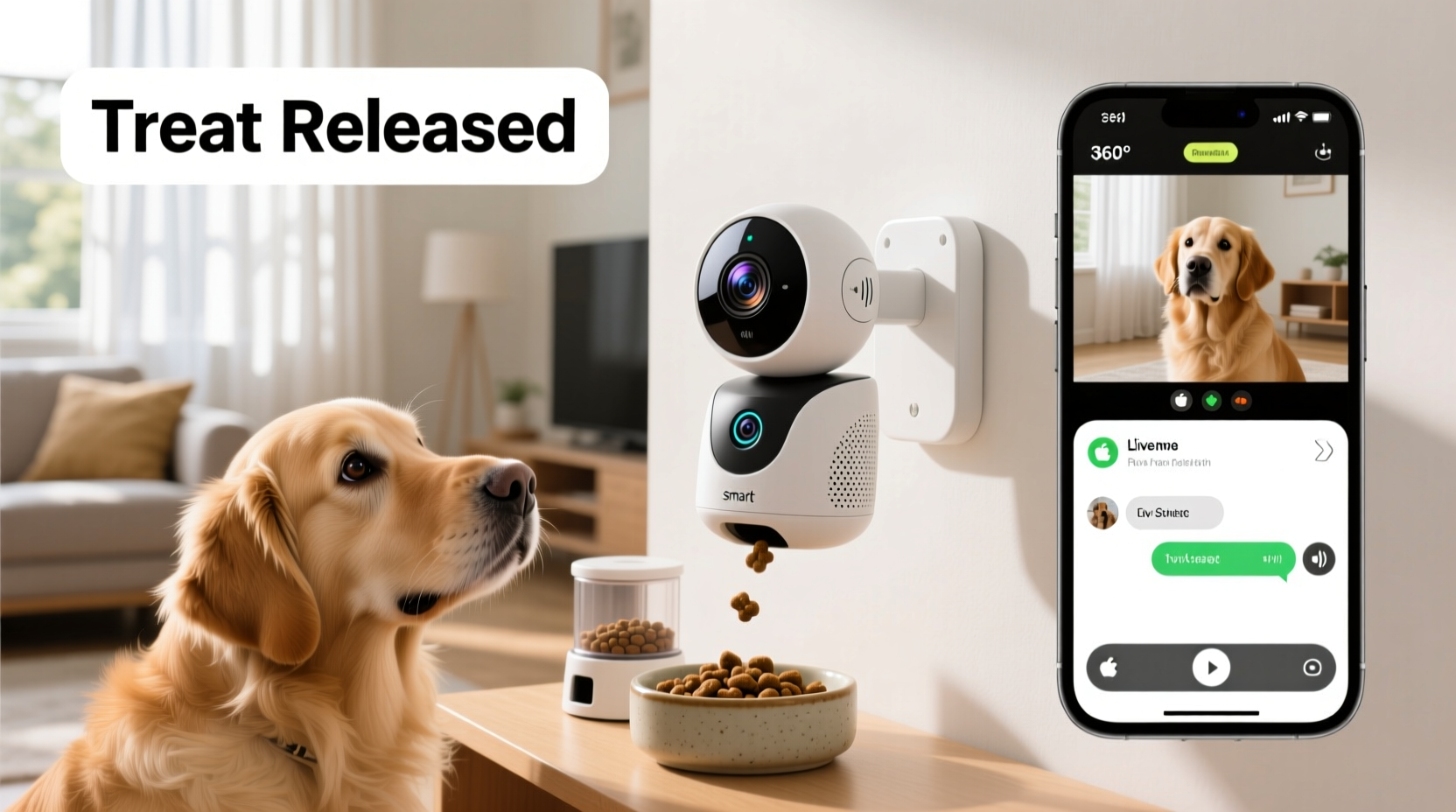
Not all pet cameras are created equal. While many offer live video, only select models combine robust communication tools with interactive features like treat dispensing and intelligent alerts. When evaluating options, focus on the following criteria:
- Two-way audio quality: Clear microphones and speakers ensure you can hear your pet’s reactions and speak to them in real time without static or delay.
- Treat-dispensing mechanism: Reliable, portion-controlled dispensers prevent overfeeding and jams. Some models allow scheduling treats automatically.
- Video resolution and field of view: HD (720p) is standard; 1080p or higher delivers sharper detail. A wide-angle lens (130° or more) covers more space.
- Night vision: Infrared sensors should provide clear black-and-white footage in low light, crucial for monitoring nighttime activity.
- Motion and sound detection: Smart alerts notify you when your pet moves or barks, reducing false alarms from shadows or passing cars.
- App reliability and ease of use: A stable, intuitive mobile app with remote pan/tilt controls enhances usability.
- Durability and placement flexibility: Consider whether the camera needs to be wall-mounted or if it can sit securely on a shelf.
Top 5 Pet Cameras with Two-Way Audio and Treat Dispensing
The market offers several standout models that excel in performance, design, and user satisfaction. Below is a comparison of the most trusted pet cameras that combine real-time monitoring, voice interaction, and automated treat delivery.
| Model | Video Quality | Audio | Treat Dispenser | Special Features | Price Range |
|---|---|---|---|---|---|
| Petcube Bites 2 | 1080p HD | Two-way with noise reduction | Yes (adjustable portion) | Pan & tilt control, 160° field of view, Alexa compatible | $149–$169 |
| Furbo Dog Camera | 1080p HD + HDR | Two-way with bark detection | Yes (toss treats remotely) | Bark alert notifications, doggie daycare mode, night vision | $199–$229 |
| Wyze Cam Pan v3 + Treat Dispenser Add-on | 1080p HD with color night vision | Two-way audio | Sold separately (manual alignment needed) | 360° pan, free cloud events, customizable alerts | $35 (cam) + $50 (dispenser) |
| Chungo Pet Camera | 1080p HD | Two-way with anti-noise mic | Yes (dual food trays) | Auto-follow motion, 4x zoom, supports 2.4GHz Wi-Fi only | $89–$109 |
| Pawbo Life | 1080p HD with laser toy | Two-way audio + treat cam | Yes (photo capture when dispensing) | Laser pointer game, snack photo sharing, social feed | $179–$199 |
Each model serves different priorities. Furbo leads in real-time engagement with its “bark alert” system and treat-tossing feature, ideal for anxious dogs. Petcube Bites 2 offers superior mechanical pan-and-tilt functionality, making it excellent for large rooms. Wyze provides the most budget-friendly entry point, especially if you already own a compatible camera. Chungo stands out with dual treat compartments, useful for households with multiple pets. Pawbo blends fun and function with its built-in laser toy, appealing to playful cats and energetic dogs alike.
How These Cameras Improve Pet Well-Being
Remote interaction isn’t just convenient—it can positively impact your pet’s mental health. Animals, especially dogs, thrive on routine and companionship. Sudden solitude can lead to stress, destructive chewing, excessive barking, or house soiling.
A study published in the *Journal of Veterinary Behavior* found that auditory contact from owners significantly reduced signs of distress in dogs left alone. Hearing a familiar voice—even briefly—can calm an anxious animal. Two-way audio enables this connection, turning a silent surveillance tool into an emotional lifeline.
“Hearing their owner’s voice activates the same reward centers in a dog’s brain as physical presence.” — Dr. Sarah Wilson, Canine Cognitive Researcher, University of Edinburgh
Treat dispensers add another layer of enrichment. Scheduled snacks or surprise rewards keep pets mentally stimulated, reducing boredom-related behaviors. For example, dispensing a treat after detecting prolonged stillness may encourage movement in less active pets.
Real-Life Example: Managing Separation Anxiety in Max, a Rescue Terrier
Sophia, a software engineer from Portland, adopted Max, a three-year-old Jack Russell terrier, who developed severe separation anxiety. He would howl within minutes of her leaving and chew furniture. After installing the Furbo Dog Camera, she began using scheduled voice messages and random treat tosses throughout the day.
Within two weeks, Max’s barking decreased by over 70%, according to the app’s bark detection logs. Sophia recorded calming phrases like “Good boy, I’ll be back soon,” which played when motion was detected. She also used the live chat to soothe him during thunderstorms. Over time, Max associated the camera’s red light with positive outcomes, eventually resting near it when left alone.
This case illustrates how consistent, tech-assisted interaction can reshape pet behavior—not through punishment, but through reassurance and reward.
Setting Up Your Pet Camera: A Step-by-Step Guide
Maximizing your pet camera’s benefits requires proper setup and positioning. Follow this sequence to ensure optimal performance:
- Choose the right location: Place the camera where your pet spends most of their time—near their bed, crate, or favorite window. Ensure the entire area is visible, including doorways.
- Elevate the device: Set it on a shelf or mount it slightly above eye level to avoid obstructions and get a full-room view.
- Connect to Wi-Fi: Use a stable 2.4GHz network (most pet cameras don’t support 5GHz). Avoid placing the camera too far from the router.
- Download and configure the app: Create an account, follow the pairing instructions, and test both video and audio functions.
- Calibrate the treat dispenser: Load treats appropriate for the tray size. Run a test dispense to confirm smooth operation and adjust portion settings.
- Set up alerts: Enable motion and sound notifications. Customize sensitivity to reduce false alerts from fans or curtains.
- Train your pet: Let your pet see you set up the camera. Use treats to create a positive association—dispense a snack while they’re nearby and praise them via the speaker.
Common Pitfalls and How to Avoid Them
Even advanced pet cameras can underperform if misused. Here are frequent issues and solutions:
- Poor Wi-Fi signal: Weak connectivity causes lag or disconnections. Use a Wi-Fi extender or relocate the router if necessary.
- Treat jams: Only use small, dry treats (avoid chewy or oversized ones). Clean the dispenser weekly to prevent buildup.
- Audio feedback or echo: Don’t leave the speaker volume too high. Position the camera away from reflective surfaces like mirrors or glass.
- Over-reliance on treats: Use the dispenser sparingly to avoid weight gain. Balance rewards with verbal praise through the speaker.
- Privacy concerns: Change default passwords, enable two-factor authentication, and disable remote access when not needed.
Checklist: Optimizing Your Pet Camera Experience
- ✅ Position camera in high-traffic pet area
- ✅ Confirm stable 2.4GHz Wi-Fi connection
- ✅ Test two-way audio clarity before daily use
- ✅ Load appropriate-sized treats; avoid sticky or moist foods
- ✅ Schedule a few surprise treats per day to maintain interest
- ✅ Review motion logs weekly to understand pet patterns
- ✅ Update firmware regularly for security and performance
- ✅ Use privacy mode when at home to protect data
Frequently Asked Questions
Can I use any type of treat in the dispenser?
No. Most manufacturers recommend dry, kibble-sized treats between 0.2 and 0.8 inches. Chewy, oily, or irregularly shaped treats can jam the mechanism. Always refer to your model’s manual for specific guidelines.
Are pet cameras safe from hackers?
While rare, unsecured devices can be vulnerable. Protect your camera by using strong passwords, enabling encryption, keeping the app updated, and avoiding public Wi-Fi access. Reputable brands like Furbo and Petcube use end-to-end encryption for video streams.
Do these cameras work for cats?
Yes, especially models with motion tracking and laser toys (like Pawbo). Cats often respond well to sudden treat releases and interactive sounds. Position the camera lower to match their eye level and consider using catnip-infused treats for added appeal.
Final Thoughts: Bridging the Distance with Technology
Pet ownership in the digital age no longer means choosing between career, travel, and companionship. The best pet cameras with two-way audio and treat dispensing bring you closer to your animal than ever before. They’re not just gadgets—they’re tools for nurturing trust, managing behavior, and providing comfort across miles.
When selecting a model, prioritize reliability, ease of use, and features that align with your pet’s temperament. A hyperactive dog might benefit most from Furbo’s bark alerts and treat-tossing, while a shy rescue cat may warm up faster to the gentle voice prompts of a Petcube.
🚀 Ready to stay connected with your pet? Choose a camera that fits your needs, set it up thoughtfully, and start building a smarter, more loving routine today. Share your experience or ask questions in the comments—we’d love to hear how technology is transforming your pet care journey.