In an era where digital entertainment is more accessible than ever, the average household subscribes to four or more streaming services. While this abundance offers unparalleled choice, it also introduces a silent financial drain: paying monthly fees for platforms rarely used. Many people unknowingly spend hundreds per year on dormant subscriptions—services they signed up for during a promotional period, used briefly, and then forgot. The solution isn’t to cut out entertainment but to take control of your viewing habits with a structured approach. By organizing your streaming subscriptions strategically, you can enjoy premium content without overspending.
Assess Your Current Streaming Habits
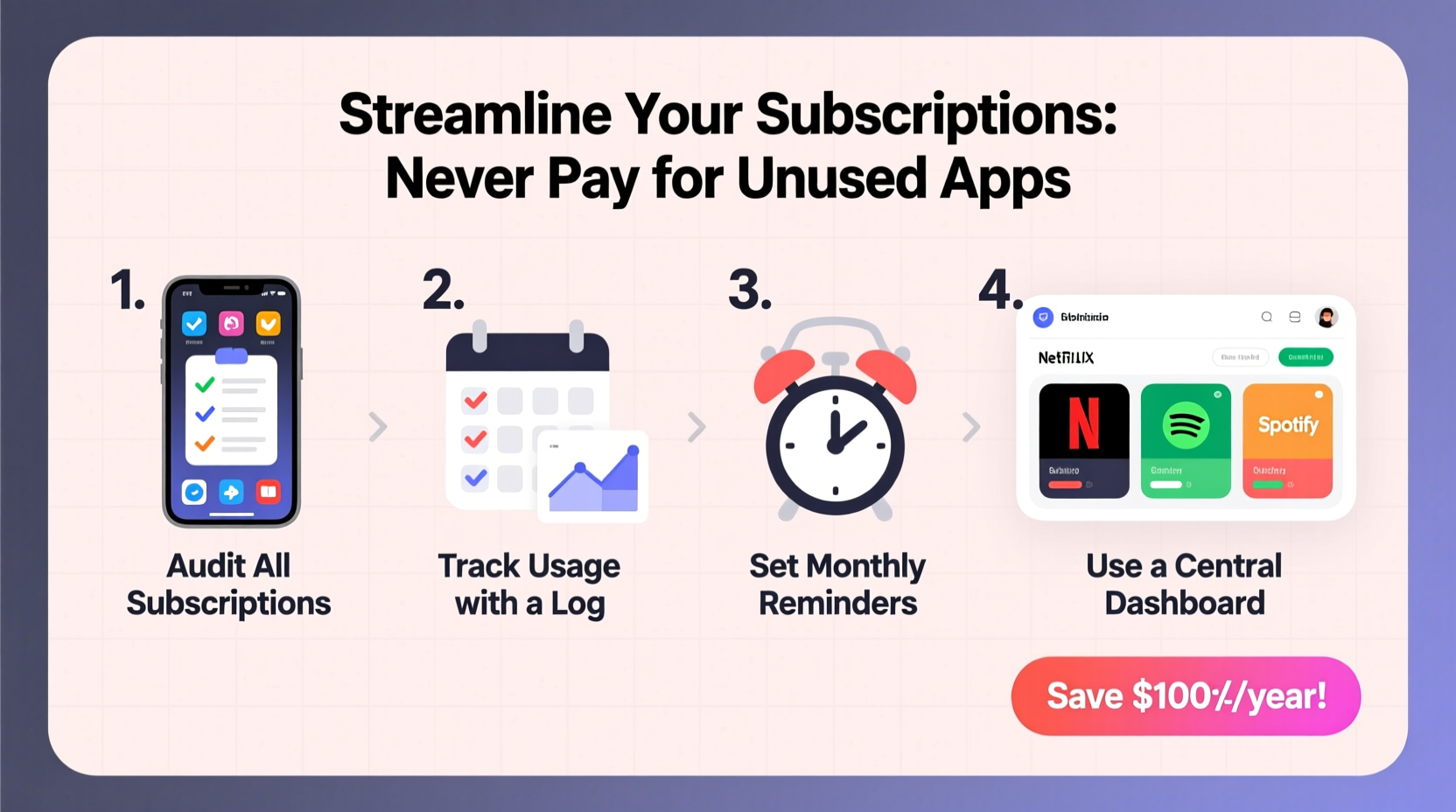
The first step in eliminating wasted spending is understanding exactly what you’re paying for and how often you use each service. Begin by gathering all your recent bank or credit card statements and identifying every recurring charge related to streaming. List them in order of cost, from highest to lowest. Then, reflect honestly on your usage over the past 30 days:
- Which platforms did you open at least twice a week?
- Which ones have you not logged into recently?
- Are there overlapping services offering similar content?
This audit reveals patterns. For example, if you're paying for both Hulu and Peacock but only watch original series on Hulu, Peacock may be redundant. Similarly, multiple music streaming apps (Spotify, Apple Music, YouTube Premium) might indicate duplication unless each serves a unique purpose.
Tip: Use your phone’s screen time tracker or app usage settings to see how many minutes per day you actually spend on each streaming app.Create a Subscription Management System
Without a system, subscriptions creep back in through free trials, bundled offers, or shared accounts that auto-renew. To stay organized, implement a centralized tracking method. This doesn’t require expensive software—start simple with a spreadsheet or dedicated note-taking app.
Your tracker should include:
- Service name
- Monthly/annual cost
- Billing date
- Primary user(s)
- Last login date
- Content priority (e.g., “essential,” “occasional,” “rare”)
- Notes (e.g., “sharing with sister,” “includes cloud storage”)
Review this list quarterly. Mark any service unused for 45+ days as “inactive.” Pause or cancel these unless upcoming content justifies renewal.
“Most consumers don’t realize how quickly $7–$15 monthly fees add up when duplicated across categories like video, audio, gaming, and fitness.” — Lena Torres, Consumer Finance Analyst at Digital Spending Insights
Optimize Through Tiered Access and Sharing
Not all subscriptions need to be active simultaneously. Smart viewers rotate access based on current interests. This strategy, known as “subscription cycling,” allows you to legally and efficiently manage costs.
For instance, if you’re finishing a Netflix series and planning to start a new HBO Max show next month, consider downgrading Netflix to a lower tier—or pausing it temporarily if allowed. Some platforms, like Disney+, allow downloads for offline viewing even after cancellation, giving you a grace period to finish ongoing shows.
Sharing is another powerful tool. Most major platforms support multiple profiles and simultaneous streams:
| Service | Max Users (Shared Plan) | Cost per Person (Est.) | Key Notes |
|---|---|---|---|
| Netflix (Premium) | 4–6 (with sub-sharing tools) | $3.75–$5.00 | Includes HD/4K, 4 screens |
| Hulu (With Ads) | 2–3 | $2.66 | Limited sharing; no official group plan |
| Amazon Prime Video | 2 adults + kids | $4.99/mo (split) | Requires Amazon Household setup |
| Spotify Premium | 6 (Family Plan) | $2.83 | Includes Hulu & Showtime in US bundle |
Coordinate with trusted friends or family to split costs fairly. Use password managers with secure sharing features (like Bitwarden or 1Password Families) to distribute logins without compromising security.
Step-by-Step Guide to Streamline Subscriptions
Follow this five-step process every quarter to maintain control over your streaming expenses:
- Gather Billing Data: Export last 90 days of transactions and highlight all subscription charges.
- Usage Audit: Check login history, device usage, and content watched. Delete apps you haven’t opened in 30 days.
- Categorize Services: Group by type—video (Netflix, Max), audio (Spotify), niche (Shudder, CuriosityStream), and bundles (YouTube Premium).
- Decide & Act: Cancel at least one underused service. Downgrade others if high-tier features aren’t utilized (e.g., 4K streaming on a standard HD TV).
- Schedule Renewals: Note future billing dates in your calendar. Set reminders two weeks before renewal to reassess necessity.
Real Example: How Sarah Cut Her Streaming Bill by 60%
Sarah, a 34-year-old teacher from Portland, was spending $98 monthly on seven different streaming services. She loved documentaries and reality TV but found herself overwhelmed by choices and guilty about unused subscriptions.
After conducting a three-month usage review, she discovered she only regularly used Netflix, Spotify, and YouTube Premium. She canceled Paramount+, Starz, and Discovery+. She kept Hulu seasonally—activating it only during award-season premieres—and switched to a friend-shared Max account instead of her individual plan.
She also downgraded Spotify from individual to a family plan shared with her siblings, reducing her monthly cost from $10.99 to $2.99. Within one billing cycle, her total dropped to $39—a 60% reduction—with no loss in enjoyment.
“I realized I wasn’t watching most of these because I was paralyzed by choice,” Sarah said. “Now I rotate in new ones when I finish a big series. It feels intentional, not wasteful.”
Checklist: Never Overpay for Streaming Again
Use this actionable checklist to stay on track:
- ☐ Compile all active subscriptions and their renewal dates
- ☐ Track actual usage via device screen time or login history
- ☐ Cancel at least one unused or low-value service this month
- ☐ Explore shared plans for Netflix, Spotify, or Apple TV+
- ☐ Schedule a quarterly “subscription review” on your calendar
- ☐ Replace infrequently used apps with ad-supported free tiers (e.g., Pluto TV, Tubi)
- ☐ Use a password manager to securely share credentials
- ☐ Consider annual billing only if you’re certain about long-term use
Avoid Common Pitfalls
Even savvy consumers fall into traps that inflate streaming costs. Watch out for these common mistakes:
- Free Trial Traps: Automatically converting to paid plans unless canceled early. Always set a reminder seven days before trial ends.
- Duplicate Content: Paying for both Hulu and Peacock despite significant overlap in NBCUniversal programming.
- Ignoring Bundles: Missing opportunities like Disney+’s bundle with Hulu and ESPN+, which saves up to 30% versus individual purchases.
- Keeping High Tiers Unnecessarily: Paying for 4K and five simultaneous streams when you only watch in HD on one device.
- Emotional Signups: Subscribing right after seeing a viral ad or social media buzz, without evaluating actual interest.
“The biggest savings come not from cutting everything, but from aligning your subscriptions with your real behavior—not your aspirational one.” — Marcus Lin, Behavioral Economist at TechSpend Lab
Frequently Asked Questions
Can I cancel a streaming service anytime?
Yes, most platforms allow cancellation at any time without penalty. You’ll retain access until the end of your current billing cycle. Be sure to cancel before the renewal date to avoid being charged for the next month.
Is it safe to share streaming accounts?
It depends on the service’s terms. Netflix and Spotify explicitly allow account sharing within households or via official family plans. Others, like HBO Max, discourage widespread sharing and may limit simultaneous streams. Always follow platform rules to avoid suspension.
Are ad-supported plans worth it?
For many users, yes. Platforms like Hulu (with ads), Peacock (free tier), and Paramount+ (Essential plan) offer nearly full content libraries at significantly lower prices. If you don’t mind short commercial breaks, these can save $50–$100 annually per service.
Conclusion: Take Control of Your Digital Spending
Streaming services enrich our lives with endless stories, music, and knowledge—but only if we engage with them meaningfully. Paying for unused apps isn’t just a budget leak; it’s a cluttered relationship with digital consumption. By applying deliberate organization, routine audits, and smart sharing strategies, you can enjoy premium entertainment without financial guilt.
Start today: pull up your last statement, identify one subscription you haven’t used in a month, and cancel it. That small action sets the tone for smarter, more intentional viewing. Over time, this habit compounds—freeing up money for experiences, savings, or simply peace of mind.
🚀 Ready to declutter your digital life? Share this guide with a friend who’s drowning in subscriptions—they’ll thank you next billing cycle.