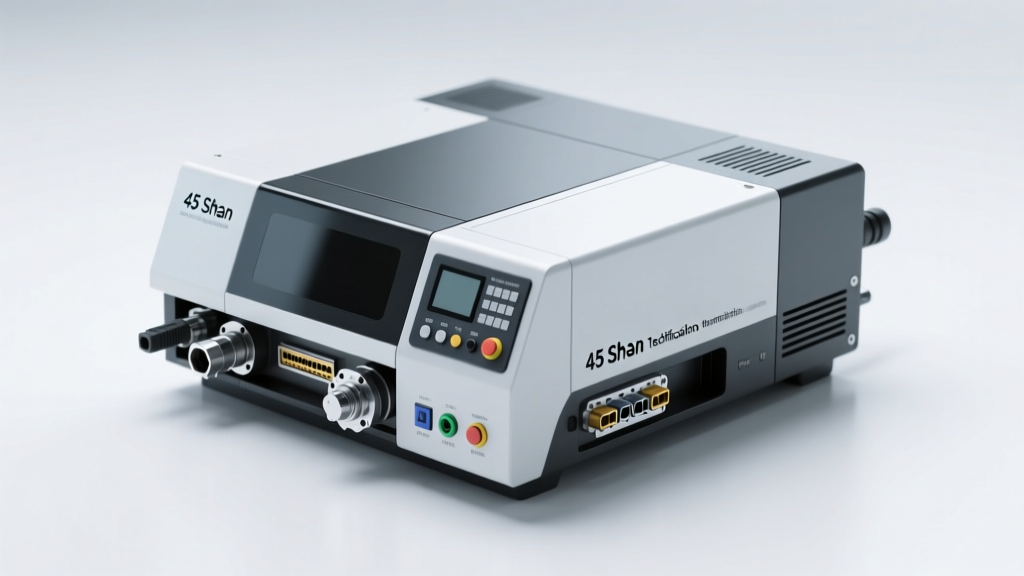
Types of Cash Register Simulators
A cash register simulator is a training or educational tool designed to replicate the functions of real-world cash handling systems. These simulators help users learn essential retail, hospitality, and business operations skills in a risk-free environment. From basic manual models to advanced digital applications, each type serves specific learning goals, industries, and user needs—whether for employee training, classroom education, or entrepreneurial practice.
POS Cash Register Simulator
Replicates modern electronic point-of-sale (POS) systems used in retail stores, restaurants, and service businesses. These simulators include realistic features such as barcode scanning, price lookup, inventory tracking, tax calculation, multiple payment options (cash, credit, digital wallets), receipt printing, and change calculation.
Advantages
- Highly realistic training experience
- Supports complex transaction scenarios
- Customizable for different business models
- Prepares users for real-world POS systems
Limitations
- Steeper learning curve for beginners
- May require technical setup or software installation
- Higher cost compared to basic simulators
Best for: Retail staff training, restaurant operations, advanced business simulations
Manual Cash Register Simulator
Models the mechanical cash registers of the past, using levers, dials, and physical keypads to enter sales amounts and calculate change. These simulators focus on fundamental arithmetic, cash handling, and customer interaction without digital distractions.
Advantages
- Teaches core money-handling skills
- Simple and intuitive interface
- Ideal for foundational training
- Useful in low-tech or transitional business environments
Limitations
- Lacks modern transaction capabilities
- Not compatible with current retail technology
- Limited scalability for complex operations
Best for: Entry-level training, small businesses, historical education, skill building for young learners
Virtual Cash Register Simulator
Digital simulators embedded in games or interactive platforms, often used in entertainment or informal learning. These are commonly found in mobile apps, browser-based games, or virtual store management games that simulate running a business, including cashier duties, inventory, and customer service.
Advantages
- Engaging and gamified learning experience
- Accessible to casual users and hobbyists
- Encourages entrepreneurial thinking
- Available on various platforms (PC, mobile, tablets)
Limitations
- Less accurate representation of real POS systems
- Limited transaction complexity
- Primarily entertainment-focused rather than professional training
Best for: Gamified learning, aspiring entrepreneurs, youth education, informal skill development
Educational Cash Register Simulator
Specially designed for classroom or vocational training environments, these simulators come with structured curricula, lesson plans, quizzes, and progress tracking. They are often integrated into business, math, or career readiness courses to teach financial literacy, customer service, and retail operations.
Advantages
- Aligned with educational standards
- Includes teaching resources and assessments
- Promotes hands-on, experiential learning
- Safe environment for trial and error
Limitations
- May lack real-time business integration
- Less flexible for self-directed learning
- Requires instructor involvement for full effectiveness
Best for: Schools, vocational programs, financial literacy courses, teacher-led instruction
Cash Register Simulator App
Mobile applications that simulate cash register functions on smartphones and tablets. These apps offer portability, multilingual support, and interactive tutorials. They range from simple training tools to full-featured business simulators and are ideal for on-the-go learning or bilingual instruction.
Advantages
- Highly portable and accessible
- Available in multiple languages
- Supports self-paced learning
- Often free or low-cost with in-app upgrades
Limitations
- Smaller screen size limits usability
- May lack advanced features of desktop systems
- Dependent on device performance and internet access
Best for: Mobile learners, bilingual training, quick skill refreshers, remote education
| Type | Realism | Ease of Use | Educational Value | Best For |
|---|---|---|---|---|
| POS Cash Register Simulator | High | Medium | High | Professional training, retail & restaurant staff |
| Manual Cash Register Simulator | Medium | High | Medium | Foundational skills, young learners, small businesses |
| Virtual Cash Register Simulator | Low-Medium | High | Medium | Gamified learning, casual users, entrepreneurship practice |
| Educational Cash Register Simulator | Medium-High | Medium | Very High | Schools, vocational programs, structured learning |
| Cash Register Simulator App | Low-Medium | High | Medium | Mobile learners, bilingual instruction, remote training |
Expert Tip: When selecting a cash register simulator for training, consider aligning the tool with your actual point-of-sale system. Using a simulator that mirrors your real-world equipment reduces onboarding time and increases operational efficiency.
Function, Features, and Design of Cash Register Simulators
Cash register simulators are powerful training and operational tools designed to replicate the real-world experience of handling transactions in retail, hospitality, and educational environments. By simulating the functionality of traditional and modern point-of-sale (POS) systems, these tools help users develop essential skills in sales processing, financial accuracy, and customer service—all in a risk-free digital environment.
Core Functions of a Cash Register Simulator
The primary function of a cash register simulator is to emulate the full transaction lifecycle of a physical cash register. This includes processing sales, accepting various payment types, calculating change, and managing end-of-shift cash reconciliation. These simulators allow users to practice common tasks such as ringing up items, applying discounts, voiding transactions, and issuing receipts.
Advanced simulators go beyond basic transaction handling by incorporating business management functions like daily sales tracking, drawer balancing, and revenue reporting. In educational settings, they serve as interactive learning platforms for students studying business, accounting, or retail operations. For businesses, they provide a cost-effective way to train new employees without risking errors on live systems.
Transaction Processing
Simulators enable users to enter product codes or select items from a digital menu, just like in real POS systems. Each sale is recorded with itemized details, helping trainees understand proper transaction documentation and improve data entry speed and accuracy.
Payment Handling
Users can simulate accepting cash, credit, debit, gift cards, and checks. The system processes each payment method appropriately, teaching users how to verify card payments, handle cash drops, and manage split tenders confidently.
Change Calculation
One of the most critical training functions is accurate change calculation. Simulators either guide users step-by-step or automatically compute correct change, reinforcing math skills and reducing errors in real-world scenarios.
Reporting & Analytics
Many simulators generate end-of-day reports, including total sales, tax collected, and cash drawer totals. These reports help users learn how to reconcile cash, identify discrepancies, and support managerial decision-making.
Key Features of Modern Cash Register Simulators
Cash register simulators vary widely in complexity—from simple educational apps to enterprise-grade training modules that mirror full POS ecosystems. The following features are commonly found across different platforms and are essential for comprehensive training and operational readiness.
Evolution of Design in Cash Register Simulators
The design of cash register simulators has evolved significantly alongside advancements in real-world POS technology. Early simulators were modeled after mechanical cash registers, featuring physical levers, dials, and keypads that mimicked vintage hardware. These designs were effective for teaching basic operations but lacked the versatility of modern systems.
Today’s simulators reflect the digital transformation of retail and service industries. They are typically software-based applications with graphical user interfaces that replicate touchscreen POS terminals used in stores, restaurants, and cafes. Key design elements include:
Touchscreen Interfaces
Most modern simulators use responsive touchscreens that mirror popular POS systems like Square, Toast, or Shopify. This prepares users for real-world environments where touch navigation is standard.
Fast Function Keys
Programmable shortcut keys allow quick access to common actions like applying taxes, voiding items, or opening the cash drawer. These enhance efficiency and simulate high-pressure work environments.
Realistic Visual Feedback
Simulators provide visual cues such as receipt printing animations, drawer opening sounds, and confirmation messages to create an immersive experience that reinforces muscle memory and procedural learning.
Modular Layouts
Designs often include modular components—such as separate screens for inventory, reports, and settings—allowing users to navigate between functions just like in professional systems.
| Feature | Training Benefit | Real-World Application |
|---|---|---|
| Multiple Payment Methods | Builds versatility in handling diverse customer transactions | Essential for retail, restaurants, and e-commerce |
| Automatic Change Calculation | Reduces math errors and increases transaction speed | Critical for cash-heavy environments |
| Inventory Tracking | Teaches stock management and loss prevention | Used in retail, warehousing, and supply chain |
| Sales Reporting | Develops analytical thinking and accountability | Important for shift supervisors and managers |
| Touchscreen Interface | Improves digital literacy and hand-eye coordination | Standard in modern POS systems |
Important: While cash register simulators offer a safe space for learning, it's crucial to transition to real-world systems under supervision. Always ensure that training content aligns with your organization’s actual POS platform to maximize skill transfer. Regular practice on simulators leads to faster onboarding, fewer transaction errors, and improved customer satisfaction.
Scenarios of Cash Register Simulators
Cash register simulators have evolved into powerful tools across multiple industries, offering realistic, risk-free environments for learning, training, and entertainment. These digital replicas of real-world point-of-sale (POS) systems enable users to practice transactions, manage inventory, and improve customer service—all without the pressure of real financial consequences. Below are key scenarios where cash register simulators deliver significant value.
Vocational Training
Cash register simulators play a vital role in preparing individuals for careers in retail, food service, and hospitality. Aspiring cashiers, sales associates, and restaurant staff use these tools to master essential skills such as processing sales, calculating change, and handling various payment methods—including cash, credit, and mobile payments.
- Trainees gain confidence through repeated practice in a controlled environment
- Reduces on-the-job errors during real customer interactions
- Businesses save time and money by minimizing downtime during employee training
- Simulators often include error feedback systems that help learners correct mistakes instantly
Best practice: Pair simulator training with real-world shadowing for a complete onboarding experience
Game and Entertainment Applications
Beyond training, cash register simulators are widely used in gaming and entertainment. Mobile and PC games often feature virtual stores, cafes, or markets where players act as shopkeepers, managing sales, serving customers, and growing their businesses.
- Games like "Cooking Fever" or "Shop Titans" incorporate cash handling mechanics to enhance realism
- Players develop quick thinking, accuracy, and time management under pressure
- Engaging gameplay encourages repeated use, reinforcing financial and operational concepts
- Appeals to both casual gamers and future entrepreneurs interested in business simulation
Fun fact: Many educational games use gamified cash register mechanics to teach math and money skills to children
Retail and Hospitality Management Training
For aspiring managers and supervisors, cash register simulators go beyond basic transactions. They provide insight into broader operational responsibilities such as daily revenue reconciliation, end-of-shift reporting, and cash drawer balancing.
- Managers learn to identify discrepancies and prevent shrinkage
- Simulators can replicate high-traffic scenarios to test decision-making under stress
- Training includes handling returns, voids, discounts, and loyalty programs
- Large chains use standardized simulators to ensure consistent training across locations
Key benefit: Reduces onboarding time and improves accuracy in real-world management roles
Educational Settings
Schools and vocational programs integrate cash register simulators into business, math, and life skills curricula. These tools help students grasp practical financial concepts in an interactive, hands-on way.
- Teaches arithmetic, percentages, and decimal calculations through real-life applications
- Introduces students to customer service, professionalism, and workplace etiquette
- Supports entrepreneurship education by simulating small business operations
- Encourages teamwork when used in group-based classroom activities
Educator tip: Use simulators to create role-playing exercises that combine math, communication, and problem-solving
Cost Management and Financial Accuracy
One of the most impactful uses of cash register simulators is in reducing financial errors and improving cost control. Employees practice precise cash handling, which directly translates to fewer discrepancies in actual operations.
- Users learn to count cash, reconcile drawers, and detect common mistakes like incorrect change
- Advanced simulators include features for tracking sales trends, expenses, and profit margins
- Helps identify training gaps by analyzing user performance data
- Reduces losses due to theft, miscounts, or procedural errors
Pro insight: Simulators with reporting dashboards help trainees understand the link between daily operations and financial health
Accessibility and Remote Learning
Modern cash register simulators are often web-based or mobile-friendly, making them ideal for remote training and e-learning platforms.
- Employees can train from home before their first shift
- Supports hybrid learning models in schools and vocational institutes
- Available in multiple languages and accessibility modes for diverse learners
- Cloud-based progress tracking allows instructors to monitor performance remotely
Innovation trend: AI-powered simulators now adapt difficulty based on user skill level for personalized learning
Professional Recommendation: When implementing a cash register simulator, choose one that mirrors the actual POS system used in your organization. This ensures seamless transition from training to real-world application. For educators, look for simulators with curriculum integration options and assessment tools to measure student progress effectively.
| Use Case | Primary Users | Key Skills Developed | Business or Educational Benefit |
|---|---|---|---|
| Vocational Training | Cashiers, Servers, Sales Staff | Transaction Processing, Change Calculation, Payment Handling | Reduced Training Costs, Lower Error Rates |
| Gaming & Entertainment | General Public, Young Learners | Time Management, Accuracy, Business Simulation | Engagement, Informal Learning, Skill Development |
| Management Training | Supervisors, Team Leaders | Cash Reconciliation, Reporting, Operational Oversight | Improved Accountability, Faster Onboarding |
| Classroom Education | Students (Grades 6–12), Adult Learners | Math Application, Customer Service, Financial Literacy | Interactive Learning, Real-World Skill Building |
| Cost Control Programs | Finance Teams, Store Managers | Error Prevention, Budgeting, Sales Forecasting | Reduced Shrinkage, Better Financial Oversight |
Additional Considerations
- Customization: Advanced simulators allow customization of products, pricing, and tax rules to match specific business models
- Assessment Tools: Built-in scoring and performance analytics help track user improvement over time
- Multi-Language Support: Essential for training diverse workforces or international educational programs
- Integration: Some simulators integrate with LMS (Learning Management Systems) for seamless deployment
- Scalability: Cloud-based platforms support large-scale training across multiple locations or classrooms
How to Choose the Right Cash Register Simulator
Selecting the ideal cash register simulator is essential for effective training, skill development, and business preparedness. Whether you're an educator, entrepreneur, or aspiring retail professional, the right simulator can significantly enhance learning outcomes and real-world readiness. This comprehensive guide outlines the key factors to consider when choosing a cash register simulator, helping you make an informed decision based on your specific needs, audience, and goals.
Important Note: A cash register simulator is not just a digital toy—it's a training tool that should mirror real-world point-of-sale (POS) operations as closely as possible. Prioritize functionality, accuracy, and user feedback over flashy graphics or gamification unless those features align with your learning objectives.
Key Factors to Consider When Choosing a Cash Register Simulator
- Identify Your Target Audience
Understanding who will use the simulator is the foundation of your selection process. Different users require different levels of complexity and functionality:
- Educational Institutions & Vocational Schools: Opt for simulators with detailed reporting, customizable scenarios, employee tracking, and performance analytics. These tools help instructors assess student progress and simulate real retail environments.
- Small Business Owners & Entrepreneurs: Choose simulators with intuitive interfaces that mimic actual POS systems. Focus on ease of setup, realistic transaction flows, and support for common business tasks like refunds, discounts, and end-of-day reconciliation.
- Casual Learners & Gamers: Look for engaging, app-based simulators with colorful designs, achievement systems, and simplified operations. These are great for building basic money-handling skills in a fun, low-pressure environment.
- Corporate Training Programs: Select professional-grade simulators that replicate your company’s actual POS system, allowing employees to train in a risk-free environment before handling live transactions.
- Assess Complexity and Essential Features
The simulator’s functionality should align with the user’s skill level and learning goals. Avoid overly complex systems for beginners, but don’t underserve advanced learners either.
- Beginners: Start with a basic cash register practice simulator that includes core functions like scanning items, calculating totals, processing payments (cash, card, digital), and giving correct change.
- Intermediate to Advanced Users: Choose simulators that include inventory management, sales reporting, tax calculations, multi-tender transactions, voids, returns, and shift management.
- Must-Have Features: Ensure the simulator supports multiple payment methods, accurate change calculation, receipt generation, and error handling. Bonus features like customer interaction prompts or time-based challenges can enhance realism.
- Evaluate Portability and Accessibility
Consider where and how the simulator will be used. Flexibility in access can greatly improve training efficiency.
- Hardware-Based Simulators: Ideal for classroom settings or training centers where a physical cash register setup is beneficial. These provide tactile feedback and closely resemble real-world equipment.
- Software & Mobile Apps: Offer unmatched portability. Available on tablets, smartphones, or desktops, these are perfect for remote learning, on-the-go practice, or scalable deployment across teams.
- Cloud-Based Platforms: Allow users to access their progress from any device, making them excellent for distributed teams or blended learning environments.
- Set and Stick to a Realistic Budget
Cost is a major factor, but value should outweigh price alone. Weigh upfront costs against long-term benefits and scalability.
- Hardware Simulators: Typically more expensive due to physical components. Best suited for institutions or businesses with dedicated training spaces.
- Software & App-Based Simulators: Generally more affordable, with many offering free versions or subscription models. Great for individuals or small teams.
- Feature-Based Pricing: Advanced features like analytics, multi-user support, or custom scenarios often come at a premium. Only invest in high-end options if they directly support your training objectives.
- Tip: Look for educational discounts, bulk licensing, or free trials to test compatibility before committing.
- Ensure Feedback and Performance Tracking
Effective learning requires immediate, actionable feedback. The best simulators don’t just let users complete transactions—they help them improve.
- Look for real-time error alerts (e.g., incorrect change, wrong payment entry) that highlight mistakes as they happen.
- Performance metrics such as speed, accuracy, error rates, and completion time help users track progress over time.
- Some simulators offer detailed reports or dashboards, enabling instructors or managers to identify knowledge gaps and tailor training accordingly.
- Features like “mistake review” modes allow users to replay transactions and understand where they went wrong.
| Selection Factor | Ideal For | Avoid If | Recommended Options |
|---|---|---|---|
| Target Audience | Vocational schools, new hires, entrepreneurs | Choosing a one-size-fits-all solution without customization | Educational POS simulators, mobile training apps |
| Complexity & Features | Skill development, real-world readiness | Overwhelming beginners with advanced tools | Scalable software with tiered learning modes |
| Portability | Remote learning, travel, mobile training | Needing tactile hardware feedback | Tablet-compatible apps, cloud-based platforms |
| Budget | Individuals, small businesses, schools | Underfunding critical training needs | Freemium models, bulk licensing deals |
| Feedback & Improvement | Performance tracking, skill mastery | Using simulators with no analytics or error correction | Simulators with dashboards and reporting tools |
Expert Tip: Before making a final decision, test the simulator with a small group of intended users. Their hands-on experience will reveal usability issues, engagement levels, and practical functionality that product descriptions might miss. Pilot testing ensures the tool truly meets your needs.
Additional Recommendations
- Check for regular software updates and technical support—outdated simulators may not reflect current POS trends.
- Ensure compatibility with your existing devices (iOS, Android, Windows, etc.).
- Look for simulators that allow customization of products, prices, and tax rates to match real-world scenarios.
- Consider multilingual support if training a diverse group of users.
- Integrate the simulator into a broader training curriculum that includes customer service, problem-solving, and cash handling best practices.
Choosing the right cash register simulator is an investment in skill development and operational efficiency. By carefully evaluating your audience, required features, budget, and long-term goals, you can select a tool that not only teaches transaction processing but also builds confidence and competence. Remember, the best simulator is one that grows with the user—starting simple and scaling in complexity as skills improve.
Frequently Asked Questions About Cash Register Simulators
Q1: What is a cash register simulator?A cash register simulator is an interactive training tool designed to replicate the functionality and user experience of a real-world cash register. These simulators allow users—such as retail employees, students, or aspiring entrepreneurs—to practice essential tasks like processing sales transactions, handling cash, calculating change, applying discounts, and managing returns in a risk-free digital environment.
They often include realistic interfaces that mimic point-of-sale (POS) systems found in grocery stores, restaurants, and retail outlets. Some simulators even support barcode scanning, credit card processing, and inventory tracking to enhance authenticity and provide comprehensive training.
Q2: What are the benefits of using a cash register simulator?Using a cash register simulator offers numerous advantages, especially for beginners and organizations focused on staff development:
- Safe Learning Environment: Users can make mistakes without financial consequences, helping them build confidence before working with real customers.
- Error Reduction: Regular practice improves accuracy in calculations, change-giving, and transaction entry, significantly reducing costly mistakes on the job.
- Skill Development: Enhances proficiency in cash handling, customer service, and time management during checkout processes.
- Cost-Effective Training: Reduces the need for physical equipment and supervision during initial training phases.
- Real-World Readiness: Prepares individuals for actual retail, hospitality, or restaurant environments by simulating common scenarios like rush hours, incorrect payments, or system errors.
These tools are particularly effective in educational settings, vocational programs, and employee onboarding processes.
Q3: Are there cash register simulators for mobile devices?Yes, many modern cash register simulators are optimized for mobile platforms, including smartphones and tablets. These mobile-friendly versions are typically available as downloadable apps on iOS and Android, making them accessible anytime, anywhere.
Key features of mobile simulators include:
- Game-Like Interface: Engaging visuals, progress tracking, and reward systems keep users motivated and make learning enjoyable.
- Touchscreen Controls: Designed specifically for tap-and-swipe navigation, closely mimicking real POS touchscreens.
- Offline Access: Many apps allow users to practice without an internet connection, ideal for learning on the go.
- Progress Tracking: Built-in analytics show improvement over time, highlighting strengths and areas needing improvement.
Popular examples include educational games for kids learning basic math and professional-grade simulators used in corporate training programs.
Q4: Can cash register simulators be used for professional training?Absolutely. Cash register simulators are widely used in professional settings across the retail, food service, and hospitality industries for structured employee training. Employers leverage these tools to standardize onboarding procedures and ensure consistency in customer service quality.
Professional-grade simulators often feature:
- Realistic Scenarios: Simulated customer interactions, including difficult situations like disputes or returns.
- POS System Replication: Faithful recreations of popular systems like Square, Toast, or Shopify POS.
- Performance Metrics: Detailed reports on speed, accuracy, and error rates to assess readiness for live operations.
- Multi-User Support: Allows trainers to monitor multiple trainees simultaneously in classroom or remote settings.
By using simulators, businesses can shorten training cycles, reduce on-the-job errors, and improve overall operational efficiency.
Q5: How do cash register simulators help with cost management?Advanced cash register simulators contribute directly to better financial control and cost management in both training and operational environments. Here’s how:
| Feature | Impact on Cost Management |
|---|---|
| Transaction Accuracy Training | Reduces cash shortages and overages, minimizing financial losses due to human error. |
| Real-Time Feedback | Immediate correction of mistakes helps prevent bad habits from forming, reducing retraining costs. |
| Performance Analytics | Identifies skill gaps early, allowing targeted coaching instead of broad, expensive training sessions. |
| Reduced Supervision Needs | Trained employees require less oversight, freeing up managerial time and resources. |
| Lower Equipment Wear | Simulated practice reduces unnecessary use of actual POS hardware during training, extending its lifespan. |
Over time, organizations that integrate cash register simulators into their training programs report improved cash-handling accuracy, reduced shrinkage, and higher employee retention—key factors in sustainable cost control.