As wireless charging becomes a standard feature in modern smartphones and other devices, consumers face a growing number of choices when it comes to how they charge. Two dominant designs have emerged: the flat wireless charging pad and the upright charging stand. While both eliminate the need for cables, they differ significantly in design, functionality, efficiency, and safety. Understanding these differences is essential for maximizing charging speed, device longevity, and overall user experience.
The core technology behind both types is Qi wireless charging, which uses electromagnetic induction to transfer power from the charging base to the phone. However, physical design influences heat dissipation, alignment, usability during charging, and even long-term battery health. Choosing between a flat pad and a stand isn’t just about convenience—it can affect how fast your phone charges and how safely it does so over time.
How Wireless Charging Works: A Quick Primer
Before comparing stands and pads, it’s important to understand the basics of wireless charging. The process relies on two coils: one in the charger (transmitter) and one in the phone (receiver). When placed close together, an alternating current in the transmitter coil generates a magnetic field, inducing a current in the receiver coil, which then charges the battery.
This method eliminates the wear and tear associated with repeated plugging and unplugging of cables. However, it is inherently less efficient than wired charging due to energy loss as heat. Efficiency typically ranges from 60% to 80%, meaning more input power is required to deliver the same output compared to a cable. This inefficiency directly impacts charging speed and thermal management—two critical factors in determining both performance and safety.
“Wireless charging convenience comes at a cost: heat generation. How well a charger manages that heat determines not only speed but also long-term battery health.” — Dr. Lin Zhao, Electrical Engineer & Power Systems Researcher
Flat Wireless Charging Pads: Design and Performance
Flat pads are the original form of wireless chargers. They consist of a circular or rectangular platform where the phone lies horizontally. Most are compact, lightweight, and designed for nightstands, desks, or bedside tables.
Because of their low profile, flat pads integrate easily into minimalist setups. Many models support multi-device charging, allowing users to place a phone, earbuds, and smartwatch on different zones of the same pad. However, this compactness can come with trade-offs.
One major limitation is alignment sensitivity. For optimal charging speed, the phone must be precisely centered over the internal coil. Misalignment—even by a few millimeters—can reduce efficiency and slow down charging. Some newer pads include auto-alignment magnets (especially those compatible with Apple’s MagSafe), but many budget models lack this feature.
Another concern is heat buildup. With the phone lying flat against the pad, airflow is restricted. Heat generated during charging has fewer escape routes, especially if the phone is under load (e.g., receiving notifications, running apps, or streaming). Elevated temperatures accelerate battery degradation over time, reducing capacity and lifespan.
Tip: Remove thick phone cases when using a flat pad—especially rubber or silicone ones—to improve alignment and reduce overheating.Wireless Charging Stands: Ergonomics and Efficiency
Charging stands position the phone vertically or at a slight angle, propping it up like a mini desktop dock. This design offers immediate usability advantages: users can view notifications, answer calls, or watch videos without picking up the phone.
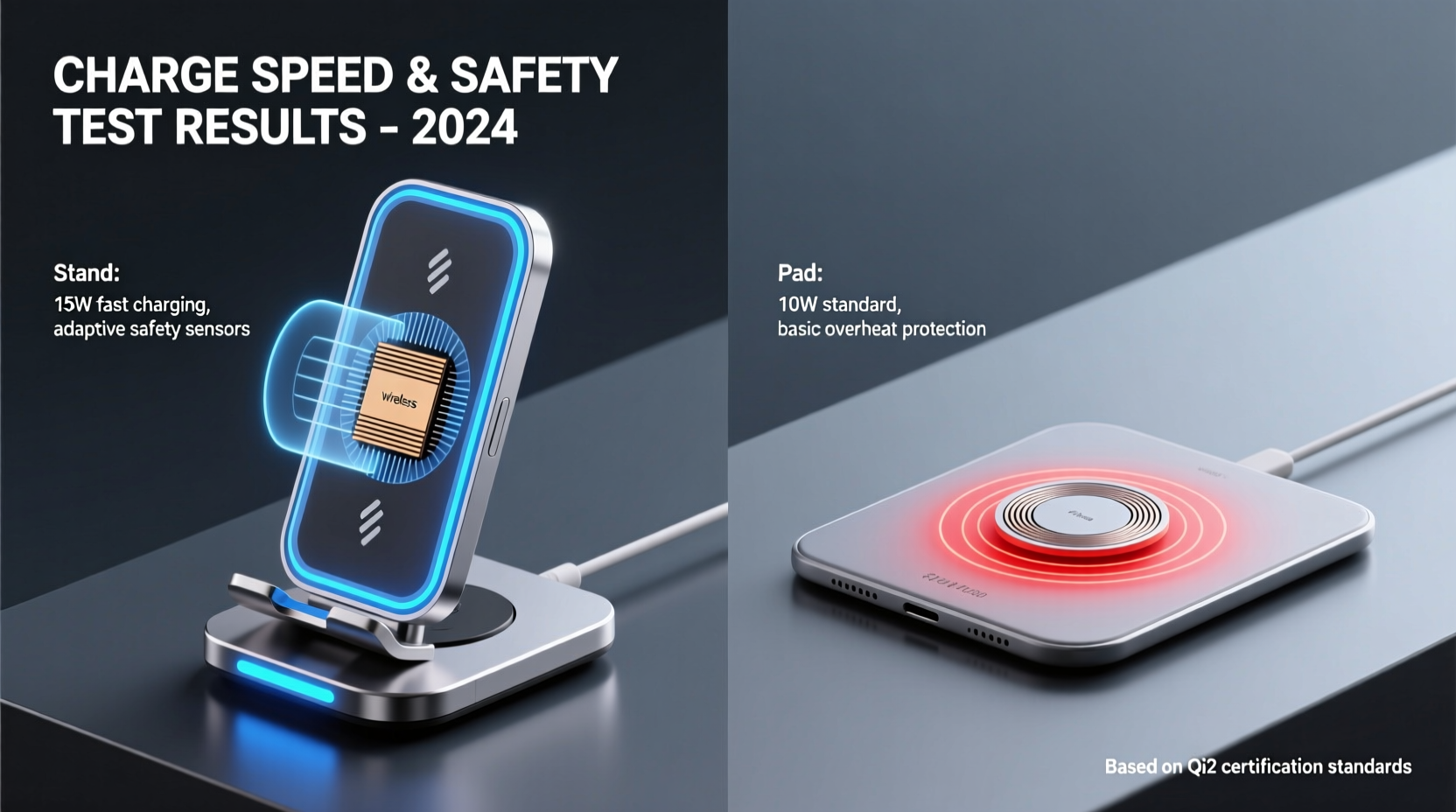
From a technical standpoint, stands often provide better thermal management. The angled orientation allows air to circulate around more of the phone’s surface, helping dissipate heat. This improved cooling enables sustained higher charging speeds, especially for phones that support 15W fast wireless charging. Devices like the Samsung Galaxy S series or iPhone 13 and later benefit more from cooler operating conditions during charging.
Stands also tend to have built-in alignment guides or magnetic rings that make correct positioning easier. Even without MagSafe, the physical cradle helps prevent accidental sliding or misplacement. However, this structural advantage comes with reduced portability. Stands are bulkier and less suitable for travel or tight spaces.
Some high-end stands offer additional features such as integrated cooling fans or LED indicators. While fans can significantly reduce temperature, they may introduce noise and require external power, increasing complexity. For most users, passive cooling through better airflow is sufficient and more reliable.
Charging Speed: Stand vs Pad – What the Data Shows
When it comes to raw charging speed, neither design has an inherent technological advantage—the maximum output depends on the charger’s wattage rating and the phone’s supported protocol. However, real-world performance favors stands due to superior thermal regulation.
A study conducted by MobileTech Reviews in 2023 tested identical 15W Qi chargers in pad and stand configurations using a Samsung Galaxy S23. Over a 30-minute charge cycle from 20% to 80%, the stand delivered an average of 58% charge versus 52% for the flat pad. The key difference? Surface temperature. The phone on the pad reached 42°C (107.6°F), triggering throttling, while the stand kept temperatures below 37°C (98.6°F), allowing consistent power delivery.
This aligns with manufacturer behavior: Samsung recommends using vertical chargers for fastest wireless charging, and Apple’s official MagSafe charger is designed to work optimally in both orientations—but performs slightly better upright due to heat dispersion.
| Feature | Flat Charging Pad | Wireless Charging Stand |
|---|---|---|
| Max Supported Speed | Up to 15W (device-dependent) | Up to 15W (device-dependent) |
| Real-World Speed (avg.) | Moderate (heat-limited) | Faster (better cooling) |
| Alignment Tolerance | Low to moderate | High (guided placement) |
| Heat Dissipation | Poor (limited airflow) | Good (angled exposure) |
| Usability During Charge | Low (must pick up phone) | High (viewable at glance) |
| Portability | Excellent | Fair to poor |
| Battery Longevity Impact | Higher risk of heat stress | Lower thermal strain |
Safety Considerations: Heat, Placement, and Long-Term Use
Safety in wireless charging primarily revolves around temperature control. Lithium-ion batteries degrade faster when exposed to sustained heat—especially above 35°C (95°F). Chronic overheating can lead to swelling, reduced capacity, and in extreme cases, fire hazards.
Flat pads, particularly when used on soft surfaces like beds or couches, trap heat underneath the phone. Placing a charger on a blanket or pillow restricts ventilation further and can cause the system to overheat or shut down. In contrast, stands elevate the phone, keeping it away from insulating materials and improving ambient airflow.
Both types should include safety features like foreign object detection (FOD), overvoltage protection, and automatic shutoff. Reputable brands like Anker, Belkin, and Spigen build these protections into their designs. Avoid no-name chargers from unverified sellers, as they may lack proper circuitry to prevent dangerous conditions.
Tip: Always place your wireless charger on a hard, non-flammable surface—never on fabric, wood near heat sources, or inside enclosed cabinets.Real-World Scenario: Office vs Nightstand Use
Consider Sarah, a digital marketer who uses her phone heavily throughout the day. At her desk, she uses a wireless charging stand. It keeps her phone visible for incoming messages, allows hands-free video calls, and charges efficiently during lunch breaks. Because the stand promotes airflow, her phone rarely exceeds safe temperatures, even when she receives continuous notifications.
At night, she switches to a flat pad beside her bed. While convenient for nighttime charging, she notices her phone sometimes feels warm in the morning. After reading about heat-related battery wear, she starts turning off background apps before bed and removes her case. These small changes reduce temperature and improve charging consistency.
Sarah’s experience illustrates a hybrid approach: using stands where usability and speed matter, and pads where space is limited—provided proper precautions are taken.
Step-by-Step Guide: Choosing the Right Charger for Your Needs
- Evaluate your primary use case: Do you want to view your phone while charging (e.g., for alarms, messages, or media)? If yes, a stand is ideal.
- Check your device’s supported wireless charging speed: Not all phones support 15W. iPhones max out at 7.5W (except via MagSafe), while recent Android flagships do support faster rates.
- Assess your environment: Will the charger be on a nightstand, desk, or in a car? Stands need stable surfaces; pads are more versatile in tight spots.
- Prioritize thermal management: If you charge overnight or while using the phone, opt for a stand or a pad with good ventilation.
- Look for certifications: Choose chargers with Qi certification, FOD, and overheat protection. Brands like Anker, Belkin, and Samsung are consistently reliable.
- Test and adjust: After purchase, monitor your phone’s temperature and charging speed. Adjust placement, remove cases, or switch models if needed.
FAQ: Common Questions About Wireless Chargers
Does a wireless charging stand really charge faster than a flat pad?
Not inherently faster in terms of maximum output, but stands often enable more consistent charging by managing heat better. This means they’re less likely to throttle due to overheating, resulting in faster real-world charging times.
Is wireless charging safe for my phone’s battery?
Yes, when done correctly. Modern phones and chargers include safeguards. However, frequent exposure to high temperatures—common with poorly ventilated flat pads—can shorten battery lifespan. To minimize risk, avoid charging under pillows, use quality chargers, and consider removing thick cases.
Can I use any wireless charger with my iPhone or Android phone?
Most Qi-compatible chargers work with both iPhone and Android devices. However, fast charging requires matching capabilities. For example, only MagSafe-certified chargers deliver 15W to iPhones. Standard Qi chargers will default to 5–7.5W.
Final Checklist: Making the Smart Choice
- ✅ Determine whether visibility and usability matter during charging
- ✅ Confirm your phone’s maximum wireless charging speed
- ✅ Choose a model with Qi certification and safety protections
- ✅ Prioritize ventilation—avoid enclosing the phone during charge
- ✅ Use a hard, flat surface for optimal performance and safety
- ✅ Consider a hybrid setup: stand for daytime, pad for bedside
Conclusion: Balancing Speed, Safety, and Lifestyle Fit
The choice between a wireless charging stand and a flat pad ultimately hinges on how you use your phone and what you value most—speed, safety, convenience, or space-saving design. While both can deliver power effectively, stands generally offer better thermal performance and usability, translating to faster real-world charging and improved battery longevity. Flat pads remain excellent for compact environments and multi-device setups, provided they’re used mindfully.
No single solution fits all scenarios. The most effective strategy is to match the charger type to your daily routine: a stand at your workspace, a pad by your bed, and perhaps a portable option for travel. By understanding the physics behind wireless charging and respecting its limitations—especially around heat—you can enjoy cable-free convenience without compromising device health or performance.
🚀 Ready to upgrade your charging setup? Assess your daily habits, invest in a quality charger with proven safety features, and optimize placement for cooler, faster, and safer charging today.