In an era where knowledge work dominates, how we sit—or stand—while working has a profound impact on both our health and performance. The traditional office setup with a static chair and desk is being challenged by the rise of standing desks. But does switching from a sitting to a standing desk truly enhance productivity? And more importantly, does it reduce physical and mental fatigue over time?
The debate isn’t just about comfort—it’s about sustainability, focus, and long-term well-being. With studies linking prolonged sitting to increased risks of cardiovascular disease, obesity, and musculoskeletal strain, many professionals are reevaluating their workspace setups. At the same time, anecdotal reports suggest that standing can lead to quicker burnout if not managed properly.
This article examines the evidence, practical benefits, and hidden trade-offs between standing and sitting desks. It goes beyond marketing claims to deliver actionable insights grounded in ergonomics, physiology, and workplace psychology.
The Science of Posture and Cognitive Performance
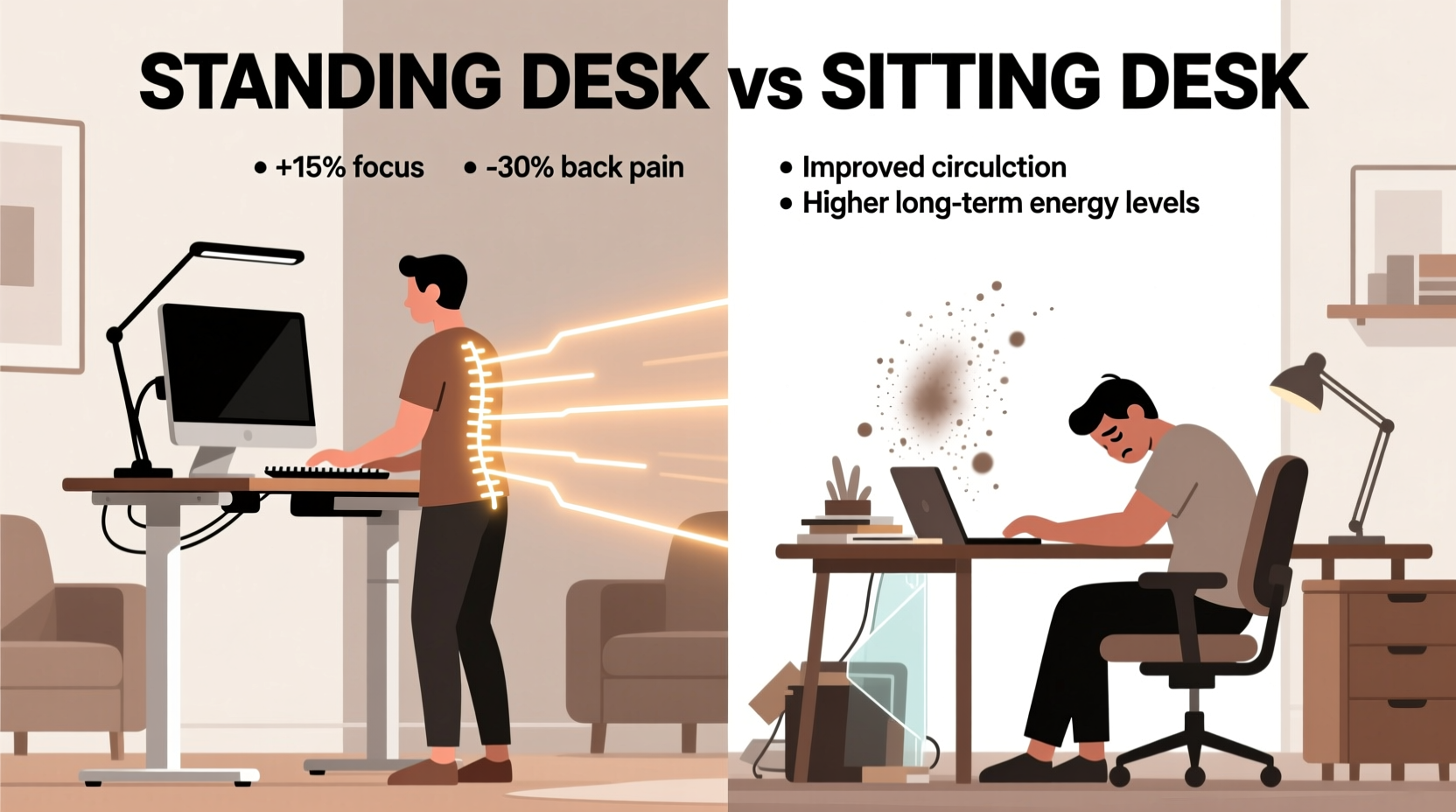
Posture influences more than just back pain—it affects blood flow, oxygen delivery to the brain, and even mood regulation. When you sit for extended periods, especially in a slouched position, your diaphragm movement is restricted, leading to shallower breathing. This can reduce oxygen levels in the bloodstream, potentially impairing concentration and decision-making.
A 2016 study published in the Journal of Physical Activity and Health found that participants who used standing desks showed a 45% increase in alertness and engagement compared to those seated throughout the day. Researchers attributed this to improved circulation and reduced sedentary behavior.
However, standing all day isn't a panacea. Prolonged standing can lead to lower limb fatigue, varicose veins, and increased pressure on joints. The key lies not in choosing one posture over the other, but in dynamic movement and postural variation.
“Human bodies are designed for movement, not sustained stillness—whether sitting or standing. The most productive workspaces support frequent transitions.” — Dr. Laura Chen, Ergonomics Researcher at Stanford University
Productivity: What the Data Says
Productivity is often measured through task completion speed, error rates, and self-reported focus. Several controlled experiments have evaluated these metrics across different desk types.
A 2018 trial conducted by Texas A&M University observed call center employees using either traditional sitting desks or convertible standing models. Over six months, the standing desk group demonstrated a 46% higher productivity rate, measured by calls handled per day. Notably, this improvement emerged gradually as users adapted to alternating positions.
Yet, short-term studies tell a different story. In lab settings where participants stood continuously for two hours, typing accuracy dropped by 12%, and reported discomfort increased significantly after 90 minutes. This suggests that while standing may enhance energy levels, it must be balanced with restful sitting to sustain performance.
Tip: Use a timer to alternate between sitting and standing every 30–45 minutes to maintain cognitive sharpness without physical strain.Comparative Analysis: Standing Desk vs Sitting Desk
| Factor | Sitting Desk | Standing Desk |
|---|---|---|
| Energy Expenditure | ~70–90 calories/hour | ~90–120 calories/hour |
| Mental Alertness (after 2 hrs) | Moderate decline | Initial increase, then gradual drop |
| Fatigue Onset | Lower back/neck strain after 2+ hrs | Leg/foot fatigue after 1.5 hrs |
| Ease of Use | High (minimal adjustment needed) | Moderate (requires habit formation) |
| Impact on Focus | Stable but prone to drowsiness | Higher initial focus, risk of distraction due to discomfort |
| Long-Term Health Risks | Increased risk of heart disease, diabetes | Reduced metabolic risk; possible joint stress |
The data reveals a nuanced picture: neither option wins outright. Sitting offers stability and comfort but promotes sedentariness. Standing increases calorie burn and alertness initially but introduces new physical stresses. The optimal solution integrates both, leveraging the strengths of each while mitigating drawbacks.
Real-World Implementation: A Case Study
Jamie Rivera, a software developer at a mid-sized tech firm in Austin, transitioned to a standing desk after experiencing chronic lower back pain and afternoon energy crashes. Initially enthusiastic, Jamie stood for up to five hours daily during the first week. However, by day four, foot soreness and difficulty concentrating became apparent.
After consulting with an occupational therapist, Jamie adopted a structured rotation: 45 minutes sitting, 30 minutes standing, followed by a five-minute walk. An anti-fatigue mat and supportive footwear were added. Within three weeks, back pain decreased by 70%, and self-rated productivity rose from 6.2 to 8.4 on a 10-point scale.
Crucially, Jamie reported fewer “brain fog” episodes in the afternoon. The combination of movement and posture variation proved more effective than simply replacing sitting with standing.
Best Practices for Maximizing Productivity and Reducing Fatigue
To get the best of both worlds, follow these evidence-based strategies:
- Adopt a sit-stand schedule: Begin with 30 minutes of standing for every hour of sitting. Gradually increase standing duration as your body adapts.
- Invest in ergonomic accessories: Use an anti-fatigue mat, adjustable monitor arm, and keyboard tray to maintain neutral posture whether sitting or standing.
- Wear supportive shoes: Avoid going barefoot or wearing flat-soled shoes when standing. Cushioned soles help absorb impact.
- Position your screen correctly: The top of your monitor should be at or slightly below eye level to prevent neck strain in either position.
- Take microbreaks: Every 20–30 minutes, perform a quick stretch or walk around the room for 60 seconds to reset circulation.
Step-by-Step Guide to Transitioning Safely
If you're considering switching to a standing desk—or optimizing your current setup—follow this timeline:
- Week 1: Assess and Prepare
Choose a height-adjustable desk or converter. Measure your ideal sitting and standing heights. Standing elbow height should align with the bottom of your keyboard. - Week 2: Introduce Standing Gradually
Stand for 20 minutes every two hours. Track how you feel physically and cognitively. Note any discomfort. - Week 3: Optimize Your Routine
Increase standing to 30–45 minutes per session. Add light stretches before and after standing periods. - Week 4: Integrate Movement
Combine standing with walking breaks. Use a pedometer or smartwatch to encourage non-exercise activity thermogenesis (NEAT). - Ongoing: Monitor and Adjust
Reassess monthly. If knee or back pain persists, consult a physical therapist. Adjust desk height and routine accordingly.
Common Myths Debunked
- Myth: Standing burns massive calories.
Reality: You’ll burn only about 10–20% more than sitting—nowhere near enough to replace exercise. - Myth: Standing desks eliminate back pain.
Reality: Poor posture while standing can worsen spinal alignment. Ergonomic setup remains essential. - Myth: Everyone should switch to standing.
Reality: Individuals with circulatory issues, joint disorders, or balance problems may find standing counterproductive.
FAQ
Can I use a standing desk if I have varicose veins?
Prolonged standing may exacerbate varicose veins. If you have this condition, limit standing sessions to 20–30 minutes and wear compression stockings. Consult your doctor before making major changes.
How high should my standing desk be?
Your elbows should form a 90-degree angle when typing, with forearms parallel to the floor. The top of your monitor should be at eye level, approximately 20–28 inches from your face.
Is it okay to alternate between sitting and standing frequently?
Yes—frequent transitions are ideal. The human body thrives on movement. Changing positions every 30–60 minutes supports circulation, reduces stiffness, and maintains mental clarity.
Checklist: Setting Up Your Ideal Workstation
- ☑ Choose a height-adjustable desk or converter
- ☑ Set monitor top at or slightly below eye level
- ☑ Ensure wrists remain neutral while typing
- ☑ Use an anti-fatigue mat if standing
- ☑ Wear supportive footwear during standing periods
- ☑ Schedule sit-stand intervals using a timer or app
- ☑ Incorporate at least five minutes of movement per hour
Conclusion: The Winning Strategy Is Balance
The question isn’t whether standing desks are better than sitting desks—it’s how to use both intelligently. Productivity doesn’t come from a single piece of furniture, but from creating a dynamic work environment that supports sustained focus and physical well-being.
Standing desks offer measurable advantages in alertness and metabolic health, but they’re not a standalone solution. Similarly, sitting isn’t inherently harmful—problematic patterns arise from immobility, not the act of sitting itself.
The most effective approach combines ergonomic design, intentional movement, and personal adaptation. By embracing variability in posture and prioritizing regular motion, you create conditions where both energy and efficiency can thrive.
🚀 Ready to transform your workspace? Start today by setting a timer to stand for 20 minutes during your next work block. Track how you feel—and share your experience in the comments below.