
Wireless earbuds have become an essential part of daily life—used for music, calls, workouts, and more. But their convenience hinges on one critical factor: battery life. Knowing exactly when your earbuds are fully charged ensures you're never caught off guard with a dead battery mid-call or during a workout. Unlike smartphones, earbuds offer limited feedback, making it harder to gauge charge status at a glance. This guide breaks down reliable, easy-to-use methods to determine when your earbuds are fully charged, so you can maximize performance and extend device longevity.
Understanding Your Earbuds’ Charging Indicators
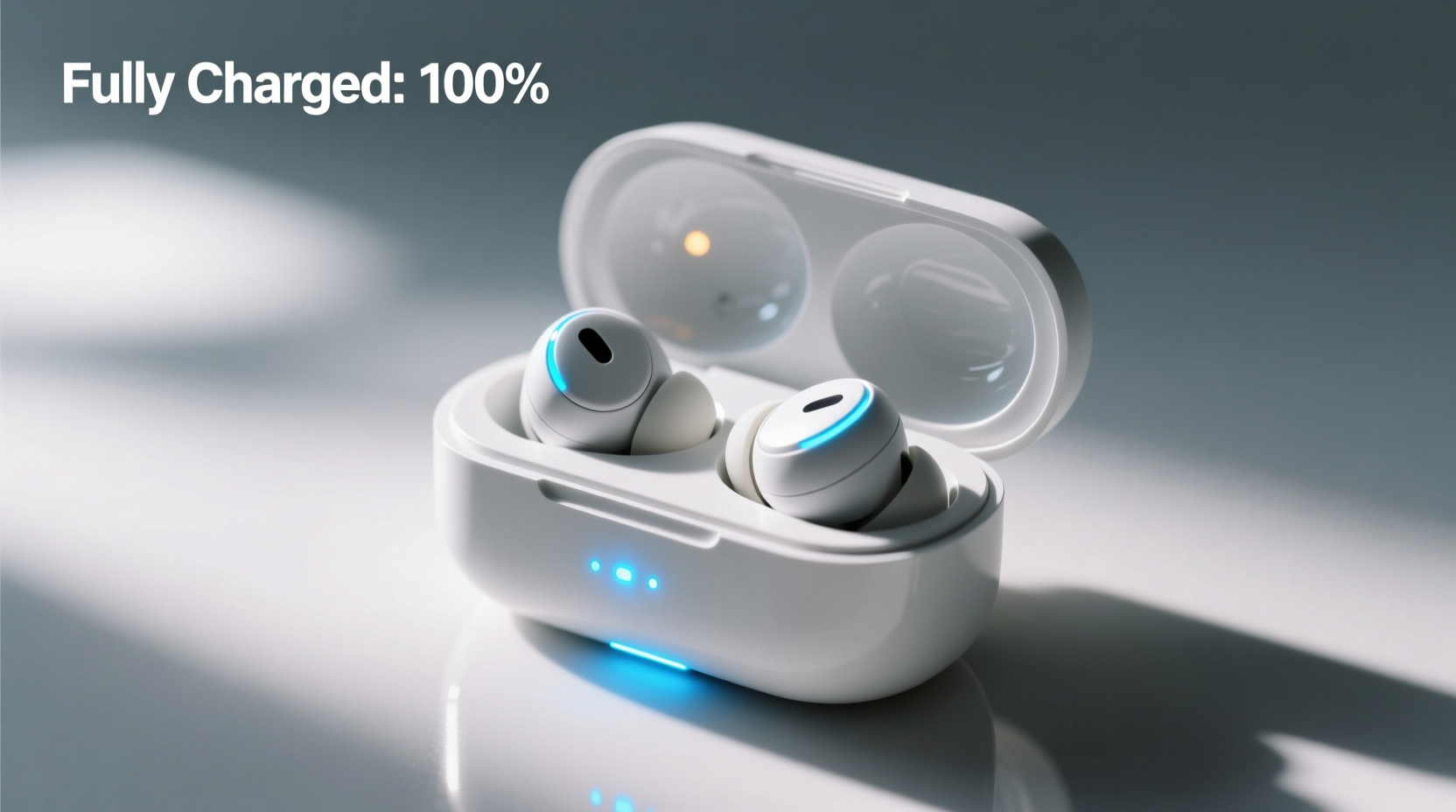
Most modern wireless earbuds come equipped with LED indicators that communicate battery status through color, pattern, and timing. These lights are typically located on the earbuds themselves or more commonly, on the charging case. Interpreting them correctly is the first step in mastering your charging routine.
For example:
- Red light: Low battery or currently charging
- Amber/Yellow light: Mid-level charge
- Green/Blue light: Fully charged or near full capacity
- Blinking light: In active charging phase
- Steady light: Charge complete or device powered on
The exact meaning varies by brand. Apple AirPods use white (charging) and amber (low) indicators, while Samsung Galaxy Buds rely on LED colors inside the case viewed via a small window. Always refer to your user manual for model-specific guidance.
Tip: Keep your earbud manual saved digitally—many manufacturers provide downloadable PDFs online for quick reference.Step-by-Step Guide to Monitoring Charge Completion
Follow this simple process to confidently track when your earbuds reach full charge:
- Place earbuds in the case – Ensure they snap into place magnetically and make contact with charging pins.
- Connect the case to power – Use the provided cable and a reliable power source (wall adapter preferred over computer USB).
- Observe initial LED response – Most cases flash red or orange when charging begins.
- Wait for steady green or blue light – A solid, non-blinking light typically indicates full charge.
- Verify with your smartphone (if supported) – Open Bluetooth settings or companion app to see real-time battery percentage.
- Remove from charger promptly – Overcharging can degrade battery health over time, even with built-in safeguards.
This method works across most brands, including Jabra, Sony, Bose, and Anker models. The average charging time ranges from 60 to 90 minutes for a full case charge, with earbuds taking 30–60 minutes individually.
Using Companion Apps for Real-Time Battery Monitoring
Many premium earbud brands offer dedicated mobile apps that display precise battery levels for both earbuds and case. These tools eliminate guesswork and deliver instant updates without opening the case.
| Brand | App Name | Features |
|---|---|---|
| Apple | Find My / Bluetooth Settings | Shows % for each bud and case; alerts when low |
| Samsung | Galaxy Wearable | Detailed stats, firmware updates, fit testing |
| Sony | Sony | Headphones Connect | Battery status, noise cancellation control, EQ |
| Jabra | Jabra Sound+ or MyFit | Charge alerts, usage tracking, Find My Buds |
| Bose | Bose Music | Real-time battery display, personalized settings |
These apps often include notifications that alert you when charging is complete—eliminating the need to constantly check physical indicators.
“Battery visibility is key to user satisfaction. Devices that integrate seamlessly with smartphones reduce anxiety around charge levels.” — Dr. Lena Torres, Consumer Electronics Researcher at TechInsight Labs
Recognizing Common Charging Pitfalls
Even with clear indicators, users often misinterpret signals or overlook subtle issues that delay or prevent full charging. Below are frequent mistakes and how to avoid them:
- Dirt buildup on charging contacts: Oils and debris can block conductivity. Clean metal contacts weekly with a dry cotton swab.
- Using low-power USB ports: Charging from a sleeping laptop may not provide enough current. Use a wall outlet for consistent results.
- Assuming blinking means full: Blinking usually indicates active charging, not completion. Wait for a solid light.
- Ignoring firmware updates: Outdated software can misreport battery levels. Enable auto-updates in your companion app.
- Leaving buds in case indefinitely: Prolonged connection to power after full charge stresses lithium-ion cells. Unplug once complete.
Mini Case Study: Solving Persistent Charging Confusion
Mark, a remote worker using Jabra Elite 75t earbuds daily, frequently experienced mid-call dropouts. He assumed his buds were fully charged because the case showed a green light. After checking the Jabra Sound+ app, he discovered only one bud was at 98%, while the other was at 42%. The issue? The left earbud wasn’t seated properly due to earwax buildup on the charging pin.
After cleaning both the bud and case contact points, Mark began checking the app before important meetings. He also started charging the case overnight and topping up earbuds during lunch breaks. Within a week, his audio interruptions stopped entirely. His experience highlights how relying solely on case LEDs can be misleading—digital verification adds crucial accuracy.
Quick Checklist: Confirm Full Charge Every Time
Use this checklist to ensure your earbuds are truly ready for optimal use:
- ✅ Place both earbuds securely in the case
- ✅ Connect case to a known-good power source
- ✅ Confirm LED blinks or glows (indicating charging has started)
- ✅ Wait until LED turns solid green or blue (consult manual for color meaning)
- ✅ Open companion app to verify 100% battery on both earbuds and case
- ✅ Disconnect charger within 15 minutes of full charge
- ✅ Store in a cool, dry place until next use
Frequently Asked Questions
How long does it take to fully charge wireless earbuds?
Most models take between 60 and 90 minutes to fully charge the case and 30 to 60 minutes for the earbuds themselves. Fast-charging models like AirPods Pro or Sennheiser Momentum True Wireless 3 offer 1–2 hours of playback from a 5–10 minute charge.
Can I overcharge my wireless earbuds?
Modern earbuds have built-in circuitry to prevent overcharging, so leaving them plugged in briefly after full charge is generally safe. However, habitual overcharging—especially in hot environments—can accelerate battery degradation over months or years.
Why does one earbud charge slower than the other?
This is often due to dirt on the charging contacts, inconsistent magnetic alignment in the case, or minor hardware variance. Try cleaning the contacts and swapping positions. If the issue persists, contact manufacturer support.
Maximize Performance with Smart Charging Habits
Knowing when your wireless earbuds are fully charged isn’t just about convenience—it’s about optimizing performance, ensuring reliability, and extending the lifespan of your investment. By combining physical indicator awareness with digital tools and proactive maintenance, you gain confidence that your earbuds will perform when you need them most. Whether you're heading into a meeting, hitting the gym, or commuting, a fully charged pair means uninterrupted audio and seamless connectivity.
💬 Ready to take control of your earbud battery life? Start tonight: clean the contacts, check your app, and charge mindfully. Share your own charging tip in the comments below and help others stay powered up!