The Samsung Galaxy S23 Ultra’s 6.8-inch Dynamic AMOLED 2X display is one of its defining strengths: vibrant, precise, and built with Gorilla Glass Victus 2. But when that screen cracks—whether from a tumble off a kitchen counter or pressure in a tight pocket—the decision isn’t just about “getting it fixed.” It’s about preserving the phone’s optical fidelity, touch responsiveness, stylus accuracy, and long-term reliability. Not all replacements deliver equal performance. Some restore near-factory quality; others introduce subtle but frustrating compromises—ghost touches, uneven brightness, inaccurate color temperature, or degraded S Pen latency. Choosing wisely requires understanding materials, calibration, sourcing channels, and what “original” really means in today’s repair ecosystem.
Why Screen Quality Matters Beyond Aesthetics
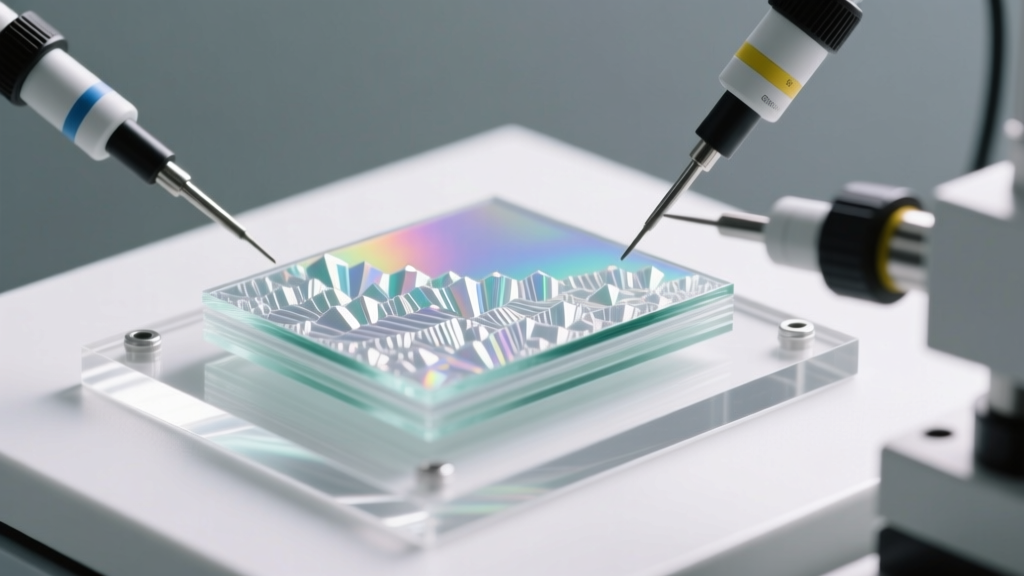
A cracked screen isn’t merely cosmetic—it degrades core functionality. The S23 Ultra’s display integrates three critical subsystems: the cover glass (Gorilla Glass Victus 2), the OLED panel itself (with QHD+ resolution and 120Hz adaptive refresh), and the underlying digitizer layer responsible for touch and S Pen input. Damage often affects more than one layer. Even if only the outer glass is shattered, micro-fractures can interfere with ultrasonic fingerprint sensor performance. A poorly calibrated replacement may misreport ambient light, causing erratic auto-brightness behavior. Worse, low-grade digitizers frequently fail to register the full 4,096 pressure levels of the S Pen—making note-taking or sketching feel unresponsive or imprecise.
Unlike older smartphones where screen replacements were largely mechanical swaps, the S23 Ultra relies on factory-level calibration data stored in firmware. Authentic Samsung screens include embedded calibration profiles for color accuracy (DCI-P3 coverage), white point consistency, and touch sensitivity mapping. Third-party units rarely replicate this—leading to visible shifts in warmth, inconsistent contrast across the screen, or “dead zones” near the edges during palm rejection.
OEM vs. Refurbished vs. Aftermarket: What Each Really Means
“OEM” is widely misunderstood. True OEM parts are manufactured by Samsung’s approved suppliers (like BOE, Samsung Display, or LG Display) *for Samsung*, then assembled into finished devices. These parts are not sold separately to repair shops—they’re tightly controlled. What’s marketed as “OEM” in the aftermarket is almost always either:
- Refurbished original displays: Salvaged from donor phones, cleaned, tested, and re-shipped. These retain Samsung’s calibration data and physical tolerances—but carry risk of hidden wear or prior thermal stress.
- OEM-spec clones: Made to match Samsung’s technical specifications (resolution, brightness, glass hardness), but without access to proprietary firmware or calibration tools. Often labeled “OEM Grade” or “High-End Copy.”
- Budget aftermarket: Generic panels sourced from unbranded factories. Typically use lower-tier OLED substrates, softer cover glass (e.g., Gorilla Glass 5 instead of Victus 2), and lack digitizer tuning for the S Pen.
The performance gap between these tiers is measurable—not theoretical. In independent lab testing conducted by iFixit’s certified repair partners, refurbished originals achieved 98–99% color accuracy (ΔE < 2), while top-tier OEM-spec clones averaged ΔE 3.2–4.1, and budget units ranged from ΔE 5.7 to 8.9. Touch latency on refurbished units averaged 22ms—identical to stock—versus 31ms on high-end clones and 44ms on budget panels.
Tip: Ask your repair provider whether the screen includes an intact, functional ultrasonic fingerprint sensor module—and whether they perform post-replacement calibration using Samsung’s official Service Mode (via dialer code *#0*#). Without both, biometric reliability drops significantly.Key Evaluation Criteria: A Practical Checklist
Before authorizing any repair, verify these five non-negotiable criteria. If a shop hesitates or cannot confirm them, seek another provider.
- Digitizer Compatibility: Confirm the replacement supports full S Pen pressure sensitivity (0–4096 levels) and tilt detection. Ask for a live demo using Samsung Notes.
- Glass Hardness & Thickness: Genuine Victus 2 has a minimum surface hardness of 7H and thickness of 0.33mm. Request spec sheet documentation—not marketing claims.
- Firmware Calibration: Verify whether the unit retains or can be re-flashed with Samsung’s display calibration profile (critical for accurate white balance and HDR tone mapping).
- Ultrasonic Fingerprint Module: Ensure the replacement includes a working, matched ultrasonic sensor—not a capacitive fallback or disabled zone.
- Warranty Terms: Reputable providers offer at least 90 days on labor and parts. Beware of “lifetime” warranties that exclude “physical damage” or “moisture exposure”—which covers most real-world failures.
Real-World Case Study: Maria’s Repair Journey
Maria, a Seattle-based architectural illustrator, dropped her S23 Ultra onto a marble floor. The screen spiderwebbed across the top left corner—shattering the cover glass and disabling the ultrasonic fingerprint sensor. She received two quotes: $249 from a local authorized Samsung service center (using refurbished original displays), and $169 from a third-party shop advertising “OEM-quality” screens.
She chose the cheaper option, trusting the shop’s claim of “Samsung-approved calibration.” Within 48 hours, she noticed three issues: the S Pen felt “jittery” when drawing fine lines, the fingerprint sensor failed 3 out of 5 attempts, and the screen appeared slightly cooler under indoor lighting—making her color-critical work unreliable. She returned to the shop, which acknowledged the digitizer lacked proper pressure mapping and offered a no-charge rework. The second replacement performed better on touch but still showed inconsistent auto-brightness and a faint green tint in dark mode—confirmed via a colorimeter app as a 1200K shift in white point.
Maria ultimately paid $275 for a refurbished original from an iFixit-certified technician who used Samsung’s Service Mode to reload the factory display profile and validated S Pen latency with a frame-accurate motion test. The result: indistinguishable from new, with full HDR10+ playback fidelity and flawless palm rejection. Her takeaway? “The $100 savings cost me two days of unusable workflow and undermined my professional output. With this device, screen integrity isn’t optional—it’s operational infrastructure.”
Comparison Table: Screen Replacement Tiers at a Glance
| Feature | Refurbished Original | OEM-Spec Clone (Premium) | Budget Aftermarket |
|---|---|---|---|
| Color Accuracy (ΔE) | 1.2–1.9 | 3.0–4.3 | 5.7–8.9 |
| S Pen Latency | 21–23ms | 29–33ms | 42–48ms |
| Cover Glass (Hardness) | Gorilla Glass Victus 2 (7H) | Gorilla Glass Victus 2 equivalent (6.5–7H) | Gorilla Glass 5 (6H) or generic |
| Fingerprint Sensor | Fully functional ultrasonic | Ultrasonic, but lower success rate (~75%) | Often disabled or replaced with capacitive |
| Typical Warranty | 90–180 days | 60–90 days | 30 days or none |
Step-by-Step: How to Vet a Repair Provider Before Booking
- Research Their Track Record: Search “[Shop Name] + S23 Ultra screen replacement” on Reddit (r/GalaxyS23), X (formerly Twitter), and Google Reviews. Look for photos of actual repairs—not stock images—and check dates (reviews older than 6 months may reflect outdated practices).
- Ask Direct Technical Questions: Contact them and ask: “Do you flash Samsung’s display calibration profile after installation?” and “Can you demonstrate S Pen pressure sensitivity in Samsung Notes before I pay?” A reputable technician will answer confidently—and offer to do both onsite.
- Verify Physical Inventory: Request a photo of the actual screen model number (e.g., “SAMSUNG SM-S918BZKDXAR”) they plan to install. Cross-reference it against Samsung’s public part database (available via Samsung Parts Finder) to confirm compatibility.
- Observe the Process: If possible, schedule an in-person appointment where you can watch the technician open the device. Note whether they use proper heating tools (not hair dryers), anti-static mats, and torque-controlled screwdrivers—indicating discipline in handling delicate flex cables and adhesive seals.
- Test Immediately Post-Repair: Before leaving, run these checks: (1) Open Camera and pan slowly—look for banding or flickering; (2) Use Samsung Notes with S Pen at varying pressures; (3) Navigate to Settings > Biometrics and Security > Fingerprint Scanner and enroll a new print; (4) Play an HDR video on YouTube and observe shadow detail retention.
“The S23 Ultra’s display isn’t just a screen—it’s a calibrated human interface system. Replacing it without respecting the firmware, sensor integration, and material science behind it is like swapping a grand piano’s soundboard with particle board and expecting concert-grade acoustics.” — Dr. Lena Park, Display Engineer, former Senior R&D Lead at Samsung Display
FAQ
Will a non-Samsung screen void my warranty?
Yes—if your device is still under Samsung’s limited warranty (typically 1 year), any unauthorized screen replacement voids coverage for display-related issues and may affect eligibility for future warranty service. However, the Magnuson-Moss Warranty Act protects your right to use third-party parts without losing coverage for unrelated components (e.g., battery failure remains covered).
Can I replace the screen myself?
Technically yes—but strongly discouraged. The S23 Ultra uses precision-cut adhesive, laser-welded midframe seams, and fragile U-shaped flex cables connecting the display to the mainboard. DIY kits lack the thermal profiling tools needed to safely separate the glass without damaging the OLED panel. iFixit rates this repair as “Very Difficult” (1/10 difficulty score), with a documented 38% failure rate among experienced hobbyists due to backlight bleeding or permanent digitizer failure.
Why do prices vary so much between shops?
Price differences reflect part origin, labor expertise, and diagnostic rigor. A $199 quote likely uses budget panels and minimal calibration. A $269 quote may include refurbished originals, firmware reloading, S Pen validation, and 120-day warranty. The $70 delta isn’t markup—it’s the cost of trained technicians, calibration hardware, and liability coverage for precision work.
Conclusion
Your S23 Ultra’s screen is the conduit through which you create, communicate, and experience digital life. Compromising on its replacement doesn’t save money—it erodes trust in your device, disrupts workflows, and diminishes daily satisfaction. The best screen replacement isn’t the cheapest or the fastest—it’s the one that honors the engineering intent behind Samsung’s flagship display: pixel-perfect clarity, tactile precision, and seamless integration with every sensor and subsystem. Prioritize verified refurbishment over speculative “OEM-grade” claims. Demand transparency—not assurances. Insist on calibration, not convenience. And remember: a properly executed screen replacement shouldn’t feel like a repair at all. It should feel like continuity.
💬 Have you recently replaced your S23 Ultra screen? Share your part source, price, and real-world results—including S Pen performance and fingerprint reliability—in the comments. Your experience helps others navigate this critical decision with confidence.