Starting out in music production can be overwhelming. Between software, hardware, and endless technical terms, one of the first decisions you’ll face is whether to invest in a synthesizer or a MIDI controller. Both are central tools in modern music creation, but they serve different purposes and suit different workflows. Understanding their roles—and how they fit into your creative process—can save time, money, and frustration.
A synthesizer generates sound. Whether analog, digital, or virtual, it produces audio through oscillators, filters, and envelopes. A MIDI controller, on the other hand, doesn’t make sound at all. It’s an input device that sends performance data—like note presses, velocity, and knob movements—to software or hardware that then produces sound. The confusion often arises because both devices have keyboards and look similar. But choosing between them isn’t about appearance—it’s about function, flexibility, and long-term goals.
What Is a Synthesizer?
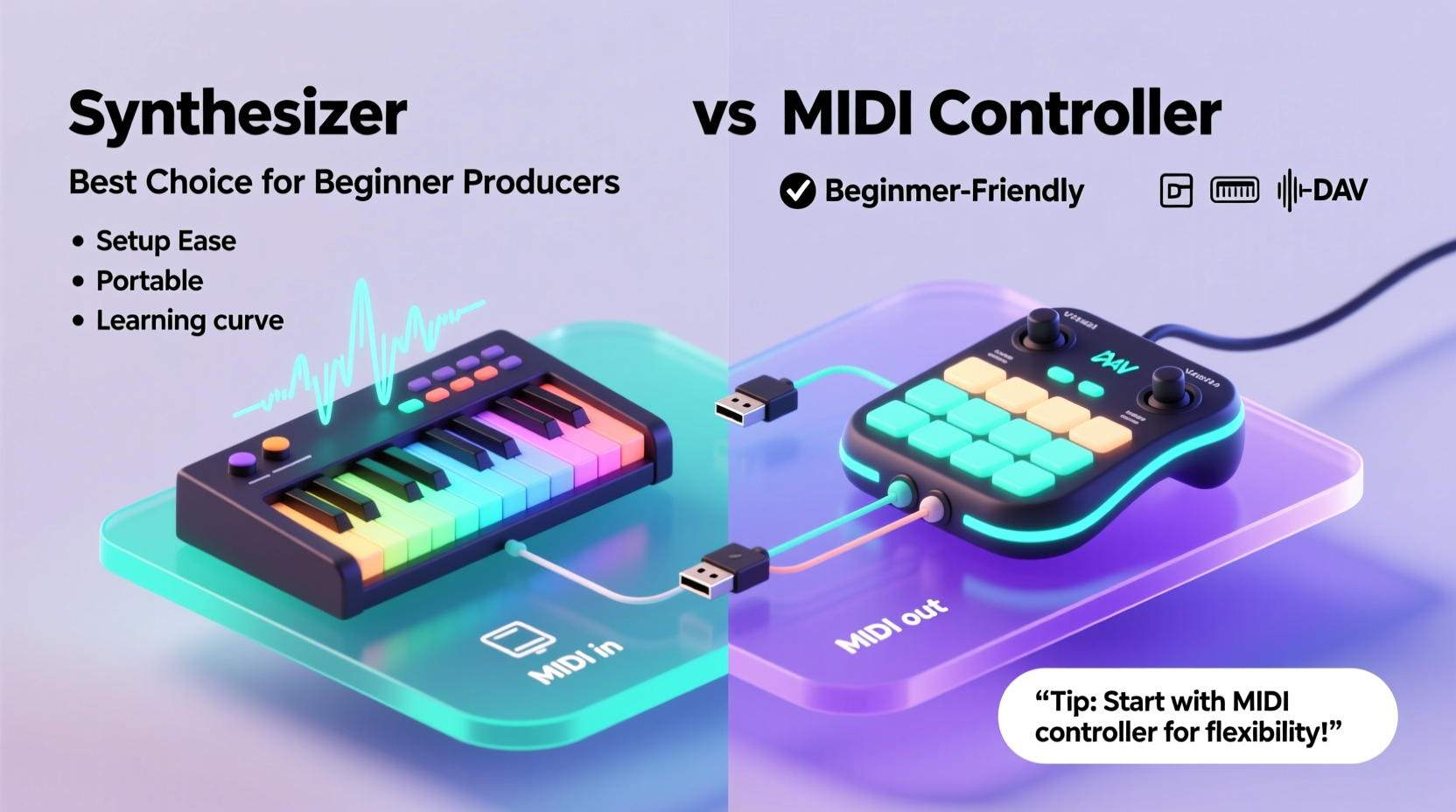
A synthesizer (or “synth”) is an electronic instrument designed to generate and shape sound from scratch. Early synths were large modular systems; today, they come in compact forms ranging from desktop units to keyboard-based models. Synths can be:
- Analog: Uses electrical circuits to create warm, rich tones. Favored for its organic character.
- Digital: Uses algorithms and samples to produce sound. Offers more variety and precision.
- Virtual (software): Runs inside a DAW (Digital Audio Workstation) and uses your computer’s processing power.
Hardware synths typically include built-in sound engines, effects, and hands-on controls like knobs, sliders, and modulation wheels. When you press a key on a standalone synth, it creates audio directly—no computer needed. This immediacy makes synths ideal for experimentation and live play.
Tip: If you want instant sound creation without relying on a laptop, a hardware synthesizer gives you full independence.What Is a MIDI Controller?
A MIDI (Musical Instrument Digital Interface) controller is not an instrument by itself—it’s a remote control for music software. It sends instructions such as “play C3 with medium velocity” or “increase filter cutoff.” These messages are interpreted by a DAW or plugin, which then generates the actual sound.
MIDI controllers come in many forms:
- Keyboard controllers (25, 49, 61, or 88 keys)
- Pads and drum pads (like the Akai MPD series)
- Fader boxes and control surfaces (for mixing and automation)
- Wind or guitar-style MIDI instruments
Their main advantage is versatility. One controller can trigger pianos, orchestral strings, drum kits, or futuristic textures—all within the same session. They’re also usually lighter, more portable, and less expensive than hardware synths.
“MIDI controllers open up infinite sonic possibilities. You're not limited by what the machine can produce—you're limited only by your imagination and software.” — Julian Park, Electronic Music Producer and Educator
Key Differences: Functionality, Sound, and Workflow
Understanding the functional gap between these two tools is crucial. Below is a comparison table highlighting their core distinctions:
| Feature | Synthesizer | MIDI Controller |
|---|---|---|
| Generates Sound? | Yes | No (requires external sound source) |
| Requires Computer? | Not necessarily | Usually yes (for DAW/plugins) |
| Sound Variety | Limited to built-in engine | Unlimited (via plugins and samples) |
| Hands-On Control | High (dedicated knobs per parameter) | Variable (depends on model and mapping) |
| Portability | Moderate to low (heavier, needs power) | High (lightweight, USB-powered) |
| Learning Curve | Steeper (sound design fundamentals) | Gentler (focuses on performance and DAW use) |
| Price Range (Entry-Level) | $200–$600+ | $100–$300 |
The synthesizer offers immediacy and tactile feedback, making it excellent for learning synthesis principles. However, its sound palette is fixed unless you layer multiple units. A MIDI controller, while dependent on software, unlocks access to thousands of virtual instruments—from vintage emulations to AI-generated textures—without expanding your gear collection.
Real Example: Two Beginners, Two Paths
Consider two aspiring producers starting at the same time:
Alex buys a Korg Minilogue, a 4-voice analog synth. Within days, Alex is twisting knobs, hearing how filters and envelopes shape tone, and recording raw tracks directly to a phone recorder. There’s no screen, no menus—just cables, headphones, and creativity. Over time, Alex develops a deep understanding of subtractive synthesis and builds a unique sonic signature.
Jamie chooses a 25-key MIDI keyboard with pads and faders. Using free DAW software and plugin bundles, Jamie explores orchestral scoring, hip-hop beats, and ambient soundscapes—all in the first month. Jamie learns how to map controls, automate parameters, and layer sounds efficiently. Flexibility becomes second nature.
Both are successful, but their paths diverge. Alex speaks fluently about waveforms and resonance; Jamie navigates plugin ecosystems and routing with ease. Neither approach is wrong—their tools simply shaped their learning trajectories.
Which Should You Choose as a Beginner?
The answer depends on your goals, budget, and preferred way of working. Ask yourself the following questions:
- Do I want to make music without a computer?
- Am I interested in how sounds are created, or just in using them?
- Do I plan to compose in multiple genres?
- How much space and budget do I have?
- Do I value portability or hands-on control more?
If you answered “yes” to questions 1 and 2, a synthesizer may be the better starting point. It forces engagement with sound design fundamentals and reduces reliance on screens. Entry-level options like the Korg Volca Keys, Bearcat Synth Kit, or Arturia MicroFreak offer rich educational value at reasonable prices.
If questions 3, 4, and 5 resonate more, a MIDI controller likely fits your needs. Models like the AKAI MPK Mini Play, Novation Launchkey Mini, or Novation SL-MKIII combine compact size with smart DAW integration. Many even include basic built-in sounds, blurring the line between controller and synth.
Tip: Look for MIDI controllers with \"standalone mode\" or internal sounds—they offer a hybrid experience perfect for beginners testing both worlds.Step-by-Step Guide to Making Your Decision
Follow this practical timeline to evaluate your options and make a confident choice:
- Week 1: Define Your Goals
Write down what kind of music you want to make. Is it electronic, cinematic, pop, experimental? This shapes your tool needs. - Week 2: Test Both Types (Virtually)
Use free VSTs and browser-based synth emulators. Try playing software synths with your computer keyboard, then download a free MIDI mapping demo (like MIDI Ox or Logic’s Learn function). - Week 3: Visit a Music Store
Play physical synths and controllers. Feel the key action, test knob responsiveness, and imagine daily use. - Week 4: Assess Your Setup
Do you have a reliable laptop? Enough storage for sample libraries? A quiet space for monitoring? These influence whether a computer-dependent setup is viable. - Week 5: Make a Shortlist & Buy
Narrow to 2–3 models under $300. Read user reviews focused on beginner-friendliness. Purchase one with strong community support and tutorial availability.
Can You Use Both? The Hybrid Approach
Many producers eventually use both—a MIDI controller for broad composition and a hardware synth for distinctive textures. But starting with both can be overwhelming and costly.
A smarter path is to begin with one, master its role, then expand. For example:
- Start with a MIDI controller + free DAW (like Cakewalk or GarageBand).
- After 3–6 months, add a compact synth (e.g., Roland SE-02 or Behringer Neutron) for analog flavor.
- Use the synth as a sound module triggered by the MIDI controller—now you’ve built a powerful, integrated system.
This phased investment prevents decision fatigue and ensures each purchase adds clear value.
Checklist: Choosing the Right Tool for You
Before buying, go through this checklist to ensure alignment with your needs:
- ✅ I understand the difference between sound generation and sound control
- ✅ I’ve decided whether I want to work with or without a computer regularly
- ✅ I’ve tested keyboard feel and layout in person or via video demos
- ✅ My chosen device is compatible with my computer/OS and DAW
- ✅ It includes essential features (pitch/mod wheels, aftertouch, pads if needed)
- ✅ There are plenty of beginner tutorials available online
- ✅ It fits within my budget, including potential extras (cables, stands, audio interface)
FAQ
Can I use a MIDI controller like a synthesizer?
Yes, when paired with software instruments (VSTs), a MIDI controller functions like a synth keyboard. The sound comes from the computer, but your performance is identical. Some controllers even include built-in sounds, allowing limited standalone use.
Do I need both a synth and a MIDI controller?
Not initially. Many professionals use just one or the other. A hardware synth can be played directly, while a MIDI controller can control software synths. As your needs grow, combining both expands creative options—but it’s not required to start.
Are MIDI controllers only for piano players?
No. While most have keyboards, many emphasize pads, faders, and assignable knobs ideal for beat-making, DJing, or live looping. Some, like the Ableton Push or Novation Launchpad, don’t have keyboards at all.
Conclusion: Start Simple, Grow Intentionally
The debate between synthesizer and MIDI controller isn’t about which is objectively better—it’s about which serves your current stage of growth. A synthesizer teaches you the language of sound. A MIDI controller connects you to the vast universe of digital music. Both are valid entry points.
For most beginners today, a MIDI controller offers greater flexibility, lower cost, and smoother integration with modern production workflows. But if you’re drawn to tactile sound design and want to minimize screen time, a dedicated synth provides unmatched immediacy.
Whichever you choose, remember: tools don’t make music—people do. Start with one capable device, learn it deeply, and let your creativity lead. In six months, you’ll know exactly what to add next.
🚀 Ready to begin? Pick one tool, set up your first project, and make your first beat or melody today. Share your progress in the comments—your journey starts now.