For many families, the sound of crackling holiday tunes from a vintage Christmas record is more than music—it's memory in motion. These analog treasures, often passed down through generations, carry not just melodies but nostalgia. Yet over time, they’re prone to skipping, surface noise, and degradation. Understanding why this happens—and how to preserve these recordings digitally—can ensure that cherished carols like “White Christmas” or “Jingle Bell Rock” continue to play for decades to come.
The issue isn’t simply age. Skipping stems from a combination of physical wear, environmental exposure, and playback conditions. Fortunately, modern technology allows us to rescue these fragile sounds before further damage occurs. This guide explores the science behind skipping records, outlines safe digitization methods, and provides actionable steps to archive your holiday collection with care.
What Causes Vintage Records to Skip?
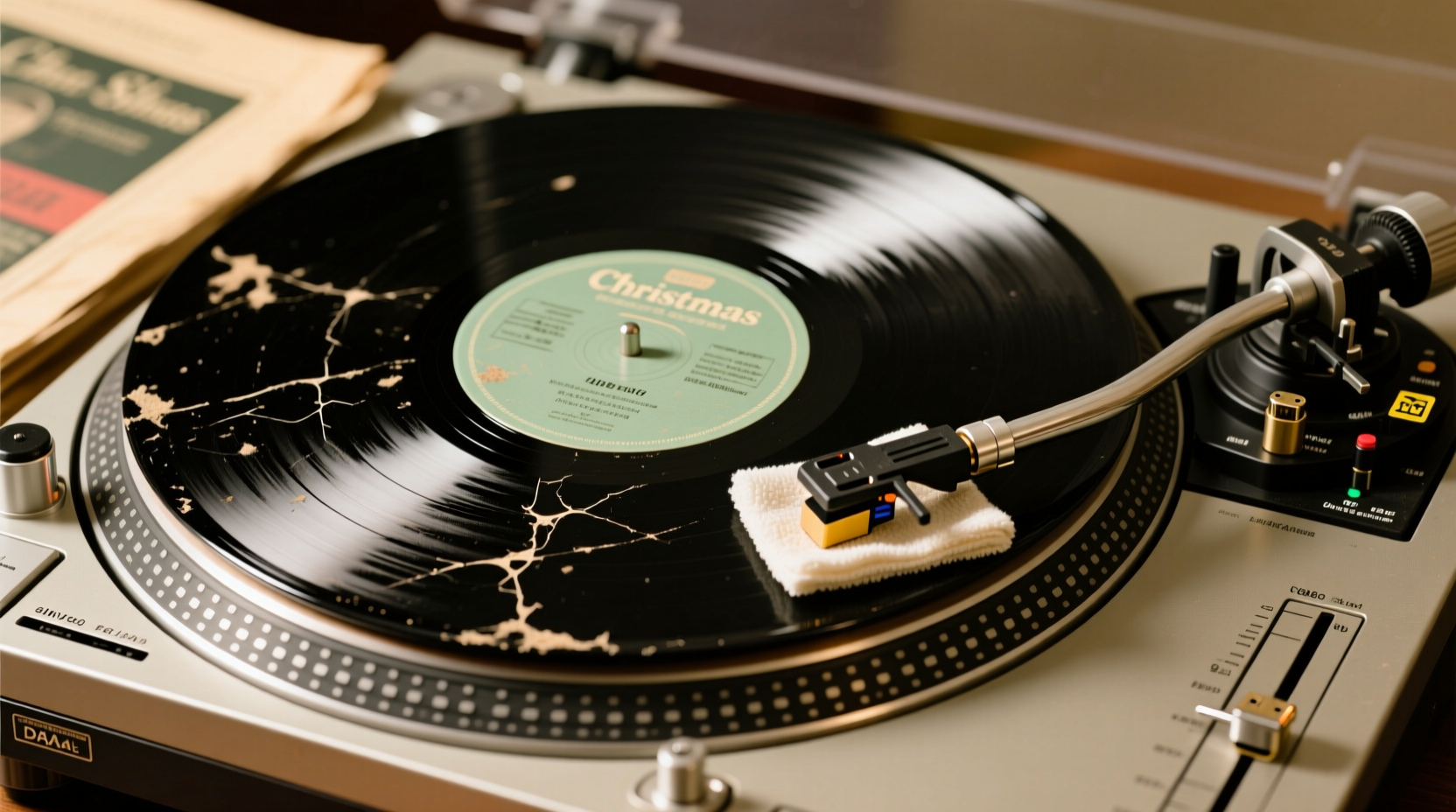
A skipping record doesn’t necessarily mean it’s ruined—but it does signal distress. On vinyl records, especially those made before the 1980s, the groove contains microscopic modulations that translate into sound when the stylus traces them. Any disruption in this path can cause the needle to jump or repeat sections.
Several factors contribute to skipping:
- Surface Warping: Exposure to heat or improper storage (e.g., leaning vertically or stacked horizontally) can warp the disc, making it uneven. Even slight curvature disrupts tracking.
- Dust and Debris: Accumulated dust, pet hair, or mold inside the grooves increases friction, causing the stylus to lose traction.
- Needle Wear: A worn or misaligned cartridge tip applies uneven pressure, increasing the chance of skipping, especially on delicate older pressings.
- Static Buildup: Dry environments generate static electricity on vinyl surfaces, attracting dust and creating small repulsive forces that affect playback stability.
- Groove Damage: Scratches, deep scuffs, or previous rough handling can create permanent obstructions in the groove path.
Interestingly, some skips occur only at specific points—often where the record was previously paused or replayed frequently. This localized wear is common on classic holiday albums played annually during December.
How to Prepare Your Records for Safe Digitization
Before attempting to digitize, proper preparation reduces playback errors and protects both the record and equipment. Cleaning and inspection are essential first steps.
Cleaning Without Causing Further Damage
Never use household cleaners or paper towels on vinyl. Instead, follow archival-grade practices:
- Use a soft anti-static brush to remove loose particles before wet cleaning.
- Apply a solution of distilled water and a single drop of non-abrasive surfactant (like Ortofon Record Cleaning Fluid) with a microfiber cloth or dedicated cleaning brush.
- Gently wipe in circular motions following the groove path—not across it.
- Rinse lightly with distilled water if needed, then dry vertically with a lint-free cloth.
- Allow full air drying in a dust-free environment before playback.
For heavily soiled or mold-affected records, consider professional ultrasonic cleaning services, which use high-frequency sound waves to dislodge contaminants without contact.
Inspecting Playback Equipment
Your turntable plays a critical role in whether a record skips. An improperly calibrated system adds stress to aging vinyl.
- Check that the tonearm is balanced and tracking force matches the cartridge manufacturer’s specifications (typically 1.5–2.5 grams).
- Ensure the anti-skate setting is correctly adjusted to prevent inward drift of the stylus.
- Replace worn styli—especially important when playing older records, as a damaged needle accelerates groove erosion.
“Playing a vintage record with a dull stylus is like using a chisel on parchment—it gets the job done, but destroys the original.” — Daniel Reeves, Audio Archivist at the National Recording Preservation Board
Step-by-Step Guide to Digitizing Vintage Christmas Records Safely
Digitizing preserves the audio while reducing future wear on the physical media. Follow this methodical process to capture high-quality digital files without risking damage.
- Set Up Your Equipment: Connect a turntable with a phono preamp to your computer via USB or audio interface. Use software like Audacity (free), Adobe Audition, or GarageBand.
- Test Playback Settings: Play a short section to verify input levels. Adjust so peaks reach around -6 dB to avoid clipping.
- Clean the Record: As described earlier, perform a gentle cleaning immediately before recording.
- Play and Record in Sections: Avoid continuous long sessions. Break sides into tracks or 5-minute segments to monitor quality and allow the record and stylus to cool.
- Monitor for Skips: If the record skips repeatedly at one point, pause and inspect. Do not force repeated attempts, as this worsens groove damage.
- Save Raw Files First: Export initial recordings in lossless format (WAV or FLAC) before applying any noise reduction or equalization.
- Edit Thoughtfully: Use spectral editing tools to remove pops and clicks sparingly. Over-processing removes musical detail and authenticity.
- Tag and Archive: Add metadata such as artist, year, album title, and provenance (e.g., “Grandmother’s 1957 RCA pressing”). Store backups on external drives and cloud storage.
Do’s and Don’ts of Vinyl Preservation and Digitization
| Action | Do | Don't |
|---|---|---|
| Cleaning | Use distilled water and anti-static brush | Use alcohol, window cleaner, or abrasive cloths |
| Handling | Hold by edges and center label | Touch playing surface with bare hands |
| Storage | Store upright in inner sleeves inside outer protective jackets | Stack flat, expose to sunlight, or keep near radiators |
| Playback | Use calibrated turntable with fresh stylus | Play on low-end record players or boomboxes |
| Digital Editing | Remove major clicks conservatively | Apply aggressive noise reduction that flattens dynamics |
Real Example: Saving a Family Heirloom Holiday Album
Martha Kline inherited her parents’ 1962 Capitol Records pressing of *The Andy Williams Christmas Album*. Each year since childhood, she’d listened to it with her family. By 2022, however, the record began skipping badly on “Silent Night,” and surface noise drowned out vocals.
Rather than risk further damage, Martha consulted a local audio restoration specialist. The technician cleaned the disc with an ultrasonic bath, inspected it under magnification, and found minor groove wear but no irreversible damage. Using a precision turntable and high-resolution ADC converter, he captured each side at 96 kHz/24-bit WAV.
In post-production, light iZotope RX processing removed persistent crackles while preserving vocal warmth. The final files were split into individual tracks, tagged with metadata, and shared with Martha’s siblings. She now plays the digital versions during gatherings, keeping the tradition alive—without endangering the original.
“It still sounds like Christmas morning at my parents’ house,” she said. “But now I don’t have to worry about wearing it out.”
Essential Checklist for Safe Digitization
- Inspect the record under bright light for warps, cracks, or mold.
- Clean gently with appropriate tools and solutions.
- Verify turntable alignment, tracking force, and stylus condition.
- Connect to a computer using a reliable audio interface or USB turntable.
- Record in a quiet room to minimize ambient noise pickup.
- Capture audio in lossless format (WAV or FLAC).
- Listen back immediately for skips, distortion, or dropouts.
- Perform minimal, reversible edits using trusted software.
- Add descriptive metadata and file names.
- Back up files in at least two locations (local + cloud).
Frequently Asked Questions
Can I digitize records without a computer?
Yes, some standalone devices like the Ion Audio Classic LP or Roland V-Combo VR-09 can convert vinyl directly to SD cards or USB drives. However, these offer less control over audio quality and editing compared to computer-based setups.
Is it safe to play a skipping record even once for digitization?
If the skip is due to debris, cleaning may resolve it. But if the groove is physically damaged, playing it risks worsening the problem. In such cases, consider professional services that use optical scanning or AI-assisted reconstruction instead of physical contact.
Should I store the original record differently after digitizing?
Absolutely. Continue storing it vertically in a cool, dry, dark place between 60–70°F (15–21°C) and 40–50% humidity. Place in a new anti-static inner sleeve and outer jacket. Digitization doesn’t eliminate the need for proper preservation—the original remains irreplaceable.
Conclusion: Preserve the Sound, Honor the Memory
Vintage Christmas records skip not because they’ve outlived their purpose, but because they’ve been loved—sometimes too hard, often without protection. Their fragility is part of their story. But with careful handling and thoughtful digitization, we can extend their voice far beyond the limits of spinning vinyl.
Every pop and flutter carries history. By transferring these recordings responsibly, you're not just saving songs—you're safeguarding moments: children dancing in pajamas, grandparents humming along, snow falling outside lit windows. These aren’t just audio files; they’re heirlooms in sonic form.
💬 Start today. Pull one holiday record from the shelf, clean it with care, and make your first digital copy. Share your experience, ask questions, or tell us about the song that means the most to your family. Let’s keep the music playing—for generations yet to come.