When summer heat rolls in, your air conditioner and ceiling or portable fans become essential allies. But simply turning them on isn’t enough—how you use them matters. One of the most overlooked aspects of home cooling is fan speed settings. Too high, and you waste energy; too low, and you stay uncomfortable. The key lies in balancing airflow, noise, humidity control, and energy efficiency. This guide breaks down what fan speed is best for cooling with your AC, how different speeds affect indoor climate, and which fans deliver optimal performance.
How Fan Speed Affects Cooling Efficiency
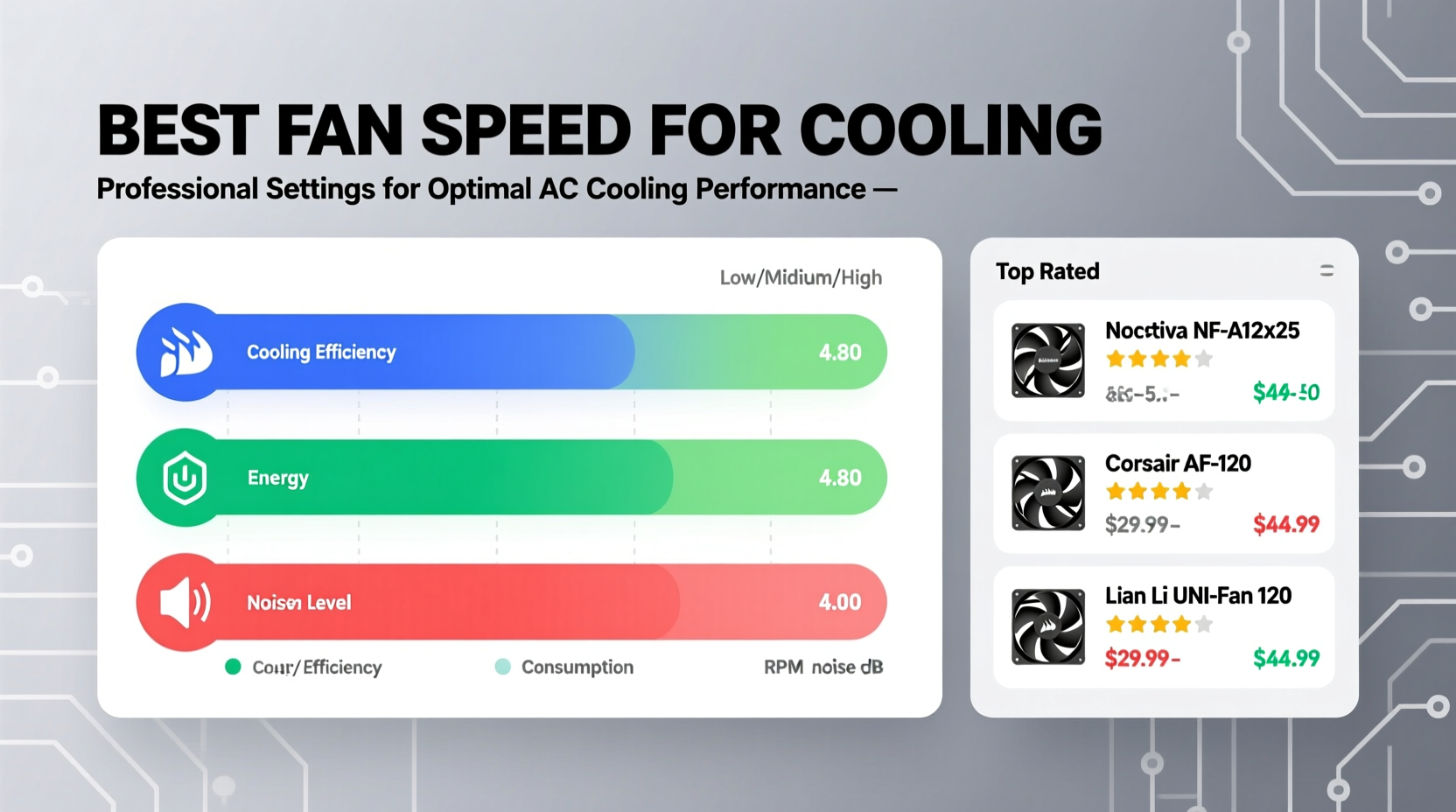
Fan speed doesn't cool the air—it moves it. However, effective air circulation enhances the perceived cooling effect by promoting evaporation from your skin and distributing conditioned air evenly. Most air conditioners and fans offer multiple speed settings: low, medium, and high. Each has a distinct role depending on conditions.
- Low Speed: Ideal for maintaining steady airflow when temperatures are already comfortable. It runs quietly and uses less energy, making it perfect for nighttime or mild days.
- Medium Speed: Offers a balance between cooling power and noise. Use this during moderate outdoor heat or when you want consistent air movement without strong drafts.
- High Speed: Best for rapidly lowering perceived temperature when the room is hot. Effective for initial cooldown but can increase humidity if used excessively with window AC units that don’t dehumidify well at high fan settings.
“Air movement is just as important as cold air. Proper fan speed ensures even distribution and prevents ‘cold spots’ while improving overall comfort.” — Dr. Alan Torres, HVAC Systems EngineerTip: Pair medium fan speed with your AC set 2–3 degrees higher than usual. You’ll feel just as cool while saving up to 15% on cooling costs.
The Science Behind Fan Speed and Perceived Temperature
The wind chill effect explains why moving air feels cooler than still air—even if the thermostat reads the same. When air flows over your skin, it accelerates sweat evaporation, which removes heat. This is why a fan at medium speed can make a 78°F room feel like 72°F.
However, there’s a limit. High-speed fans can cause discomfort through excessive noise or turbulent airflow, especially in small rooms. They may also disrupt natural convection patterns, leading to uneven cooling. In humid climates, running your AC fan too fast can reduce dehumidification because the evaporator coil doesn’t have enough time to condense moisture from the air.
For central AC systems, the blower fan speed impacts both cooling and humidity removal. Many modern thermostats allow you to adjust blower speed independently. Lower speeds typically result in longer run times and better moisture extraction—ideal for muggy environments.
Optimal Fan Settings by Scenario
| Scenario | Recommended Fan Speed | Why It Works |
|---|---|---|
| Hot afternoon, room needs quick cooling | High | Rapid air turnover lowers perceived temperature fast |
| Nighttime, moderate temperature | Low to Medium | Quiet operation with gentle circulation improves sleep |
| Humid day, AC running continuously | Low (on AC), Medium (on ceiling fan) | Maximizes dehumidification while enhancing comfort |
| Large open space or multiple rooms | Medium to High (ceiling or tower fan) | Better reach and airflow penetration |
| Energy-saving mode desired | Low (AC + supplemental fan) | Reduces compressor cycling and electricity use |
Step-by-Step Guide: Optimizing Your Cooling Setup
Follow this sequence to maximize comfort and efficiency using the right fan speeds in conjunction with your AC:
- Assess the current room temperature and humidity. Use a hygrometer if available. If humidity exceeds 60%, prioritize dehumidifying strategies.
- Set your AC to 75–78°F. Avoid setting it too low; instead, rely on airflow to enhance comfort.
- Start AC on high fan speed for 10–15 minutes to quickly circulate cool air if the room is hot.
- Switch AC fan to low or auto mode after initial cooling to improve moisture removal and reduce noise.
- Turn on ceiling or portable fans at medium speed. Position them to create cross-breezes near seating or sleeping areas.
- Adjust based on comfort. If you feel clammy, lower the fan speed on the AC. If you’re not feeling airflow, increase the auxiliary fan speed.
- Use timers or smart controls to automatically reduce fan speed at night or when the house is empty.
Top Cooling Fan Picks for Maximum Comfort
Not all fans are created equal. The best models combine efficient airflow, quiet operation, and smart features. Here are three top-performing options across categories:
- Honeywell QuietSet Tower Fan (HSF320B): Offers 10 speed settings, remote control, and oscillation. Its aerodynamic design delivers strong airflow on medium-high settings while remaining under 50 dB on low—perfect for bedrooms.
- Big Ass Fans Haiku Ceiling Fan: Uses DC motor technology for ultra-efficient operation. Smart-enabled via app, it adjusts speed based on room occupancy and temperature. Ideal for living rooms or master bedrooms.
- OPOLAR 40-Inch Oscillating Pedestal Fan: Powerful airflow reaches up to 30 feet. Three speeds with wide-angle oscillation make it excellent for large spaces or garages. Durable build and easy-to-clean blades.
Real-World Example: Cooling a Second-Floor Bedroom
Sarah lives in a two-story home where the upstairs bedroom gets uncomfortably warm by midday. Her window AC unit struggles to keep up, especially on humid afternoons. She tested several configurations and found the most effective setup was:
- AC set to 76°F with fan on “auto” mode
- A Honeywell tower fan placed near the bed on medium speed, angled upward slightly
- Ceiling fan running counterclockwise at medium speed
The combination reduced her need to lower the thermostat and eliminated stuffiness. By avoiding constant high-speed AC fan use, she also noticed less moisture buildup around the unit. Her electricity bill dropped by 12% over the summer.
Frequently Asked Questions
Should I leave my AC fan on “auto” or “on”?
Use “auto” for most situations. It runs the fan only when cooling, improving dehumidification. The “on” setting keeps the fan running constantly, which increases air filtration and circulation but reduces moisture removal and raises energy use.
Can a fan make my AC more efficient?
Yes. Using ceiling or portable fans allows you to raise the thermostat by 2–4°F without sacrificing comfort. Since AC energy use rises significantly with each degree lower, this small adjustment can save 10–20% on cooling costs.
Is high fan speed bad for my AC unit?
Not inherently, but prolonged high-speed operation can reduce dehumidification efficiency, especially in window units. It may also wear out the blower motor faster over time. Balance high-speed use with lower settings during maintenance phases.
Final Checklist: Mastering Fan Speed for Cooling
- Match fan speed to the cooling phase (high for initial cooldown, low for maintenance).
- Use supplemental fans to enhance perceived coolness without lowering the thermostat.
- Prefer “auto” fan mode on your AC for better humidity control.
- Select fans with adjustable speeds and energy-efficient motors.
- Monitor humidity and adjust fan strategy accordingly.
- Position fans to promote cross-ventilation, not direct blasts.
- Utilize timers or smart controls to avoid unnecessary runtime.
Conclusion
Finding the best fan speed for cooling isn’t about maxing out settings—it’s about precision, timing, and understanding how airflow interacts with temperature and humidity. Whether you're using a central AC system, a window unit, or standalone fans, optimizing fan speed can dramatically improve comfort and efficiency. The right fan choice, paired with intelligent speed management, turns your cooling strategy from reactive to proactive.
🚀 Ready to beat the heat smarter? Re-evaluate your fan settings today, try one of the recommended models, and share your cooling hacks with others looking to stay cool and cut costs!