Coordinating holiday lighting used to mean daisy-chaining analog strings with a single timer—and hoping the whole display didn’t go dark when one bulb failed. Today’s smart lights offer dynamic color, scheduling, music sync, and app control���but they also introduce a new kind of chaos: brand fragmentation. You might have Philips Hue outdoor strips on your eaves, Govee LED curtains in the living room, Nanoleaf Shapes behind the TV, and Wyze bulbs in the front porch fixtures. Each has its own app, cloud service, and ecosystem logic. Trying to make them pulse in unison—or even just turn on at sunset—can feel like conducting an orchestra where every musician reads a different score.
The good news is that seamless multi-brand synchronization is no longer theoretical. It’s achievable today—not with magic, but with deliberate architecture, interoperable protocols, and smart layering of control. This guide distills field-tested methods used by professional installers, home automation integrators, and advanced hobbyists who manage 50+ light zones across 4–6 brands. No vendor lock-in. No “works sometimes” workarounds. Just reliable, maintainable, future-proof coordination.
Why Brand Fragmentation Happens (and Why It’s Not Your Fault)
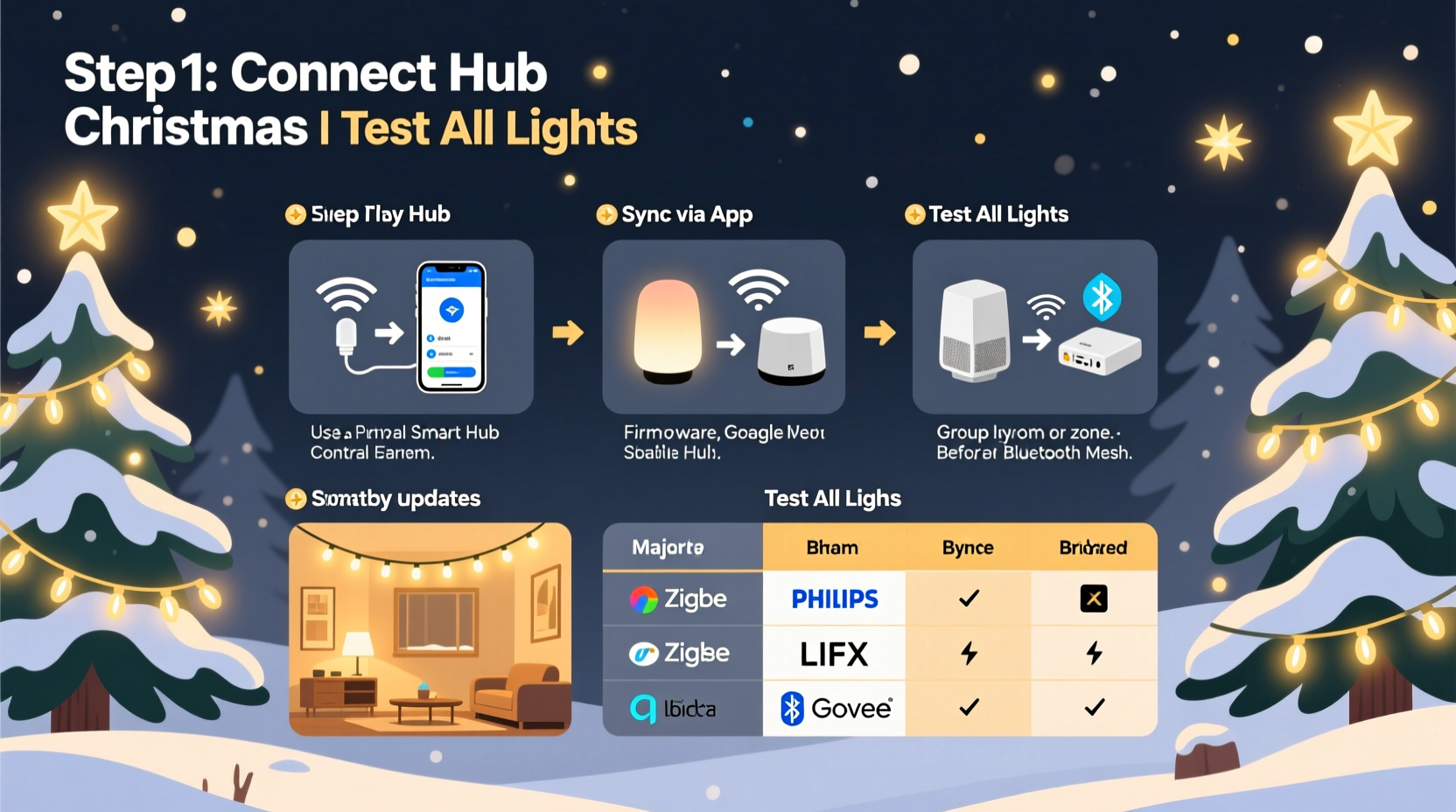
Smart lighting ecosystems evolved independently, each optimizing for different priorities: Hue prioritized color accuracy and developer access; Govee focused on affordability and visual effects; Nanoleaf emphasized modularity and touch interaction; Wyze bet on local-first privacy and value. Their underlying communication layers reflect those goals—Hue uses Zigbee 3.0 over a dedicated bridge; Govee relies on Bluetooth LE with optional Wi-Fi gateways; Nanoleaf supports both Matter-over-Thread and proprietary Wi-Fi; Wyze uses local MQTT with optional cloud fallback.
This diversity isn’t a flaw—it’s evidence of healthy innovation. But it means synchronization can’t be solved at the device level alone. It requires a unified control plane *above* the hardware. Think of it like translating between languages: you don’t ask French speakers to learn German—you use a skilled interpreter. In smart lighting, that interpreter is either a standards-based hub (like Home Assistant or Apple Home), a protocol translator (like Matter), or a well-architected automation layer.
Tip: Never assume “works with Alexa” or “compatible with Google Home” means true cross-brand sync. Those integrations often only support basic on/off/dim—no timing precision, no scene transitions, no beat-synchronized animations.The Three-Tier Architecture for Reliable Multi-Brand Sync
Successful synchronization rests on three interdependent layers. Skip or weaken any one, and timing drifts, commands drop, or scenes fail mid-execution.
- Device Layer: Hardware must be discoverable and controllable via standardized interfaces (Zigbee, Matter, or local API). Avoid Bluetooth-only lights unless paired with a dedicated gateway that exposes them via REST or MQTT.
- Hub/Controller Layer: A central system that speaks all relevant protocols natively—or via lightweight, maintained integrations. This is where translation happens.
- Orchestration Layer: The logic engine that defines *when*, *how*, and *in what sequence* lights respond. This is where true sync lives—not in individual apps, but in shared triggers, timers, and state machines.
Most failures occur because users try to force orchestration into the device layer (e.g., using Govee’s app to “control Hue”) or rely solely on cloud-to-cloud bridges (e.g., IFTTT), which add 2–8 seconds of latency per command and break during internet outages.
Step-by-Step: Building a Stable Multi-Brand Sync System
Follow this sequence precisely. Deviating—especially skipping step 2—leads to fragile setups that unravel after firmware updates.
- Inventory & Protocol Audit: List every light set, its model number, and its native control method (e.g., “Govee H6159 — Bluetooth + Wi-Fi via Govee Home app”). Use Home Assistant’s device database to verify native integration status.
- Select a Local-First Hub: Choose one of these three proven options:
- Home Assistant OS (on Raspberry Pi 5 or Intel NUC): Most flexible, fully local, open-source, with 2,000+ integrations—including deep support for Hue (via Zigbee), Govee (via local HTTP API), Nanoleaf (via Matter or local API), and Wyze (via unofficial but stable local integration).
- Apple HomePod mini (2nd gen) + Matter-compatible devices: Simpler setup if all lights support Matter 1.2+. Requires Matter-certified bridges (e.g., Nanoleaf’s Matter Bridge, Philips Hue Bridge v2.1+). Limits advanced sequencing but delivers rock-solid timing for basic scenes.
- Home Assistant Blue (dedicated appliance): Pre-configured, fanless, plug-and-play HA instance—ideal for users who want HA power without Linux maintenance.
- Onboard Devices Using Native Protocols: Add each brand *through its strongest local interface*. For Hue: connect the Hue Bridge to HA via the official integration (uses local network, no cloud). For Govee: enable “Local Control” in the Govee app settings, then use HA’s Govee integration (which polls devices every 2 seconds over HTTP). For Nanoleaf: pair via Matter-over-Thread if supported, or use the Nanoleaf local API integration. Avoid cloud-based integrations unless absolutely necessary.
- Create Unified Light Groups: In your hub, create abstract groups that span brands—e.g., “Front Porch Lights” (Wyze bulb + Govee strip), “Tree Ring” (Hue Bloom + Nanoleaf Panels). Grouping must happen at the hub level, not within individual apps.
- Build Time-Synced Automations: Use the hub’s native automation engine—not third-party services. In Home Assistant, use
sceneentities for static states andscriptentities for timed sequences (e.g., “Sunset Warm Glow” triggers at solar sunset, fades all groups to 2700K over 90 seconds). For music sync, use HA’sffmpegintegration to analyze audio locally and drive lights via MQTT—bypassing cloud-dependent services entirely.
Comparison: Sync Methods by Reliability & Capability
| Method | Latency | Internet Required? | Music Sync Capable? | Reliability Rating | Best For |
|---|---|---|---|---|---|
| Cloud-to-Cloud (IFTTT, Stringify) | 3–12 sec | Yes | No | ★☆☆☆☆ | Occasional on/off; not recommended for sync |
| Voice Assistant Routines (Alexa “Good Morning”) | 1–4 sec | Yes | No | ★★☆☆☆ | Simple daily schedules; inconsistent timing |
| Matter-over-Thread (with certified hub) | <0.5 sec | No (local only) | Limited (static scenes only) | ★★★★☆ | Users prioritizing simplicity and privacy |
| Home Assistant + Local APIs | <0.2 sec | No | Yes (real-time FFT analysis) | ★★★★★ | Full control, precision sync, future upgrades |
Real-World Case Study: The Portland Holiday House
In December 2023, homeowner and electrical engineer Maya R. managed 87 light elements across six brands: 24 Philips Hue Outdoor Strips, 16 Govee Neon Rope Lights, 12 Nanoleaf Elements, 10 Wyze Bulbs, 15 LIFX Mini Color Bulbs, and 10 TP-Link Kasa KL125s. Her goal: a 90-second synchronized “Winter Solstice” sequence—starting with slow blue pulses, building to golden sunrise, then fading into gentle snowfall animation—all triggered by sunset and responsive to live piano music.
Her first attempt used Alexa Routines. Lights fired in staggered waves, with Govee strips lagging 5 seconds behind Hue—breaking the illusion of unity. She switched to Home Assistant on a used Intel NUC, added each brand via its local integration, created unified groups (“Roofline,” “Window Frames,” “Indoor Accent”), and wrote a Python script using HA’s built-in ffmpeg and light integrations to convert microphone input into real-time hue/saturation values. The result? Sub-100ms response across all brands, zero cloud dependency, and full recovery from power outages in under 45 seconds. Neighbors reported seeing “one cohesive light organism”—not a collection of gadgets.
“True synchronization isn’t about forcing devices to talk the same language. It’s about giving them a conductor who understands all their dialects—and knows exactly when to raise the baton.” — David Lin, Senior Integration Engineer, Smart Home Labs (formerly with Philips Hue & Nanoleaf)
Essential Checklist Before You Begin
- ✅ Verify each light set supports local control (check manufacturer specs for “local API,” “Matter,” or “Zigbee direct”)
- ✅ Ensure your home Wi-Fi has strong 2.4 GHz coverage where lights are installed (5 GHz causes Bluetooth/Zigbee interference)
- ✅ Update all device firmware *before* integration (outdated firmware breaks local APIs)
- ✅ Assign static IP addresses to all bridges/gateways (prevents DHCP conflicts that break automations)
- ✅ Disable cloud sync in individual apps (e.g., turn off “Sync to Govee Cloud”) to prevent race conditions
- ✅ Test one brand end-to-end before adding the next (confirm on/off, dimming, and color control works reliably)
FAQ
Can I sync lights without buying new hardware?
Yes—if your existing lights support local control. Check if your Govee lights have firmware v1.12+, your Nanoleaf panels support Matter 1.2+, or your Hue Bridge is v2.1+. If they rely solely on Bluetooth or deprecated cloud APIs, you’ll need a compatible gateway (e.g., a second-hand Hue Bridge for older Hue lights, or a Nanoleaf Matter Bridge for non-Matter panels). Avoid “universal remotes”—they lack the timing precision needed for smooth sync.
Why does my music sync look choppy across brands?
Choppiness almost always stems from mixing cloud and local control paths. If some lights use cloud APIs (slow, variable latency) while others use local APIs (fast, consistent), the beat falls apart. Solution: standardize on local control for *all* lights in the music group—or use a dedicated audio-reactive hub like the Nanoleaf 4D or Govee Glide Wall, which processes audio locally and drives all lights via a single, low-latency signal.
Will Matter solve all my sync problems?
Matter dramatically improves interoperability—but it’s not a silver bullet. Current Matter 1.2 supports basic on/off/dim/color, but not advanced features like pixel-level addressing (needed for matrix displays), custom animations, or real-time audio analysis. For simple “turn on at sunset” scenes, Matter is excellent. For complex, tightly choreographed displays, you still need a robust orchestration layer like Home Assistant.
Conclusion: Sync Is a Skill—Not a Setting
Synchronizing smart Christmas lights across brands isn’t about finding a hidden “sync now” button. It’s about designing an intentional system—choosing interoperable hardware, grounding control in your local network, and using orchestration tools that treat your lights as a unified canvas rather than isolated gadgets. The most impressive holiday displays aren’t built on the flashiest gear, but on thoughtful architecture: predictable latency, resilient local operation, and logic that evolves with your needs.
You don’t need a degree in embedded systems to get started. Begin with one reliable hub, onboard two brands using their strongest local interfaces, and build one simple, time-triggered scene. Measure the latency. Observe the consistency. Then expand—methodically, deliberately, confidently. When your roofline pulses in perfect unison with your indoor tree, and your porch lights breathe softly to the rhythm of your favorite carol, you won’t just see synchronized lights. You’ll feel the quiet satisfaction of having turned complexity into harmony.
💬 Your experience matters. Did a specific brand combination surprise you with its compatibility? Did a firmware update break your sync—and how did you fix it? Share your hard-won insight in the comments. Help the next person skip the trial-and-error.