Christmas trees have long been canvases for personal expression—from heirloom glass baubles to minimalist Nordic motifs. But for gamers, streamers, and digital-native families, the traditional pine can feel disconnected from daily life. A gaming-inspired Christmas tree bridges that gap: it honors holiday tradition while celebrating identity, passion, and community. This isn’t about slapping logos on tinsel or using cheap novelty items. It’s about intentional design—layering nostalgia, functionality, and craftsmanship to create a tree that feels authentically *yours*. Whether you’re curating your first setup or upgrading a decade-old display, this guide delivers actionable strategies grounded in real-world execution: electrical safety, ornament durability, visual hierarchy, and inclusive aesthetics that resonate across generations.
Why a Gaming Tree Works Beyond Nostalgia
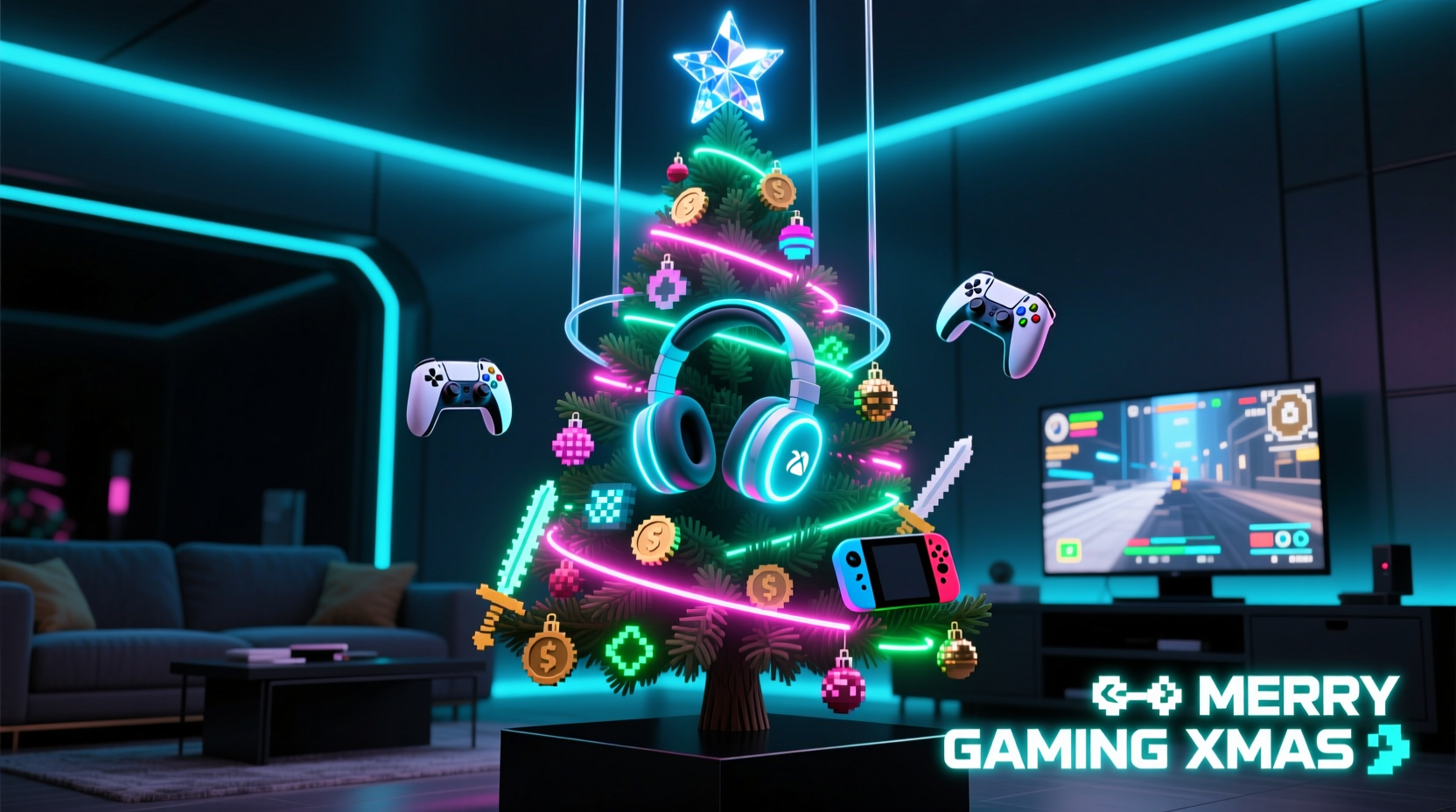
A gaming-themed tree succeeds because it operates on three converging principles: narrative cohesion, tactile engagement, and cultural resonance. Unlike generic “geek” decor, which often relies on cartoonish tropes, a well-designed gaming tree tells a story—your story. It might reflect your favorite franchise (e.g., Zelda’s Triforce motif), your platform loyalty (PlayStation blue vs. Xbox green), or your role in the ecosystem (a streamer’s tree featuring mic-shaped ornaments and “LIVE” light boxes). Crucially, it invites interaction: guests recognize controllers not as static objects but as familiar tools; headsets become conversation starters about shared experiences—late-night raids, co-op victories, or the quiet comfort of solo exploration. Design researcher Dr. Lena Torres notes, “When personal artifacts enter ritual spaces like the holiday tree, they transform from objects into anchors of belonging. A DualShock on a branch isn’t decoration—it’s a declaration of where joy lives.”
“Gamers don’t just play games—they build worlds, solve problems, and form communities. A tree that mirrors that complexity feels less like a gimmick and more like home.” — Dr. Lena Torres, Interaction Designer & Cultural Anthropologist, MIT Media Lab
Essential Components & Sourcing Strategy
Start with structure—not ornamentation. A stable base, balanced silhouette, and thoughtful lighting framework ensure your theme reads clearly. Avoid overcrowding; gaming decor thrives on negative space and strategic focal points. Prioritize quality over quantity: one hand-painted NES cartridge ornament holds more meaning than ten mass-produced plastic ones.
Tip: Repurpose functional gear—like an old but working controller or a retired headset—as a centerpiece ornament. Clean thoroughly, secure wiring with heat-shrink tubing, and mount it on a custom stand rather than hanging it directly. This adds authenticity and avoids damaging active equipment.Source components across four tiers:
- Functional Base: A 7–7.5 ft pre-lit tree with warm-white or RGB LEDs (preferably with app control for synchronized color shifts).
- Core Ornaments: Controller replicas (3D-printed or artisan-crafted), headset silhouettes (laser-cut wood or acrylic), pixel-art baubles, and miniature game cartridges.
- Textural Layers: Cable-wrapped garlands (using retired Ethernet or USB cables), circuit-board ribbon, and matte-black velvet ribbons for contrast.
- Interactive Elements: Battery-powered sound modules (playing iconic chiptune jingles), motion-activated LED rings under the tree skirt, or NFC tags linking to a family gaming playlist.
Step-by-Step Assembly Timeline
Build your tree over three dedicated sessions—never rush the layers. Each phase addresses a distinct design principle: foundation, rhythm, and storytelling.
- Day 1 – Structure & Lighting (90 minutes): Assemble the tree. String lights *first*, working from bottom to top in vertical columns—not spirals—to avoid tangled wires and uneven brightness. Use clip-on LED adapters for precise placement near branches where ornaments will hang. Test all circuits before adding anything else.
- Day 2 – Textural Framework (60 minutes): Drape cable garlands loosely, letting them cascade naturally—not tightly wound. Alternate between black braided Ethernet cable and silver metallic ribbon every 18 inches. Tuck small clusters of matte-black velvet bows at branch junctions to anchor visual weight.
- Day 3 – Ornament Placement & Narrative Layering (120 minutes): Hang ornaments in deliberate groupings: three controllers per major branch (one upright, two angled), headset garlands looping horizontally at eye level, and “easter egg” pieces (e.g., a tiny Mario mushroom tucked behind a pine cluster) only where they’ll be discovered upon closer look. Reserve the top 12 inches for your most meaningful piece—a custom-engraved Switch Joy-Con or a framed Steam achievement print.
Do’s and Don’ts: Safety, Aesthetics, and Longevity
Gaming decor introduces unique risks—heat from electronics, brittle plastics, and conductive materials near lights. This table distills hard-won lessons from professional set designers and fire-safety inspectors who’ve reviewed over 200 themed displays.
| Action | Do | Don’t |
|---|---|---|
| Lighting | Use UL-listed LED string lights with built-in surge protection. Limit to 3 strands per outlet. Choose warm-white (2700K) for vintage consoles or RGB for modern setups. | Plug non-LED or incandescent lights into extension cords. Drape lights over metal controller frames without insulation. |
| Ornament Materials | 3D-print with PLA+ (heat-resistant bioplastic) or use laser-cut birch plywood. Seal with matte acrylic spray to prevent glare. | Use PVC-based “gaming” ornaments sold on unverified marketplaces—they off-gas toxins when warmed by lights and yellow within weeks. |
| Headset Integration | Detach ear cups and use only the headband frame as a garland base. Wrap with copper wire for conductivity-free shimmer. | Hang full headsets with foam padding intact—they retain moisture, attract dust mites, and sag under their own weight. |
| Tree Skirt | Use a black felt skirt embroidered with a subtle pixel-art border (e.g., 8-bit snowflakes) or repurpose a worn-out motherboard as a rigid, conversation-starting base. | Layer multiple rugs or fabric scraps—this traps heat and blocks airflow, increasing fire risk. |
Real-World Case Study: The “Cozy Co-Op” Tree in Portland, OR
In December 2023, Maya Chen, a 32-year-old indie game developer and parent of two, transformed her living room tree into a collaborative project reflecting her family’s hybrid lifestyle. Her 8-year-old son loves Minecraft; her 10-year-old daughter streams Animal Crossing; and Maya herself works on narrative-driven RPGs. Instead of competing themes, she unified them through texture and scale. She 3D-printed 22 ornaments: 8 blocky Minecraft torches (glowing amber LEDs inside), 6 Animal Crossing fruit baubles (hand-painted resin), and 8 abstract RPG “quest markers” (copper discs etched with compass roses). For the garland, she wove recycled game cartridge cases—cut into 1-inch tiles—onto fishing line, interspersed with dried rosemary (for scent and “forest” texture). The tree topper? A miniature, motorized windmill powered by a solar cell—nodding to both Stardew Valley and sustainability. Visitors didn’t just admire it; they touched the textures, identified the games, and shared stories. “It stopped being ‘my tree’ and became ‘our map,’” Maya says. “Every ornament has a memory attached—not just to a game, but to a moment we played it together.”
FAQ: Practical Concerns Addressed
Can I safely hang real controllers or headsets on the tree?
Yes—if precautions are taken. Remove batteries and disconnect any cables. Seal USB ports and headphone jacks with non-conductive epoxy putty to prevent dust ingress. Mount using padded nylon straps (not metal hooks) anchored to sturdy interior branches. Never hang gear heavier than 200g per attachment point. For frequent use, opt for high-fidelity replicas instead.
How do I prevent RGB lights from clashing with my console’s color scheme?
Use a smart lighting controller (like Nanoleaf or Philips Hue) to set static zones: keep the lower third of the tree in your console’s signature hue (e.g., Xbox green at base, PlayStation blue mid-height), then transition to warm white at the top for balance. Avoid rapid cycling modes—subtle breathing or slow fade maintains elegance without visual fatigue.
What if my family isn’t into gaming? Will this feel exclusionary?
Not if designed intentionally. Incorporate universal symbols: a controller ornament shaped like a snowflake, headset garlands twisted with cinnamon sticks and dried orange slices, or pixel-art baubles depicting classic holiday icons (reindeer, stars, wreaths). The goal is shared language—not gatekeeping. One Seattle family added “achievement unlocked” tags to each ornament (“First Snowfall,” “Hot Cocoa Mastered”)—making the theme accessible while honoring its roots.
Conclusion: Your Tree Is a Living Interface
A gaming-inspired Christmas tree is more than seasonal decor. It’s a tactile interface between digital identity and physical ritual—a place where the click of a controller button resonates alongside the crackle of pine boughs. It rejects the false choice between “tradition” and “authenticity,” proving that reverence for heritage and celebration of self need not compete. Every ornament you select, every cable you wrap, every light you program is a quiet act of curation—saying, “This is where I live, how I connect, what I build.” You don’t need rare collectibles or expensive gear to begin. Start with one controller-shaped cookie cutter, bake gingerbread in its silhouette, and hang the cooled pieces with red-and-blue twine. Let your first tree be imperfect, joyful, and unmistakably yours. Then next year, refine it—not toward perfection, but toward deeper meaning.
💬 Your turn: Share your first gaming tree experiment—what worked, what surprised you, or which game universe you’d build next. Tag a friend who needs permission to make their holiday traditions unapologetically *them*.