As the holiday season approaches, more households are turning to smart home technology to simplify their festive routines. One of the most popular upgrades? Smart Christmas lights. Beyond dazzling displays and programmable color patterns, a growing number of users want to know: Can you use voice commands to turn on smart Christmas lights? The short answer is yes — and it's easier than ever.
Voice-controlled lighting isn’t just a convenience; it’s a seamless blend of safety, accessibility, and holiday spirit. Whether you're curled up by the fire or arriving home after a long day, being able to say “Turn on the Christmas lights” and watch your yard sparkle to life adds a magical touch to the season. But making this work requires the right setup, compatible devices, and a clear understanding of how voice assistants interact with smart lighting systems.
How Voice Control Works with Smart Christmas Lights
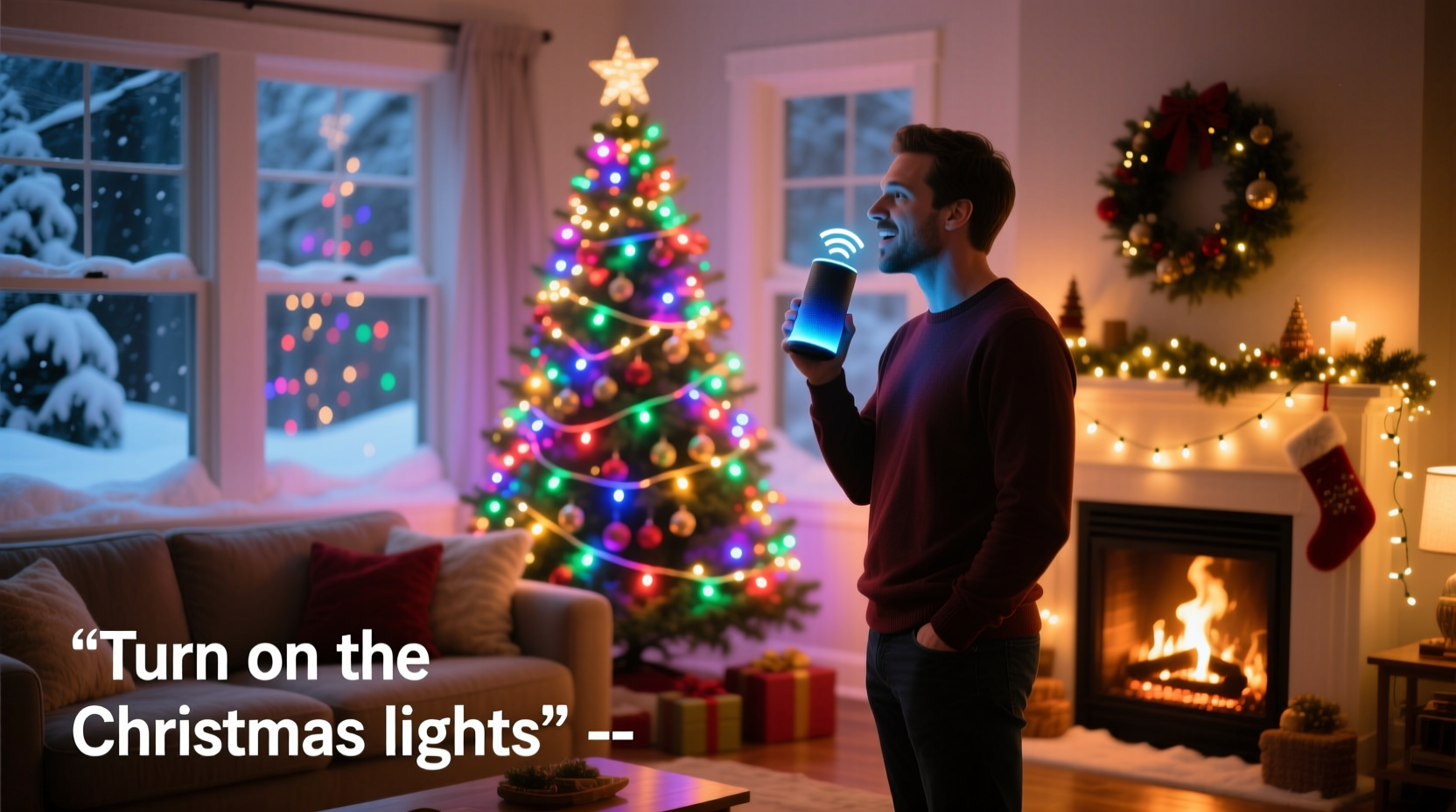
Smart Christmas lights connect to your home Wi-Fi network or communicate through a hub (like Zigbee or Z-Wave) that links to a central smart home ecosystem. Once connected, they become accessible through a mobile app and, crucially, through voice assistants like Amazon Alexa, Google Assistant, and Apple’s Siri.
Voice commands function via natural language processing. When you speak a command — such as “Hey Google, turn on the tree lights” — your assistant interprets the request, identifies the correct device, and sends a signal over your network to trigger the action. This process happens in seconds, provided all components are properly configured.
For this to work smoothly, three key elements must be in place:
- Smart lights – These must be internet-connected LED strings or bulbs designed for remote control.
- A compatible voice assistant – Either a smart speaker, display, or smartphone with Alexa, Google Assistant, or Siri enabled.
- Integration – The lights and assistant must be linked through a common platform, such as the manufacturer’s app syncing with Alexa or Google Home.
Setting Up Voice Control: A Step-by-Step Guide
Getting voice control working involves several deliberate steps. Follow this timeline to ensure success before the first snowfall.
- Purchase compatible smart Christmas lights. Look for models labeled as “Works with Alexa,” “Google Assistant compatible,” or “HomeKit-enabled.” Brands like Philips Hue, Govee, LIFX, Twinkly, and GE Lighting offer strong support.
- Install the lights physically. String them around your tree, along rooflines, or wherever your display lives. Plug them into an outlet. If using a controller box (common with RGB strips), ensure it’s powered and within range of your Wi-Fi router.
- Download the manufacturer’s app. For example, install the Govee Home app or Philips Hue Bluetooth app. Create an account if needed.
- Connect the lights to your Wi-Fi network. Open the app and follow the pairing instructions. This usually involves putting the lights into pairing mode (via a button press or power cycle) and selecting your 2.4 GHz network. Avoid 5 GHz networks, as most smart lights don’t support them.
- Link the app to your voice assistant.
- For Alexa: Open the Alexa app → Devices → + → Add Device → Light → Choose brand → Log in to your light account when prompted.
- For Google Assistant: Open Google Home app → Add → Set up device → Have something already set up? → Select the brand and sign in.
- For Siri/HomeKit: Ensure your lights support Apple HomeKit. In the Home app, tap the + icon and scan the HomeKit code on the device or packaging.
- Name your lights meaningfully. Instead of “Device 3,” call them “Front Porch Lights” or “Tree Lights.” This makes voice commands intuitive and reduces confusion if you have multiple zones.
- Test the voice command. Say, “Alexa, turn on the tree lights” or “Hey Siri, turn on the porch display.” If the lights respond, you’re set.
Top Voice Assistants Compared for Holiday Lighting
Not all voice platforms are created equal when it comes to smart lighting. Here’s how the major players stack up:
| Feature | Alexa (Amazon) | Google Assistant | Siri (Apple HomeKit) |
|---|---|---|---|
| Supported Brands | Extensive (Govee, Philips, LIFX, TP-Link, etc.) | Wide (Same as Alexa, plus some exclusives) | Limited to HomeKit-certified devices |
| Setup Difficulty | Easy with Echo devices | Moderate (requires Android/iOS integration) | Simple but restricted by certification |
| Voice Recognition Accuracy | High | Very High (especially with natural phrasing) | High, but limited to Apple ecosystem |
| Custom Routines | Strong (e.g., “Holiday Mode” turns on lights + music) | Excellent (supports complex automations) | Good (with Shortcuts integration) |
| Multi-Room/Zonal Control | Yes | Yes | Yes |
While Alexa leads in device compatibility, Google Assistant often excels in understanding conversational commands (“Make the tree brighter”). Apple’s Siri offers tight integration for iPhone and HomePod users but lags in third-party support.
Real Example: The Johnson Family’s Voice-Controlled Display
The Johnsons in Denver upgraded to Govee Wi-Fi LED strip lights two years ago. They installed them along their roofline, wrapped them around porch pillars, and added a separate string for the indoor tree. Initially, they controlled everything through the Govee app — convenient, but not ideal during snowy evenings.
Last November, they linked their lights to Google Assistant. After naming each zone clearly (“Front Roof Lights,” “Porch Columns,” “Living Room Tree”), they began using voice commands. Now, every evening at 5 PM, their daughter says, “Hey Google, start the holiday lights,” triggering a routine that activates all outdoor strings and sets the tree to a gentle red-and-green pulse.
Beyond convenience, they’ve noticed benefits:
- No more fumbling with apps in the cold.
- Their elderly neighbor, who visits often, can now ask the Google Nest Hub to dim the display if it’s too bright.
- They automated weekend-only schedules, reducing energy use.
Their only hiccup? One string stopped responding after a firmware update. Resetting the device and relinking it to Google Home resolved the issue in under five minutes.
“Voice control turned our holiday display from a tech project into a shared family ritual. Now even Grandma feels like she’s part of the magic.” — Mark Johnson, Smart Home Enthusiast
Common Pitfalls and How to Avoid Them
Despite the ease of setup, many users encounter obstacles. Awareness helps prevent frustration.
Wi-Fi Interference
Outdoor lights often operate far from the router. Weak signals cause delays or failed commands. Use a Wi-Fi extender or mesh system to boost coverage. Alternatively, choose lights that support Bluetooth for short-range control.
Incorrect Network Band
Most smart lights only work on 2.4 GHz networks. If your router broadcasts a combined 2.4/5 GHz SSID, split them in router settings so you can connect devices to the correct band.
Unresponsive After Power Outage
Some lights don’t auto-reconnect to Wi-Fi after a blackout. Check your model’s specifications — newer versions often include auto-recovery features. Otherwise, manually reset or power-cycle the device.
Overlapping Device Names
Naming multiple lights “Christmas Lights” confuses assistants. Be specific: “Backyard Tree,” “Entryway Wreath,” “Garage Eaves.”
Tip: Assign unique names and test each one individually after setup to confirm recognition.Advanced Uses: Beyond Simple On/Off Commands
Voice control isn’t limited to switching lights on and off. With proper configuration, you can unlock creative automation.
- Adjust brightness: “Alexa, dim the tree lights to 50%.”
- Change colors: “Hey Google, set the porch lights to blue.”
- Activate scenes: “Siri, turn on ‘Festive Glow’” — a preset combining warm white and slow rainbow transitions.
- Set timers: “Alexa, turn off the lights in 30 minutes.”
- Trigger routines: “Okay Google, start movie night” could dim interior lights and activate a soft twinkle pattern outdoors.
These functions depend on both the light’s capabilities and the voice platform’s support. For instance, Govee lights allow full RGB control via Google Assistant, while basic models may only support on/off.
Checklist: Getting Voice-Controlled Christmas Lights Working
Use this checklist to ensure a smooth setup before the holidays:
- ✅ Buy Wi-Fi or Bluetooth smart Christmas lights with voice assistant support.
- ✅ Install lights and plug them in near a 2.4 GHz Wi-Fi signal.
- ✅ Download the manufacturer’s app and create an account.
- ✅ Connect lights to your home network using the app.
- ✅ Name each light or group clearly (e.g., “Front Yard Stars”).
- ✅ Link the app to Alexa, Google Assistant, or Apple HomeKit.
- ✅ Test basic commands: “Turn on [name],” “Turn off [name].”
- ✅ Experiment with advanced commands: color changes, brightness, scenes.
- ✅ Create a daily or holiday-specific routine (e.g., lights on at dusk).
- ✅ Share voice control access with household members if needed.
Frequently Asked Questions
Can I use voice commands without a smart speaker?
Yes. You can use voice control through your smartphone. Activate Google Assistant on Android or Siri on iPhone and issue commands like “Hey Siri, turn on the Christmas lights.” As long as your lights are linked to the assistant, it will work over the same network.
Do all smart Christmas lights support voice control?
No. Only models explicitly designed for smart home integration support voice commands. Basic plug-in timers or non-connected LED strings cannot be voice-controlled. Always check product packaging or descriptions for “Alexa,” “Google Assistant,” or “Siri” compatibility badges.
What if my lights stop responding to voice commands?
First, check your Wi-Fi connection. Restart the smart speaker and the lights. Re-link the device in the assistant app if necessary. Firmware updates sometimes disrupt connections, so ensure your lights’ app is up to date.
Final Thoughts: Bringing Magic to Your Holidays
Voice-controlled Christmas lights are no longer a futuristic fantasy — they’re an accessible, practical upgrade for modern homes. The ability to turn on dazzling displays with a simple phrase enhances convenience, inclusivity, and seasonal joy. Whether you’re managing a sprawling outdoor setup or a cozy indoor tree, integrating voice commands transforms lighting from a chore into a moment of wonder.
The technology is reliable, setup is straightforward, and the payoff is immediate. Families gather, children giggle at the sound of “Alexa, make it sparkly,” and homeowners enjoy peace of mind knowing their display runs safely on schedule.
With the right preparation, your holiday lights can be more than decorative — they can be intelligent, responsive, and deeply integrated into your daily rhythm.
🚀 Ready to go voice-controlled this holiday season? Pick your smart lights today, follow the setup guide, and say your first command by December 1st. Share your experience, favorite phrases, or lighting routines in the comments — let’s inspire others to light up smarter!