Smart doorbells have become a staple in modern home security, offering real-time alerts, two-way communication, and video recording at your front door. But as more models enter the market, a critical decision arises: should you choose a doorbell that stores footage locally or rely on cloud-based services? The answer depends on your priorities—privacy, cost, reliability, and long-term usability. While cloud storage offers convenience and remote access, local storage provides greater control and eliminates recurring fees. Understanding the trade-offs is essential for building a secure, efficient, and future-proof smart home setup.
Privacy and Data Control: Why Local Storage Matters
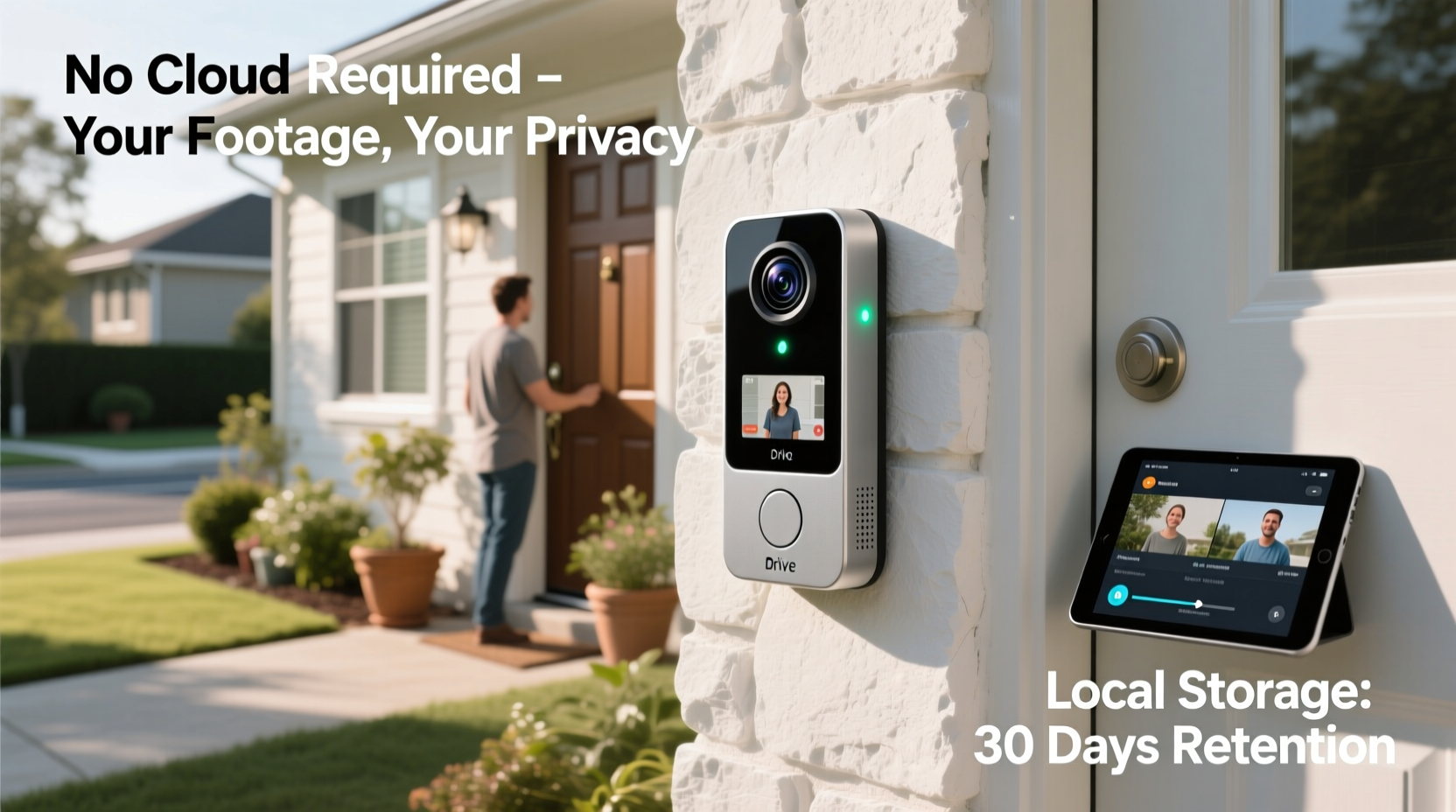
One of the most compelling arguments for smart doorbells with local storage is enhanced privacy. When video footage is stored in the cloud, it passes through third-party servers, often owned by large tech companies. Even with encryption, this introduces potential vulnerabilities—data breaches, internal access by employees, or compliance with government requests. In contrast, local storage keeps recordings within your home network, typically on a microSD card or a connected hub like a Network Video Recorder (NVR).
Consider this: every time your doorbell detects motion or someone rings the bell, it captures video that may include not just visitors, but also neighbors, children playing, or delivery personnel. If that data resides on a corporate server, you’re entrusting sensitive visual information to an external entity. With local storage, you maintain full ownership and control.
“Local storage gives users autonomy over their surveillance data—no middlemen, no subscription traps, just direct access under their own terms.” — Dr. Lena Patel, Cybersecurity Researcher at the Institute for Digital SafetyTip: Use encrypted local storage devices and regularly update firmware to prevent unauthorized access to your doorbell’s SD card.
Cost Comparison: Long-Term Savings of Going Local
Cloud-based smart doorbells often come with monthly or annual subscription fees for video recording and event history. Services like Ring Protect or Arlo Smart charge between $3 and $10 per month, adding up to $120 annually for a single device. Over five years, that’s $600—more than the initial cost of many premium doorbells.
In contrast, a one-time investment in a high-capacity microSD card (e.g., 128GB or 256GB) costs between $15 and $30 and can last for years. Some systems even support NAS (Network Attached Storage), allowing centralized management across multiple cameras without ongoing fees.
While upfront hardware costs for local-storage doorbells may be slightly higher, the absence of recurring charges makes them financially smarter over time. Additionally, you avoid the risk of losing access to your footage if you cancel a subscription—a common pain point with cloud-dependent models.
| Feature | Local Storage | Cloud Storage |
|---|---|---|
| Initial Cost | Higher (device + storage) | Lower (basic model) |
| Ongoing Fees | None | $3–$10/month |
| Data Retention | Limited by card size (~days to weeks) | Depends on plan (7–30 days) |
| Access Without Internet | Possible via local network | Not possible |
| Ownership of Footage | Fully user-controlled | Shared with provider |
Reliability and Connectivity: Performance When It Counts
Internet outages are more common than many realize—due to storms, ISP issues, or router failures. During such times, cloud-based doorbells may stop recording or fail to send alerts. Even live streaming can become unreliable. Local storage systems, however, continue functioning as long as the doorbell has power and the local network is operational.
Some advanced local-storage models offer hybrid functionality: recording locally while syncing select clips to the cloud for backup. This balances resilience with redundancy. For example, during a power surge that knocks out internet service, your doorbell still saves critical footage to the SD card. Once connectivity resumes, it can upload key events automatically.
Moreover, local networks reduce latency. Viewing a live feed from a device on your Wi-Fi is typically faster than retrieving it from a distant server. This responsiveness matters when answering the door in real time, especially for elderly family members or those managing deliveries.
Real Example: A Stormy Night in Austin
In early 2023, a severe thunderstorm hit Central Texas, knocking out internet service for thousands of households. Among them was Maria T., a homeowner in Austin who had recently upgraded to a Ring doorbell with a $10/month cloud plan. When a package was stolen during the outage, she discovered the footage hadn’t been saved—because her doorbell couldn’t upload it without internet.
Her neighbor, using a Reolink doorbell with a 256GB microSD card, captured the entire incident locally. Despite having no internet, the device recorded continuously and allowed playback once the storm passed. “I didn’t even realize how vulnerable I was until I lost proof,” Maria said later. She switched to a local-storage model within a week.
Security Risks: Are Cloud Platforms Safe?
While cloud providers invest heavily in encryption and infrastructure, they remain attractive targets for hackers. High-profile breaches involving smart home brands have exposed private videos, login credentials, and even two-factor authentication methods. In some cases, attackers gained access through weak passwords or phishing attacks on user accounts—not flaws in the platform itself.
Local storage reduces the attack surface. There’s no central server to breach, and footage isn’t transmitted over the public internet unless you manually choose to share it. However, local doesn’t mean invulnerable. If someone gains physical access to your SD card or hacks your home network, they could retrieve recordings. That’s why pairing local storage with strong network security—WPA3 encryption, unique passwords, and regular firmware updates—is crucial.
- Use strong, unique passwords for your Wi-Fi and doorbell app.
- Enable two-factor authentication (2FA) even for local-first devices.
- Physically secure hubs or NVRs in locked cabinets.
- Avoid default usernames like “admin” or “user.”
Step-by-Step: Setting Up a Secure Local Storage System
- Choose a compatible doorbell: Look for models supporting microSD cards or integration with NVRs (e.g., Eufy, Reolink, Lorex).
- Purchase a reliable memory card: Opt for Class 10 or UHS-I rated cards with at least 128GB capacity.
- Install firmware updates: Ensure the latest security patches are applied before first use.
- Configure recording settings: Set motion zones and event triggers to optimize storage usage.
- Secure your network: Change default router credentials and enable WPA3 encryption.
- Test failover behavior: Disconnect your internet and verify recordings continue locally.
- Back up critical footage: Periodically transfer important clips to an external drive or encrypted cloud (optional).
Hybrid Models: The Best of Both Worlds?
Some manufacturers now offer hybrid solutions that combine local and cloud storage. These devices record all footage locally while uploading short clips (e.g., 10–30 seconds) to the cloud for quick review and push notifications. This approach minimizes subscription costs—some plans start at $2/month—and ensures you don’t lose critical alerts during outages.
For instance, Google Nest Doorbell (wired) supports both microSD cards and optional Google One plans. You can set it to store everything locally but receive AI-powered alerts (like person detection) via the cloud. This flexibility appeals to users who want robust local backups without sacrificing smart features.
However, hybrid models may require more technical setup and careful configuration to avoid data duplication or bandwidth overload. They also depend on consistent app performance, which varies across smartphones and operating systems.
FAQ: Common Questions About Local vs. Cloud Storage
Can I switch from cloud to local storage later?
Yes, but only if your doorbell model supports local storage. Many budget or older models lack microSD slots or NVR compatibility. Check specifications before purchasing. If your current device doesn’t support local storage, you’ll need to replace it.
How long does footage stay on a local SD card?
It depends on card capacity, resolution, and recording frequency. A 128GB card recording 1080p video at moderate activity might hold 7–10 days of footage before overwriting the oldest files. Higher resolutions (2K/4K) or continuous recording reduce retention time significantly.
Is local storage less convenient for remote access?
Slightly. Most local systems allow remote viewing via companion apps, but performance depends on your home network’s upload speed and port forwarding setup. Some brands use peer-to-peer (P2P) connections to simplify access without exposing your network. Still, cloud platforms generally offer smoother mobile experiences due to optimized global servers.
Final Verdict: Is Local Storage Worth It?
For users prioritizing privacy, long-term savings, and system resilience, smart doorbells with local storage are absolutely worth considering—and often the better choice. They eliminate recurring fees, keep sensitive data under your control, and continue working when the internet goes down. While cloud options offer seamless integration and advanced AI features, they come with financial and security trade-offs that shouldn’t be ignored.
The ideal solution depends on your lifestyle. Renters or frequent travelers might prefer the simplicity of cloud access from anywhere. Homeowners seeking autonomy and durability will likely favor local storage. Meanwhile, hybrid models bridge the gap for those unwilling to fully commit to either side.
Regardless of your choice, never sacrifice basic security practices. Update firmware regularly, use strong passwords, and audit device permissions. Technology should empower you—not create new risks.
🚀 Ready to take control of your home security? Evaluate your current doorbell’s storage model, calculate five-year costs, and consider switching to local or hybrid options for greater peace of mind. Your privacy and wallet will thank you.