
Spending hours in front of a computer, tablet, or smartphone has become routine for most people—whether for work, study, or entertainment. But if you’ve noticed that your vision becomes blurry after extended screen time, you’re not alone. This phenomenon, often dismissed as minor fatigue, is actually a common symptom of digital eye strain, also known as computer vision syndrome. Left unaddressed, it can affect productivity, comfort, and even long-term eye health. The good news: understanding the causes and applying targeted solutions can make a dramatic difference.
The Science Behind Screen-Induced Blurry Vision
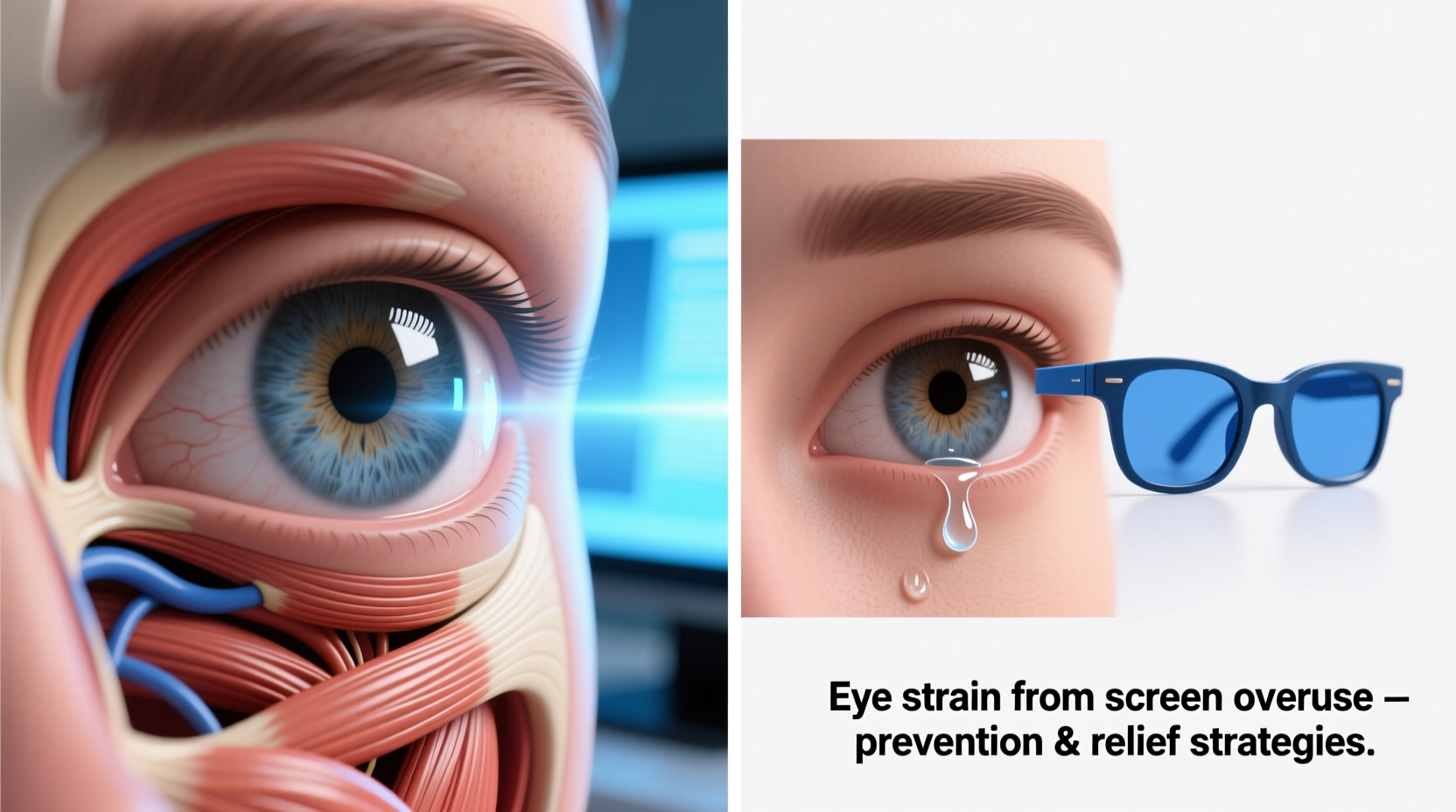
When you focus on a screen for prolonged periods, several physiological changes occur in your eyes and brain. Unlike reading printed text, digital screens emit blue light, flicker at high frequencies, and require constant micro-adjustments in focus due to pixel-based images. These factors force your ciliary muscles—the tiny muscles inside the eye responsible for lens focusing—to remain contracted for extended durations. Over time, this leads to accommodative spasm, where the eye struggles to shift focus between near and distant objects, resulting in temporary blurriness.
Additionally, research from the American Optometric Association shows that people blink about 66% less while using digital devices. Normal blinking is essential for spreading tears evenly across the cornea. Reduced blinking leads to dry eyes, which exacerbate blurriness, irritation, and a gritty sensation. The combination of muscular fatigue and ocular dryness forms the core of what’s commonly called digital eye strain.
“Prolonged screen exposure doesn’t just tire the eyes—it disrupts natural tear production and alters how the visual system processes information.” — Dr. Lena Patel, Optometrist and Vision Research Specialist
Key Contributing Factors to Post-Screen Blurriness
Blurry vision after screen use isn’t random; it stems from specific, interrelated issues:
- Poor Lighting Conditions: Excessive overhead lighting or glare on screens forces the eyes to work harder to distinguish contrast.
- Inadequate Viewing Distance: Sitting too close (less than 20 inches) or too far increases focusing demands.
- Uncorrected Vision Problems: Minor refractive errors like astigmatism or presbyopia may go unnoticed until screen use highlights them.
- Blue Light Exposure: High-energy visible (HEV) blue light scatters more easily, reducing visual contrast and contributing to fatigue.
- Screen Glare and Reflections: Poor positioning relative to windows or lights creates visual noise that strains the eyes.
Effective Strategies to Prevent and Reverse Blurry Vision
Addressing screen-related blurriness requires both immediate relief tactics and long-term behavioral adjustments. The goal is to reduce visual stress, support ocular hydration, and maintain optimal eye function throughout the day.
1. Follow the 20-20-20 Rule
This widely recommended method involves taking a 20-second break every 20 minutes to look at something at least 20 feet away. This simple practice allows the ciliary muscle to relax and resets the eye’s focusing mechanism. Studies published in *Optometry and Vision Science* show that consistent use of the 20-20-20 rule reduces symptoms of eye strain by up to 50% over two weeks.
2. Optimize Your Workspace Ergonomics
Your physical setup plays a crucial role in visual comfort. Ensure your monitor is positioned about an arm’s length away (20–28 inches), with the top of the screen at or slightly below eye level. This angle reduces neck strain and encourages a more natural gaze, minimizing eyelid exposure and tear evaporation.
3. Use Artificial Tears Strategically
Preservative-free artificial tears can help replenish moisture when dryness contributes to blurriness. Apply one drop in each eye during breaks if you feel dryness or grittiness. Avoid redness-relief drops, which may worsen dryness over time.
4. Adjust Display Settings
Tailor your screen for visual ease:
- Increase text size to reduce squinting.
- Lower brightness to match ambient lighting.
- Enable night mode or blue light filters, especially in the evening.
5. Invest in Computer Glasses
Lenses with anti-reflective coating and a slight magnification for intermediate distances (commonly labeled “computer glasses”) can significantly reduce focusing effort. Some models include a blue light filter, though evidence on its standalone benefit is mixed. What matters most is proper optical correction for your typical screen distance.
Step-by-Step Daily Routine to Protect Your Vision
Implementing a structured daily plan helps build sustainable habits. Here’s a practical timeline:
- 8:00 AM – Setup Check: Confirm screen position, lighting, and chair height. Start with adjusted brightness and font size.
- Every 20 Minutes: Pause briefly and follow the 20-20-20 rule. Set a silent timer or use a browser extension like EyeLeo.
- 10:00 AM & 2:00 PM: Perform a full blink reset—close your eyes slowly for three seconds, then open. Repeat five times to stimulate tear flow.
- Lunch Break: Step away from all screens for at least 15 minutes. Walk outside if possible to engage in distant focus.
- 3:00 PM: Reassess dryness. Use lubricating drops if needed.
- End of Day: Spend 10 minutes in dim light without screens. Try palming—cup your palms over closed eyes without pressure—to encourage relaxation.
Do’s and Don’ts: Quick Reference Table
| Do | Don't |
|---|---|
| Position screen slightly below eye level | Sit closer than 20 inches to the screen |
| Use matte screen protectors to reduce glare | Work under bright fluorescent lights |
| Blink consciously every few minutes | Rub your eyes when they feel tired |
| Take a 15-minute screen-free break every 2 hours | Continue working through persistent blurriness |
| Get a comprehensive eye exam annually | Assume blurriness is just \"normal\" with age |
Real-Life Example: Recovery in Three Weeks
Mark, a 34-year-old software developer, began experiencing frequent blurriness and headaches after transitioning to remote work. He was spending 9–10 hours daily in front of dual monitors, often skipping breaks. After visiting an optometrist, he was diagnosed with mild digital eye strain and dry eye syndrome. Following a tailored plan—incorporating the 20-20-20 rule, switching to computer-specific glasses, adjusting his desk lighting, and using lubricating drops twice daily—he reported significant improvement within ten days. By week three, his vision remained clear even after full workdays. His key takeaway: consistency mattered more than any single intervention.
When to See an Eye Care Professional
While occasional blurriness after screen use is common, certain signs warrant medical evaluation:
- Blurred vision persists for more than 30 minutes after stopping screen use
- Double vision, light sensitivity, or pain accompanies blurriness
- You experience frequent headaches localized around the eyes or forehead
- Night driving becomes difficult due to halos or glare
An optometrist can assess for underlying conditions such as uncorrected refractive error, binocular vision dysfunction, or early cataracts. They may recommend specialized lenses, vision therapy, or further testing.
Frequently Asked Questions
Can blue light blocking glasses really help with blurry vision?
Blue light glasses may improve comfort and sleep quality by reducing evening HEV exposure, but their direct impact on blurriness is limited. Their real benefit lies in reducing overall visual fatigue, especially when combined with other ergonomic improvements. Look for lenses with anti-reflective coating rather than relying solely on blue light filtering.
Is blurry vision from screens permanent?
No, in most cases, the blurriness is temporary and fully reversible with rest and preventive measures. However, chronic, untreated eye strain may contribute to long-term discomfort and reduced visual efficiency. There is no evidence that screen use causes permanent structural damage to the eyes, but it can accelerate symptoms in individuals with pre-existing conditions.
Why do my eyes blur only in the afternoon?
This pattern typically reflects cumulative strain. Tear film quality diminishes over the day, especially with reduced blinking. Additionally, mental fatigue lowers your threshold for discomfort. Implementing morning and midday prevention strategies—like hydration, blinking exercises, and scheduled breaks—can prevent the afternoon crash.
Checklist: Reduce Screen-Related Blurry Vision
Use this actionable checklist daily to protect your eyes:
- ✅ Position screen 20–28 inches away and slightly below eye level
- ✅ Enable blue light filter or night mode after sunset
- ✅ Set a timer for the 20-20-20 rule
- ✅ Use artificial tears if eyes feel dry (preservative-free preferred)
- ✅ Minimize glare with matte screen protector or reposition lighting
- ✅ Take a 15-minute break away from all screens every 2 hours
- ✅ Schedule a comprehensive eye exam this year, even if no issues seem severe
Conclusion: Clarity Starts with Small Changes
Blurry vision after screen use isn’t something you have to accept as inevitable. It’s a signal from your body that your visual system is under strain. By understanding the mechanisms behind digital eye fatigue and applying practical, science-backed strategies, you can regain sharp, comfortable vision. The most effective solutions aren’t expensive or complex—they’re consistent, intentional habits that prioritize eye health in a screen-dominated world. Start today by adjusting your screen position, setting a break reminder, and giving your eyes the care they deserve.
💬 Have you noticed improvements in your vision after making changes? Share your experience or tips in the comments—your insight could help someone see more clearly tomorrow.