
When it comes to tracking daily steps, two names dominate the wearable market: Fitbit and Apple Watch. Both offer accurate step counting, but they serve different needs. One emphasizes fitness-first simplicity, while the other delivers a full smartwatch experience with fitness as a feature among many. Choosing between them isn’t about which is “better” overall—it’s about what you actually use and value in your daily routine.
For someone focused solely on health metrics—steps, heart rate, sleep quality—a minimalist device may be more than sufficient. But for users already embedded in the iPhone ecosystem who want notifications, apps, and music control on their wrist, a smarter device might justify the extra cost. The real question isn't just accuracy—it's utility. What will you actually use, day after day?
Accuracy in Step Tracking: How Do They Compare?
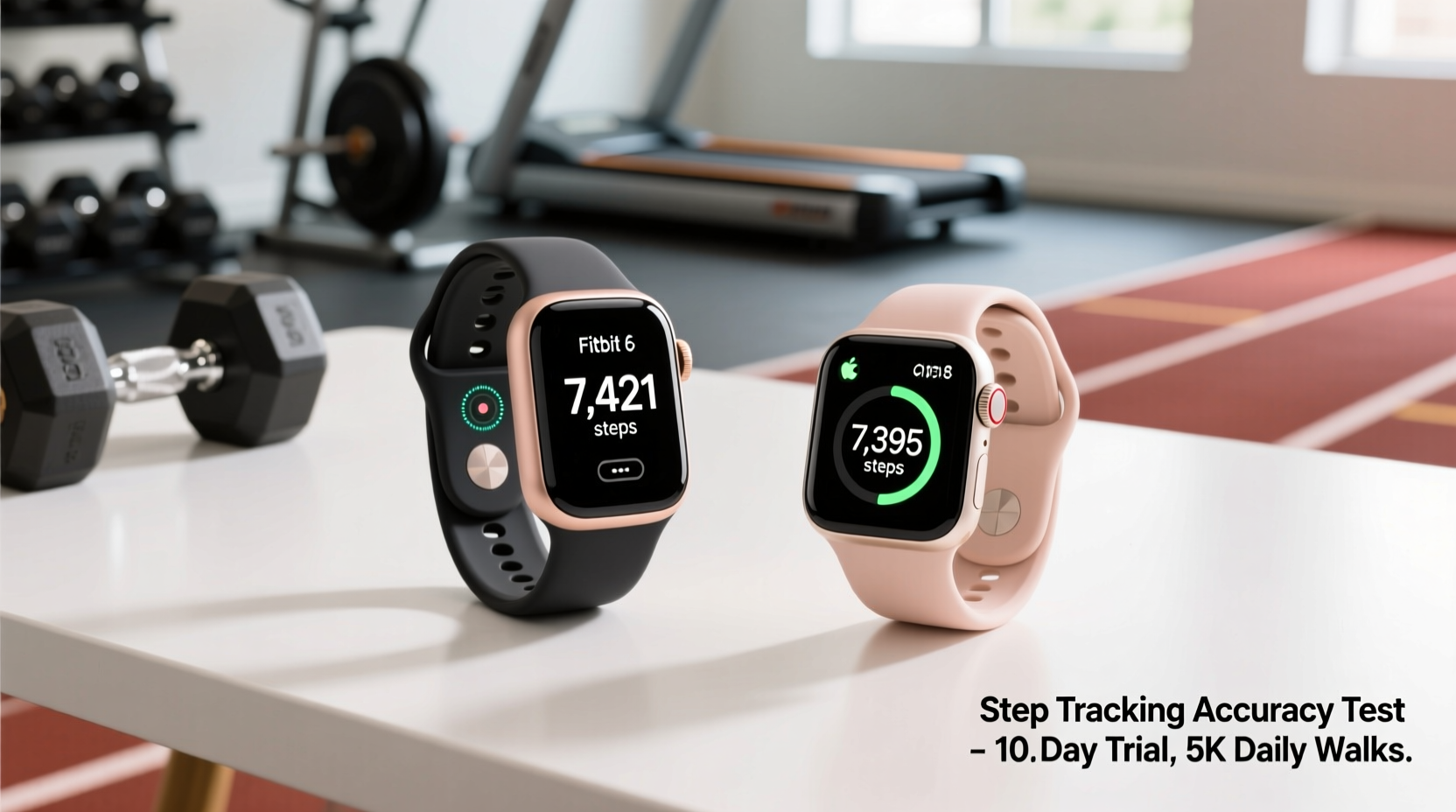
At the core of this decision is whether both devices track steps reliably. The short answer: yes, both Fitbit and Apple Watch deliver highly accurate step counts under normal conditions.
Multiple independent studies, including research from the *Journal of Medical Internet Research*, have shown that both brands perform within 5% of actual step counts during walking and moderate activity. Fitbit models like the Charge 6 and Sense 2 use advanced motion sensors and proprietary algorithms tuned specifically for movement detection. Apple Watch Series 9 and Ultra 2 rely on a combination of accelerometer, gyroscope, and machine learning models trained on millions of data points.
Where differences emerge is in edge cases:
- Short walks or indoor pacing: Fitbit sometimes overcounts steps during non-locomotive movements (e.g., stirring coffee). Apple Watch tends to be slightly more conservative here.
- Inconsistent arm movement: If you're pushing a stroller or shopping cart, both may undercount, though newer models compensate better using heart rate trends.
- Manual entry and syncing: Fitbit allows manual logging of activities directly in its app; Apple Health supports it too, but requires more steps unless using third-party apps.
“Step count accuracy has plateaued across premium wearables—the real differentiator now is how that data is interpreted and used.” — Dr. Lena Torres, Biomedical Engineer & Wearable Tech Researcher, Stanford UniversityTip: For maximum accuracy, wear your device snugly on your non-dominant wrist and calibrate it with a known-distance walk once a month.
Fitness-First vs Smart-First: Core Philosophies
The fundamental difference lies in design intent. Fitbit builds devices centered around health tracking. Apple builds smartwatches that include health tools.
This distinction shapes everything—from interface layout to battery life to long-term usability.
Fitbit: Simplicity With Depth
Fitbit’s interface prioritizes fitness metrics. Open the dashboard, and you’re greeted with your step count, active minutes, heart rate zone, and sleep score—all visible without tapping. Daily goals are visualized through rings similar to Apple’s, but with heavier emphasis on wellness indicators like readiness score and stress management.
Its companion app, Fitbit Premium, offers guided programs for walking, weight loss, and mindfulness—but these remain optional. You can use a Fitbit effectively without ever subscribing.
Apple Watch: Power and Integration
The Apple Watch shines when integrated into an iPhone user’s lifestyle. It delivers text replies, email previews, phone calls, music streaming, Apple Pay, and app notifications—all from your wrist. Fitness tracking is robust, with automatic workout detection, ECG, blood oxygen monitoring, and fall detection.
But all those features come at a cost: battery life. Most Apple Watches require nightly charging. Fitbits often last 5–7 days, with some models exceeding 10.
If your goal is simply to increase daily movement, does reading emails on your wrist help you take more steps? Probably not.
Do You Need Smart Features—or Just Fitness Data?
This is the central question. Let’s break down common user profiles to see which device aligns best.
| User Type | Fitness Needs | Smart Feature Use | Better Choice |
|---|---|---|---|
| New to fitness tracking | Basic step count, goal setting, progress history | Rarely checks notifications on wrist | Fitbit Charge 6 |
| iPhone power user | Tracks workouts, heart rate, sleep | Uses messages, music, payments daily |
| Over-50 focusing on health | Monitors heart rate, activity levels, sleep | Wants simplicity, longer battery | Fitbit Sense 2 |
| Athlete/trainer | Needs GPS, VO₂ max, recovery metrics | May use maps, music offline | Tie – Apple Watch Ultra 2 or Fitbit Sense 2 |
| Minimalist tech user | Only wants step count and sleep | No interest in apps or alerts | Fitbit Inspire 3 |
The pattern is clear: the more reliant you are on smartphone integration, the more sense an Apple Watch makes. But if your wearable is purely a health companion, Fitbit offers equal or better fitness insights with less distraction.
Real Example: Sarah’s Decision Journey
Sarah, a 42-year-old teacher, wanted to become more active after her doctor noted elevated resting heart rate. She researched both options.
She owned an iPhone and initially leaned toward the Apple Watch because “everyone has one.” But after trying a friend’s model, she found herself overwhelmed by notifications—text pings during class, calendar reminders buzzing mid-lesson. She also disliked charging it every night.
Instead, she bought a Fitbit Charge 6. It showed her average daily steps were only 3,800—far below the recommended 7,500–10,000. Using silent alarms to remind her to stand hourly and checking her sleep score each morning, she gradually increased activity. Within three months, her average rose to 8,200 steps. Her resting heart rate dropped by 12 bpm.
She never missed smart features. In fact, she appreciated not being distracted by them.
Tip: Try wearing each device for a week (borrow from a friend or use return policies) before committing. Real-world comfort matters more than specs.Step-by-Step Guide: Choosing the Right Device for You
Follow this practical timeline to make an informed choice:
- Week 1: Assess Your Current Habits
- How often do you check your phone?
- Do you respond to messages quickly, or can they wait?
- Are you consistent with charging gadgets?
- Week 2: Define Your Primary Goal
- Is it increasing daily steps?
- Improving sleep quality?
- Monitoring heart health?
- Or staying connected hands-free?
- Week 3: Test Battery Expectations
- Can you charge a device nightly without frustration?
- Do you travel frequently and lack easy access to chargers?
- If yes, longer battery life (Fitbit) becomes a major advantage.
- Week 4: Evaluate Ecosystem Fit
- Use Android? Stick with Fitbit (Apple Watch won’t work).
- Deep in Apple ecosystem? Apple Watch integrates seamlessly with iCloud, Health app, and Find My.
- Want cross-platform flexibility? Fitbit works with both iOS and Android.
- Final Week: Make the Decision
- If fitness is the priority: Choose Fitbit.
- If connectivity and convenience matter most: Choose Apple Watch.
- If budget is tight: Fitbit offers capable entry-level models under $100.
Expert Insight: What Long-Term Engagement Looks Like
According to a 2023 study published in *JMIR mHealth and uHealth*, long-term adherence to wearable use drops significantly when devices feel complicated or demanding.
Users who stuck with their trackers beyond six months typically valued simplicity, low maintenance, and clear feedback loops—exactly what Fitbit emphasizes.
“The most effective wearable isn’t the one with the most features—it’s the one you forget you’re wearing, yet still influences your behavior.” — Dr. Marcus Lin, Behavioral Scientist, MIT Media Lab
This insight underscores a quiet truth: motivation fades if the tool gets in the way. A device that buzzes constantly with social media alerts may undermine mindfulness and physical goals rather than support them.
FAQ: Common Questions Answered
Can I track steps accurately without GPS?
Yes. Step counting relies primarily on accelerometers, not GPS. GPS enhances outdoor workout tracking (like mapping runs), but isn’t needed for basic step counts. Both Fitbit and Apple Watch track steps well without constant GPS use.
Does the Apple Watch work with Android phones?
No. Apple Watch requires an iPhone to function. If you use an Android device, Fitbit is a far better option—and fully compatible.
Is Fitbit being phased out since Google acquired it?
No. While Google completed its acquisition of Fitbit in 2021, the brand remains active. New models continue to launch, and Fitbit OS is being gradually integrated with Wear OS for select devices. Existing features and services are unaffected.
Checklist: Before You Buy, Ask Yourself
- ✅ Do I want to be notified about texts, calls, and apps on my wrist?
- ✅ Am I willing to charge my device every night?
- ✅ Is my main goal to move more, sleep better, or improve heart health?
- ✅ Do I own an iPhone or Android phone?
- ✅ Will I actually use advanced features like ECG or blood oxygen readings?
- ✅ Is there a budget limit? (Apple Watch starts around $250+, Fitbit from $60+)
- ✅ Do I prefer a lightweight band or a larger watch face?
If most answers lean toward simplicity, health focus, and longer battery life—go Fitbit. If seamless iPhone integration, app variety, and smart functionality top your list—choose Apple Watch.
Conclusion: Match the Tool to Your Life, Not the Hype
The debate between Fitbit and Apple Watch for step tracking ultimately comes down to purpose. If your objective is to understand and improve your physical activity, sleep, and overall wellness, Fitbit delivers targeted, reliable data with minimal friction. It’s built for people who want to know how many steps they took—not which meme their friend just sent.
But if you're already glued to your iPhone and value having your digital life on your wrist, the Apple Watch enhances that experience while still offering excellent fitness tracking. It’s a powerful hybrid—a communication device first, a health tracker second.
Neither is universally superior. The best choice is the one you’ll wear consistently, trust implicitly, and use to make meaningful changes. Don’t buy based on features you think sound impressive. Buy based on what you’ll actually use.
🚀 Ready to take control of your daily movement? Reassess your priorities, try before you buy, and choose a device that supports—not distracts from—your health journey. Share your experience below and help others decide wisely.