
Losing your cell phone to liquid exposure is one of the most common yet stressful tech emergencies. Whether it's a spilled drink, a rain-soaked pocket, or an accidental plunge into water, the immediate concern isn't just about the device—it's about the irreplaceable photos, messages, contacts, and documents stored inside. The good news: with swift, informed action, you can significantly increase the chances of recovering your data—even if the phone won’t turn on. This guide outlines proven, step-by-step procedures to safely extract your information from a water-damaged phone while minimizing the risk of permanent harm.
Immediate Response: What to Do in the First 60 Seconds
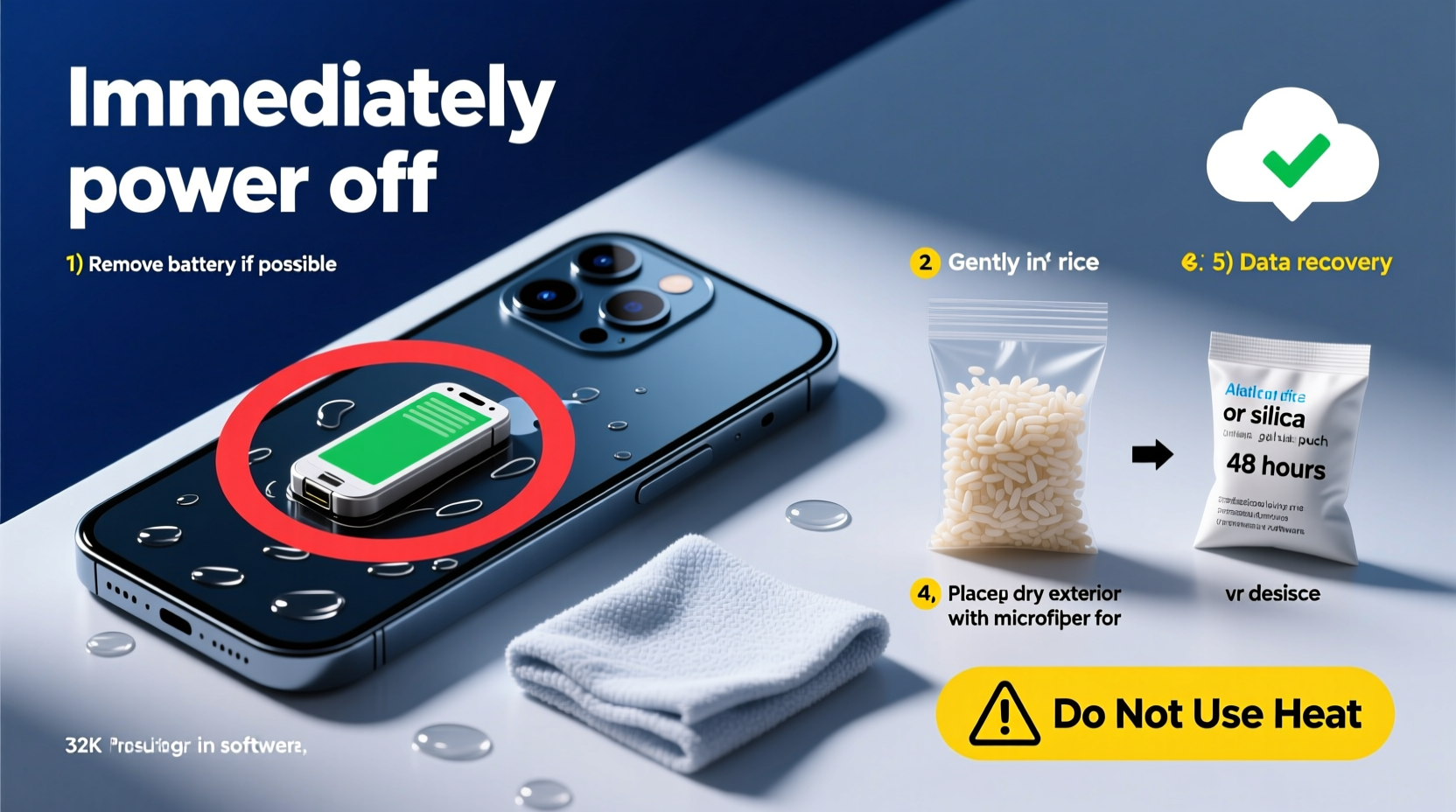
The first minute after water exposure is critical. Your actions during this window can determine whether the phone’s internal components survive or short-circuit beyond repair.
- Remove the phone from the liquid immediately. Every second counts—delay increases corrosion risk.
- Power it off right away. If the phone is still on, shut it down manually. Never attempt to restart a wet device.
- Remove external accessories. Take off the case, SIM card tray, memory card (if applicable), and any connected peripherals.
- Avoid pressing buttons or plugging in cables. This can force water deeper into ports and circuits.
Safe Drying Methods: What Works (and What Doesn’t)
Drying the phone properly is essential before attempting data recovery. However, not all drying techniques are equal—and some can do more harm than good.
| Method | Effectiveness | Risk Level | Notes |
|---|---|---|---|
| Rice (traditional method) | Low | Medium | Rice absorbs minimal moisture and can leave dust in ports. Not recommended by experts. |
| Silica gel packets | High | Low | Far superior to rice; actively pulls moisture from crevices. Use multiple packs in a sealed container. |
| Blow dryer (heat setting) | None | High | Heat warps components and pushes moisture inward. Avoid completely. |
| Fan + room temperature air | Moderate | Low | Use only with phone disassembled or in well-ventilated space. No heat. |
| Vacuum desiccant chamber | Very High | Low | Professional-grade solution used in repair labs. Most effective for deep moisture removal. |
For best results, place the phone (without battery, if removable) in an airtight container with silica gel packets for at least 24–48 hours. Position it screen-down to allow drainage from ports.
Step-by-Step Guide to Attempting Data Recovery
After thorough drying, proceed cautiously. The goal is to power the device just long enough to retrieve data—not to restore full functionality.
- Inspect for visible moisture. Check charging port, speaker grills, and camera housing. If damp, return to drying phase.
- Try a wireless connection. If your phone supports NFC or Bluetooth, attempt pairing with another device to transfer files without powering on.
- Connect to a computer via USB. Plug in the cable—if the phone is recognized as a storage device, copy files immediately.
- Power on briefly. If no response via USB, power on for no more than 10 seconds. If it boots, go straight to cloud sync or file transfer.
- Use manufacturer tools. Samsung Smart Switch, Apple iTunes, or Google Drive can back up data remotely if the device partially functions.
- Stop if signs of malfunction appear. Smoke, odd smells, flickering screen—shut down immediately and seek professional help.
“Attempting to charge or repeatedly restart a wet phone is the fastest way to kill it. Corrosion happens in minutes once power flows through damp circuits.” — David Lin, Senior Technician at iFix Electronics Lab
When to Seek Professional Help
Not all water damage can be resolved at home. Some situations require specialized tools and expertise.
If your phone has been submerged in saltwater, soda, or coffee, chemical residue accelerates corrosion. These liquids leave conductive deposits that standard drying won’t remove. Similarly, phones exposed to prolonged moisture or those with non-removable batteries benefit from ultrasonic cleaning and circuit board inspection.
Reputable repair shops use isopropyl alcohol baths to dissolve contaminants and employ vacuum chambers to extract trapped moisture. They can also bypass damaged ports to access memory chips directly—a process known as chip-off recovery.
Tip: Look for repair centers certified by iFixit or affiliated with manufacturers. Ask if they offer data recovery guarantees before proceeding.Mini Case Study: Recovering Family Photos After a Pool Accident
Sarah, a teacher from Portland, dropped her iPhone in a swimming pool during a birthday party. She followed online advice and placed it in rice for two days—but the phone remained unresponsive. Fearing permanent loss of her children’s early photos, she brought it to a local repair shop. Technicians disassembled the device, cleaned the logic board with 99% isopropyl alcohol, and used a data extraction tool to clone the storage. Two days later, Sarah recovered 98% of her photos and messages. The key? Delaying home remedies and opting for professional intervention within 72 hours.
Prevention and Preparedness Checklist
While accidents happen, preparing your device in advance improves recovery odds dramatically.
- ✅ Enable automatic cloud backups (iCloud, Google Photos, Dropbox)
- ✅ Regularly sync important files to a computer or external drive
- ✅ Use a waterproof case in high-risk environments (beach, kitchen, gym)
- ✅ Label your phone with contact info in case of loss during an incident
- ✅ Keep silica gel packs or a portable dry kit in your bag or car
- ✅ Know your phone’s model-specific disassembly steps (for emergency drying)
Frequently Asked Questions
Can I recover data from a completely dead wet phone?
Yes, but not through conventional means. Professional services can access the NAND flash memory chip directly using micro-soldering and data readers. Success depends on the extent of corrosion and whether the storage chip was compromised.
Is it safe to charge my phone after drying it?
No—charging a recently wet phone risks short-circuiting the battery or motherboard. Only charge after confirming complete dryness through professional inspection or extended desiccant drying (minimum 48 hours).
Does water damage void my warranty?
Most manufacturer warranties exclude liquid damage. However, some newer phones with IP68 ratings may qualify for limited coverage under specific conditions. Check your provider’s policy—Apple’s AppleCare+ and Samsung’s Protection Plus offer accidental damage options.
Final Steps and Long-Term Protection
Even if you successfully recover your data, treat the phone as compromised. Residual moisture can cause delayed failures weeks later. After retrieval, consider retiring the device or replacing it entirely. For future safety, adopt a “backup-first” mindset: enable real-time syncing across devices and test your restore process quarterly.
Technology fails. But preparedness ensures your memories and critical information don’t have to disappear with it.
💬 Have you rescued data from a soaked phone? Share your story or tip below—your experience could help someone avoid total loss.