Smart plugs offer convenience, automation, and energy monitoring—but when they unexpectedly cut power to your lights during high-demand periods, it can be confusing or even alarming. You’re not imagining things: this behavior is often a symptom of underlying electrical or device-level issues. Understanding why this happens isn’t just about restoring functionality—it’s about ensuring safety, optimizing performance, and protecting your connected devices.
Peak electricity usage times—typically early morning and evening—strain home circuits as multiple appliances run simultaneously. During these periods, voltage fluctuations, current draw spikes, and circuit overload can trigger protective responses in smart plugs. While some disconnections are intentional safeguards, others point to misconfigurations or incompatible setups. This article breaks down the technical causes, offers real-world examples, and provides actionable solutions so you can maintain reliable control over your lighting.
Understanding Smart Plug Behavior Under Load
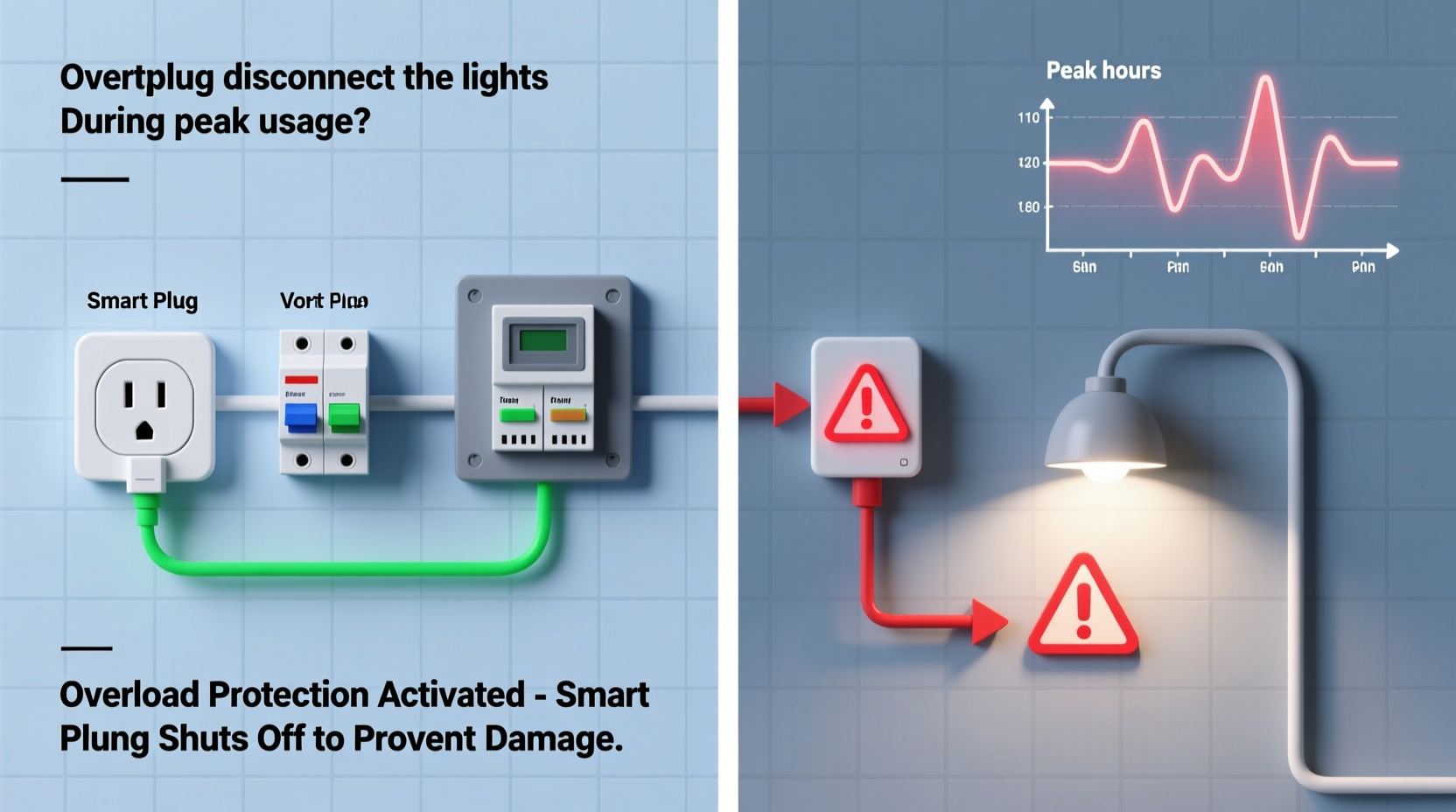
Smart plugs are more than simple on/off switches. They contain microprocessors, Wi-Fi radios, relays, and sometimes power-monitoring circuitry. When integrated into a home network, they respond not only to user commands but also to internal thresholds related to temperature, current, and voltage stability.
During peak usage, several factors converge:
- Voltage drops occur when too many devices pull from the same circuit.
- Current surges happen when motors start (e.g., refrigerators, AC units), briefly increasing demand.
- Internal thermal protection may activate if the plug overheats due to sustained load.
- Wi-Fi interference increases as more devices use bandwidth, potentially causing communication timeouts.
Many users assume their smart plug “reset” or “lost connection,” but in reality, it may have triggered an automatic shutdown to prevent damage. Some models—even those rated for 15A—can trip under sustained loads near their limit, especially if ventilation is poor or wiring is substandard.
Tip: Never daisy-chain smart plugs or overload a single outlet strip. Each device adds cumulative strain that may exceed safe operating limits.Common Causes of Disconnection During Peak Hours
1. Overloaded Circuit or Excessive Wattage Draw
If your lights—especially older incandescent or halogen fixtures—draw significant power, combining them with other devices on the same circuit can push total consumption beyond capacity. A standard household circuit in the U.S. is typically 15–20 amps (1,800–2,400 watts). If a space heater (1,500W), microwave (1,200W), and LED strip (100W) all run together, even a brief surge can cause voltage sag.
Smart plugs monitor power flow. When input voltage drops below a threshold (often around 90V), some models interpret this as instability and shut off to protect connected devices and themselves.
2. Thermal Cut-Off Activation
Most smart plugs include a thermal fuse or bimetallic switch that opens the circuit if internal temperatures rise too high. This commonly occurs when:
- The plug is enclosed in a tight outlet box with no airflow.
- It's controlling a near-maximum load for extended periods.
- Aging internal components increase resistance and heat generation.
During peak hours, ambient temperatures may already be elevated due to HVAC cycling or appliance use, pushing an already warm plug past its safety limit.
3. Wi-Fi Congestion and Signal Dropout
Even if electrical conditions are stable, network issues can mimic disconnection. In homes with multiple smart devices, streaming services, and video calls active during evenings, Wi-Fi congestion becomes common. A smart plug that loses signal for more than 30 seconds may stop responding to commands or appear \"offline\" in the app, though the physical relay remains engaged.
However, some firmware versions will automatically turn off the load after a prolonged loss of connectivity—a safety feature intended to prevent unintended operation.
4. Inrush Current from Other Devices
Inrush current—the momentary surge when a motor or transformer powers on—can momentarily drop line voltage. While the effect lasts less than a second, sensitive electronics like smart plugs may detect this as a brownout and disable output.
For example, if a refrigerator or air conditioner kicks on while your living room lights are running through a smart plug, the brief dip might be enough to trigger a reset.
“Voltage sags during compressor startup are one of the most overlooked causes of smart device dropout. It’s not always the plug’s fault—it’s the circuit’s health.” — Raj Patel, Electrical Systems Engineer at HomeGrid Labs
Troubleshooting: Step-by-Step Diagnosis
Follow this structured approach to identify and resolve the root cause of your smart plug disconnections.
- Check the load rating: Confirm total wattage of connected lights. Add up individual bulb ratings. Ensure combined draw is under 80% of the plug’s maximum (e.g., under 1,440W for a 15A/120V plug).
- Test on a different circuit: Move the plug and lights to a dedicated circuit (like a bedroom outlet) during peak time. If disconnections stop, the original circuit is overloaded.
- Monitor temperature: After 30 minutes of operation, touch the plug. If it’s hot to the touch, reduce load or improve ventilation.
- Use a voltage meter or plug analyzer: Devices like the Kill-A-Watt can log voltage over time. Look for dips below 105V during disconnection events.
- Reduce Wi-Fi interference: Reboot your router, ensure the plug is within range, and consider switching to a less congested 2.4GHz channel.
- Update firmware: Check the manufacturer’s app for updates. Many brands release patches to improve stability under fluctuating power conditions.
- Isolate inrush effects: Temporarily unplug large appliances and observe if light stability improves.
Do’s and Don’ts: Managing Smart Plugs on Shared Circuits
| Action | Recommendation | Reason |
|---|---|---|
| Use smart plugs for LED lighting | ✅ Do | LEDs draw low power (typically 5–20W per bulb), minimizing strain. |
| Control incandescent or halogen arrays | ⚠️ Limit Use | High wattage increases heat and circuit load; prone to tripping thermal cutoffs. |
| Install behind furniture or inside cabinets | ❌ Don’t | Poor airflow leads to overheating, especially under load. |
| Pair with dimmer switches | ❌ Avoid (unless designed for it) | Standard smart plugs aren't compatible with dimmers; can cause flickering or failure. |
| Use with surge protectors | ✅ Do (with caution) | Protects against spikes, but avoid power strips with built-in switches that may interrupt flow. |
Real-World Example: The Case of the Flickering Living Room Lights
Mark, a homeowner in Austin, Texas, installed two smart plugs to control floor lamps in his living room. Every evening at around 7 PM, both lights would abruptly turn off. He assumed it was a scheduling error, then suspected Wi-Fi issues. After ruling out app settings and reboots, he noticed the pattern coincided with his central AC turning on.
Using a Kill-A-Watt meter, Mark discovered that when the AC compressor started, voltage on the circuit dropped from 118V to 92V for nearly half a second. His smart plugs, sensing this as a brownout, disabled output as a protective measure. The solution? He moved one lamp to a different circuit and upgraded the smart plug on the remaining lamp to a model with adjustable voltage tolerance (available via advanced settings in the app). After recalibration, the disconnections ceased.
This case highlights how seemingly unrelated systems—HVAC and lighting—can interact through shared electrical infrastructure. Without diagnostic tools, such issues remain mysterious.
Expert Tips for Long-Term Stability
Tip: Label your home’s breaker panel clearly. Knowing which outlets share circuits helps anticipate conflicts before installing smart devices.Consider these additional strategies to enhance reliability:
- Choose commercial-grade smart plugs if managing higher loads. Brands like Siemens, GE Enbrighten, and Zooz offer models with wider voltage tolerance (90–140V) and better thermal management.
- Enable “brownout mode” or “voltage hold-off” settings if available in your app. These allow temporary dips without cutting power.
- Install a dedicated circuit for critical lighting zones. While more costly upfront, it eliminates competition for power and ensures consistent performance.
- Use mesh-network plugs (Zigbee, Z-Wave) instead of Wi-Fi where possible. They consume less power, generate less heat, and are less affected by internet congestion.
FAQ: Common Questions About Smart Plug Disconnections
Can a smart plug fail prematurely due to frequent disconnections?
Yes. Repeated thermal cycling—expansion and contraction from heating and cooling—can degrade internal solder joints and relays over time. Frequent voltage-related resets accelerate wear, shortening the device’s lifespan.
Will using a UPS (uninterruptible power supply) help prevent disconnections?
In some cases, yes. A small UPS with AVR (Automatic Voltage Regulation) can smooth out minor sags and surges, maintaining stable input to the smart plug. However, most consumer UPS units aren’t designed for continuous high-load operation and may introduce noise if undersized.
Are certain smart plug brands more resilient during peak usage?
Yes. Models from Aeon Labs, Shelly, and TP-Link Kasa are frequently cited for robust power handling and configurable thresholds. Look for IP ratings (for dust/moisture resistance) and explicit voltage range specifications when comparing options.
Checklist: Prevent Smart Plug Disconnections
- ✅ Calculate total wattage of connected lights—stay below 80% of plug rating.
- ✅ Test operation on a different circuit during peak hours.
- ✅ Ensure adequate airflow around the plug; avoid enclosed spaces.
- ✅ Update device firmware regularly via the companion app.
- ✅ Use a plug-in power monitor to detect voltage drops.
- ✅ Reduce Wi-Fi congestion by placing router centrally and limiting connected devices.
- ✅ Replace aging or warm-to-the-touch smart plugs immediately.
- ✅ Consider hardwired smart switches for high-load or critical lighting.
Conclusion: Take Control of Your Smart Home Reliability
Your smart plug shouldn’t become unreliable just because dinner is being cooked or the AC turns on. Disconnections during peak usage are preventable with the right knowledge and setup. By understanding electrical fundamentals, diagnosing actual vs. perceived failures, and applying targeted fixes, you can ensure seamless automation regardless of household demand.
Start by auditing your circuits, measuring real-world performance, and upgrading components where necessary. Small changes—like switching to efficient LEDs or relocating a plug—can yield dramatic improvements in stability. Remember, a smart home is only as intelligent as its weakest link.
💬 Experiencing similar issues? Share your story in the comments—your insight could help another user solve their smart plug puzzle.