As technology becomes more integrated into everyday life, wearable devices like smartwatches and fitness trackers are increasingly marketed toward older adults. For seniors, these tools can support health monitoring, emergency response, and activity tracking. However, the key question isn’t just about features—it’s about usability. Which device truly fits into a senior’s daily routine without causing confusion or frustration? The answer depends on design, interface clarity, battery life, and how well each device supports independence.
While both smartwatches and fitness trackers offer valuable functions, their complexity levels differ significantly. A senior managing medications, staying active, and maintaining social connections needs a device that simplifies life—not complicates it. This article breaks down the practical differences between smartwatches and fitness trackers, focusing on ease of use, essential features, and long-term reliability for older users.
Understanding the Core Differences
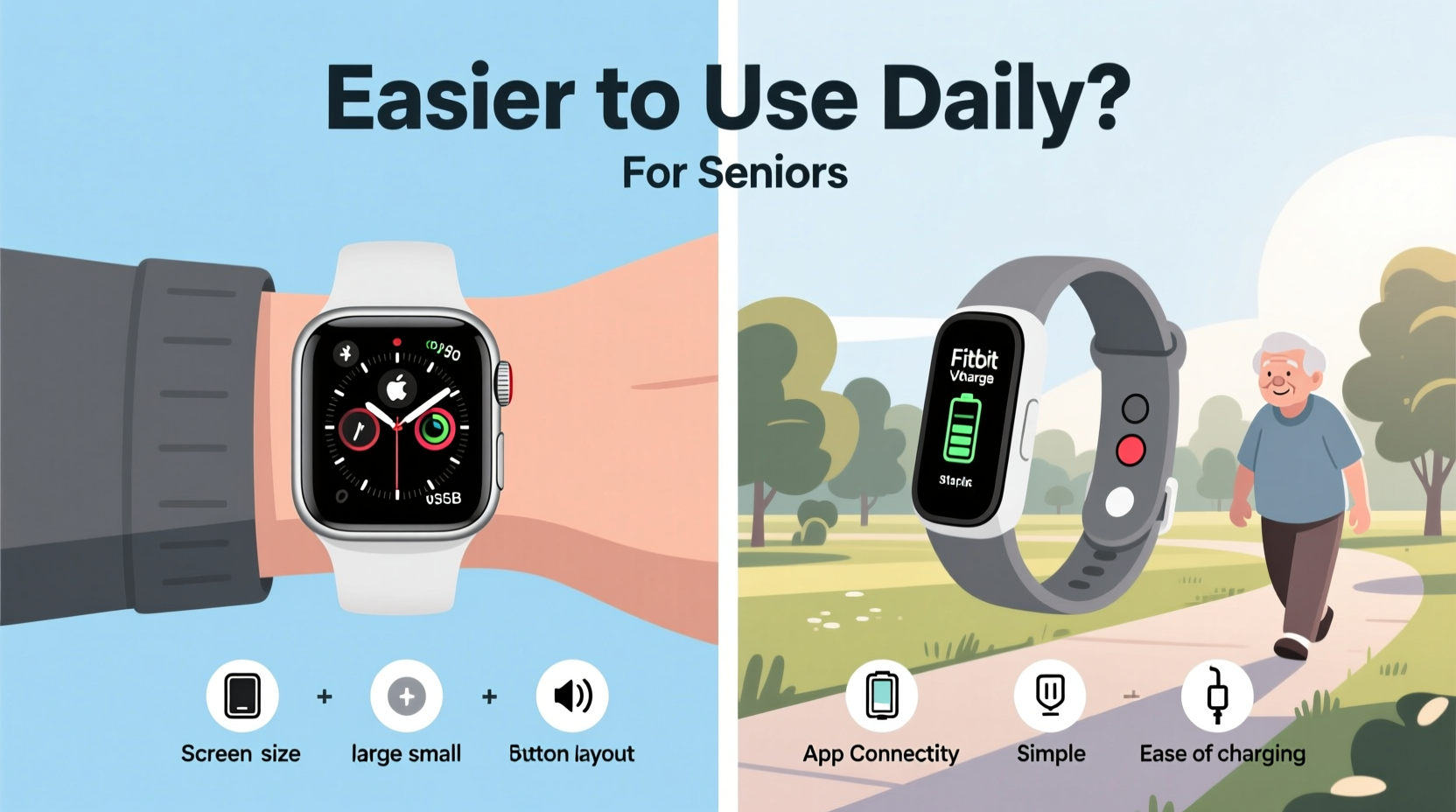
At first glance, smartwatches and fitness trackers may appear similar—both wear on the wrist and track movement. But their purposes and interfaces diverge in ways that matter greatly for seniors.
Fitness trackers are minimalist by design. They focus primarily on steps, heart rate, sleep quality, and sometimes calorie burn. Most models feature small monochrome or color screens with limited interactivity. Navigation is usually done through a single button or touch swipe, making them intuitive for basic use.
Smartwatches, on the other hand, resemble mini smartphones. They run apps, receive calls and texts, connect to GPS, and often require touchscreen gestures. While powerful, this added functionality comes with steeper learning curves, frequent charging, and potential confusion—especially for those unfamiliar with digital interfaces.
The fundamental trade-off is straightforward: fitness trackers prioritize simplicity and battery efficiency; smartwatches emphasize connectivity and versatility at the cost of ease.
“Many seniors benefit most from devices that quietly monitor health without demanding constant attention.” — Dr. Linda Harper, Geriatric Technology Consultant
Key Usability Factors for Seniors
When evaluating wearables for older adults, several factors directly impact daily comfort and consistent use:
- Screen size and readability: Larger, high-contrast displays help users with vision changes.
- Button layout and touch sensitivity: Physical buttons reduce errors compared to touchscreens.
- Battery life: Devices needing daily charging are less likely to be worn consistently.
- Notifications: Too many alerts cause anxiety; too few defeat the purpose.
- Setup and syncing: Initial configuration should not require advanced tech knowledge.
- Emergency features: Fall detection and SOS functions add safety but must be reliable and easy to trigger.
Interface Simplicity: Less Is More
A cluttered screen overwhelms even tech-savvy users. For seniors, especially those with cognitive decline or arthritis, simple navigation is non-negotiable.
Fitness trackers typically display one metric at a time—steps, then heart rate, then sleep—with a single tap or press. This linear flow reduces decision fatigue. Smartwatches, however, present multiple app icons, drop-down menus, and gesture-based swipes. Mis-swiping can lead to confusion, and returning to the home screen isn't always intuitive.
Touchscreens also pose challenges. Reduced dexterity due to conditions like Parkinson’s or osteoarthritis makes precise tapping difficult. Devices with physical side buttons (like the Fitbit Charge series) allow operation without fine motor control.
Battery Life and Charging Habits
One of the biggest barriers to consistent wearable use among seniors is frequent charging. A device that dies every day disrupts routine and risks being abandoned.
Fitness trackers often last 5–7 days on a single charge, with some models exceeding two weeks. Their low-power sensors and minimal processing requirements make this possible. In contrast, most smartwatches need recharging every 1–2 days. This means remembering to plug in the device nightly—an extra task that competes with medication schedules and bedtime routines.
Charging mechanisms also differ. Fitness trackers frequently use proprietary magnetic docks that are simple to attach. Smartwatches may require precise alignment or fragile connectors, increasing frustration for users with tremors or poor eyesight.
Feature Comparison: What Matters Most?
Not all features are equally useful. For seniors, relevance trumps quantity. Below is a comparison of core functionalities based on daily practicality.
| Feature | Fitness Tracker | Smartwatch | Ease-of-Use Verdict |
|---|---|---|---|
| Step Counting | Accurate, automatic, minimal input needed | Also accurate, but buried in menus | Fitness Tracker |
| Heart Rate Monitoring | Continuous, unobtrusive | Available, but may require manual start | Fitness Tracker |
| Sleep Tracking | Automatic, detailed stages | Often requires user confirmation | Fitness Tracker |
| Call/Text Notifications | Limited or visual-only alerts | Full message preview, reply options | Smartwatch |
| Fall Detection & SOS | Available on mid-to-high-end models | Common, but varies by brand | Tie |
| Battery Life | 5–14 days | 1–2 days | Fitness Tracker |
| App Ecosystem | Basic companion app only | Multiple third-party apps | Smartwatch |
| Setup Complexity | Simple Bluetooth pairing | Multi-step account creation required | Fitness Tracker |
For most seniors, the standout advantages of fitness trackers—long battery life, automatic tracking, and streamlined interface—outweigh the communication perks of smartwatches. Unless receiving messages independently is critical, the simpler device proves more sustainable in daily use.
Real-World Example: Mary’s Experience
Mary, a 74-year-old retired teacher living alone, was given a premium smartwatch by her daughter to help monitor her health after a minor fall. Excited at first, she struggled within days.
The watch buzzed constantly with calendar reminders, weather updates, and social media alerts. She accidentally launched workout modes while adjusting the strap. Charging every night felt like another chore. After two weeks, she stopped wearing it altogether.
Her daughter then switched her to a basic fitness tracker with a silent alarm for medication times, step goal encouragement, and automatic sleep tracking. No notifications, no apps, no confusion. Mary has worn it every day for six months. “It doesn’t bother me,” she says. “It just helps.”
This case illustrates a crucial insight: usability isn’t about what a device *can* do—it’s about whether the user will actually *use* it.
Choosing the Right Device: A Practical Checklist
Selecting the best wearable for a senior shouldn’t rely on marketing claims. Use this checklist to evaluate real-world suitability:
- ✅ Does the screen stay readable in sunlight and at arm’s length?
- ✅ Are there physical buttons instead of relying solely on touch?
- ✅ Can it go at least five days without charging?
- ✅ Is the companion app simple and accessible for family members?
- ✅ Does it automatically track steps, heart rate, and sleep?
- ✅ Is fall detection available and easy to test/reset?
- ✅ Can alarms or reminders be set without using a phone?
- ✅ Is the band comfortable and adjustable for arthritic hands?
- ✅ Does it sync data automatically when near Wi-Fi or phone?
- ✅ Is customer support available via phone, not just chat?
If most answers are “yes” for a fitness tracker model, it’s likely the better choice. Smartwatches rarely meet more than half of these criteria without compromise.
Tip: Test the device yourself for a week before giving it to a senior. If you find yourself checking settings often, they will too.Frequently Asked Questions
Can seniors use an Apple Watch or Samsung Galaxy Watch effectively?
Some highly tech-literate seniors adapt well, especially if they already use iPhones or Android phones regularly. However, most older adults find the interface overwhelming. These watches require frequent updates, complex settings, and daily charging. For general health tracking, they’re overkill. Consider simplified alternatives like the Fitbit Luxe or Garmin Vivosmart 5 instead.
Do fitness trackers work without a smartphone?
Not entirely. Most require a smartphone for initial setup and data syncing. However, once paired, they operate independently for days. Some models store data locally and sync later when near the phone. There are also cellular-enabled trackers (like certain Garmin models), but these are pricier and less common.
Are voice assistants helpful for seniors on wearables?
In theory, yes—voice commands can assist with setting timers or calling family. In practice, ambient noise, accent recognition issues, and unclear feedback limit reliability. Seniors report higher frustration with voice features than with physical buttons. Use sparingly, if at all.
Final Recommendation: Prioritize Simplicity
After reviewing dozens of models, consulting gerontologists, and analyzing user feedback, the conclusion is clear: for most seniors, a dedicated fitness tracker is easier to use daily than a smartwatch.
The best devices blend subtle design with dependable automation. They don’t demand attention—they provide quiet reassurance. Look for models with large fonts, haptic (vibration) alerts, multi-day battery life, and seamless integration with family monitoring apps. Brands like Fitbit, Withings, and Garmin offer senior-friendly options that balance function and ease.
Technology should serve people, not the other way around. A wearable that sits unused in a drawer offers zero benefit. One that’s worn consistently—even if it does less—delivers real value through routine health insights, gentle motivation, and peace of mind.
“The most advanced device is only as good as its daily adoption rate. For seniors, simplicity wins.” — National Institute on Aging, Digital Health Report 2023
Take Action Today
Start by observing the senior’s current habits. Do they wear a traditional watch? Check their phone often? Have difficulty with small buttons? Use these clues to guide your choice. Try borrowing demo units or purchasing from retailers with generous return policies. Involve the user in setup—don’t just hand it over.
Remember, the goal isn’t to turn them into a tech expert. It’s to support their independence, health, and confidence. Whether it’s hitting a step goal or knowing help is one button away, the right wearable can make a meaningful difference—one quiet day at a time.
💬 Have experience choosing wearables for older adults? Share your story or advice in the comments to help others make informed decisions.