The Apple Watch Ultra launched as a rugged, performance-driven timepiece designed for adventurers, endurance athletes, and outdoor professionals. With its titanium case, 36-hour battery life, depth rating of 100 meters, and built-in GPS, it’s easy to assume this device is only for those pushing physical limits. But what about everyday users—commuters, remote workers, parents, or casual walkers—who don’t train for marathons or dive coral reefs? Is the Apple Watch Ultra simply overengineered for ordinary lifestyles, or does its robust feature set deliver meaningful utility even outside extreme sports?
The answer isn't binary. While the Ultra's marketing emphasizes adventure, many of its capabilities quietly enhance daily routines in ways that go unnoticed until you experience them. From emergency readiness to productivity tools and durability, the Ultra offers tangible benefits that extend well beyond athletic tracking.
Beyond the Gym: Everyday Utility of the Apple Watch Ultra
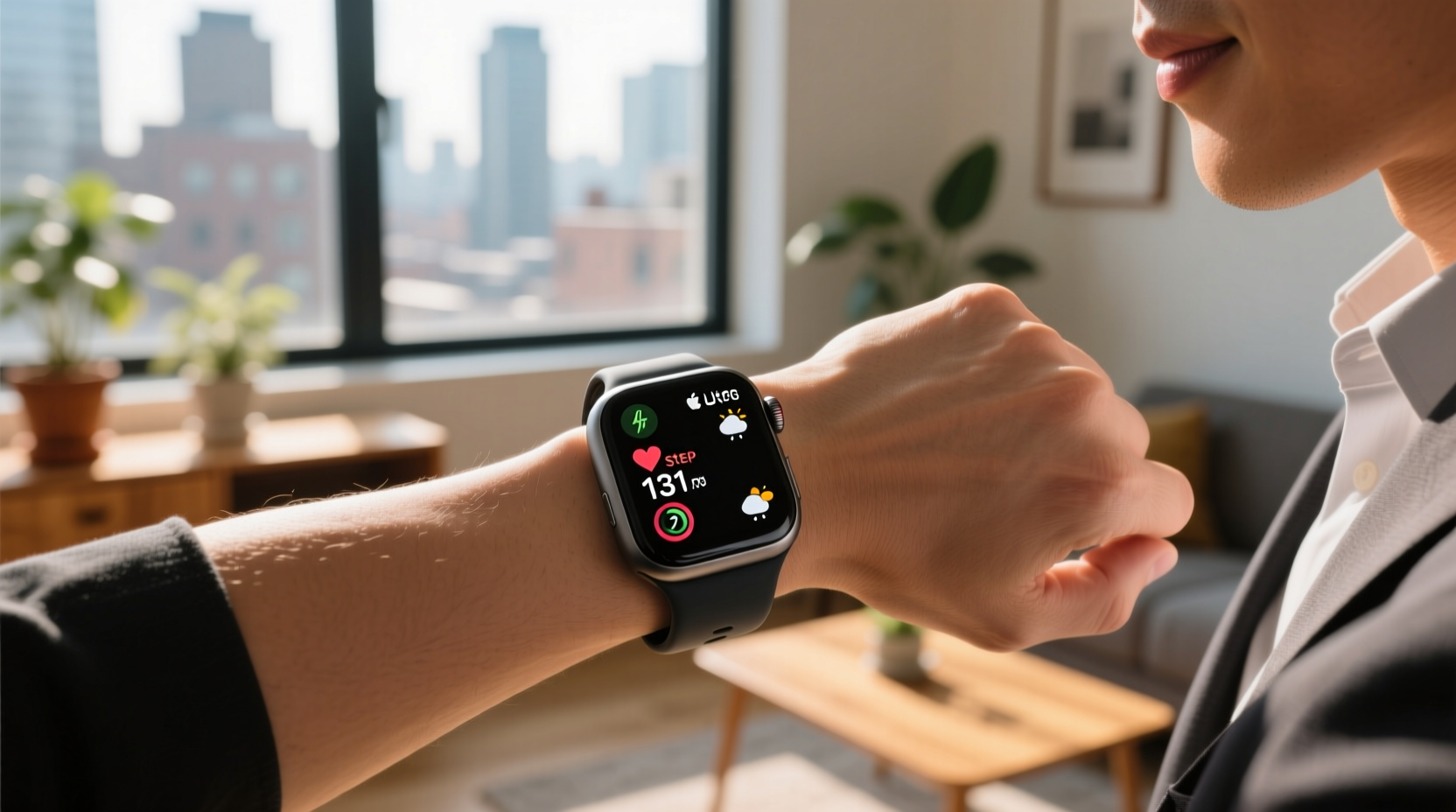
At first glance, the Apple Watch Ultra appears oversized and overly industrial compared to the sleeker Series models. Its 49mm face dominates the wrist, and the bright orange action button stands out like a piece of mountaineering gear. Yet these design choices serve practical purposes far beyond trail runs or scuba dives.
The extended battery life alone—a full day longer than standard Apple Watches—means fewer charging interruptions. For frequent travelers, shift workers, or anyone who forgets to charge devices nightly, this reduces dependency on power banks or outlets. No more mid-afternoon \"battery anxiety\" during meetings or school pickups.
The always-on display is brighter (up to 3,000 nits) than any previous model, making it legible under direct sunlight. This isn’t just helpful for hikers—it’s useful for reading texts on a sunny sidewalk, checking the time while gardening, or glancing at notifications during an outdoor commute.
Tip: Use the customizable Action Button to launch your most-used function—like a flashlight, workout timer, or meditation app—with one press.Durability That Pays Off in Daily Life
Non-athletes may never test the Ultra’s water resistance to 100 meters, but they will appreciate its resilience against daily wear and tear. The sapphire crystal front resists scratches from keys, desks, or accidental bumps far better than aluminum-cased models. The titanium band options are lighter and less prone to corrosion than stainless steel, ideal for humid climates or sweaty commutes.
Consider a parent juggling groceries, strollers, and toddlers. A dropped watch is inevitable. The Ultra’s reinforced construction—including a wrapped antenna design and thicker casing—makes it more likely to survive such impacts. Similarly, someone working in construction, landscaping, or field service benefits from a device that can endure dust, moisture, and rough handling without needing protective cases.
Apple designed the Ultra to meet MIL-STD-810H standards for thermal, shock, and vibration resistance. These aren’t niche specs—they translate into reliability in unpredictable environments, whether you’re stuck in a hot car, caught in sudden rain, or navigating a bumpy rural road.
Emergency Features That Everyone Can Benefit From
One of the most underrated aspects of the Apple Watch Ultra is its role in personal safety. The integrated compass, dual-frequency GPS, and fall detection with emergency SOS via satellite are marketed toward backcountry explorers, but they provide peace of mind in urban and suburban settings too.
Imagine getting lost during a hike with your kids—or worse, being involved in a minor car accident on a remote road with no cell service. The Ultra can send emergency alerts directly to rescue services using satellite connectivity, even when your iPhone is miles away or out of battery.
“Even if you never climb Everest, having precise location tracking and emergency reachability can be lifesaving in unexpected situations.” — Dr. Lena Torres, Emergency Response Coordinator, Mountain Rescue Alliance
The enhanced GPS accuracy also improves routine navigation. Cyclists, scooter riders, or pedestrians relying on turn-by-turn directions benefit from faster lock-ons and consistent signal retention in dense urban areas or wooded parks.
Productivity and Lifestyle Enhancements
The Ultra isn’t just about survival—it integrates seamlessly into modern digital life. Its larger screen provides more space for complications, notifications, and third-party apps. Users managing calendars, tracking medication, or monitoring sleep patterns gain improved readability and interaction efficiency.
For professionals who rely on voice memos, timers, or task lists, the Action Button can be programmed to start a recording, begin a focused work session, or initiate a breathing exercise—all without unlocking the phone. This micro-efficiency adds up over time, especially for those balancing multiple responsibilities.
The Ultra also supports louder speaker audio (up to 10% louder than prior models), which helps in noisy environments like airports, construction zones, or crowded streets. Taking a call or hearing navigation prompts clearly without pulling out your phone enhances both convenience and safety.
Real-World Example: Sarah, Remote Worker & Weekend Hiker
Sarah works remotely as a project manager and lives in a rural area with spotty cellular coverage. She doesn’t consider herself an athlete, but she enjoys weekend hikes and often drives long distances for client visits.
She bought the Apple Watch Ultra primarily for its battery life and GPS reliability. During a recent trip, her car broke down on a mountain pass with no signal. Using the Ultra’s Emergency SOS via satellite, she contacted roadside assistance within minutes, sharing her exact coordinates. The same week, the loud alarm helped her wake up after a late-night work session, and the Action Button started her morning meditation with a single press.
“I thought I was buying a ‘hiker’s watch,’” she said. “But it’s become my daily safety net, planner, and mindfulness tool all in one.”
Feature Comparison: Apple Watch Ultra vs. Series 9
| Feature | Apple Watch Ultra | Apple Watch Series 9 |
|---|---|---|
| Case Size | 49mm titanium | 41mm or 45mm aluminum/stainless steel |
| Battery Life | Up to 36 hours (72 in Low Power Mode) | Up to 18 hours |
| Display Brightness | Up to 3,000 nits | Up to 2,000 nits |
| Water Resistance | 100 meters (WR100) | 50 meters (WR50) |
| Action Button | Customizable physical button | None |
| GPS | Dual-frequency (L1 + L5) | L1 only |
| Emergency SOS | Includes satellite connectivity | Requires paired iPhone with plan |
| Durability | MIL-STD-810H certified | No military-grade certification |
This comparison shows that while the Series 9 remains excellent for general use, the Ultra delivers measurable upgrades in key areas relevant to real-world usability—not just athletic performance.
When the Ultra Might Be Overkill
Despite its advantages, the Ultra isn’t universally ideal. Its size may feel cumbersome for smaller wrists, and the premium price—starting at $799—places it out of reach for many budget-conscious buyers. If your primary needs are heart rate monitoring, sleep tracking, and receiving notifications, the Series 9 or SE models offer nearly identical core functionality at lower cost.
Additionally, if you charge your watch every night without fail and rarely leave urban areas with reliable connectivity, satellite SOS and extended GPS may never come into play. Likewise, the Action Button, while powerful, requires intentional setup to unlock its value. Without customization, it defaults to starting workouts—an irrelevant function for non-active users.
Tip: Before buying, try the Ultra in-store to assess comfort and size. Many find it heavier than expected.Maximizing Value: A Practical Checklist
To determine whether the Apple Watch Ultra makes sense for your lifestyle—and to get the most out of it if you own one—follow this checklist:
- Evaluate your environment: Do you frequently travel off-grid, work outdoors, or live in areas with poor connectivity?
- Assess battery habits: Do you often run out of charge before the day ends?
- Customize the Action Button: Set it to trigger flashlight, timer, mindfulness, or another daily-use function.
- Enable emergency features: Confirm SOS via satellite is activated and test location sharing with a trusted contact.
- Use precision GPS: Rely on it for accurate walking, cycling, or driving directions—even in cities.
- Leverage durability: Wear it confidently in rain, snow, or dusty conditions without added protection.
- Monitor health consistently: Take advantage of ECG, blood oxygen, and sleep tracking regardless of activity level.
Frequently Asked Questions
Can the Apple Watch Ultra be used comfortably by people with small wrists?
Some users with smaller wrists report discomfort due to the 49mm case and rigid bands. However, Apple offers flexible nylon loops and softer rubber bands that improve fit. Trying it in person is recommended before purchase.
Is satellite SOS really useful for non-hikers?
Yes. While marketed for outdoor emergencies, satellite SOS can assist in car breakdowns, medical incidents, or natural disasters where cellular networks are down. It’s a form of insurance—hopefully unused, but invaluable when needed.
Does the Ultra have all the same apps as other Apple Watches?
Absolutely. Every app available on the Series 9 or SE works on the Ultra. In fact, the larger screen and better processor enhance app performance and readability.
Final Thoughts: Purpose Over Label
The label “for athletes” shouldn’t limit who benefits from the Apple Watch Ultra. Technology designed for extreme conditions often trickles down into everyday resilience. Just as a heavy-duty backpack lasts longer than a flimsy tote, or a weather-sealed camera survives accidental spills, the Ultra’s rugged engineering provides quiet, continuous value in normal life.
Its strengths—battery endurance, emergency readiness, environmental toughness, and functional design—are not luxuries reserved for adventurers. They are practical upgrades that enhance reliability, safety, and usability for anyone whose day doesn’t unfold within the controlled comfort of an office or home.
If you value preparedness, hate charging devices twice a day, or simply want a smartwatch that won’t quit when things get messy, the Ultra isn’t overkill. It’s over-prepared—and there’s wisdom in that.
🚀 Ready to rethink what a smartwatch can do? Share your thoughts on whether the Apple Watch Ultra fits non-athletic lifestyles—or tell us how you use yours in daily life. Your experience could help others see past the marketing and find real value.