
For iPhone 14 users, the daily dance between phone security and everyday convenience often comes down to a simple choice: keep your cards close with a wallet case or gain better grip with a PopSocket. Both accessories solve real problems—dropped phones and fumbling for IDs—but they don’t play well together. Attaching a PopSocket to a wallet case can make the phone bulky, interfere with wireless charging, or even push cards out over time. So when you have to choose one over the other, is the improved grip truly worth losing quick access to your essentials?
This isn’t just about personal preference. It’s about understanding how each option impacts your daily routine, physical comfort, and long-term device protection. Let’s weigh the trade-offs with practical insights, user experiences, and design realities.
The Core Trade-Off: Convenience vs. Control
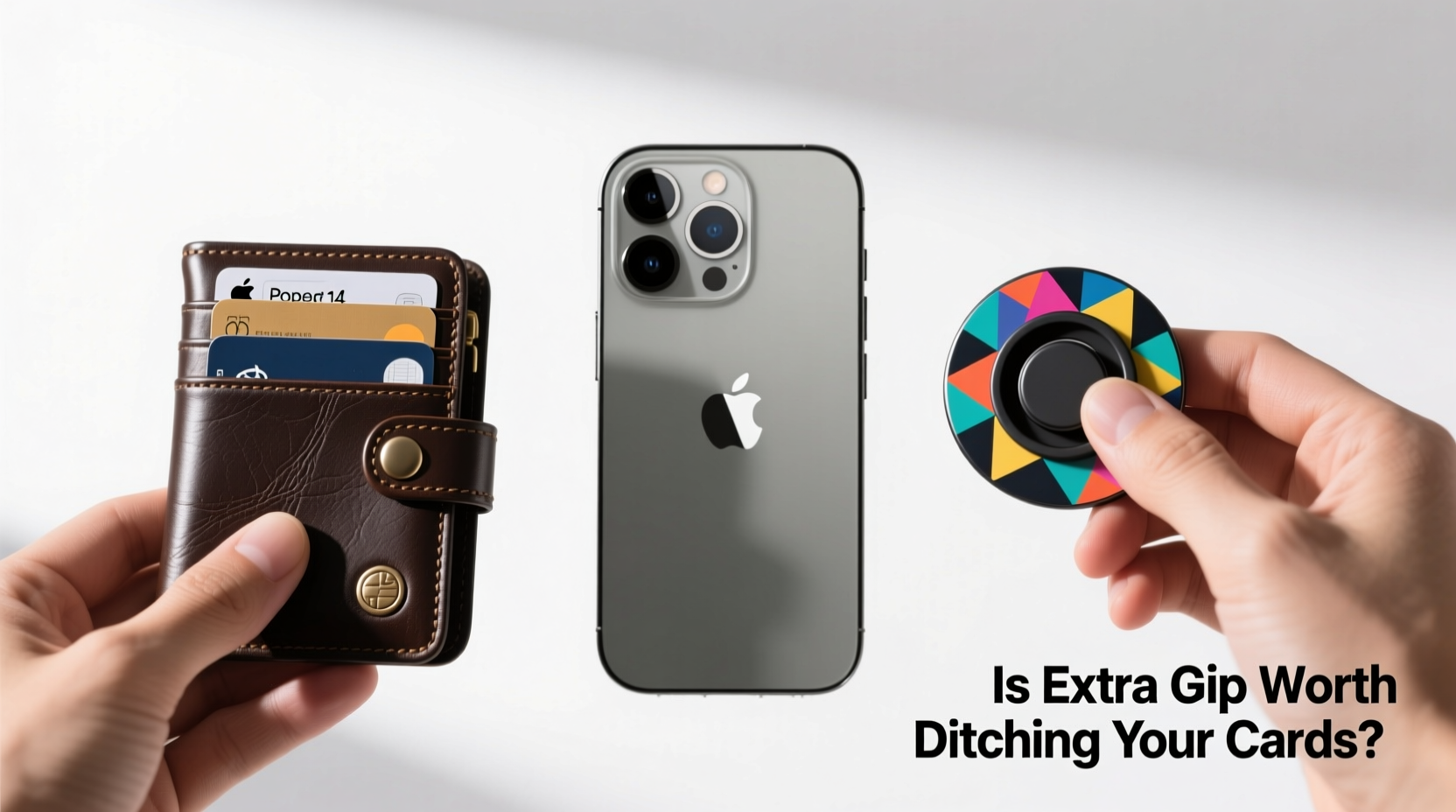
A wallet case consolidates your phone and essential cards into one sleek unit. No need to carry a separate wallet; tap-to-pay, transit cards, and ID are all within reach. The downside? Most wallet cases add thickness and make one-handed use awkward, especially on larger iPhone 14 models. The smooth back of many wallet cases also makes them slippery, increasing drop risk.
Enter the PopSocket—a collapsible grip that sticks to the back of your phone or case. When expanded, it gives you a secure hold, doubles as a stand, and improves control during scrolling, gaming, or FaceTime. But adding a PopSocket to a wallet case creates conflict. The adhesive base can press against stored cards, warping them or making removal difficult. And if you remove the wallet function to use a slim case with a PopSocket, you lose instant card access.
Tip: If you frequently use contactless payments, consider setting up Apple Pay—even without a physical card nearby, you maintain digital access to payment methods.Real-World Scenarios: Who Benefits From What?
Your lifestyle determines which accessory serves you best. Consider these common situations:
- Commuter with a packed bag: Likely already carrying a wallet. A PopSocket reduces phone drops on crowded trains and offers hands-free viewing. Wallet case redundancy makes less sense here.
- Runner or gym-goer: Carrying a wallet isn’t practical. A wallet case with Apple Pay support keeps ID and payment accessible. Grip matters, but armbands or wrist straps may be better than a PopSocket.
- Parent with multitasking demands: Juggling kids and groceries means one hand is often occupied. A PopSocket provides critical stability when using the phone mid-task. Cards in a pocket or diaper bag may suffice.
- Minimalist urbanite: Values light carry. A wallet case eliminates the need for a separate wallet. Sacrificing grip might be acceptable if drops are rare and Apple Pay covers most needs.
“Most accidental phone damage occurs during single-handed use—texting while walking, checking notifications mid-stride. Anything that improves grip reduces risk.” — Jordan Lee, Mobile Device Ergonomics Researcher, TechWell Labs
Performance Comparison: Wallet Case vs. PopSocket
| Feature | Wallet Case | PopSocket |
|---|---|---|
| Card Storage | Yes (typically 2–3 cards) | No (unless paired with wallet case) |
| Grip Security | Moderate (slippery backs common) | High (thumb + fingers wrap around grip) |
| One-Handed Usability | Poor to moderate (bulkier profile) | Excellent (secure hold enables stretching) |
| Wireless Charging | Often blocked by cards unless removed | Unaffected (if centered properly) |
| Durability Impact | May warp cards over time | Adhesive may fail; PopTop replaceable |
| Portability | Reduces need for wallet | Adds slight bulk but not volume |
Hybrid Approach: Can You Have Both?
Some users attempt to combine both solutions—using a wallet case with a PopSocket attached. While technically possible, this setup introduces new issues:
- Thickness and balance: The phone becomes top-heavy and harder to slide into pockets.
- Card ejection: Pressure from the PopSocket base can gradually push cards out, especially with frequent use.
- Charging interference: Misalignment during wireless charging is common due to uneven back surface.
- Aesthetic clutter: Multiple components reduce the clean look many iPhone owners prefer.
Alternatives exist. Some brands offer magnetic PopSockets that attach only when needed. Others produce wallet cases with built-in finger loops or kickstands, merging functionality without permanent adhesives. MagSafe-compatible wallet attachments are another option—snap on when you need cards, snap off when you want a PopSocket.
Mini Case Study: Sarah’s Switch from Wallet Case to PopSocket
Sarah, a freelance photographer in Seattle, used a leather wallet case for her iPhone 14 Pro for six months. She appreciated having her driver’s license and credit card handy at coffee shops and client meetings. But during outdoor shoots, she noticed near-misses—her phone slipping from her hand while adjusting camera settings or checking lighting apps.
After dropping her phone twice (luckily onto grass), she switched to a minimalist silicone case with a centered PopSocket. She now carries a small coin purse in her crossbody bag for cards. “I was skeptical,” she admits, “but the grip change is night and day. I can brace the phone against my palm while zooming or reviewing shots. I use Apple Pay for most transactions anyway, so losing the wallet wasn’t as disruptive as I thought.”
Her only regret? Not enabling NFC-based transit passes sooner. Once set up, even her bus rides no longer required physical cards.
Action Plan: How to Decide What Works for You
Choosing between a wallet case and a PopSocket doesn’t have to be arbitrary. Follow this step-by-step evaluation:
- Track your card usage for three days: Note how often you pull out physical cards versus using Apple Pay or leaving your wallet behind.
- Assess your grip habits: Do you frequently use your phone while walking, standing, or in motion? Record any slips or near-drops.
- Test wireless charging frequency: If you charge wirelessly every night, a wallet case that requires card removal becomes a nightly hassle.
- Evaluate your carry style: Do you always have a bag, or do you often go pocket-only? Pocket carriers benefit more from wallet integration.
- Try a trial period: Use a PopSocket for one week and a wallet case the next. Compare comfort, confidence, and convenience objectively.
Frequently Asked Questions
Can I use Apple Pay instead of carrying cards in a wallet case?
Yes, Apple Pay is widely accepted at retailers, transit systems, and apps. If your bank supports it and you're comfortable relying on digital payments, you may not need physical cards for daily use. Keep a backup card in a bag or car for emergencies.
Do PopSockets damage iPhone cases?
Generally, no. High-quality PopSockets use repositionable gel adhesive that removes cleanly. However, prolonged exposure to heat or dirt can cause residue. Avoid placing them on textured or fragile case materials where adhesive may not bond evenly.
Are there wallet cases with better grip?
Some third-party manufacturers offer wallet cases with rubberized sides, textured backs, or integrated finger rings. These aim to bridge the gap, though they rarely match the ergonomic security of a PopSocket. Look for MagSafe-compatible models if you plan to rotate accessories.
Final Verdict: Grip Often Wins—But Not Always
For most iPhone 14 users, the enhanced control offered by a PopSocket outweighs the marginal convenience of a wallet case. Drops are costly—one cracked screen can exceed the price of several PopSockets. Meanwhile, digital wallets and contactless payments have reduced our dependence on physical cards.
That said, the wallet case remains ideal for those who live card-light, dislike bags, or live in areas with limited Apple Pay adoption. The key is aligning your choice with actual behavior, not perceived convenience.
If you value peace of mind during daily commutes, workouts, or parenting chaos, the extra grip is worth it. If your routine involves frequent card swipes and minimal phone handling, keep the wallet case—but consider a lanyard or wrist strap for added security.
🚀 Ready to optimize your iPhone 14 setup? Try a one-week swap: replace your wallet case with a slim one and add a PopSocket. Track how it changes your grip confidence and daily flow. Share your experience in the comments!