For years, the smartwatch market has been a two-horse race between Apple and Samsung. The Apple Watch dominates in sales and ecosystem integration, while the Galaxy Watch offers sleek design, Wear OS flexibility, and strong Android compatibility. But as both platforms evolve, a growing question emerges: are Samsung users missing out on something big by not switching to Apple’s wearable?
The answer isn’t just about specs or design—it’s about longevity, health innovation, app depth, and how seamlessly a device integrates into daily life. For Android loyalists, especially those invested in Samsung’s ecosystem, this decision carries emotional and practical weight. Let’s break down what each platform delivers and whether Galaxy Watch owners are truly at a disadvantage.
Ecosystem Lock-In: The Invisible Force Shaping Your Experience
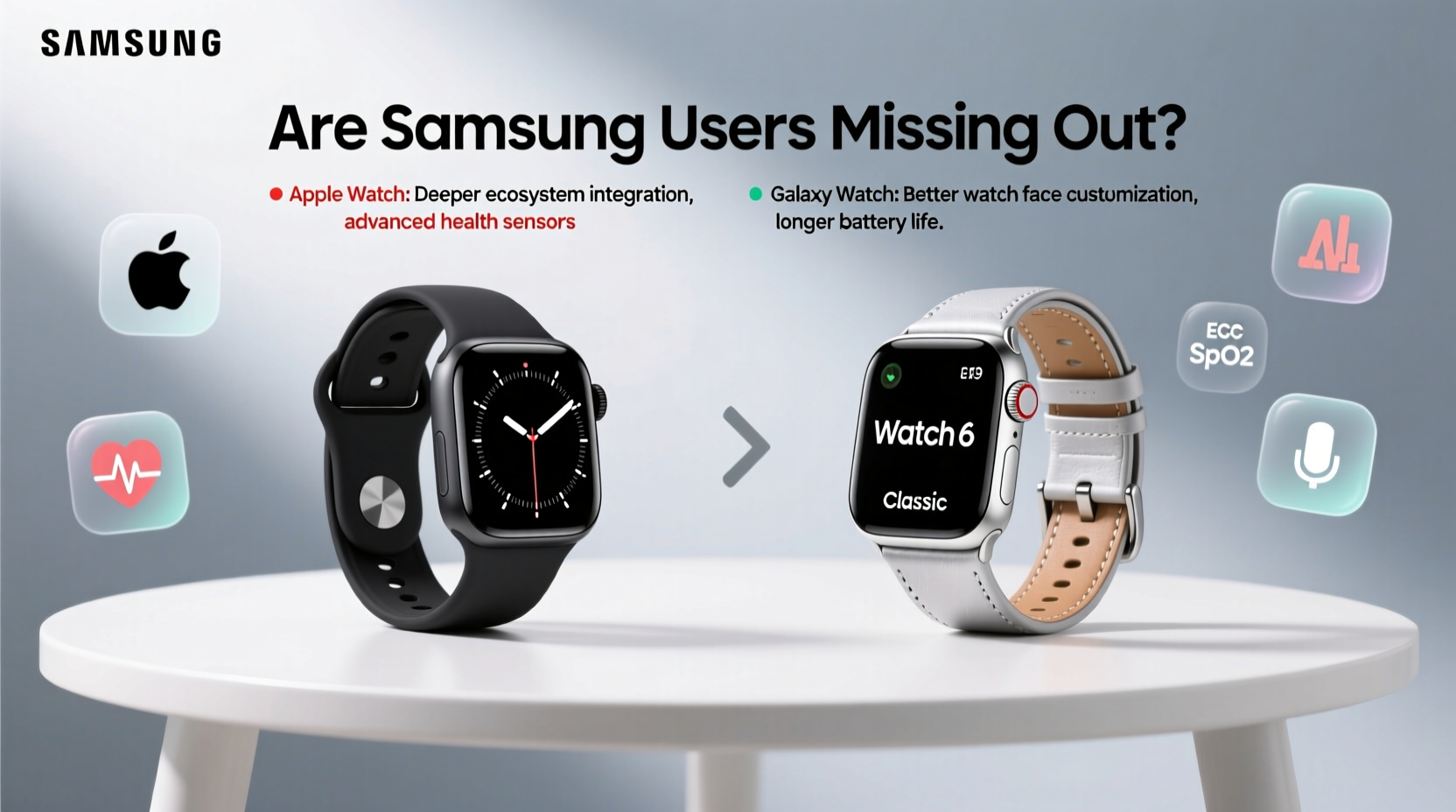
No discussion about smartwatches can ignore ecosystem influence. The Apple Watch is designed from the ground up to work with iPhones. Features like seamless handoff, iMessage syncing, Family Setup for kids’ watches, and instant iCloud backups create a frictionless experience that Android alternatives struggle to match.
Samsung’s Galaxy Watch runs on Wear OS (co-developed with Google), which theoretically offers broader app support and cross-platform flexibility. But in practice, many core features—especially health integrations and third-party apps—are optimized first for iOS. Take Strava, MyFitnessPal, or even Apple Fitness+; these services either lack full functionality on Wear OS or deliver a noticeably smoother experience on iPhone-connected watches.
“Ecosystem synergy isn’t just convenience—it’s cumulative time saved. Over a year, those small delays add up.” — David Lin, Wearable Tech Analyst at GadgetInsight
If you’re deeply embedded in Samsung’s world—using SmartThings, Bixby Routines, or Galaxy Buds—the integration feels natural. But if your digital life includes an iPad, Mac, or even an Apple TV, the Galaxy Watch becomes a fragmented piece of the puzzle. Notifications may lag, replies might not sync, and health data often lives in silos across Samsung Health, Google Fit, and Apple’s Health app (if you use it).
Tip: If you own multiple Apple devices, switching to Apple Watch unlocks automatic WiFi password sharing, Find My network tracking, and unified health dashboards.Health & Fitness: Where Innovation Meets Real-World Impact
Apple has turned the Apple Watch into a proactive health guardian. With FDA-cleared ECG, irregular rhythm notifications, and advanced fall detection, it’s more than a fitness tracker—it’s a medical-grade tool. The upcoming blood glucose and blood pressure monitoring (rumored for future models) could further widen the gap.
Samsung isn’t far behind with ECG and blood pressure sensors on select Galaxy Watch models, but regulatory approvals have been inconsistent. In the U.S., for example, Samsung’s blood pressure feature requires manual calibration with a traditional cuff and isn’t recognized by major insurers or healthcare providers. Meanwhile, Apple’s ECG data is accepted by many cardiologists and integrates directly into electronic health records via partnerships with Epic and other systems.
| Feature | Apple Watch (Series 9) | Galaxy Watch 6 |
|---|---|---|
| ECG Monitoring | FDA-cleared, widely supported | Available, limited clinical recognition |
| Blood Pressure | In development (rumored) | Available with external calibration |
| Fall Detection | Auto emergency SOS, precise motion algorithms | Available, less accurate in testing |
| Sleep Tracking | Detailed stages, apnea risk estimation | Good accuracy, fewer insights |
| App Ecosystem | Thousands of health-specific apps | Growing, but fewer specialized options |
The real differentiator is consistency. Apple’s Health app centralizes data across devices, apps, and medical institutions. Samsung Health is robust, but it doesn’t integrate as deeply with global health platforms, limiting its utility beyond personal tracking.
App Support and Longevity: Who Builds for Whom?
Developers prioritize platforms where users spend money and engage frequently. Apple Watch enjoys a richer app ecosystem because developers know iOS users are more likely to pay for premium apps, use them regularly, and stay within the ecosystem long-term.
Consider popular apps like WaterMinder, AutoSleep, or Chrono Diabetes Tracker—many either launch on iOS first or offer enhanced features only on Apple Watch. Some don’t come to Wear OS at all. This isn’t just about convenience; it affects how well your watch adapts to niche needs like hydration logging, menstrual cycle prediction, or medication reminders.
Moreover, Apple supports older watches with software updates for up to five years. The original Series 4 still runs watchOS 9. Samsung typically offers three major OS updates, meaning a Galaxy Watch 5 might miss out on future AI-driven features or security patches available to Apple Watch users with similar age devices.
Mini Case Study: Sarah’s Switch from Galaxy to Apple
Sarah, a 38-year-old nurse and long-time Samsung user, wore her Galaxy Watch 4 for two years. She appreciated its slim profile and sleep tracking but grew frustrated when her diabetes management app stopped updating on Wear OS. Her doctor recommended using an Apple Watch to sync with a continuous glucose monitor (CGM) app that only had full functionality on iOS.
After switching to an Apple Watch SE, she gained real-time glucose trend alerts, automatic workout detection during shifts, and fall detection that once triggered an ambulance after she fainted in the hospital basement. “I didn’t think the watch would save my life,” she said. “But it did. And now I can’t imagine going back.”
Battery Life vs. Functionality: The Trade-Off No One Likes to Admit
Samsung wins on battery life. The Galaxy Watch 6 lasts 4–5 days on a single charge, while the Apple Watch needs daily charging. That’s a clear advantage for travelers, forgetful chargers, or anyone who hates managing cables.
But extended battery life comes at a cost: reduced background processing, delayed notifications, and slower app launches. Apple’s always-on display is brighter and more responsive; Samsung dims it significantly to preserve power. Apple’s haptic engine is sharper, its speaker clearer, and its GPS more consistent during outdoor workouts.
This trade-off reflects a philosophical difference. Apple prioritizes performance and immediacy. Samsung emphasizes endurance and subtlety. Neither is objectively better—but if you value responsiveness over longevity, Apple holds the edge.
Checklist: Are You Missing Out on Apple Watch Benefits?
- ✅ Do you own an iPhone? (Essential for full Apple Watch functionality)
- ✅ Do you use Apple services like iCloud, Notes, or Reminders daily?
- ✅ Are you interested in advanced health monitoring (ECG, fall detection)?
- ✅ Do you rely on third-party fitness or wellness apps?
- ✅ Do you want seamless integration with AirPods, HomePod, or Apple TV?
- ✅ Are you planning to keep your watch for 4+ years?
If you answered “yes” to most of these, the Apple Watch likely offers tangible benefits over the Galaxy Watch—even if you love Samsung’s hardware.
FAQ
Can I use an Apple Watch with an Android phone?
No. The Apple Watch requires an iPhone 8 or later running iOS 16 or higher. It cannot pair with Android devices under any circumstances.
Is the Galaxy Watch good for iPhone users?
Limited. While Samsung offers an “iPhone Companion” app, features like message replies, app installs, and health sync are severely restricted. It’s not a viable alternative for iPhone owners.
Will Samsung ever catch up to Apple in health tech?
Possibly, but regulatory hurdles and fragmented global approvals slow progress. Apple’s partnerships with hospitals and research institutions give it a structural advantage in medical credibility.
Conclusion: Making the Right Choice for Your Digital Life
The debate isn’t just about which watch has a better screen or longer battery. It’s about which one enhances your life more consistently, securely, and intelligently over time. For Samsung users, staying loyal means valuing design, battery life, and Android flexibility. But it may also mean missing out on deeper health insights, stronger app support, and tighter ecosystem cohesion—especially if you interact with Apple products in any capacity.
Technology should serve you, not limit you. If your current Galaxy Watch meets your needs and you’re happy with its performance, there’s no urgent reason to switch. But if you’re curious about what’s possible—if you’ve ever wished your watch could do more, respond faster, or protect your health more proactively—it’s worth asking: are you missing out on something big?
🚀 Ready to explore what your wearable could do? Compare your current setup with an Apple Watch demo at an Apple Store or through their online configurator. Small changes today can lead to smarter, healthier habits tomorrow.