Smartphones are powerful mini-computers that fit in our pockets, but their compact design comes with a trade-off: heat buildup. It’s common to notice your phone warming up during use, especially when streaming video or playing graphics-heavy games. But how much heat is normal? When should you start worrying about performance, battery life, or even safety? Understanding the causes of phone overheating—and knowing when it crosses the line from routine warmth to a serious issue—can help you protect your device and extend its lifespan.
What Causes Your Phone to Heat Up?
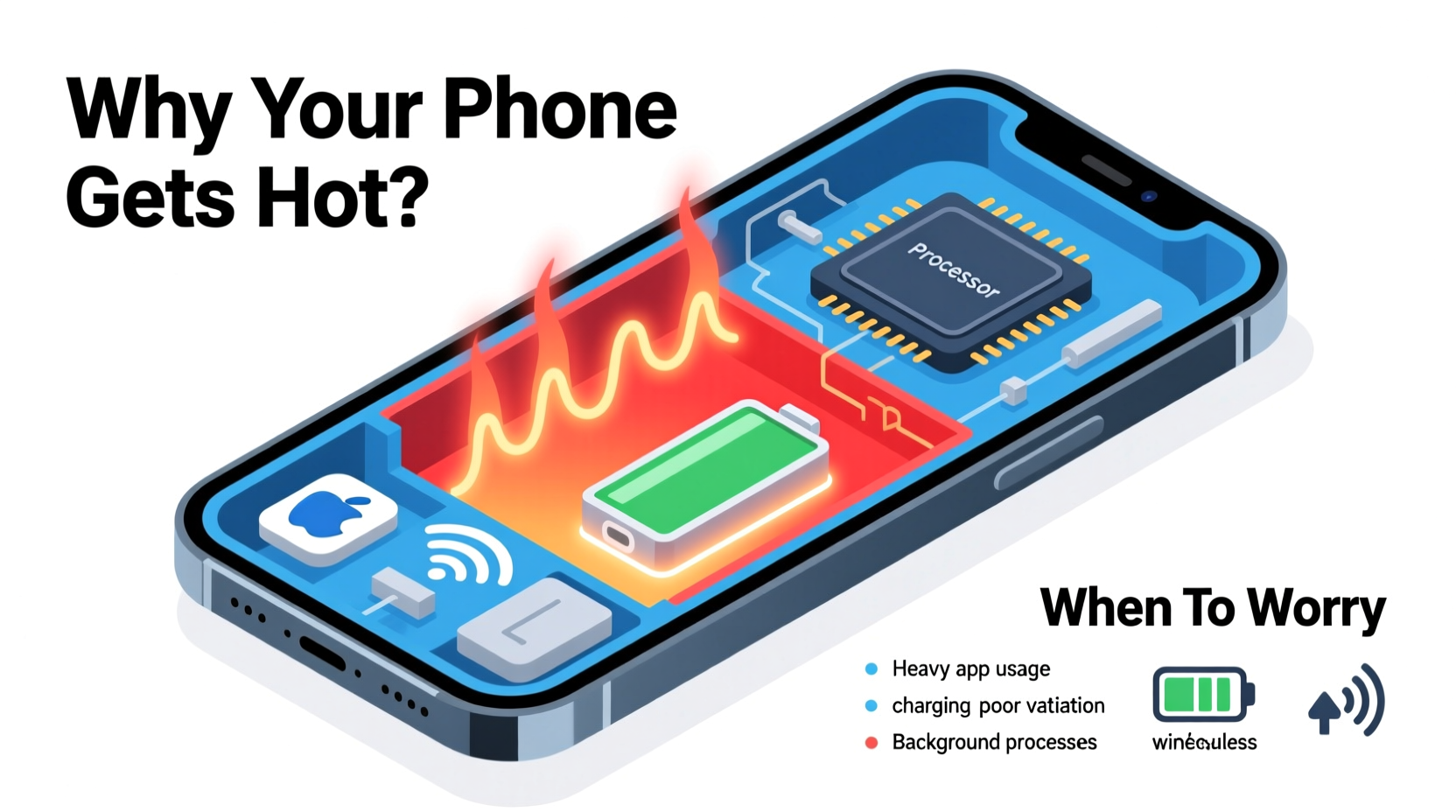
Heat generation in smartphones is a natural byproduct of electronic activity. Every time your phone processes data, communicates with networks, or powers its screen, energy is converted into heat. While modern phones are engineered to manage this efficiently, several factors can push temperatures beyond comfortable levels.
- Intensive app usage: Gaming, video editing, and augmented reality apps demand high processing power, causing the CPU and GPU to work harder and generate more heat.
- Background processes: Apps running in the background—especially those syncing data, using location services, or updating content—can contribute to sustained processor load.
- Poor signal strength: When your phone struggles to maintain a cellular or Wi-Fi connection, it boosts its radio output, increasing energy consumption and heat production.
- Charging, especially fast charging: Charging generates heat naturally, and fast-charging technologies amplify this effect due to higher current flow.
- Direct sunlight or hot environments: Leaving your phone on a car dashboard or in direct sun can raise internal temperatures quickly, sometimes triggering thermal throttling or shutdowns.
- Software bugs or outdated OS: Inefficient code or unoptimized updates can cause apps or system processes to consume excessive resources.
When Is Phone Heat Normal vs. Dangerous?
Not all heat is cause for alarm. A slightly warm phone during extended use is expected. However, recognizing warning signs helps prevent long-term damage.
Normal heating typically occurs during:
- Long gaming sessions
- Video calls or live streaming
- Using GPS navigation while driving
- Fast charging (especially the first 30 minutes)
In these cases, the phone may feel warm to the touch but not uncomfortably hot. The device continues to function normally without sudden slowdowns or unexpected shutdowns.
Dangerous overheating includes:
- The phone becomes too hot to hold comfortably
- Automatic shutdowns or restarts
- Visible screen discoloration or flickering
- Battery swelling or case deformation
- Frequent thermal throttling (sluggish performance despite low usage)
“Phones are designed with thermal safeguards, but repeated exposure to high temperatures accelerates battery degradation and can compromise internal components.” — Dr. Alan Reyes, Mobile Hardware Engineer at TechInsight Labs
Do’s and Don’ts When Your Phone Gets Hot
How you respond to an overheating phone matters. Immediate action can prevent permanent damage.
| Do’s | Don’ts |
|---|---|
| Turn off the phone if it's extremely hot | Continue using resource-heavy apps |
| Remove the case to improve airflow | Place it in the freezer or under cold water |
| Move it to a cool, shaded area | Charge it while it's still overheated |
| Restart the device after it cools down | Ignore repeated overheating warnings |
| Update software to fix known bugs | Expose it to direct sunlight or heat sources |
Step-by-Step Guide to Cooling Down an Overheated Phone
If your phone feels unusually hot, follow this sequence to safely reduce temperature and assess the situation:
- Stop using the phone immediately. Continuing to run apps will only increase heat output.
- Power it off. This halts all active processes and allows the system to cool faster.
- Remove the case. Cases, especially thick or silicone ones, trap heat. Removing them improves air circulation.
- Move to a cooler environment. Bring the phone indoors, away from direct sunlight or heat sources like radiators.
- Avoid rapid cooling methods. Do not put the phone in a refrigerator or freezer—condensation can form inside and damage electronics.
- Wait 15–30 minutes. Allow passive cooling before turning it back on.
- Check for error messages. After rebooting, look for any alerts related to temperature or battery health.
- Monitor behavior. If the phone heats up quickly again under light use, there may be a deeper hardware or software issue.
Real-World Example: The Case of the Overheating Commuter
Jamal, a rideshare driver in Phoenix, noticed his Android phone frequently shutting down during afternoon shifts. He relied heavily on GPS navigation, music streaming, and frequent ride alerts—all while his phone sat on the dashboard exposed to desert sun. Initially, he ignored the warmth, assuming it was normal. But when the phone began restarting mid-route, he realized something was wrong.
After consulting a repair technician, Jamal learned that prolonged exposure to high ambient temperatures had degraded his battery and triggered aggressive thermal throttling. The solution? He started using a vent-mounted holder instead of leaving the phone in direct sun, enabled battery-saving mode, and replaced the swollen battery. Within a week, stability improved dramatically.
This case illustrates how environmental conditions combined with heavy usage can compound heat issues—often without immediate symptoms until damage occurs.
How Heat Damages Your Phone Over Time
Occasional warmth won’t harm your device, but chronic overheating leads to cumulative damage:
- Battery degradation: Lithium-ion batteries are sensitive to heat. Operating above 35°C (95°F) regularly can reduce capacity and shorten lifespan by as much as 20% per year.
- Screen burn-in: OLED displays are prone to image retention when static elements are shown at high brightness for long periods—heat exacerbates this risk.
- Component stress: Repeated expansion and contraction of internal materials due to temperature swings can weaken solder joints and connections.
- Data corruption: Extreme heat can interfere with memory operations, potentially leading to file loss or app crashes.
Apple recommends keeping iPhones between 0°C and 35°C (32°F–95°F), while Samsung advises similar ranges for Galaxy devices. Exceeding these limits—even temporarily—increases the likelihood of long-term issues.
Preventive Measures to Keep Your Phone Cool
Proactive habits go a long way in minimizing heat buildup:
- Limit multitasking: Running multiple high-performance apps simultaneously increases CPU load. Stick to one intensive task at a time.
- Use airplane mode in poor signal areas: If you're in a basement or remote location with weak reception, switching to airplane mode stops the phone from constantly searching for a signal.
- Lower screen brightness: The display is a major power consumer. Reducing brightness saves energy and reduces heat.
- Disable unnecessary features: Turn off Bluetooth, NFC, and location services when not in use.
- Keep software updated: Manufacturers often release patches that optimize performance and fix overheating bugs.
- Avoid charging while gaming or watching videos: This combination places maximum strain on both the battery and processor.
FAQ: Common Questions About Phone Overheating
Can a hot phone explode?
While extremely rare, lithium-ion batteries can fail catastrophically if damaged, overcharged, or exposed to extreme heat. Modern phones have multiple safety layers—including thermal cutoffs and pressure vents—making explosions highly unlikely under normal conditions. However, swollen batteries or physical damage increase risk and should be addressed immediately.
Why does my phone heat up even when I'm not using it?
This often points to rogue apps or processes running in the background. Check battery usage settings to identify which apps are consuming power. Malware, aggressive syncing, or poorly coded apps can keep the processor active even when the screen is off.
Does closing apps help reduce heat?
Manually swiping away apps doesn’t always stop them from running in the background. On iOS and Android, the system manages app states efficiently. Instead of force-closing apps repeatedly, focus on disabling auto-refresh, restricting background data, and uninstalling unnecessary apps.
Conclusion: Stay Cool, Stay Smart
Your phone getting warm is part of daily use—but persistent or extreme heat signals a need for attention. By understanding the triggers, responding appropriately, and adopting preventive habits, you can avoid performance issues, battery degradation, and potential hardware failure. Pay attention to your device’s cues, respect its thermal limits, and treat it as the sophisticated piece of technology it is.
💬 Have you experienced phone overheating? Share your story or solution in the comments—your insight could help others avoid the same problem!