
In homes across the world, voice assistants have become a seamless part of daily routines—setting alarms, playing music, checking weather, and controlling smart devices. But as technology evolves, consumers face a practical decision: Should they opt for a voice assistant speaker or invest in a smart display? While both rely on AI-powered assistants like Google Assistant, Amazon Alexa, or Apple Siri, their functionality diverges significantly based on design and interface. Understanding which device offers greater daily utility depends on lifestyle, household dynamics, and how you interact with technology.
Understanding the Core Differences
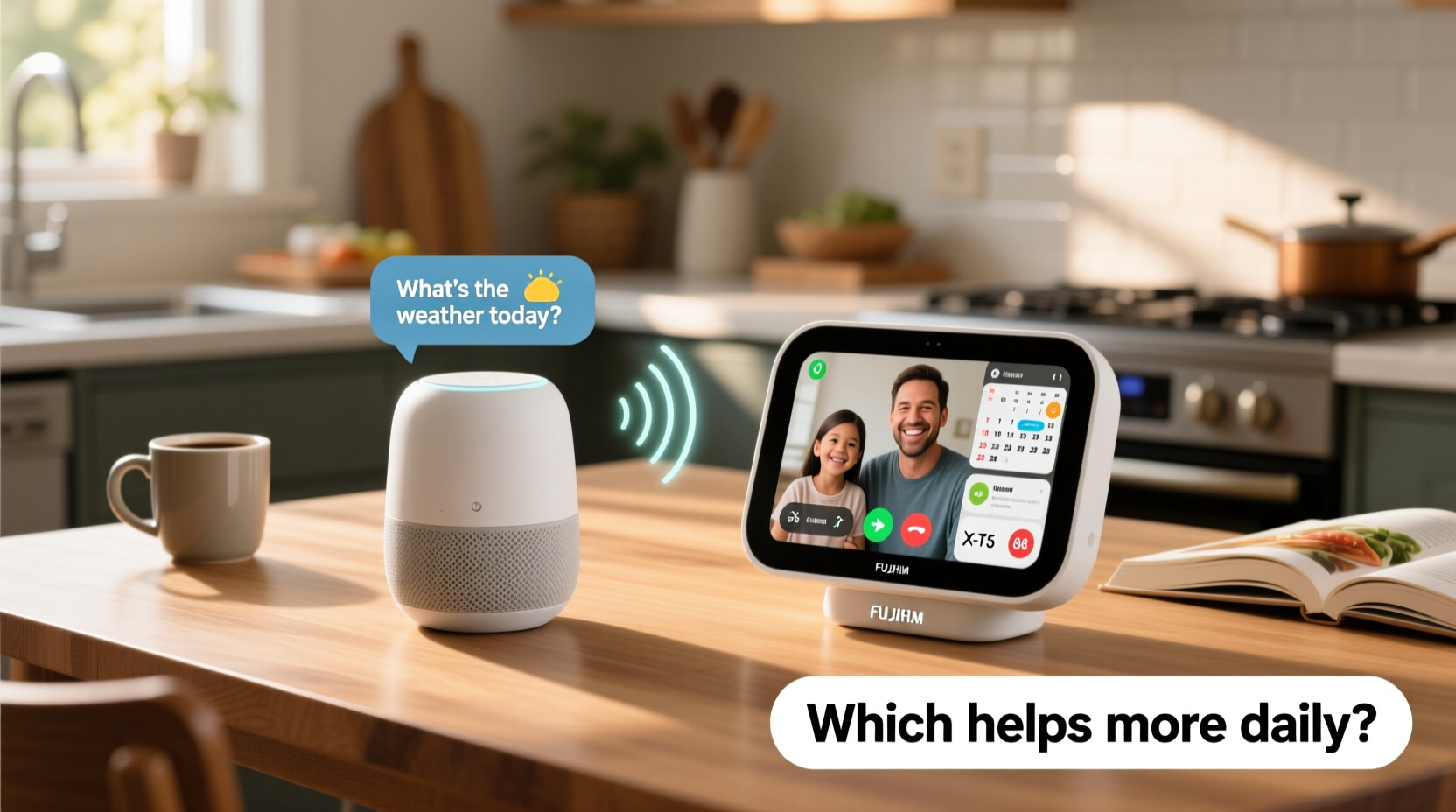
A voice assistant speaker is an audio-only smart device. It listens for voice commands and responds through sound. Examples include the Amazon Echo Dot, Google Nest Audio, and Apple HomePod mini. These are compact, affordable, and designed primarily for hands-free interaction using voice alone.
In contrast, a smart display integrates a touchscreen with voice capabilities. Devices like the Amazon Echo Show, Google Nest Hub, and Facebook Portal feature screens that show visual responses—recipes, video calls, calendars, and step-by-step tutorials. This combination of audio and visual feedback changes how users engage with information.
The key distinction lies in output modality: speakers deliver information auditorily, while displays provide both auditory and visual context. This difference may seem minor, but it has profound implications for usability throughout the day.
When Audio Is Enough—and When It’s Not
Voice assistant speakers excel in scenarios where attention is divided. For example, asking for the weather while getting dressed, setting a timer while cooking, or requesting traffic updates during your morning routine. In these cases, hearing a concise answer is faster than looking at a screen.
However, audio-only responses fall short when information is complex. Try following a recipe over audio alone—“Add one cup of flour, then two eggs, now mix for two minutes”—and confusion quickly sets in. Did you hear that correctly? Was it one or two tablespoons of sugar? A smart display solves this by showing each step visually, reducing cognitive load and minimizing errors.
Tip: Use a voice assistant speaker in high-traffic areas like hallways or garages where visual interaction isn’t practical.Smart Displays Enhance Task Efficiency
The visual component of smart displays transforms passive listening into active engagement. Watching a workout tutorial, viewing security camera feeds, or reviewing your calendar with color-coded events becomes intuitive with a screen.
Consider meal planning. With a smart display, you can say, “Show me low-carb dinner recipes,” and instantly browse options with photos, ingredients, and cooking times. Tapping “Start Cooking” activates step-by-step mode, displaying instructions while keeping your hands free to chop or stir. Voice-only devices cannot offer this level of interactivity.
Another advantage is multitasking. While a voice speaker plays a podcast, a smart display can simultaneously show the time, upcoming events, and indoor temperature—all without interrupting audio playback. This ambient awareness supports smoother daily transitions.
“Visual feedback reduces user error by up to 40% in task-based interactions like cooking or fitness.” — Dr. Lena Torres, Human-Computer Interaction Researcher, MIT Media Lab
Communication and Connection
Smart displays shine in family communication. Parents can leave video messages for children, view shared calendars, or initiate video calls with grandparents. The ability to see facial expressions strengthens emotional connection—a critical benefit for households with elderly relatives or young children.
Voice speakers support calling and messaging via voice, but lack the personal touch of face-to-face interaction. For families managing schedules or remote learning, a smart display becomes a digital command center.
Privacy and Space Considerations
One concern with smart displays is privacy. A screen with a camera raises legitimate questions about surveillance, especially in bedrooms or private spaces. Most models include physical camera shutters and microphone mute buttons, but the presence of a lens can still feel intrusive.
Voice assistant speakers, lacking cameras, are less invasive. They’re better suited for private rooms where visual monitoring isn’t needed. Their smaller footprint also makes them ideal for tight spaces like bathrooms or closets.
That said, smart displays often offer greater value per square inch. A single device replaces multiple tools: alarm clock, photo frame, TV guide, and kitchen assistant. If space is limited, consolidating functions into one screen-based unit can declutter countertops and nightstands.
Energy and Attention Trade-offs
Screens demand attention. While useful, they can disrupt mindfulness or sleep hygiene if placed in bedrooms. Blue light emission and visual notifications may interfere with relaxation. Voice speakers, operating silently unless prompted, are less disruptive during wind-down routines.
For users seeking minimal digital distraction, a voice-first approach aligns better with intentional living. You engage only when necessary, avoiding the pull of endless scrolling or passive screen time.
Tip: Disable automatic screen wake on smart displays at night to reduce light pollution in bedrooms.Comparative Analysis: Key Features at a Glance
| Feature | Voice Assistant Speaker | Smart Display |
|---|---|---|
| Screen | No | Yes (5–10 inch touchscreen) |
| Video Calling | No | Yes (via Zoom, Duo, etc.) |
| Recipe Viewing | Audio-only steps | Visual steps with images |
| Camera | No | Yes (often with privacy shutter) |
| Price Range | $30–$100 | $80–$250 |
| Best For | Audio tasks, compact spaces | Families, kitchens, multitaskers |
| Accessibility Support | Moderate (voice feedback) | High (visual + audio cues) |
Real-Life Scenario: The Morning Routine
Meet Sarah, a working mother of two, managing her household before school and work. Her routine begins at 6:30 AM.
In her kitchen, she says, “Good morning,” to her Google Nest Hub. The screen lights up, showing the weather, her calendar, and news headlines. She checks her son’s doctor appointment at 10:30 AM. Then she asks, “Show me today’s breakfast recipe.” The display pulls up pancakes with blueberries, complete with ingredient list and cooking video. As she cooks, the display counts down the griddle time.
Meanwhile, her husband uses an Echo Dot in the bathroom. He asks for traffic updates and listens to the sports recap while shaving. He doesn’t need visuals here—audio suffices.
After school drop-off, Sarah receives a video call from her mother on the Nest Hub. She sees her mom’s smile, shares photos of the kids, and plans Sunday dinner—all without touching a phone.
This scenario illustrates a hybrid approach: voice speakers serve well in transient spaces, while smart displays anchor central hubs like kitchens or living rooms. Together, they complement rather than compete.
Choosing Based on Lifestyle Needs
Not every home needs a smart display. Here’s a checklist to help decide:
- Choose a voice assistant speaker if:
- You primarily use voice for music, timers, and quick info.
- You want a low-cost entry into smart home tech.
- You value privacy and dislike cameras in your space.
- You live alone or in a small apartment with limited surface area.
- Opt for a smart display if:
- You cook frequently and follow recipes.
- You make video calls with family or colleagues.
- You manage a household schedule and need visual reminders.
- You have children or aging parents who benefit from visual prompts.
Future-Proofing Your Smart Home
As AI assistants grow smarter, the gap between speakers and displays will widen. Visual interfaces enable richer experiences: augmented reality cooking guides, interactive language lessons, or real-time fitness corrections via camera feedback.
Google and Amazon are investing heavily in multimodal AI—systems that understand both voice and vision. For instance, future smart displays might detect spilled milk on the floor and suggest cleaning tips, or recognize a child struggling with homework and offer tutoring resources.
Voice-only devices will remain relevant, especially for ambient computing, but they won’t lead innovation. The most significant advancements in usability, accessibility, and automation will unfold on screens.
FAQ
Can I use a smart display without touching the screen?
Yes. Most smart displays support full voice control. You can navigate menus, start videos, and respond to messages using only your voice. Touch is optional for convenience.
Do smart displays use more data than voice speakers?
Yes, especially when streaming video or loading images. Wi-Fi speed and data caps should be considered. Voice speakers consume minimal bandwidth since they handle only audio streams.
Are smart displays safe around children?
They can be, with proper settings. Enable parental controls, disable unwanted skills, and use screen time limits. Some models offer kid-friendly modes with curated content and voice profiles.
Conclusion: Which Helps More Daily?
The answer depends on how you define “help.” For simple, fast interactions—playing music, checking time, turning off lights—a voice assistant speaker is efficient and unobtrusive. It integrates quietly into daily rhythms without demanding attention.
But when it comes to enhancing productivity, supporting learning, improving communication, and reducing mental effort during complex tasks, the smart display delivers more tangible, consistent value. Its ability to present information visually transforms abstract voice responses into actionable insights.
In most households, a smart display proves more helpful over time—not because it replaces the speaker, but because it expands what a voice assistant can do. Think of it as upgrading from radio to television: same content source, but richer understanding.
For maximum benefit, consider a balanced ecosystem: voice speakers in secondary rooms, and a smart display in the heart of your home. That way, you gain the best of both worlds—efficiency and clarity, wherever you need it.
🚀 Ready to optimize your smart home setup? Start by placing a smart display in your most-used room and track how often it simplifies your day. Share your experience and help others make informed choices!