For students navigating lectures, research papers, digital note-taking, and creative projects, the iPad has become more than a luxury—it’s a productivity tool. Apple offers two standout models that frequently top student wish lists: the iPad Air and the iPad Pro. Both are powerful, support the Apple Pencil and Magic Keyboard, and run the full iPadOS suite. But one key differentiator often sparks debate: ProMotion technology.
ProMotion, Apple’s adaptive 120Hz refresh rate display, promises smoother scrolling, reduced latency with the Apple Pencil, and a more responsive interface. But is it worth the premium price tag for a college freshman or high school senior? Or can the more affordable iPad Air deliver everything a student truly needs?
This article breaks down the differences between the iPad Air and iPad Pro—not just on paper, but in real academic environments. We’ll examine performance, display quality, accessories, battery life, and long-term value to help students make a smart, budget-conscious decision.
Performance: Chip Differences and Real-World Impact
The latest iPad Air is powered by the M2 chip—the same processor found in the current iPad Pro (as of 2024). This marks a significant shift from previous generations, where the Pro used a more advanced chip. Now, both devices offer identical processing power, memory bandwidth, and neural engine capabilities.
In practical terms, this means both iPads handle multitasking, video editing, coding, and complex apps like Notability, GoodNotes, and Adobe Fresco with equal ease. Whether you're running multiple Safari tabs while annotating a PDF and taking handwritten notes, both devices perform seamlessly.
However, earlier iPad Pro models featured M1 chips while the Air used the A14 Bionic—creating a noticeable gap. If you're considering a used or refurbished model, this distinction matters. But for new purchases, the performance difference between Air and Pro is effectively zero.
Tip: Always check the specific generation and chip when comparing prices—especially on resale platforms. An older Pro may not outperform a newer Air.Display and ProMotion: Is 120Hz Worth It for Students?
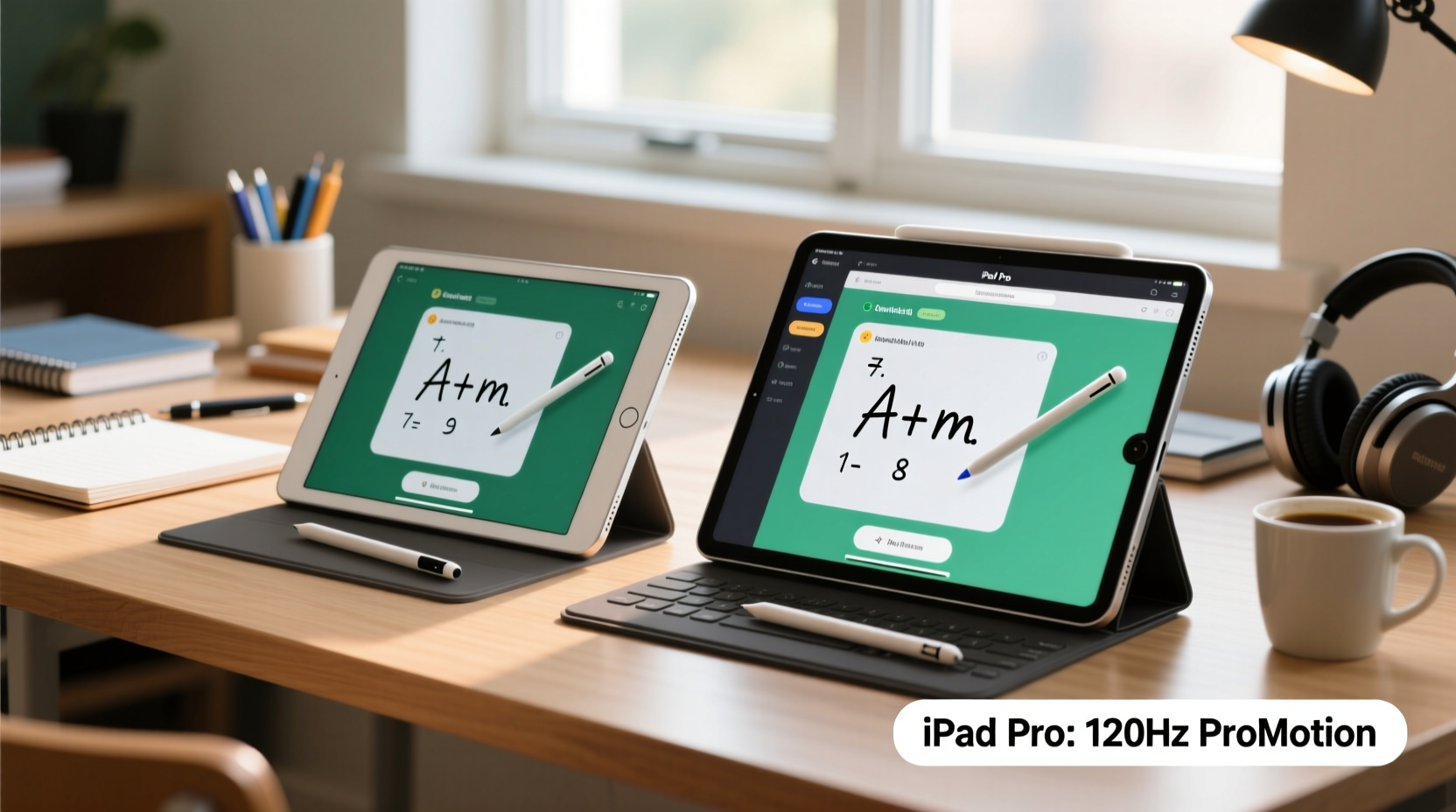
The most debated feature separating the iPad Pro from the Air is ProMotion—a display technology that supports up to a 120Hz refresh rate. The standard iPad Air uses a 60Hz display, which is still smooth for general use but doesn’t match the fluidity of the Pro.
On paper, 120Hz means the screen updates twice as fast, resulting in buttery-smooth scrolling, faster app transitions, and lower latency when using the Apple Pencil. For artists or designers, this can be transformative. But for typical student workflows—reading textbooks, typing essays, highlighting notes—the benefit is subtle at best.
When writing with the Apple Pencil, the reduced lag on the Pro makes handwriting feel slightly more natural. In side-by-side tests, users often describe the Pro’s input as “closer to pen-on-paper.” However, the Air’s 60Hz screen still delivers excellent responsiveness, especially with the second-generation Pencil.
“While ProMotion enhances precision in drawing and annotation, most students won’t notice a meaningful difference during daily note-taking or web browsing.” — Dr. Linda Tran, EdTech Researcher at Stanford University
If your coursework involves heavy visual design, animation, or CAD work, the higher refresh rate adds tangible value. But for liberal arts, business, or STEM majors focused on text-based learning, the advantage diminishes.
Detailed Comparison: iPad Air vs iPad Pro (Latest Models)
| Feature | iPad Air (6th Gen, 2024) | iPad Pro (M2, 11\" & 13\", 2024) |
|---|---|---|
| Chip | M2 | M2 |
| Display Refresh Rate | 60Hz | 120Hz (ProMotion) |
| Display Type | Liquid Retina (LED) | Liquid Retina XDR (OLED on 13\") |
| Starting Storage | 128GB | 256GB |
| Camera Setup | 12MP rear, 12MP front (Center Stage) | 12MP + 10MP LiDAR, 12MP front (Center Stage) |
| Audio | Stereo speakers (landscape) | Four-speaker audio system |
| Face ID | Yes (top button) | Yes (landscape support) |
| USB-C Port | USB-C (USB 3.0 speeds) | Thunderbolt / USB 4 |
| Starting Price (USD) | $599 | $799 (11\"), $1099 (13\") |
The table reveals that beyond ProMotion and display tech, the differences are incremental. The Pro offers better speakers, faster data transfer via Thunderbolt, and optional OLED displays on the 13-inch model—benefits that matter more to professionals than students.
Real Student Use Case: Engineering Major with Budget Constraints
Meet Sarah, a third-year mechanical engineering student at the University of Michigan. She needed a tablet for lecture notes, textbook annotations, CAD sketching, and group project collaboration. Her budget was capped at $800—including the Apple Pencil and keyboard.
She considered the 11” iPad Pro ($799), but adding the Magic Keyboard ($299) would exceed her limit. Instead, she opted for the iPad Air ($599), Apple Pencil 2 ($129), and a third-party keyboard case ($60). Total: $788.
After six months of daily use, Sarah reports no performance issues. She uses Fusion 360 for concept sketches, Zoom for virtual labs, and Notability for all her class notes. While she acknowledges the Pro’s display is smoother, she says, “I don’t miss ProMotion. My notes are legible, my files sync instantly, and I saved $200 I put toward my lab fees.”
Sarah’s experience reflects a growing trend: students prioritizing functionality and affordability over marginal hardware gains.
Accessories and Ecosystem Compatibility
Both the iPad Air and iPad Pro support the second-generation Apple Pencil and the Magic Keyboard (with model-specific compatibility). This cross-compatibility simplifies decision-making.
The Magic Keyboard offers a premium typing experience and trackpad support, essential for essay writing and multitasking. However, its high price ($239–$299) often pushes students toward third-party alternatives. Many report excellent results with Bluetooth keyboards under $100.
The Apple Pencil remains the gold standard for digital note-taking. Its low latency and pressure sensitivity make it ideal for diagrams, math equations, and margin annotations. Since both iPads support the same Pencil version, there’s no functional advantage to choosing the Pro solely for stylus performance—especially now that the Air matches the Pro in processing power.
Tip: Consider buying a certified refurbished Apple Pencil or keyboard to save 20–30% without sacrificing quality.Longevity and Future-Proofing
Students typically keep devices for 3–4 years—the length of an undergraduate degree. Therefore, longevity and software support are critical.
Apple guarantees at least five years of iPadOS updates from a device’s release date. Given that both the latest Air and Pro use the M2 chip, they are well-positioned to receive updates through 2029 or beyond. This means either device will stay compatible with future apps, security patches, and educational tools.
Storage is another factor. The iPad Air starts at 128GB, sufficient for most students. The Pro starts at 256GB, which benefits users working with large video files or extensive photo libraries. However, cloud storage (iCloud, Google Drive) reduces the need for onboard capacity.
If you plan to pursue graduate studies or enter a visually intensive field like architecture or graphic design, the extra storage and display quality of the Pro may pay off. For general academics, the Air’s configuration is more than adequate.
Step-by-Step: How to Choose the Right iPad for Your Student Needs
- Assess your primary use case: Will you mostly take notes, read PDFs, and browse? Or create videos, edit photos, and design visuals?
- Set a realistic budget: Include the cost of Pencil, keyboard, case, and potential repairs.
- Compare chip and RAM: Ensure the model has at least an M1/M2 chip and 8GB+ RAM for smooth multitasking.
- Evaluate display needs: If you sketch or annotate heavily, test ProMotion in-store. Otherwise, 60Hz is fine.
- Check accessory compatibility: Confirm your preferred keyboard and Pencil work with your chosen model.
- Consider future upgrades: Will this device last through grad school or into your first job?
- Buy with warranty: AppleCare+ can save hundreds on accidental damage—a common risk in dorm life.
Frequently Asked Questions
Do I need ProMotion for taking notes with Apple Pencil?
No. While ProMotion reduces latency and improves fluidity, the iPad Air with Apple Pencil 2 already offers excellent responsiveness. Most students won’t perceive a meaningful difference in handwriting accuracy or comfort.
Can the iPad Air replace a laptop for college?
For many students, yes—especially with a keyboard and trackpad. The iPad Air handles word processing, spreadsheets, presentations, coding (via Swift Playgrounds or remote IDEs), and research efficiently. However, if you rely on specialized desktop software (e.g., SPSS, MATLAB, AutoCAD), a laptop may still be necessary.
Is the iPad Pro worth it for medical or art students?
Potentially. Medical students who annotate anatomy diagrams or art students engaged in digital illustration may benefit from the Pro’s superior display, color accuracy, and speaker quality. However, even in these fields, many succeed with the iPad Air by optimizing their workflow.
Final Verdict: Do You Really Need the ProMotion?
The short answer: probably not.
The iPad Pro remains Apple’s flagship tablet, designed for creatives, professionals, and power users who demand every ounce of performance and precision. But for the average student, the iPad Air delivers 95% of the experience at 75% of the cost.
With the same M2 chip, identical accessory support, and only minor differences in display and audio, the Air is the smarter investment for most academic purposes. The money saved can go toward textbooks, software subscriptions, or emergency funds—all critical for student success.
ProMotion is impressive, but it’s not transformative for everyday tasks. Unless you’re deeply involved in digital art, animation, or high-frame-rate video work, the 120Hz display won’t change your academic outcomes.
Conclusion: Make the Choice That Serves Your Goals
Choosing between the iPad Air and iPad Pro isn’t about which is objectively better—it’s about which aligns with your needs, budget, and long-term plans. Technology should empower learning, not drain resources.
The iPad Air proves that high performance doesn’t have to come with a premium price. It’s capable, reliable, and fully equipped for the demands of modern education. The iPad Pro, while exceptional, offers enhancements that most students simply won’t utilize enough to justify the cost.
🚀 Ready to make your decision? Assess your workload, set a budget, and try both models in person if possible. Then invest wisely—not extravagantly—and let your focus stay where it belongs: on your education.