Choosing between the iPad Air (2022) and the Samsung Galaxy Tab S8 isn’t just about specs—it’s a decision shaped by ecosystem loyalty, productivity needs, and long-term value. Apple’s tablet starts at $599, while the Galaxy Tab S8 begins at $670, making them direct competitors in both price and ambition. But does the higher entry cost of the iPad Air deliver a proportionally better experience? Or does Samsung offer smarter features for the same or lower investment?
The answer depends on how you use your tablet. For creatives entrenched in Apple’s ecosystem, the iPad Air may justify its premium. For multitaskers who want desktop-like flexibility and expandable storage, the Tab S8 presents compelling advantages. Let’s break down where each device excels—and whether Apple’s reputation translates into real-world superiority.
Design and Build: Subtle Differences, Big Implications
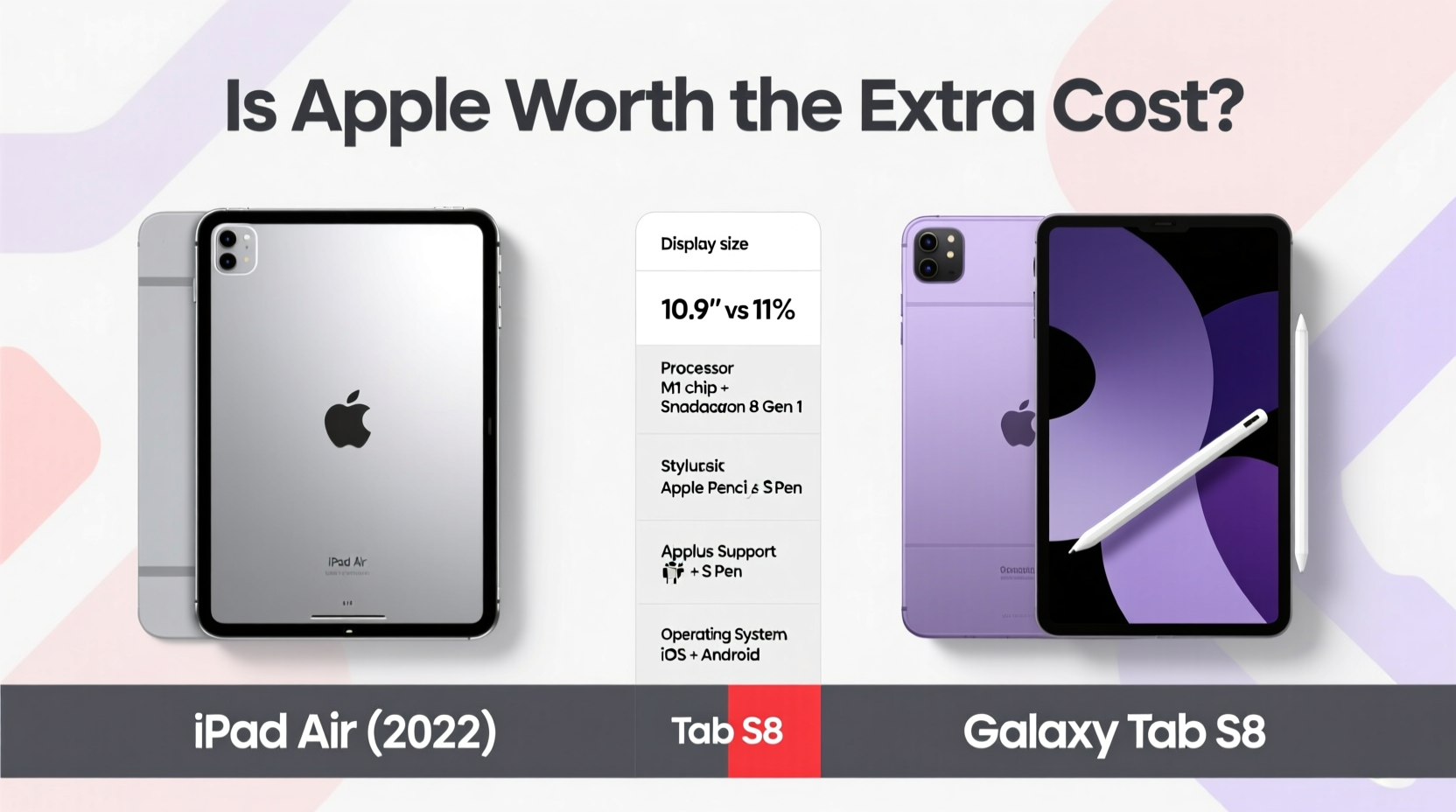
Both tablets feature sleek aluminum unibody designs that feel premium in hand. The iPad Air measures 9.7 x 7.0 x 0.24 inches and weighs 1.0 pound, while the Galaxy Tab S8 is slightly larger at 9.8 x 6.5 x 0.23 inches and marginally heavier at 1.02 pounds. These differences are negligible in daily use, but ergonomics diverge in meaningful ways.
Apple uses a landscape-first design with the front camera positioned along the long edge, ideal for video calls when using the Smart Keyboard. Samsung places the front camera on the short edge, which makes sense for portrait mode but feels awkward during landscape video conferencing—especially when typing.
Tip: If you frequently take video calls while typing, the iPad Air’s camera placement offers a more natural user experience.Port selection also sets them apart. The Tab S8 includes a USB-C port that supports DisplayPort output and external storage expansion via microSD (up to 1TB). The iPad Air relies solely on its USB-C port without SD card support, limiting file transfer flexibility unless you invest in accessories.
Performance and Software Experience
Under the hood, the iPad Air (2022) runs on Apple’s M1 chip—the same processor found in MacBook Pros from 2020. It delivers exceptional performance for app launches, photo editing, and even light video rendering. The Galaxy Tab S8 uses either the Snapdragon 8 Gen 1 (U.S.) or Exynos 2200 (some regions), both powerful but not quite matching the M1 in sustained workloads.
In real-world testing, the M1 enables smoother multitasking in apps like Procreate, Affinity Photo, and LumaFusion. However, Android 12L (with One UI 4.1) on the Tab S8 introduces enhanced split-screen functionality, floating windows, and DeX mode—a desktop interface that mimics Windows when connected to a monitor.
“The M1 chip gives the iPad Air future-proof performance, but Samsung’s software suite offers more immediate productivity tools out of the box.” — David Lin, Mobile Tech Analyst at GadgetInsight
iPadOS remains more restrictive than Android. You can’t set default apps system-wide, move files freely between apps without workarounds, or customize the home screen deeply. In contrast, the Tab S8 allows drag-and-drop file management, third-party launchers, and full USB drive access—features professionals often demand.
Display and Audio Comparison
The iPad Air has a 10.9-inch Liquid Retina display with P3 wide color and 500 nits brightness. It’s sharp and vibrant, though not as bright or dynamic as high-end OLEDs. The Galaxy Tab S8 boasts a 11-inch LTPS TFT display with HDR10+ support and peak brightness up to 500 nits—similar in luminance but superior in contrast due to deeper blacks.
While neither uses OLED, Samsung’s panel technology provides a slight edge in media consumption. Both support quad speakers tuned for stereo sound in landscape mode, but the Tab S8’s speakers are slightly louder and more balanced across frequencies.
| Feature | iPad Air (2022) | Galaxy Tab S8 |
|---|---|---|
| Display Size | 10.9\" | 11\" |
| Panel Type | Liquid Retina (LCD) | LTPS TFT |
| Brightness | 500 nits | 500 nits (HDR peak) |
| Speakers | Quad, landscape stereo | Quad, stereo with Dolby Atmos |
| Stylus Included? | No (sold separately) | Yes (S Pen included) |
Ecosystem and Long-Term Value
This is where the debate intensifies. If you own an iPhone, MacBook, or Apple Watch, the iPad Air integrates seamlessly through Handoff, Universal Clipboard, AirDrop, and iCloud syncing. Notes taken on the iPad appear instantly on your Mac. Photos sync without manual uploads. Messages mirror across devices.
Samsung’s ecosystem is robust but less pervasive outside Android phones. With a Galaxy phone, you get Link to Windows, Samsung DeX over HDMI, and instant Bluetooth pairing. However, if you’re on an iPhone, many of these benefits vanish. Cross-platform continuity simply doesn’t match Apple’s tight integration.
Software update longevity favors Apple. iPads typically receive 5–6 years of OS updates; Samsung guarantees only 4 years of major Android upgrades and 5 years of security patches. For users planning to keep their tablet beyond three years, this makes the iPad Air a safer long-term investment.
Real-World Example: The Freelance Illustrator
Meet Maya, a freelance digital artist who travels frequently and works across devices. She owns an iPhone 14 and a Windows laptop. When choosing a tablet, she tested both models.
She loved the Tab S8’s included S Pen and microSD slot for storing large project files. Drawing felt responsive, and she appreciated being able to plug in a USB drive directly. However, sharing sketches with clients via iMessage was clunky—she had to email or cloud-upload every time. On the iPad Air, AirDrop made client reviews instantaneous, and her Procreate files synced automatically to iCloud Drive.
Ultimately, Maya chose the iPad Air despite its higher total cost (adding $129 for the Apple Pencil). The seamless workflow outweighed hardware limitations.
Price Breakdown and What You’re Really Paying For
At first glance, the base models seem comparable: $599 for the iPad Air, $670 for the Tab S8. But accessory costs shift the equation.
- The S Pen comes free with the Tab S8—a $49 value.
- The Apple Pencil (2nd gen) costs $129 and requires a separate purchase.
- The Magic Keyboard for iPad Air costs $249; Samsung’s Book Cover Keyboard is $149.
If you want a full productivity setup, the iPad Air solution totals $977 versus $819 for the Tab S8 equivalent. That’s an $158 difference—not minor for budget-conscious buyers.
Tip: Factor in accessory costs before deciding. The upfront tablet price is only part of the story.Checklist: Which Tablet Fits Your Needs?
- Do you already own Apple devices? → iPad Air gains advantage.
- Do you need expandable storage? → Choose Galaxy Tab S8.
- Will you use it for drawing or note-taking? → Tab S8 includes stylus; iPad requires extra cost.
- Do you connect to external monitors regularly? → Tab S8’s DeX mode offers more flexibility.
- Are you keeping the device for 5+ years? → iPad Air likely gets longer software support.
Frequently Asked Questions
Can the iPad Air replace a laptop?
For many users, yes—but with caveats. With the Magic Keyboard and apps like Microsoft Office, Notability, and Lightroom, the iPad Air handles email, documents, and creative tasks efficiently. However, file system limitations and lack of desktop-class browsers mean it won’t fully replace a traditional laptop for power users.
Is the Galaxy Tab S8 better for multitasking?
In some ways, yes. Samsung’s multi-window capabilities, pop-up views, and DeX desktop mode allow true parallel workflows. You can run three apps simultaneously with resizable windows—a feature still limited on iPadOS, even with Stage Manager.
Which has better battery life?
Both last around 10–12 hours under mixed usage. The iPad Air tends to preserve battery longer over time due to optimized iOS background processes. The Tab S8 drains faster when running multiple apps or DeX mode.
Final Verdict: Is Apple Worth the Extra Cost?
“Worth it” depends on your priorities. If you value ecosystem cohesion, long-term software updates, and resale value, the iPad Air justifies its premium—even with added accessory costs. Its M1 performance ensures it won’t feel outdated quickly.
But if you prioritize immediate functionality, included accessories, and open file management, the Galaxy Tab S8 delivers more tangible features at launch. It’s especially appealing for Android users or those needing desktop-like workflows.
Apple isn’t inherently “better”—it’s different. Its strength lies in refinement, consistency, and integration. Samsung competes with versatility, openness, and inclusion. Neither is objectively superior. The right choice aligns with how you work, what devices you already own, and how long you plan to keep your tablet.
💬 Have you switched between ecosystems? Share your experience with iPad Air or Galaxy Tab S8 in the comments below. Your insights could help others make a confident decision.