When shopping for a budget-friendly tablet, Amazon’s Fire HD series often stands out with its aggressive pricing. Meanwhile, Samsung’s Galaxy Tab lineup offers a more premium Android experience at a higher cost. The natural question arises: is the significantly cheaper Fire tablet actually worth it compared to a Samsung Galaxy Tab? For many users, the answer isn’t simply about price—it's about how you plan to use the device, what apps matter most, and how much flexibility you need.
While the Fire HD may seem like a no-brainer for bargain hunters, its limitations become apparent once you step beyond Amazon’s ecosystem. Conversely, the Galaxy Tab delivers broader functionality but demands a steeper investment. This article breaks down the key differences in performance, software, app access, media consumption, and long-term usability to help you decide which tablet truly offers better value for your needs.
Performance and Hardware: More Than Just Specs
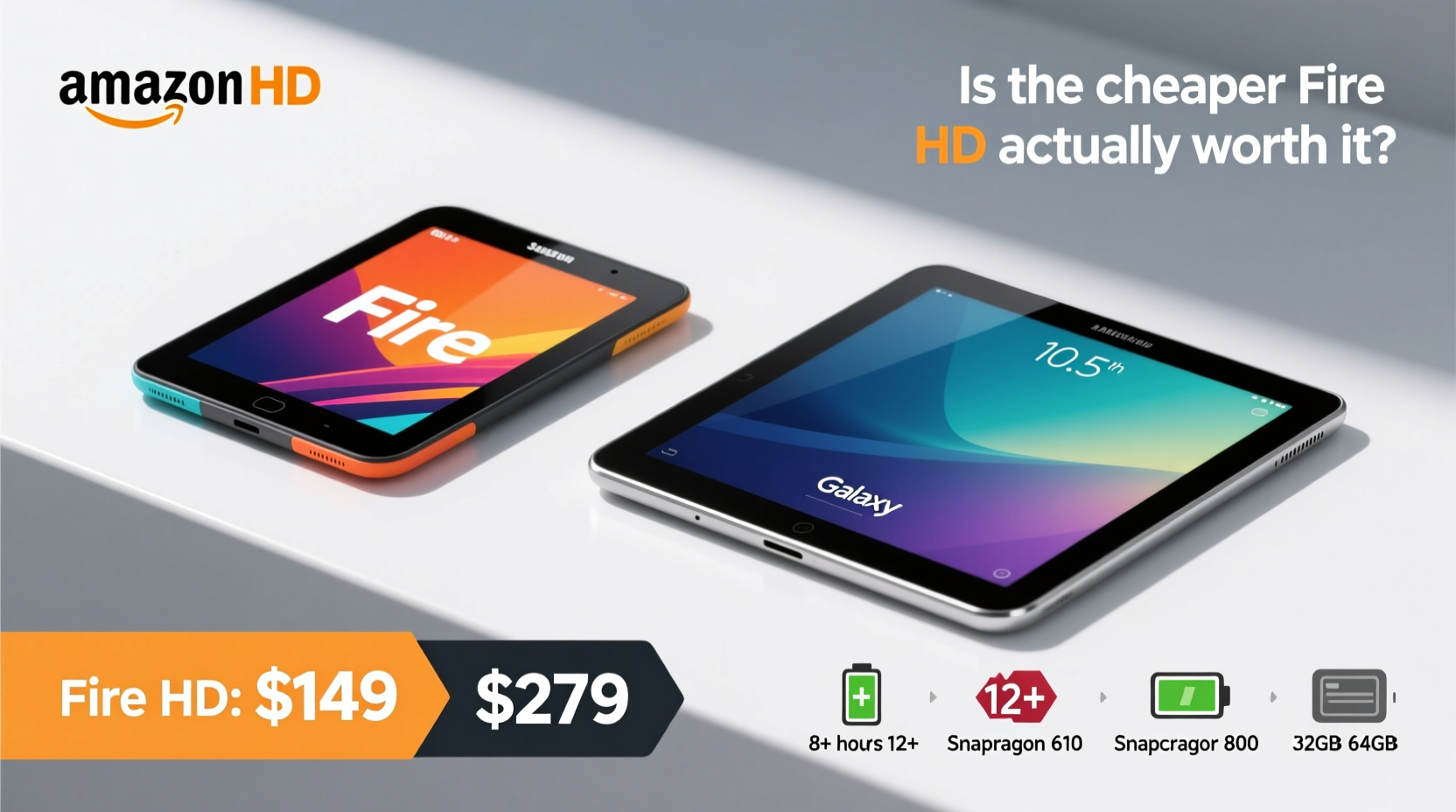
The hardware gap between Fire HD and Galaxy Tab models is noticeable, especially when comparing entry-level versions. Most Fire HD tablets use older-generation MediaTek or quad-core processors, paired with 2GB–4GB of RAM. In contrast, even budget Galaxy Tabs (like the A7 or A8) typically feature faster Qualcomm Snapdragon chips and at least 3GB of RAM, offering smoother multitasking and responsiveness.
Storage also differs. Fire HD devices usually start at 32GB, with some models offering expandable storage via microSD—though not all do. Samsung Galaxy Tabs consistently offer expandable storage and often come with 64GB base options. Both support external memory, but Samsung handles file management far better due to full Android compatibility.
Tip: If you plan to install many apps or download media locally, prioritize models with expandable storage and at least 4GB RAM.Battery life is one area where Fire HD holds its own. Amazon optimizes its OS for media playback, so streaming video can last up to 12 hours on some models. Galaxy Tabs are competitive too, averaging 10–13 hours depending on usage, but their brighter screens and heavier background processes can drain power faster under load.
Software Experience: Fire OS vs Full Android
This is where the divide becomes critical. Fire HD tablets run Fire OS, a heavily modified version of Android that strips out Google services and replaces them with Amazon’s ecosystem. You won’t find the Google Play Store; instead, Amazon’s Appstore is the default source for apps. While it carries popular titles like Netflix, TikTok, and Spotify, many apps—especially productivity tools, banking apps, or newer games—are either missing, outdated, or incompatible.
Samsung Galaxy Tabs run full Android with access to the complete Google Play Store. That means seamless integration with Gmail, Google Drive, YouTube, Chrome, and thousands of other apps. Updates are more frequent and security patches are delivered regularly, especially on newer models. Fire OS updates are less predictable and often limited to major new features rather than under-the-hood improvements.
“Choosing a Fire tablet means accepting walled-garden limitations. It works well for media and light browsing, but fails as a true productivity tool.” — David Lin, Mobile Tech Analyst at TechPulse Weekly
Amazon overlays ads on the lock screen and home screen of non-Premium subscribers, which can be removed for a fee. Samsung doesn’t display system-level ads, providing a cleaner user interface out of the box.
App Access and Ecosystem: Can You Live Without Google?
The absence of Google services on Fire tablets creates real-world friction. No Google Maps means relying on alternatives like Apple Maps or third-party navigation apps, which may not be as reliable. No Google Photos makes automatic cloud backup cumbersome. And if you’re used to syncing calendars, contacts, or files across Android devices, the disconnect is frustrating.
You can sideload the Google Play Store on a Fire tablet, but the process is technical, unsupported by Amazon, and may break after updates. Even when successful, some apps behave poorly due to missing Google Play Services—a core component required for push notifications, location accuracy, and authentication.
In contrast, Samsung’s integration with Google services is seamless. Calendar syncs instantly, Gmail notifications arrive reliably, and cloud backups happen automatically. For students, remote workers, or families managing shared accounts, this level of integration is invaluable.
Media Consumption: Where the Fire Shines
If your primary use case is watching videos, reading e-books, or listening to music, the Fire HD excels. Amazon deeply integrates Prime Video, Kindle, Audible, and Music into the interface. Content recommendations appear front and center, and parental controls are robust—making Fire tablets ideal for kids’ entertainment.
The Fire Kids models include durable cases, ad-free experiences, and year-long warranties, all at prices under $150. Compare that to a Galaxy Tab Kids edition, which often costs twice as much. For parents who want a safe, affordable screen for children, the Fire HD is hard to beat.
On the display side, Samsung generally wins. Even mid-tier Galaxy Tabs feature vibrant TFT or AMOLED screens with higher brightness and better color accuracy. Fire HD screens are functional but often dimmer, with lower resolution and narrower viewing angles. If you watch outdoors or in bright rooms, the Galaxy Tab provides a noticeably better viewing experience.
Comparison Table: Fire HD 10 (2023) vs Galaxy Tab A8 (2022)
| Feature | Fire HD 10 (2023) | Galaxy Tab A8 (2022) |
|---|---|---|
| Price (Base Model) | $109.99 | $219.99 |
| Operating System | Fire OS 8 (Android-based, no Google) | Android 12 (with Google services) |
| Processor | Octa-core 2.0 GHz | Octa-core 2.3 GHz |
| RAM | 4GB | 4GB |
| Storage | 32GB / 64GB (microSD supported) | 64GB (microSD supported) |
| Display | 10.1” FHD (1920x1200), IPS LCD | 10.5” FHD (1920x1200), TFT |
| Battery Life | Up to 12 hours video playback | Up to 13 hours mixed use |
| App Store | Amazon Appstore (limited selection) | Google Play Store (full access) |
| Expandable Storage | Yes (up to 1TB) | Yes (up to 1TB) |
| Kids Edition Available | Yes, with case & warranty | Limited availability |
Real-World Example: A Student’s Dilemma
Meet Maya, a college freshman looking for an affordable tablet to take notes, read textbooks, and stream lectures. She considered the Fire HD 10 because of its low price and decent screen size. But after testing it, she found that her university’s learning management system didn’t work properly in the Silk browser, and she couldn’t install the recommended note-taking app from Google Play.
She eventually switched to a Galaxy Tab A8. Though it cost nearly double, it seamlessly integrated with her Google Workspace account, supported all required apps, and allowed her to use split-screen mode during online classes. For Maya, the extra cost was justified by daily reliability and academic functionality.
Checklist: Which Tablet Is Right for You?
- ✅ Need a tablet primarily for kids’ entertainment? → Fire HD
- ✅ Want full access to Google apps and services? → Galaxy Tab
- ✅ Budget constrained and mostly watch Amazon content? → Fire HD
- ✅ Plan to use productivity apps like Google Docs, Zoom, or Notion? → Galaxy Tab
- ✅ Prefer a clean interface without ads? → Galaxy Tab
- ✅ Want easier app installation and updates? → Galaxy Tab
- ✅ Looking for long-term device usability beyond 2 years? → Galaxy Tab
Frequently Asked Questions
Can I install WhatsApp on a Fire tablet?
Yes, but only through sideloading or downloading from APK websites. It’s not available in the Amazon Appstore, and setup may fail due to missing Google services. On a Galaxy Tab, WhatsApp installs directly from the Play Store with no issues.
Is the Fire HD good for reading?
Absolutely. With Kindle deeply integrated, the Fire HD is excellent for e-books. It supports night mode, adjustable fonts, and syncs across devices. However, if you use non-Amazon book platforms like Kobo or Google Play Books, the experience is clunky.
Do Galaxy Tabs get regular updates?
Yes. Samsung guarantees at least four years of security updates and two major Android upgrades for most recent Galaxy Tab models. Fire OS updates are less transparent and often stop after 2–3 years.
Final Verdict: Value Depends on Use Case
The Fire HD tablet is “worth it” only if your digital life revolves around Amazon. If you're a Prime member who streams a lot, reads Kindle books, and wants a simple, low-cost device for casual use—or for children—it delivers exceptional value at its price point.
But if you rely on Google services, need dependable app access, or intend to use the tablet for school, work, or communication, the Galaxy Tab’s higher upfront cost pays off in usability, longevity, and peace of mind. Spending more now avoids frustration later.
🚀 Ready to make a smart choice? Assess how you’ll actually use your tablet—not just today, but six months from now. Your future self will thank you for picking the right tool for the job.